How to animate an .obj used as a part of a garment?

Hi,
I'd like to animate my avatar wearing clothes that hold accessories. When I use trims, garment mesh passes through the trim mesh keeping the trim over the garment, I can only use an .obj to avoid the mesh to go through the garment mesh, but I can't make it animated together with the avatar+garment. Is anybody who is able to do this?
Many thanks!
Kindly,
Susana
-
Use the "glue" tool to stick the hardware to the model you have created.
You should see a small glue symbol when you select the OBJ trim you have inported. - see below
https://support.clo3d.com/hc/en-us/articles/115000526728-Glue-OBJ-Trim
Hope this helps!
0 -
Hi,
Many thanks for that! Actually I found different issues when using "obj load as trim" and "obj load as avatar". I want to have the following, in which the fabric goes over a part of the trim like this:
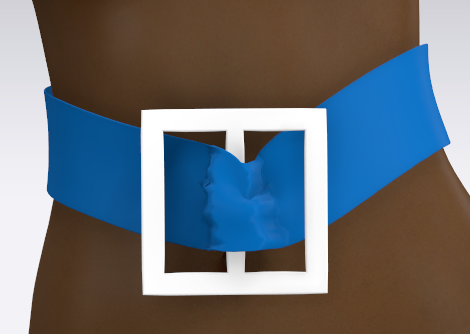 I can do this by using an "obj as avatar", however it does not move when animated and I can't glue it either.
To have animated, I have to use an "obj load as a trim", but when glued, the trim goes over the fabric when static, without allowing me to pass some fabric over the middle thing like this:
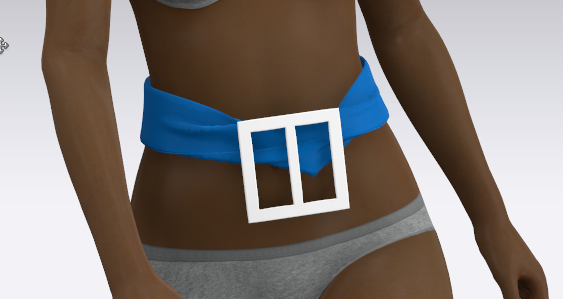
And also, during the animation, the trim sometimes goes into the fabric like this:
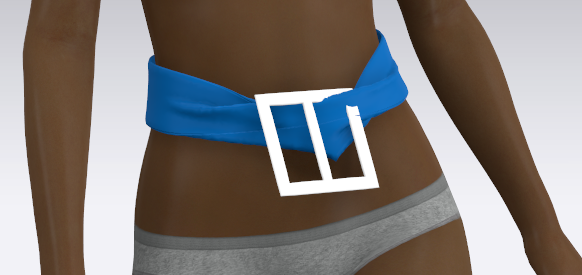
It's tricky :-S
0 -
Hi susanameiras
For this purpose, what may be the easiest approach especially because this buckle shape is very simple is to actually create it using a pattern piece!
- Drape it using a very hard material, like Trim_Hardware in the CLO library, and change the material finish to whatever you want
- Solidify
- Apply some render thickness if desired
- Thread the belt
- You could even use tacks to keep certain parts of it in the place you want.
This way, it will be hard, but also be able to "drape" in real time during an animation. OBJs cannot be animated because they are being read as another avatar in the space with no motion applied.
0 -
Hi Susanameiras
Try the instuctions on this thread. It will helpyopu very much. You absolutley can animate an OBJ and attach it to the rest of your model. User ottoline explains very well how to glue and animate a buckle.
there is also a much more in depth method howing you how to create a solid buckle as oattern pieces although I like this method a lot less.
https://support.clo3d.com/hc/en-us/community/posts/360033285014-Buckle-and-strap-
Hope it helps
ndjcnc
0 -
Many thanks CLO Designers! However, that solution does not really work when I start the simulation. I put the solidify at 100, I select S-Hardware, particle size 3 and 5; 2mm of thickness and the result before and after the simulation is this (these are actually my real model, the above was just a quick example):
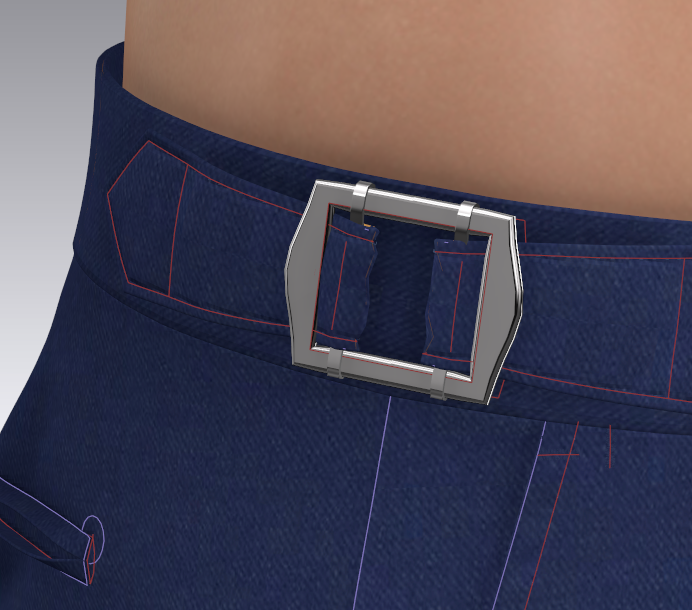
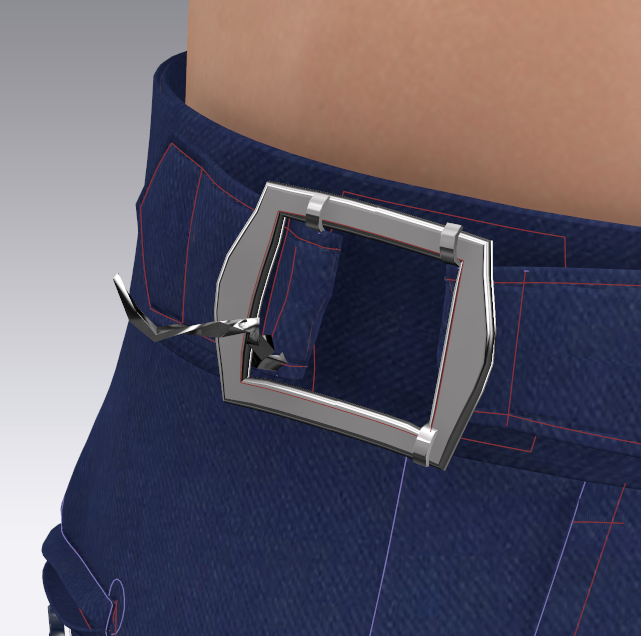
Many thanks anyway
0
評論