Issues with structure of bag

Hi everyone,
I am having some issues with the structure of a bag. The problem is that the base can't hold itself. The fabric thickness is on 2 and I've tried increasing but it doesn't work, I've also turned the seams inside out. I've tried the strengthen tool with no luck. As you can see below the base it's not great. I using a Swatch On Vegan leather.

I have also tried to layer but it goes all puffy. If someone has any suggestions in how to get the structure correct, that would be great! I've spent hours fiddling with it but I just can't seem to find the answer. I think perhaps a little layering wouldn't hurt as the reference image is quite thick and bouncy.
Below is what I am aiming for in regards to structure and shape!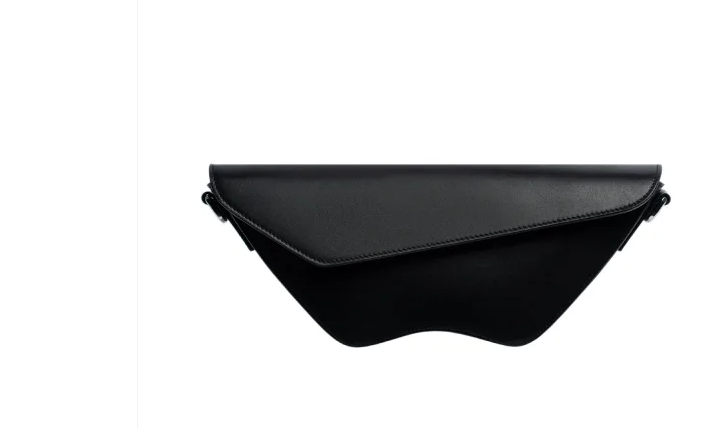
Thanks!
-
Hey Alex. First of all additional render thickness is only for visual purposes in case that is what you were referring to in your comment.
The way I work with bags, understanding that in CLO you don't have the benefit of real life stuffing, or moving the bags at more than one point at a time like with both hands, is to use freeze a lot. You use a very stiff fabric, and find the basic shape. By freezing some parts you get to shape specific areas of your bag without forcing your bag to behave like in real life.
0 -
TIP: Set the simulation gravity (-9800) to zero and switch off the floor so the bag floats in space. No floor and no gravity equals flotation in space and freedom to bring the shape to it's fullness. Pin the object (behind where it cannot be seen to keep it fixed) or freeze the top flap.
0 -
Hi alexloz,
The fabric thickness is about the fabric appearance, it is unrelated to its physical properties and drape result. And Strengthen tool is mainly for giving the pattern pieces to have a temporary strength effect.
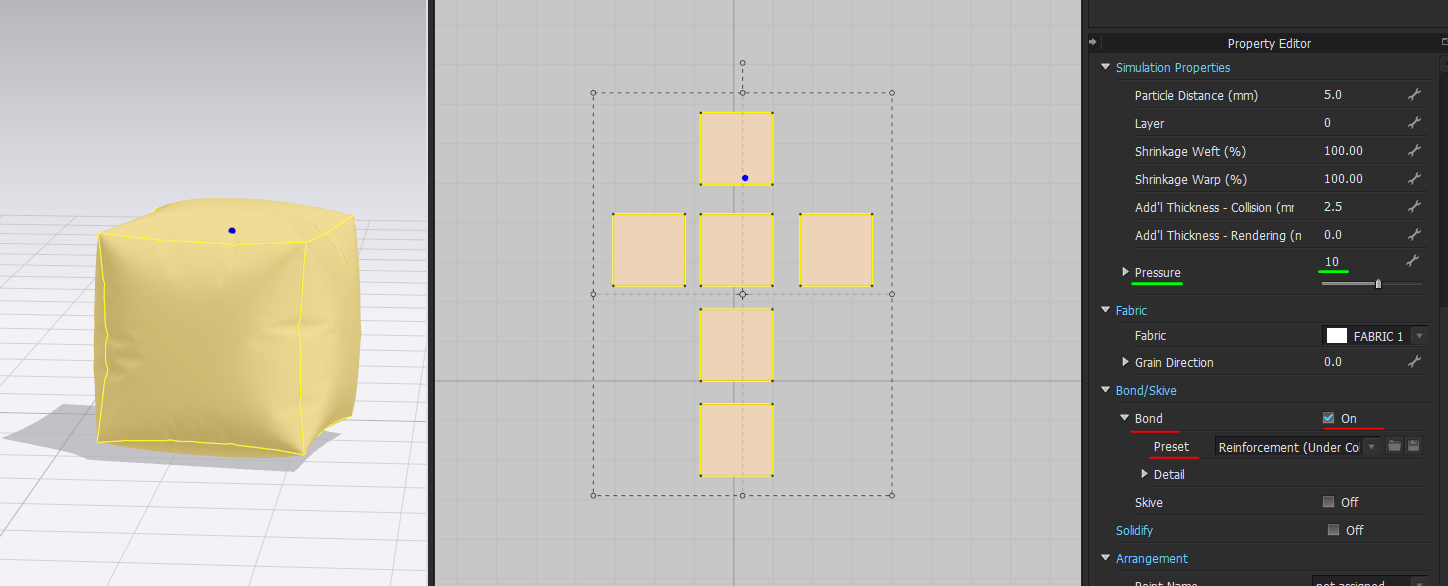
If you would like to make it look stiffer, please can try to add "Bond" on the related pattern pieces. You can find the setting after selecting the patterns > Property Editor > Bond. Then change the Bond Preset according to your needs.You can also apply a Pressure value (around 10) to express an inflated appearance for the bag. To see more about Pressure from HERE.
 0
0
댓글