Rendering

Hi,
I have some problem with rendering
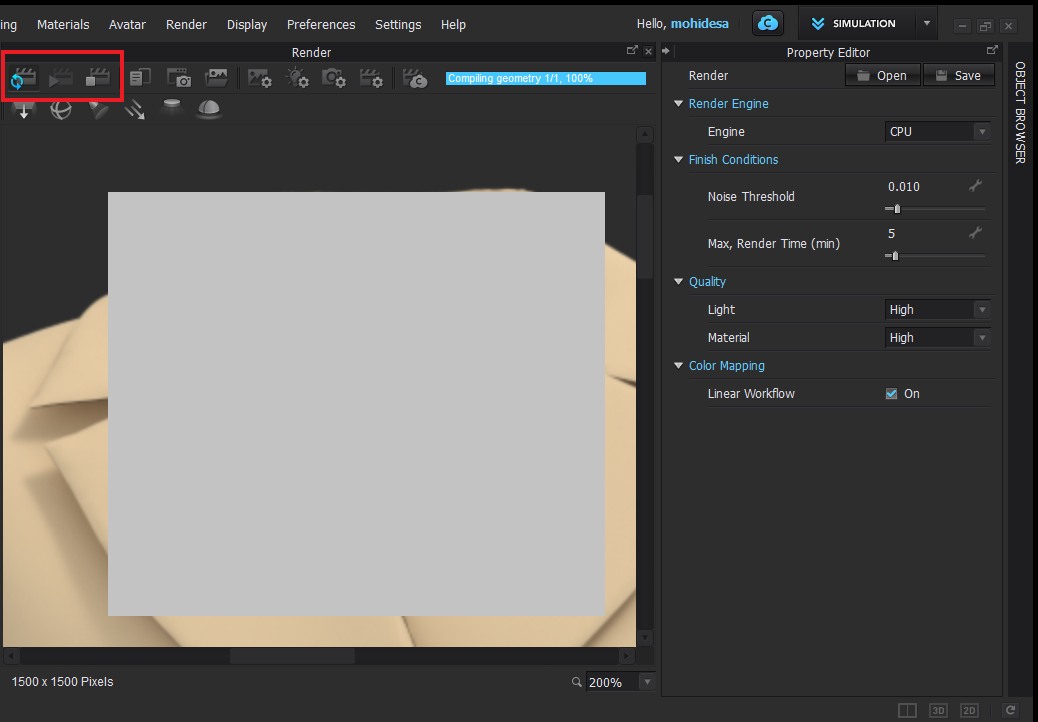
It takes a lot of time and after 3 hours, it doesn't complete yet... I mean the Final Rendering Option doesn't activate in my software...
Can anyone help me? I really don't know what to do
-
hi mohidesa
you're making a preview render,the double circle arrows refresh the render preview, you have to presse the stop button ( the square ) then the play button will be available.
Just when you press it the render will start and made. The time it takes depens on you're hardware and what it's in the scene.if you don't stop the preview/refresh render it will run forever.
Hope this help you.
Daniele
0 -
Dear Daniele
Many thanks for ur response, but when I stop it, the quality isn't good ...
0 -
Hi mohidesa
My answear is referred to your question "It takes a lot of time and after 3 hours, it doesn't complete yet... I mean the Final Rendering Option doesn't activate in my software…"
Until you stop the preview, the play button doesn't become active.
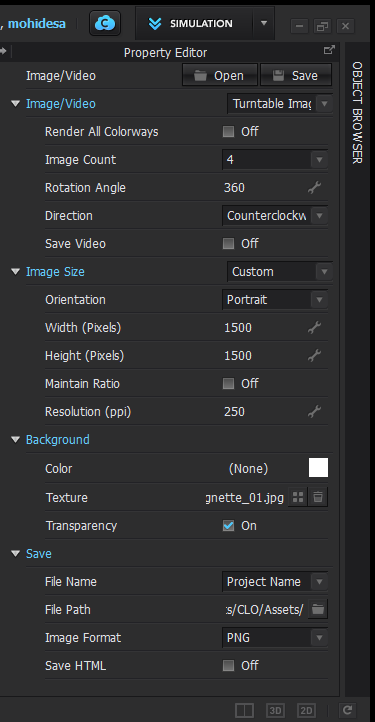
By the way, I notice now that you have set 5 min as maximun reder time, try to increase it,
If you have an Nvidia graphic card you can set the Gpu as render engine instead of Cpu.The size of the image and the resolution impact the render time.
You're also rendering a turntable of 4 images , but I suppose you want this.Daniele
1 -
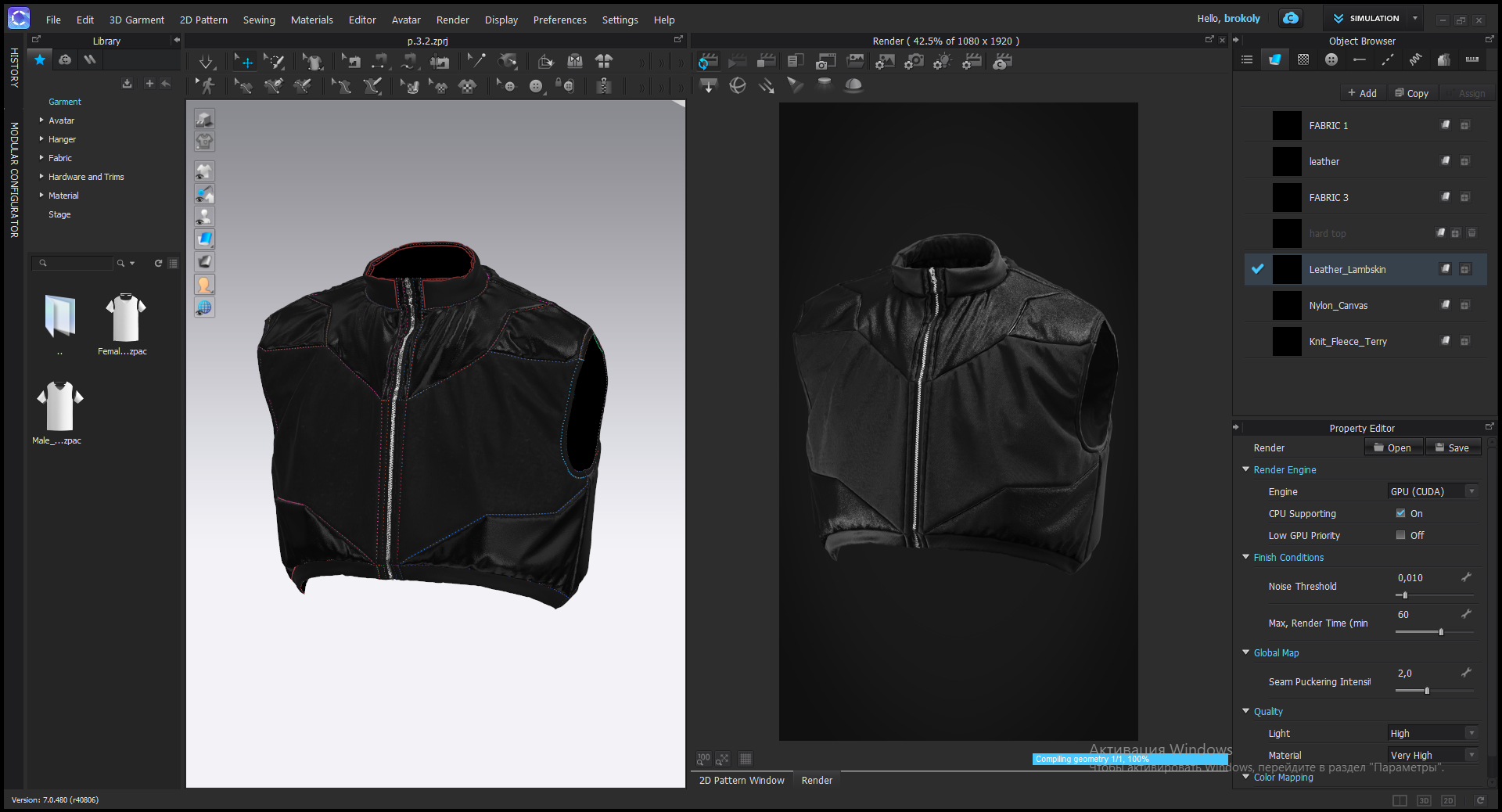
Hello, I changed the initial settings, but the final render will not get confused. How to solve this problem?

 0
0 -
Hi brokoly
This is because un the Render Image/Video properties you have most likely set it to Custom View.
When you select Custom views a pop up should open allowing you to take "snapshots" that will be rendered. This allows you to render multiple view points at once in CLO
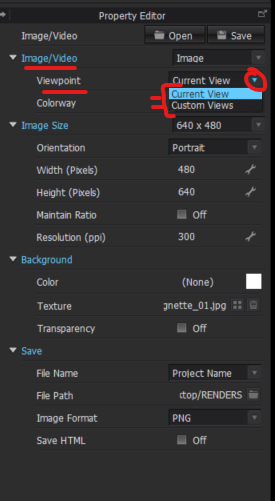
If you only want to render a single view you can select Current. Which will render exactly what you see in the 3D/Render window
0
댓글