No topstitches or buttonholes in the Render (also not in C4D)

Hello, everybody!
I have some problems when rendering in CLO (I see it well in the 2D and 3D screen but then in the render they don't appear) and also some bugs in C4D, (Mac and Particles in 5):
1- The topstitches and buttonholes don't appear in the render.
2- A black mark is formed around the neck (there I have put an inner line to be able to bend the neck well)
3- By the way, when I opened the project again, I can't see in the 3D window the stitches and buttonholes well, why? When I first did it, yes, I saw them and everything was fine.
4- When I export it in OBJ format (Only the selected) and import it into Cinema 4D, the topstitches do not appear very well and the buttonholes appear as if they were in a white rectangle. Is there a solution for these two things?
Also in C4D, it don't export the file of the normal and displacement maps, then I have to fix them by hand inside the C4D. Is there any solution to export everything better? What is the best way to export to C4D?
I would really appreciate it if you could help me! Thank you!


-
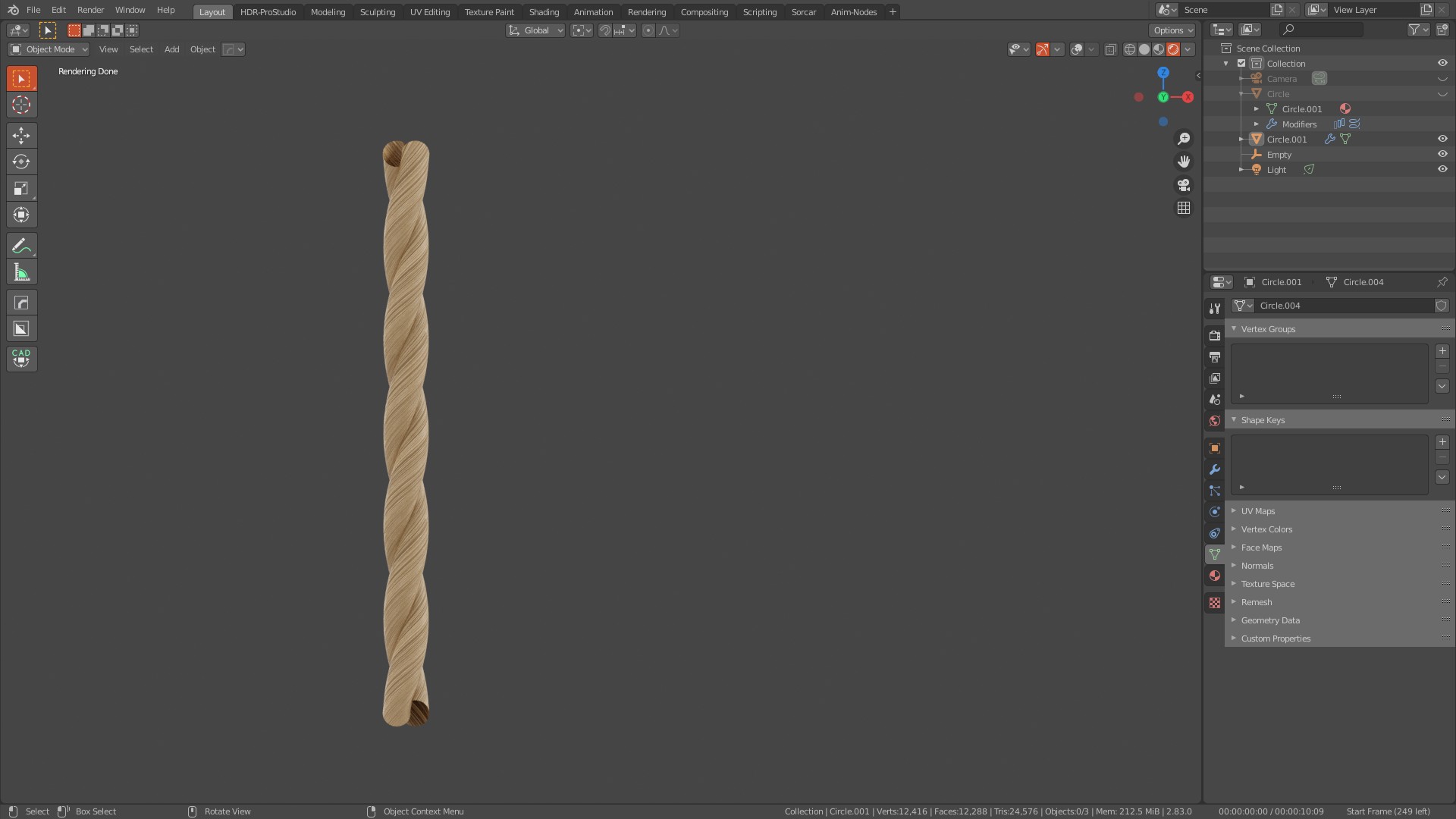
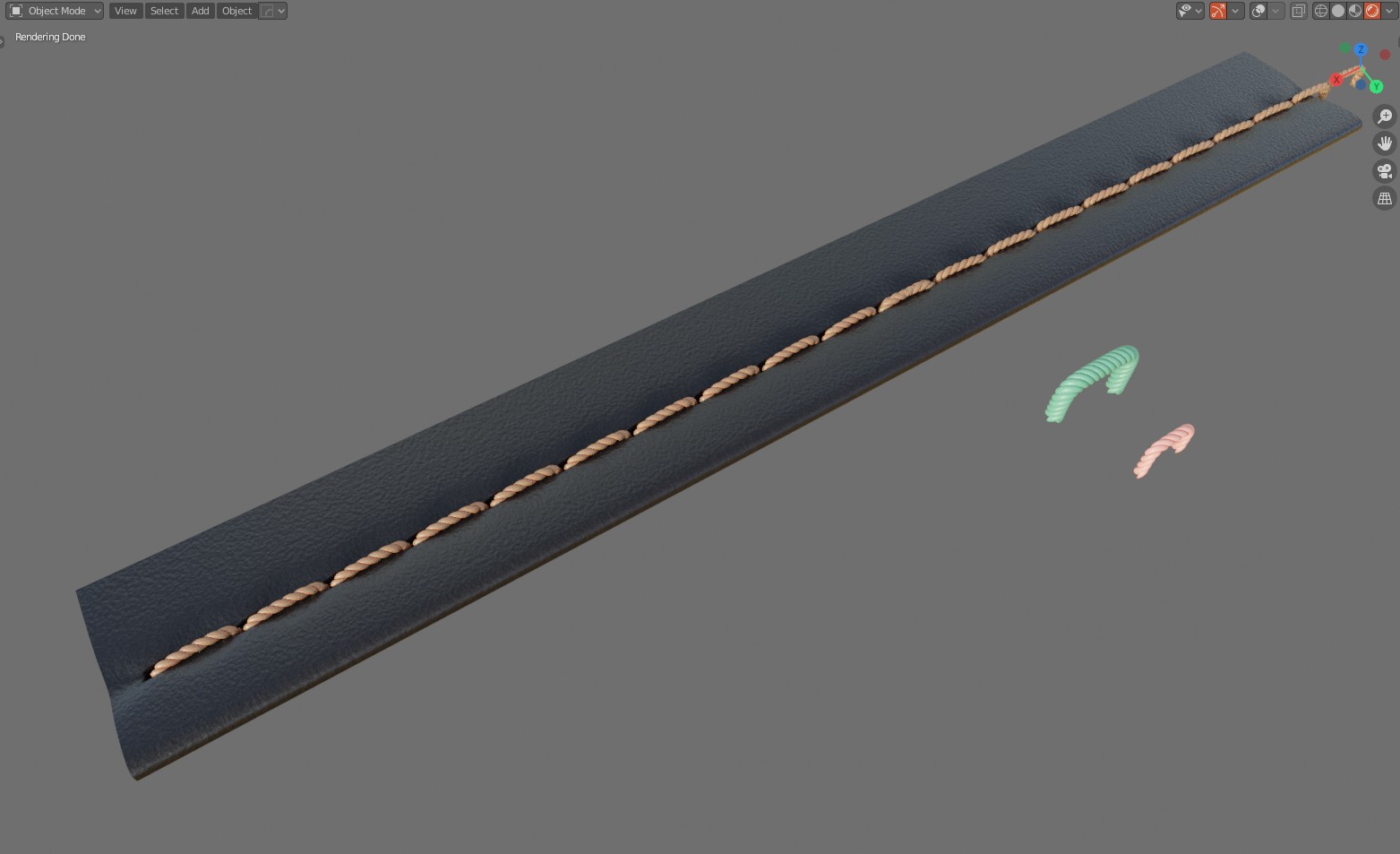
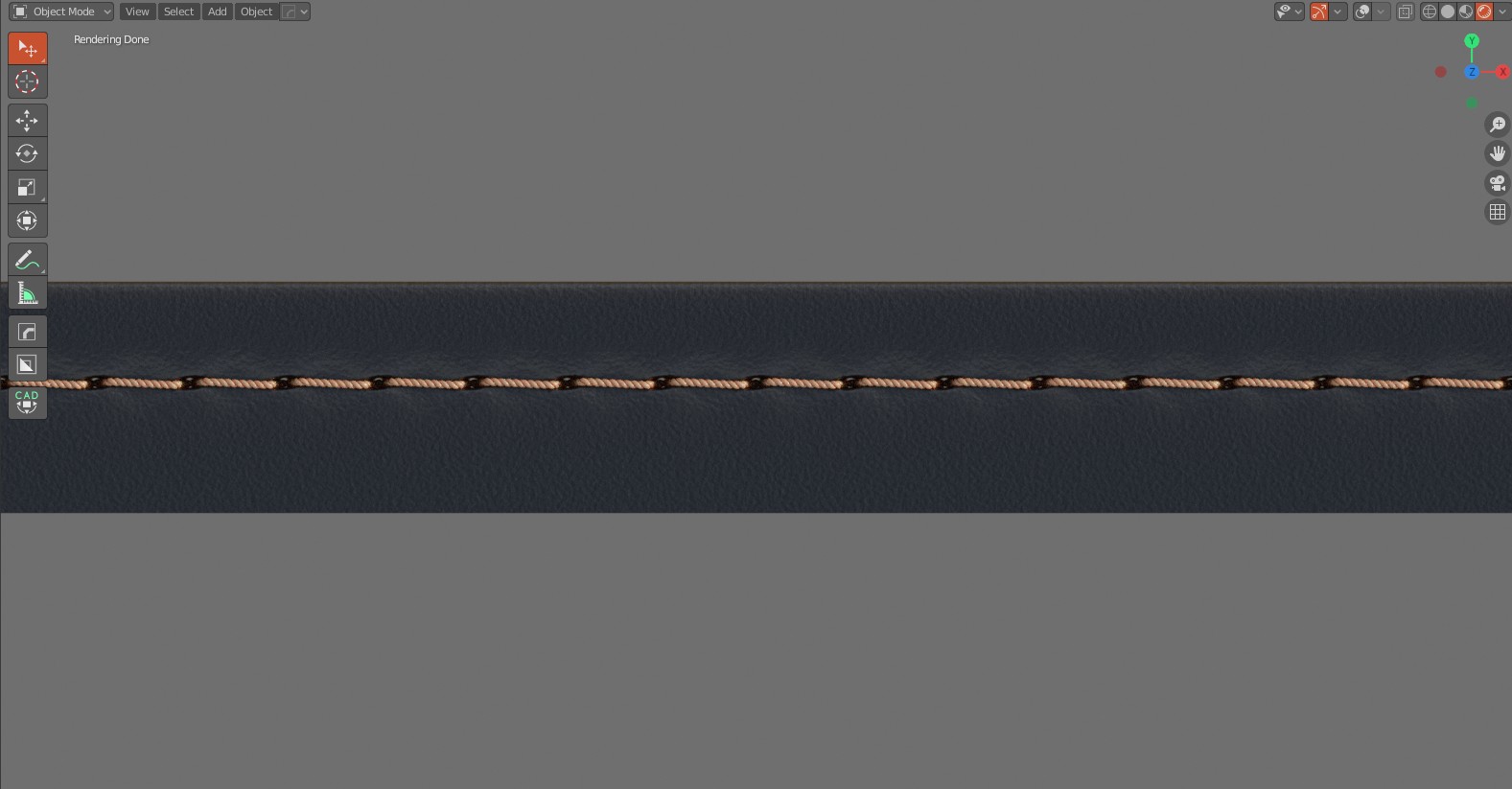
Twist a 2ply yarn and then make it into custom topstitching using the parametric addon tools - as good as using Houdini, only faster.
 0
0 -
Incredibly well done! Bravo!!!
0 -
hi all,
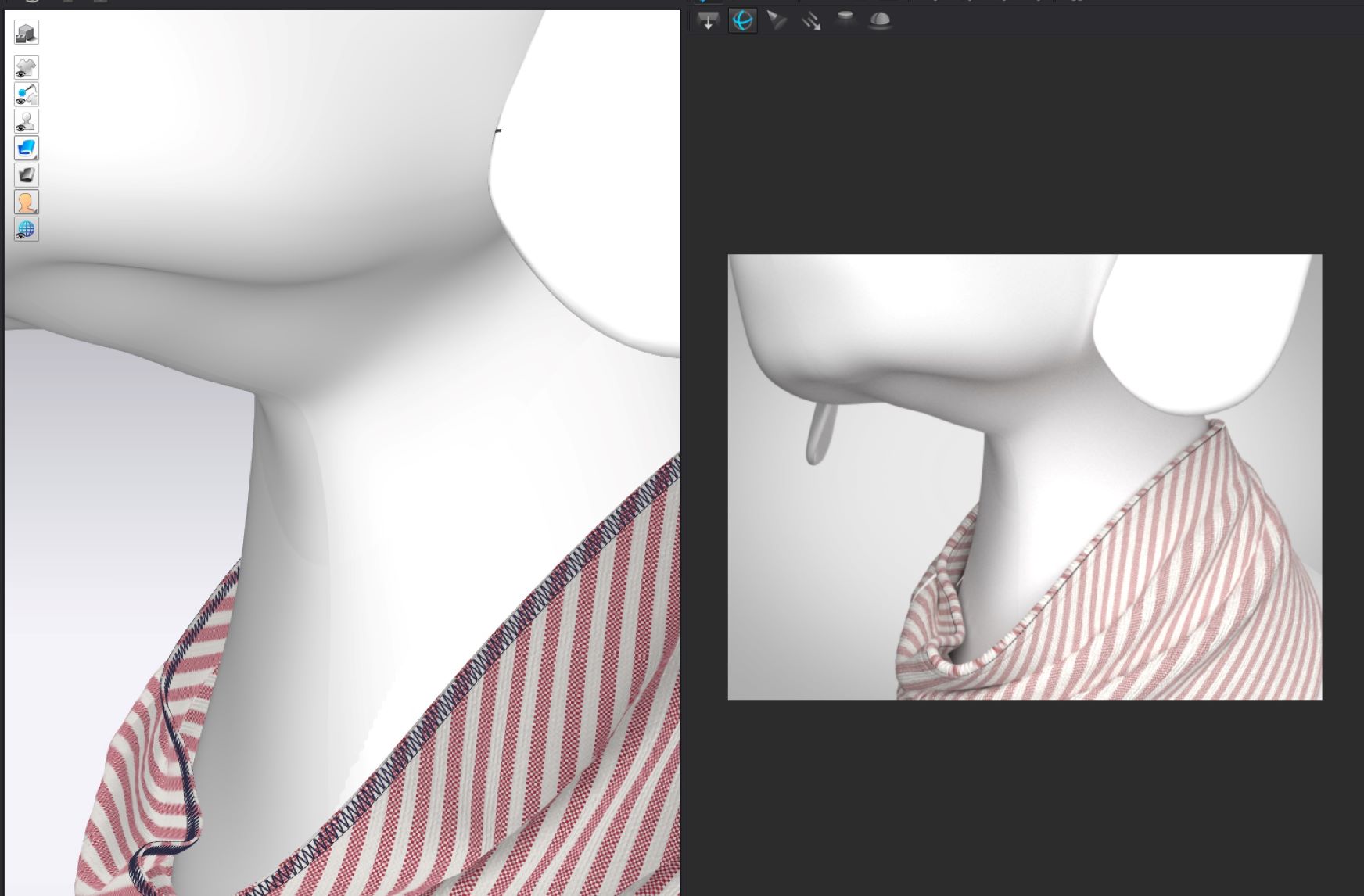
I had learnt a lot here. But after studied your message, I still can the way the display the stitch in CLO3d render mode. Since I fashion designer that only know the concept on CLO3d, totally no idea on Mega or C4D concept. May I know if I cannot conserve a render photos with stitches in CLO3d?
 0
0 -
Hi ottoline thanks for all the advice on here. Do you know if it is possible to add topstitch using the blender and decal machine method on an animated garment - so an obj sequence or alembic?
I'm trying to export topstitch (as 3D geometry, not flat) from MD/Clo to C4D, which doesn't seem to be possible, so I'm starting to consider the blender and decal machine route.
Thanks!0 -
Yes, in blender with the addon decal machine you have the 'new' feature called trim sheets, so you can lay the stitch into the thin mesh (so it not above the mesh casting a shadow) and also place in a normal (pucker) and what you would normally see from decal machine with a decal hovering above but in the mesh between the seam line and the pattern edge (requires you to lay in internal lines where you would place seams. Of course in blender you can script almost anything so you can automate this whole process into a single click.
One thing to mention is that when you make a trim sheet for seams and stitching, you need to make your master (model) relative to a grid or some unitary scalar (eg: the way typography is done 1U x 3U) so that everything in the master trim sheet is sliced and diced according to how it will seemlessly match together, when done well it can be pixel perfect. How I have been doing it for years for film and fashion in photo-real garments.
So it's critical to think of seems as relative to the pixel and tiling, and then how all sewing types on a garment need to be placed into the model. Here I simply have a basic set of seam junctions, like corners, straight sections, button holes, pockets, flies, lapels etc all on a single flat model, that then gets baked into my trim sheet then sliced to a grid and loaded automatically into decal, I also keep the fabric weave frequency separate to all other mechanical stitching, that way I can combine any tiled fabric weave texture to my top layers and stitch, furrow, and pucker frequency and call that up in a master seam configurator within blender, kinda like a souped version of what happens in CLO3D only a lot more detail and way more quality. I add in about 3 other texture maps that CLO3D and vray don't do, as it makes my digital garments render much better.
So yes anything is possible. I also have a 'trim' digital scan system that works to the same layout I use in digital, plugged into blender as well, a bit of hardware that I created (way more precise that the TAC7 scanner and much higher quality images) at about 1/500th of the cost to their hardware. That can batch textures out directly into these 'trim' sheets, something I use with film projects to build all the necessary texture detail so that it all tiles seamlessly. That then also allows me to change the transparency and dye quality based on how the light hits a seam and stitching so it's simulates true to real clothing based on where the HDRI is positioned - works in realtime. So blender is definitely my goto tool for garments, much better than modo, or maya,max.
0 -
Thanks for the response ottoline.
It all sounds great for high end production. Unfortunately I don't work for Hollywood :) and just need the most basic 3D stitch solution possible. The 3D stitch inside Clo/MD is perfect for my needs as it's so intuitive, it's just frustrating that it doesn't export properly. Might give blender and decal machine a go, but means I need to learn blender first and pay for yet another program (decal machine) just to do a basic stitch, but it might be worth it :) Thanks again!0 -
Depends what you are doing as to why you would export the stitching. If you are reaching out beyond the CLO3D system (a one stop shop for design, pattern and rendering, animation and rendering) then you have to expect some CG changes to be made. CLO3D is primarily able to stay within it's own system for visuals so why go outside of their efficient system would be one argument.
You can bake stitching down into UV maps which then makes your model less intensive - you can use the free shader map 4 to do that.
0 -
Thanks ottoline, I need to add a bunch of other things to the scene including background and other props, and do some specific camera animation. I also have a fairly complex shader on parts of my avatar to get the look I need, which I won't know how to do in Clo/MD, or if it is even possible. I render with Redshift in C4D usually so that is what I am comfortable with, especially with deadlines coming up.
I'm also not really worried about filesize that much, geometry on the stitches would be preferable since the look is stylised/cartoony which makes the stitches quite thick, and there are closeups.
Thanks for the shader map 4 recommend and for your advice in general, very kind.0
댓글