How to turn a low poly skirt to a high poly skirt

I made a dress in Clo3d, this includes 2 skirts that are connected to the top. Even tho i have the dress with 5mm of particle distant, the section between the top and the skirt gets very low poly and not very realistic. Im wondering how i can make it look better and more realistic.
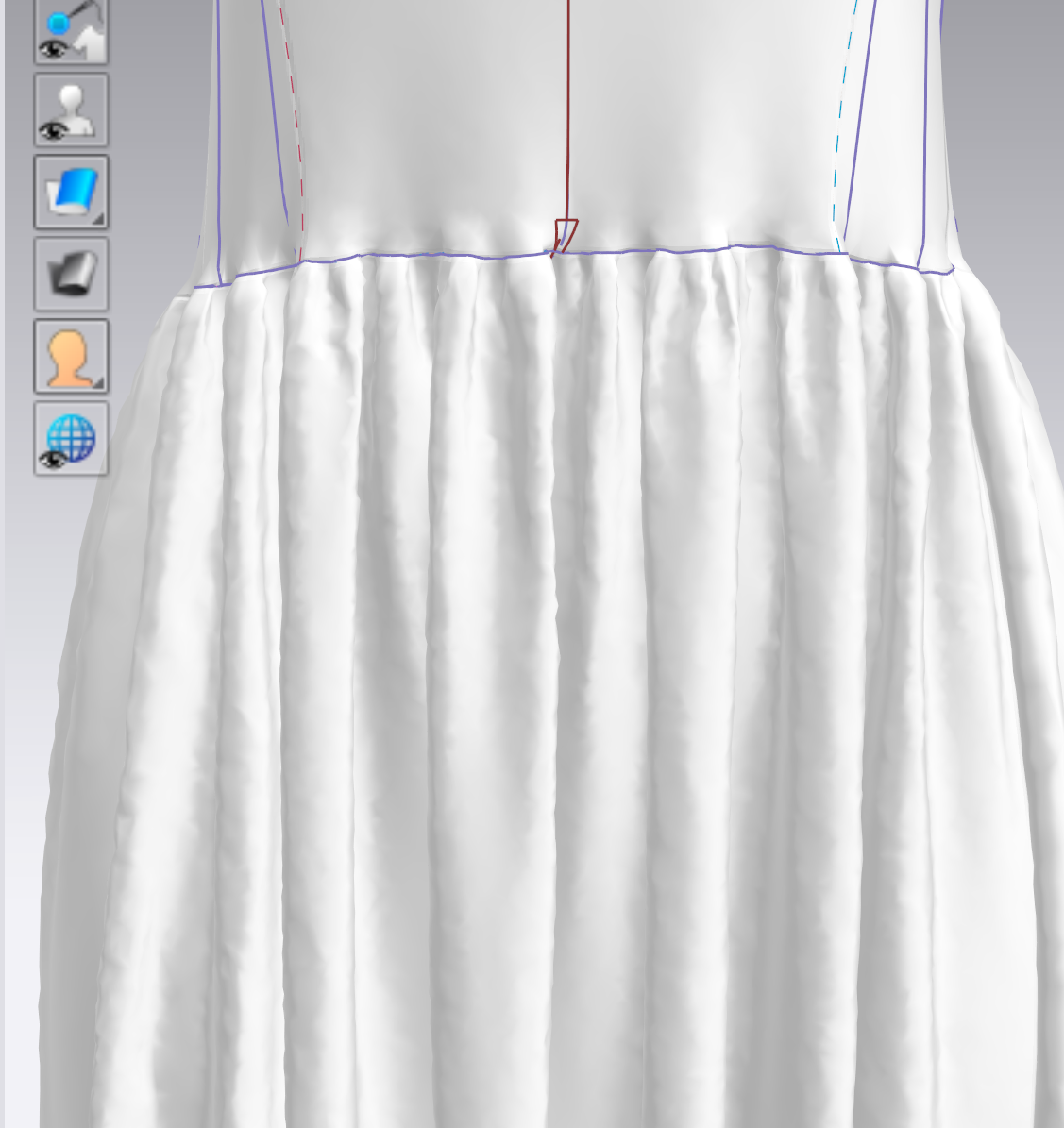
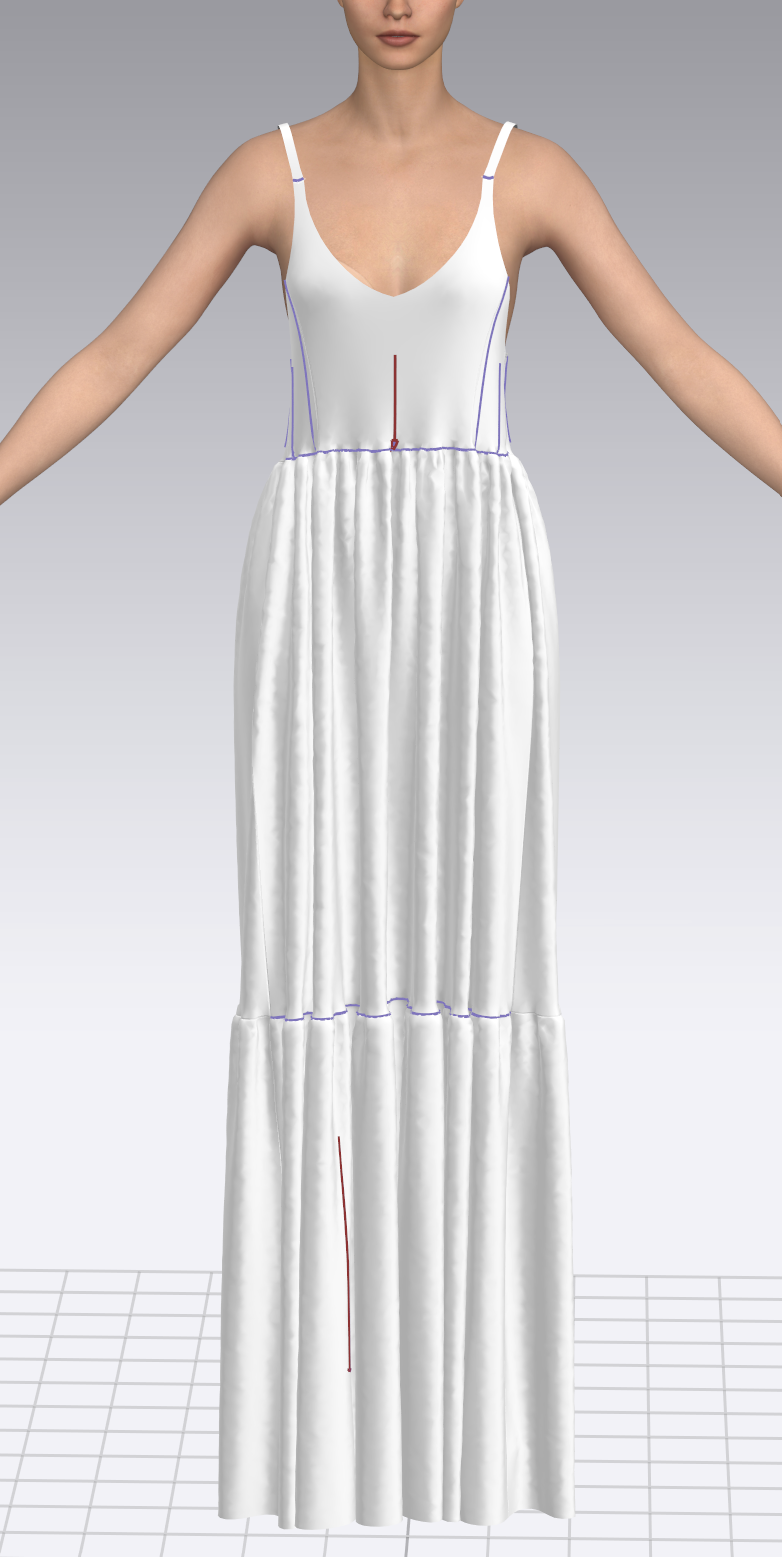
-
Hi joaoferreira
As mentioned before please let us know the Current CLO ID that is associated with your CLO subscription as you did not do so previously.
Since it looks like you are using an old version of CLO. Once we know the ID that is linked to your subscription and CLO version we can assist further
0 -
The current ID is: aarsi
0 -
thank you joaoferreira. We do recommend posting with that account in the future to avoid confusion
We also recommend updating your CLO to the newest release of CLO 2024. It looks like you are on 7.1 which is 3 versions behind
You can adjust the Particle Distance (PD) of pattern pieces in the pattern pieces Property Editor. We recommend keeping the PD at the default of 20 while working/editing, but change to 5 once complete.
0 -
As referred before, i did indeed use the particle distance of 5mm and it did not help solve the problem.
0 -
But it also looks like you have not Simulated the project after changing the PD. After changing PD you need to simulate, otherwise the fabric will look wrinkly. You should also change your fabric view from Textured Surface to Thick Textured Surface in the 3D vertical Toggle.
One additional option (after simulating) woudl be to apply shirring the the waist line. This can also be done in the Property Editor
0 -
The print was taken while it wasnt simulating but i did simulate before taking the print. The fabric view did not help neither trying to use other textures in the dress. The shirring helps smooth a little bit but the low poly is still visible and since i wanna do close-ups and i wanna make it look realistic, its not good to have it like that.
0 -
Can you please take a screenshot which shows the skirt selected and the 2D window and Property Editor fully visible.
We can only advise on what we see and the skirt in the image was not simulated after the PD was changed. Simulation does not need to be running, but it does need to be turned on when a change is made \so it can physically adjust.
You may also want to check you computer specs and make sure they are up to the recommended level HERE and that your graphics card is up to date
0 -
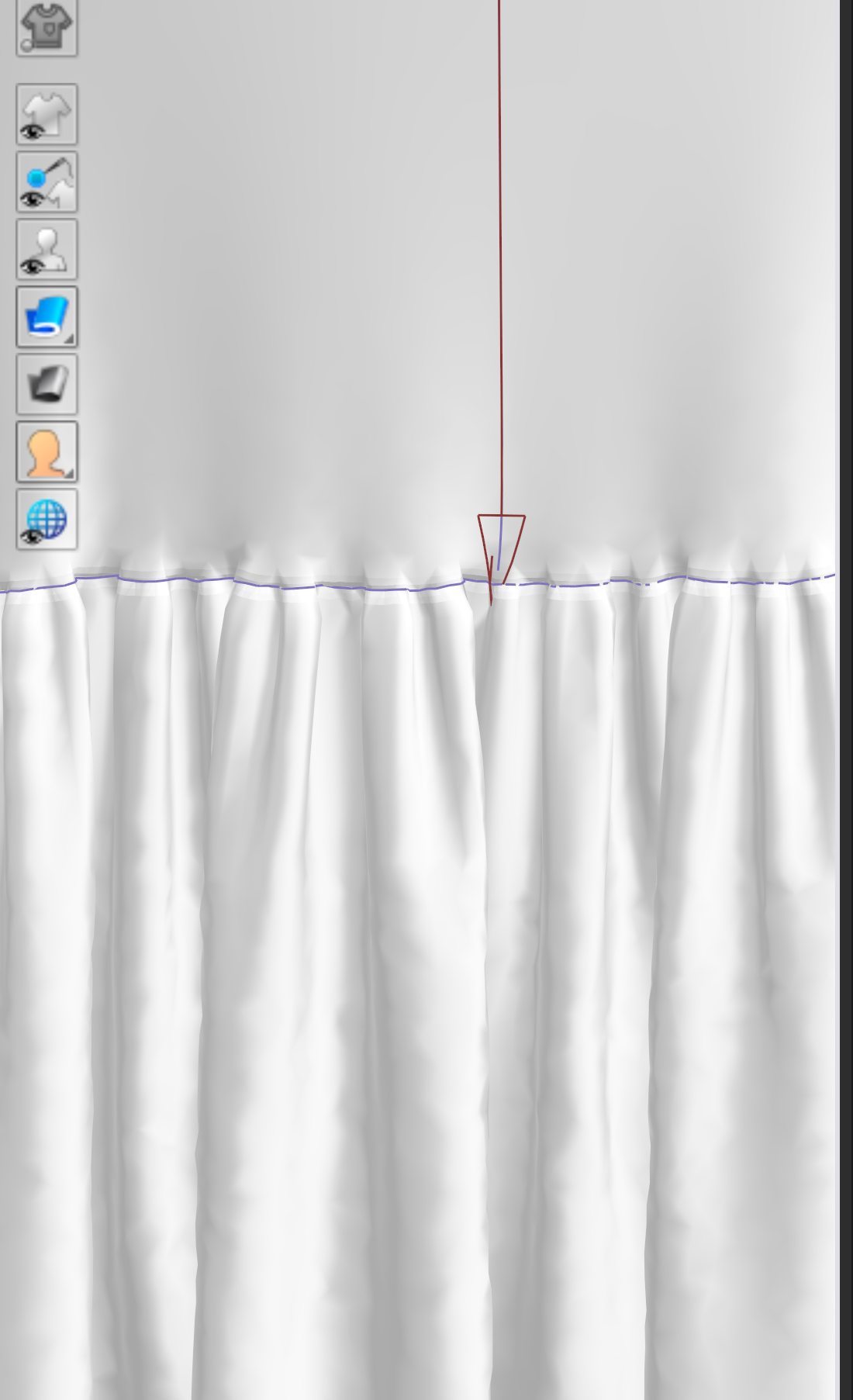
Here:
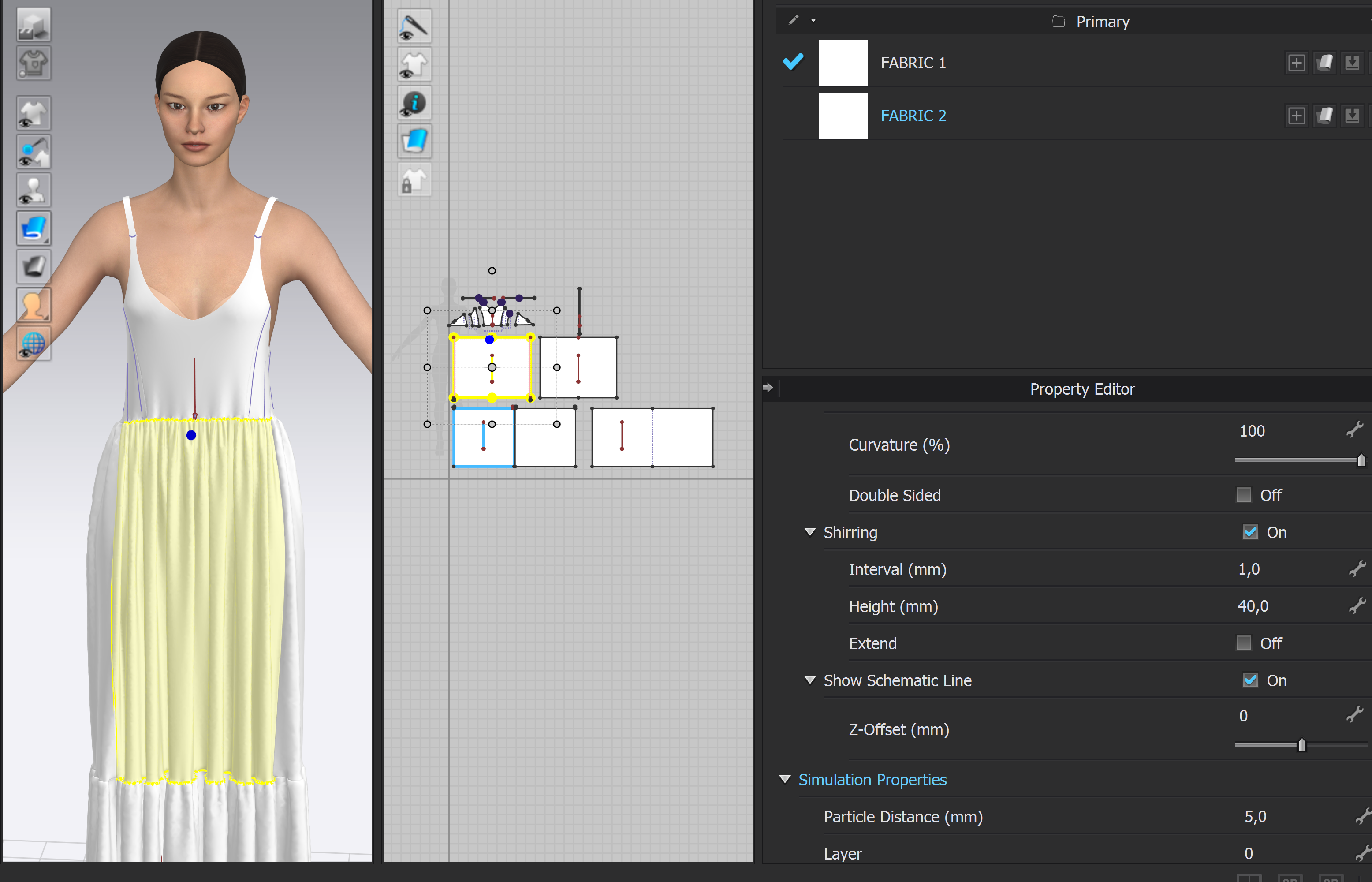
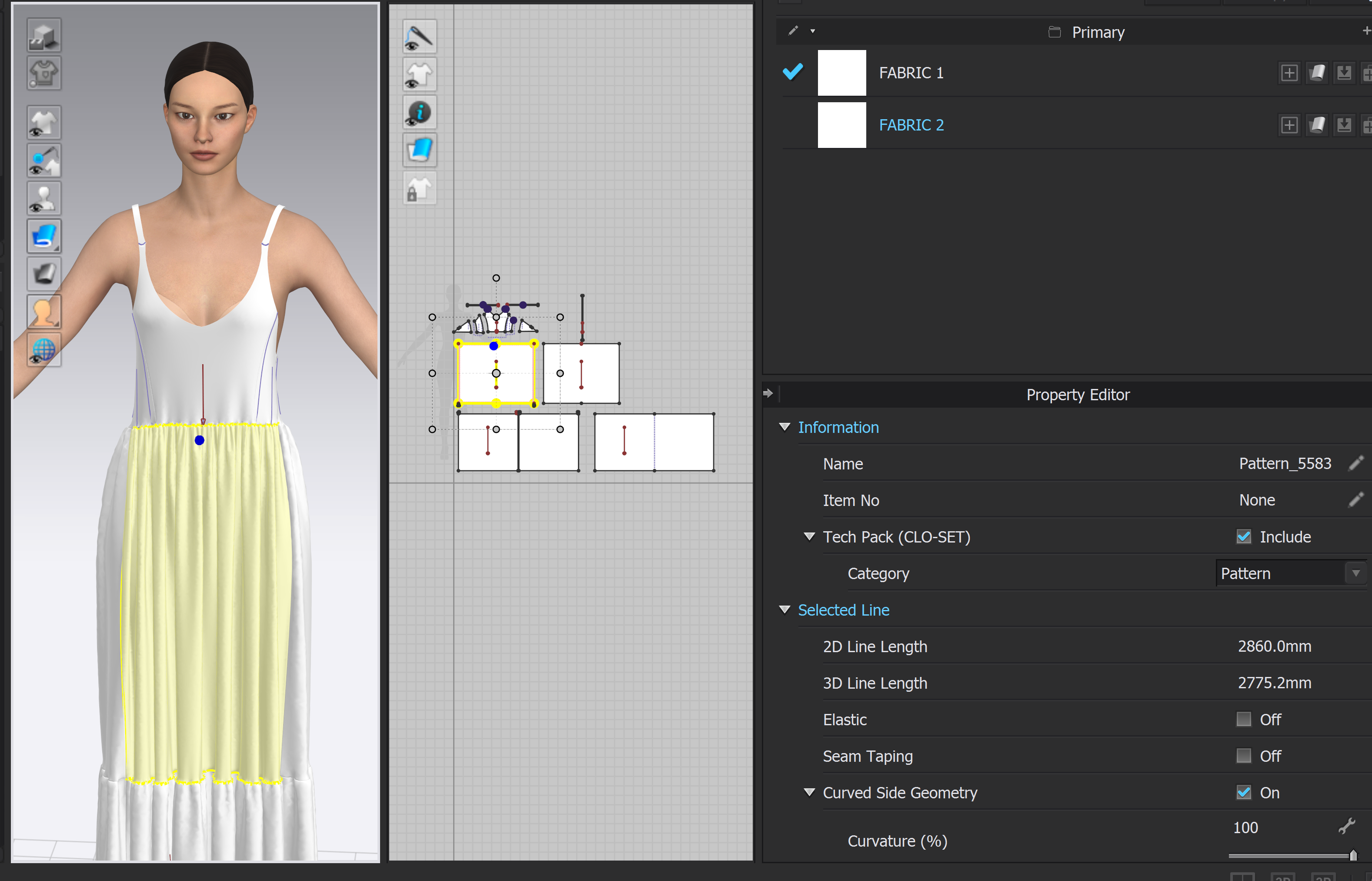
 0
0 -
Looks proper. You may want to now look at applying a proper fabric instead of the default material
0 -
Added some fabric to test it, its looking way better than before, thank you for the help!
0
댓글