How to get better rendering quality then in carrent pic.


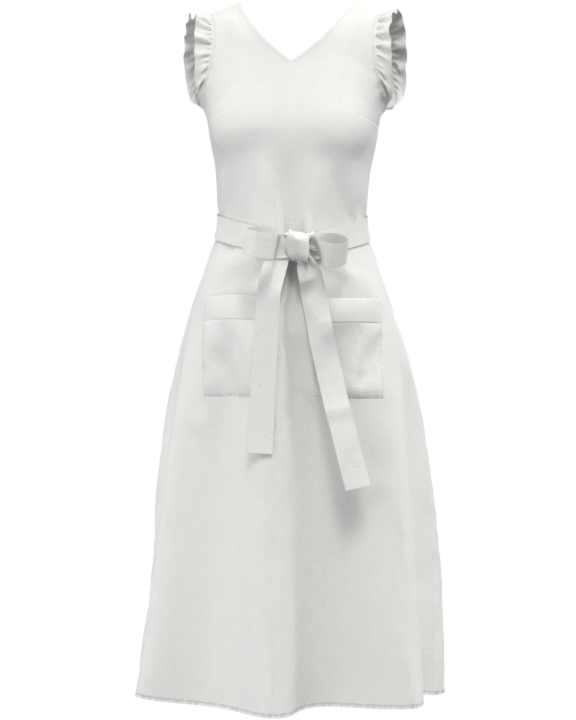
-
What do you mean by better rendering quality ? At the moment your garment has no textures on it, is it meant to be the default white fabric or do you want to texture it differently with fabrics textiles ? As that would not be a rendering issue that would be a fabric texture choice, and materials shader issue.
Perhaps toss up an image of the type of rendering quality you were looking to emulate (end up with) so that there is perhaps a better visual indicator for people reading this post to gauge what aspect to focus in on and how to get you from A to B.
Below a fabric textile with shader PBR maps.
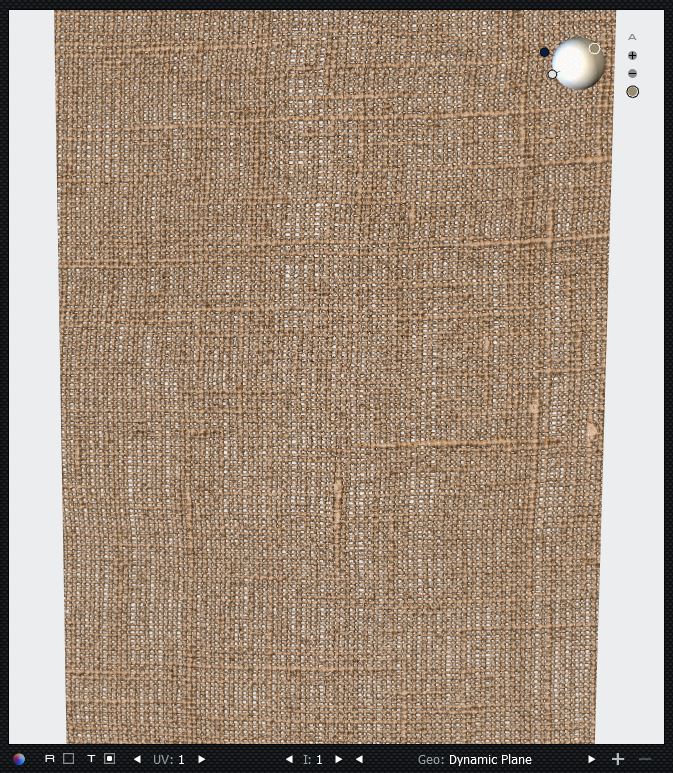
In CLO3D you can change both the fabric textiles, shader type, lighting lamps, and HDRI scene lighting dome image (back plate).
1 -
Thank you for the answer. And sorry for not clear question.
The dress should be white.And I used the fabric from the library it also has the some structure. But after rendering the dress looks more grainy relatively to the simulation mode.
0 -
Annas, definitely you need better lighting. Play with the HDRI lighting intensity and angles. Your dress looks too dark. Also, I noticed you have low pixels at a high density of pixels per inch. Why don't you try something like 2048x2048 px with 72 ppi?
1 -
Read this section of the CLO3D Manual
https://support.clo3d.com/hc/en-us/sections/115003861567-V-Ray-Render
You definitely need to render a larger image output size, as your format and quality of the noise level (you can set this) in the render needs to meet at least a online (screen) production quality. If you don't do that you will never get a render of any decent image quality - full stop. And if you are going to print you need to understand how DPI or PPI effects the output for digital pre-press color space of RGB <> CYMK. So if you don't have that level of knowledge you need to do some basic reading on what multimedia image size output (portrait or landscape) you should setup.
With regard to lighting, lamps, and dome HDRI. You should also read up on that topic. You simply cannot just press a render button and expect to get a photoreal output. That is NOT how any CG software works. It is important to spend some time learning about how to set up your studio scene environment, and the CG camera and how studio lighting (lamp) arrangements effect the image. So this is going to always be an ongoing educational process - as with lighting and composition the learning never stops - just like a real photographer your images/composition/quality are directly related to your talent and skill and choice of equipment hardware. That does not go away, to get a good image you need to be a talented photographer and have an eye for the detail. Even in CG. However to ease that learning curve you will find there are many basic studio environment setups already pre-made you can dump your model into - so you get out a decent image. A sort of halfway house between talent and Instamatic auto-digital camera that takes away all your control. So decide what side of the creative fence you want to fall.
Like any real world piece of hardware (real camera) the software (vray render engine) has the equivalent virtual hardware tools inside the software 3D virtual scene and you need to know about their functions, there settings and how some features (focus and ISO) are automated or manual. Vray is like a you handheld camera - it is technical. And as a professional you need to know how to use your apparatus. It's not a Tesla car that auto-drives nor a Dualit toaster - it won't make perfect toast right out of the box. It requires some setup skill and resetting to arrange the elements to work together for your composition.
So if you want a quality image output - you will need to do some study.
V-Ray-Camera-Properties-Above-ver5-0-0
VRAY3MAYA/Physical+camera+Attributes
VRAY3MAYA/Camera+settings+Attributes
Other render engines:
All3DP - 2019 3d-rendering-software (links to most render engine CG softwares)
Hit those books.
How to do it > this journal of knowledge will give you your best leg up on your CG render journey > Read it, practice it, and live it > chrisbrejon.com
1 -
Thank you for such a detailed answer from "ottoline". I will study all the points.
Thank you Pablo for practical help.
I am a new user never been deal with rendering program.
0 -
Hi ottoline,
closeup is good but what about large size, if i have 60" piece how can i show the detail.
please explain
Regards,
Neeraj
0 -
The texture tiles in the examples above are at a smaller repeat @ 50cm so you simply assign your fabric shader and it will repeat for whatever size cloth you apply that fabric texture. eg: 60 inches = 152cm > 3 repeats with seemless joints, so it will look continuous.
0
Comments