Issue on Full Tool Bar Displaying

Hi,
I follow the other video tutorial to learn Clo 3D. I saw their screens had full tool bar with about 20 tools displaying in each 2D & 3D windows, but i only had 2/3 of it. I tried to searched in Clo site to get a solution. The support member provided a solution for it and it worked well by selecting " User > Library > ....".
But Where is "USER" ?
I could only see "User Setting" after going trough all drop down manu.
ML
-
Hi milly2021
I hope you are well.
You can customise your Toolbar preference by going to Settings --> User Settings --> User Interface, from here you can change the position of your toolbar. From 6.1 on the default is set to Left and Right. however, you can change these settings to your preference. If you would like to see all your tools individually you can Ungroup the Tools.

I hope this helps.
Take care.
0 -
Hello dear community,
Do you know if I can change my screen display so my 3D window will be on top of my 2D window? Thank you :) ottoline (Maybe you can help? since you are my CLO3D hero:)
0 -
Hi chelymoalem1
Are you looking to do something like the below image? If so you will have to manually pull the screens out and then move them into place. They will not "snap" into place. The only ways that they will snap into place is either the entire screen or Right and Left sides.
IS there a reason specifically you want this view?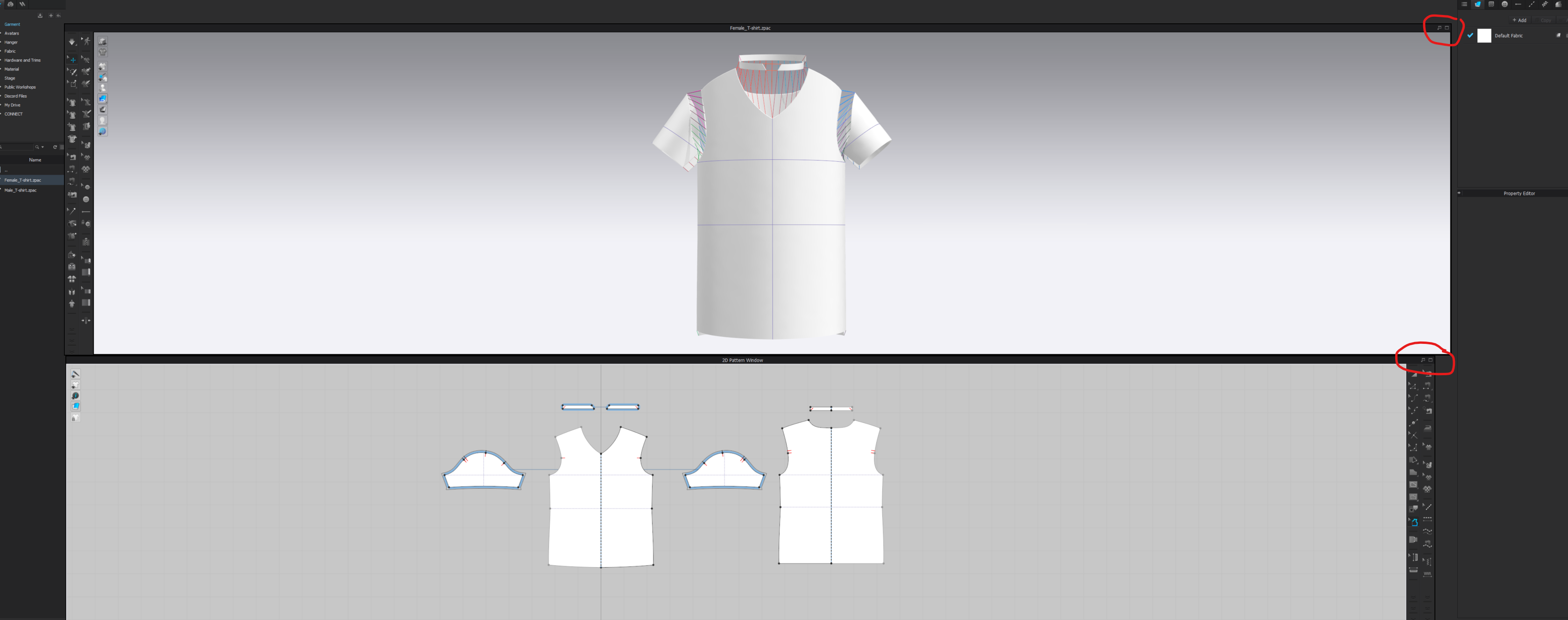 1
1
評論