Glass Material + print pattern

Hello everybody!
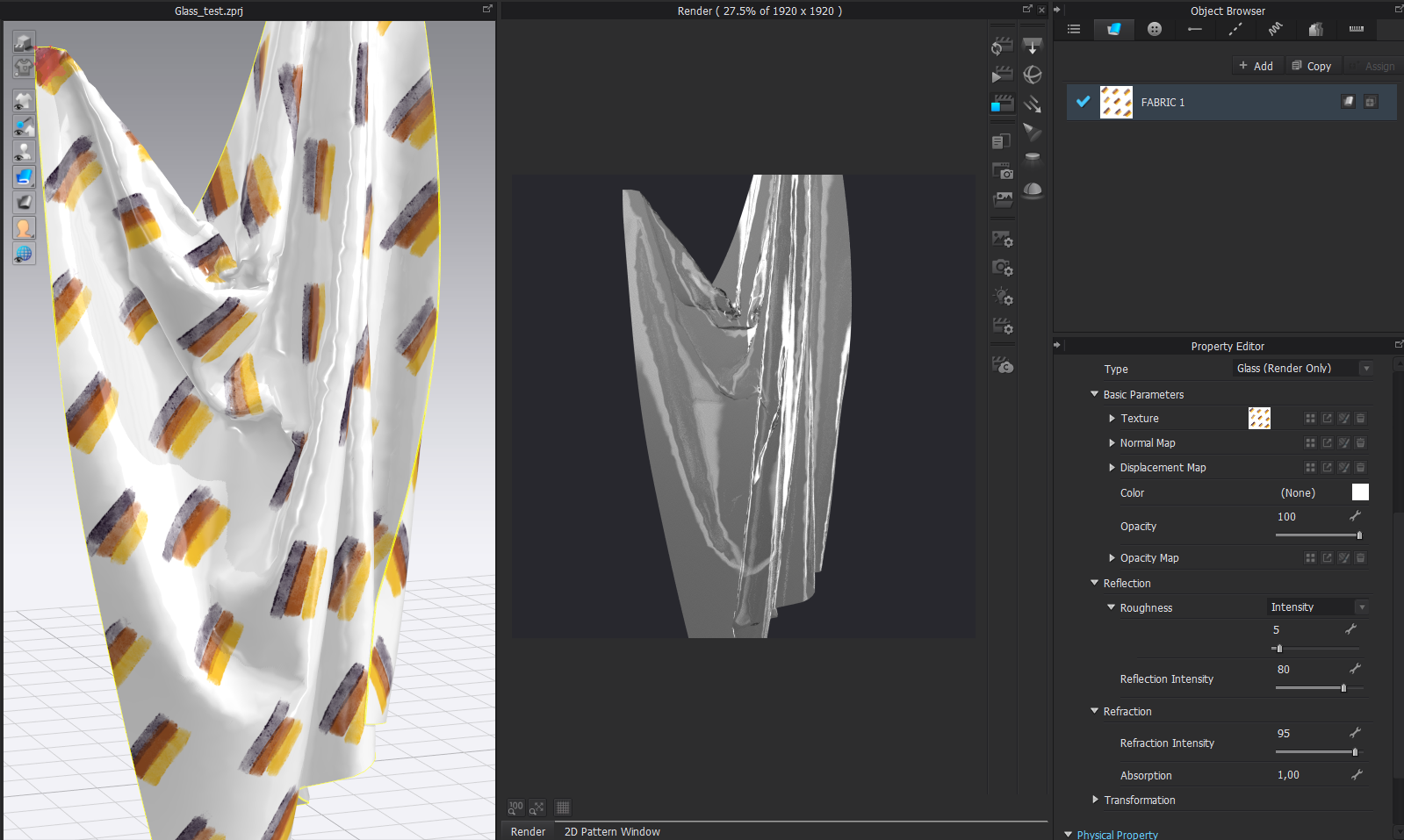
I want to make a fabric with a transparent plastic effect and at the same time a PNG print pattern with transparencies.
I have used the material "Glass" and in "Texture" I have added the print pattern I want to use but it doesn't appear in the render.
Any solution? What parameters do I still have to change?
I attach a screenshot.
Thank you very much.
Victor.
-
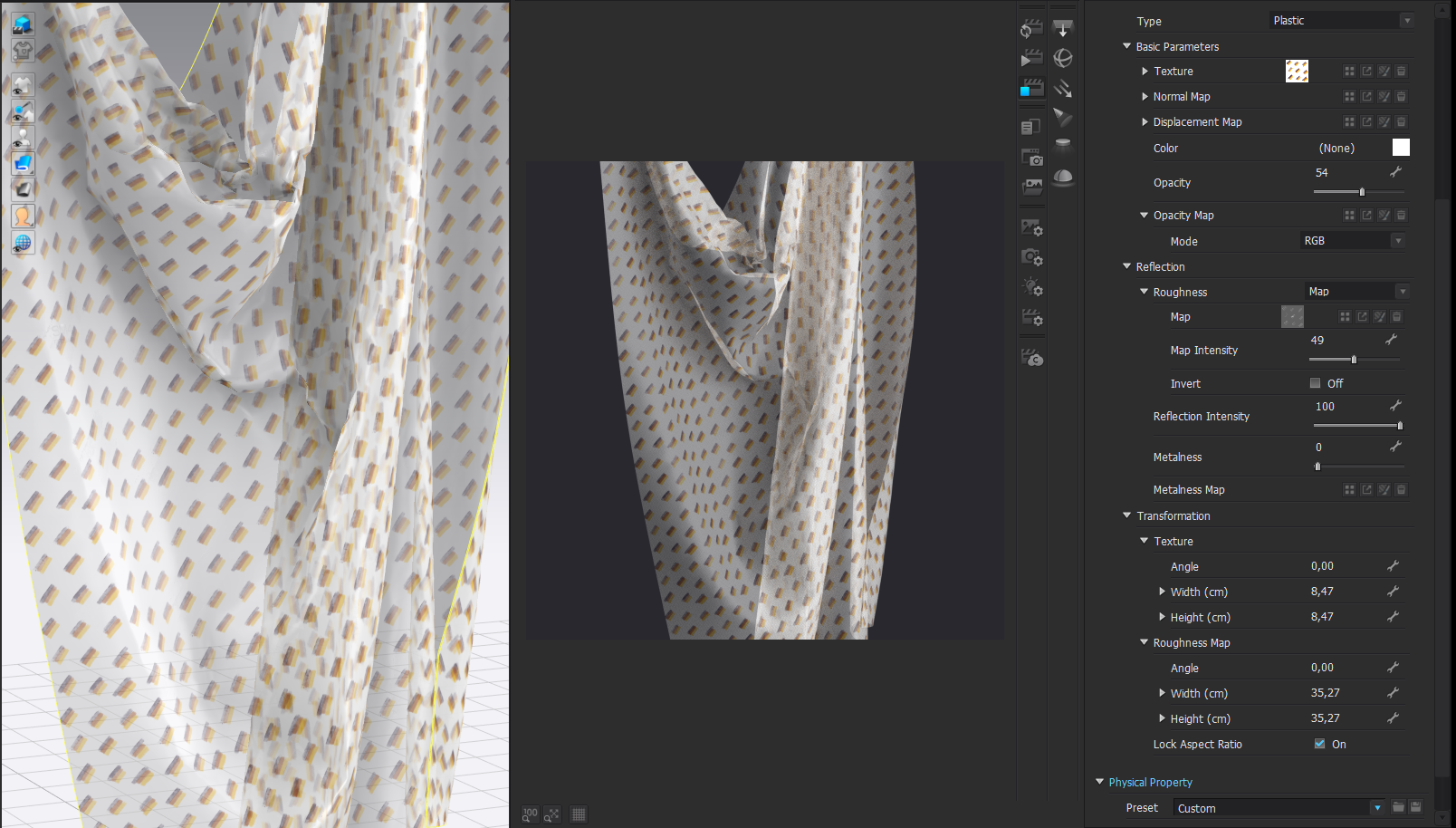
You might be better setting the fabric to plastic, and changing the opacity, that way you can keep it a high gloss (roughness map where the print is slightly matt > use a grey scale image of your print ink graphic build up on the place sheet) and set the translucency using the opacity map channel and still have the printed image texture loaded in the base shader. Glass is the wrong type shader choice.
The free application shadermap should help you generate your grey scale roughness map and the opacity map.
0 -
Thank you very much for your quick response.
I don't have much knowledge about maps and I've never used ShaderMap... it's a program that looks good.
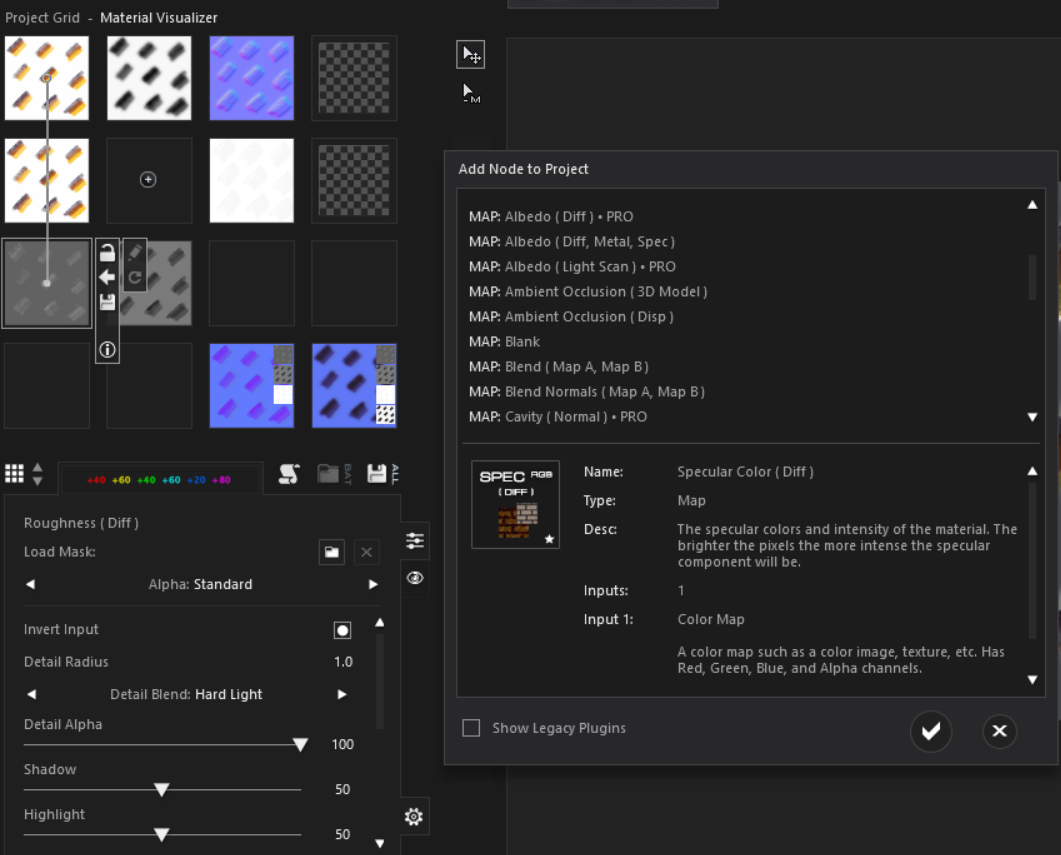
I can't get the desired effect and I can't find the way to make an Opacity Map in ShaderMap either... I can't find it...
Any help, please?
 0
0 -
Some quick steps.
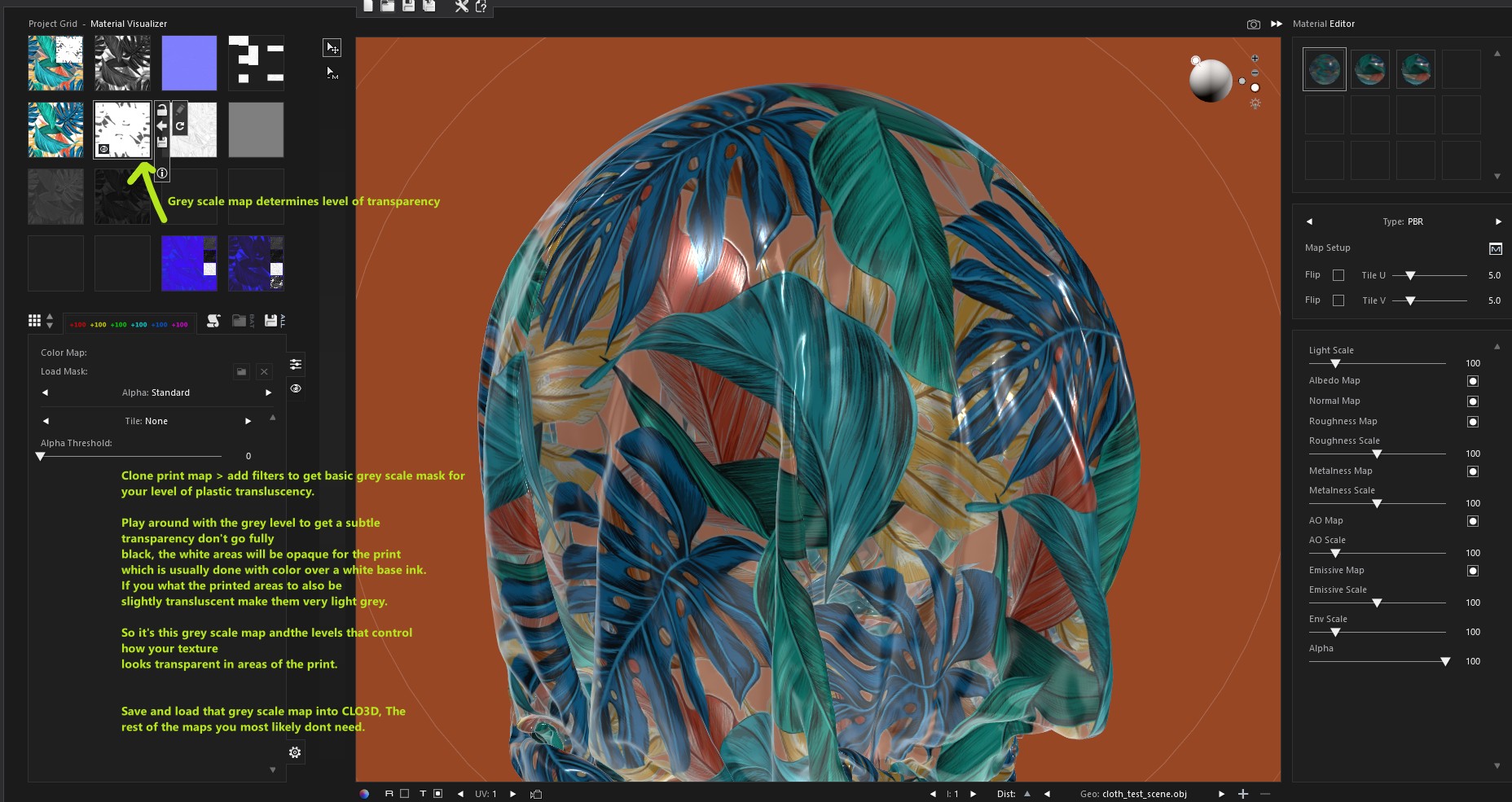
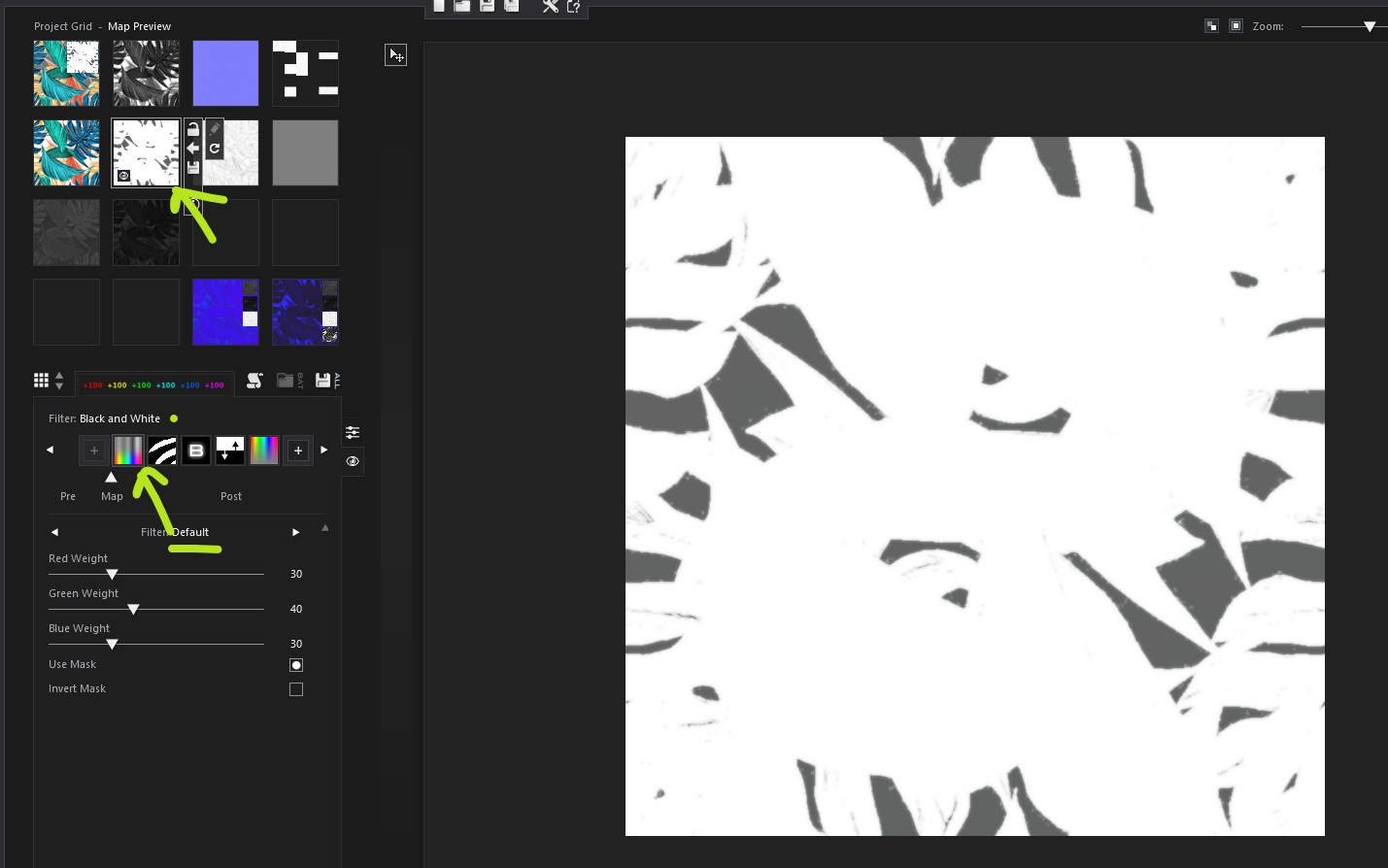
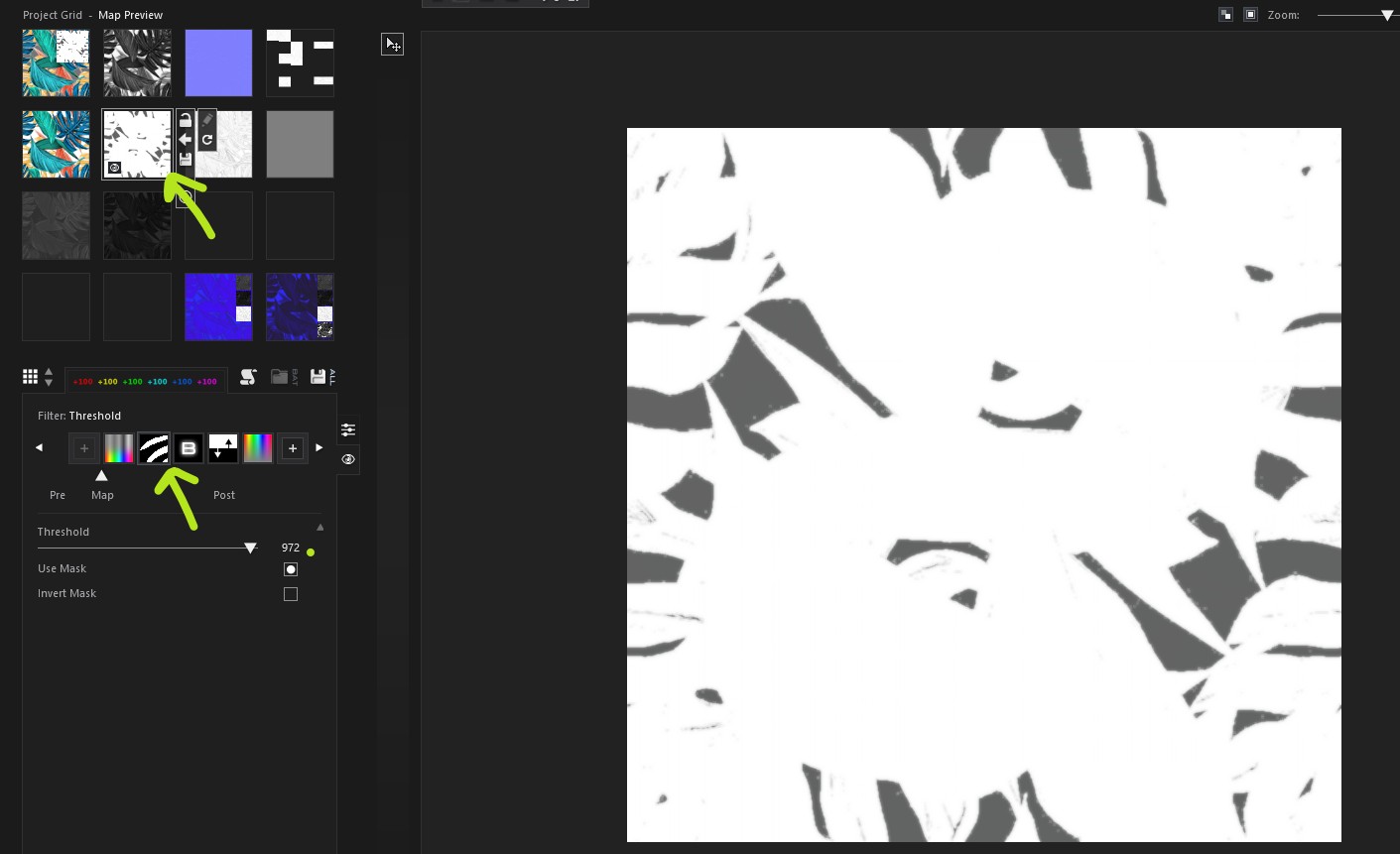
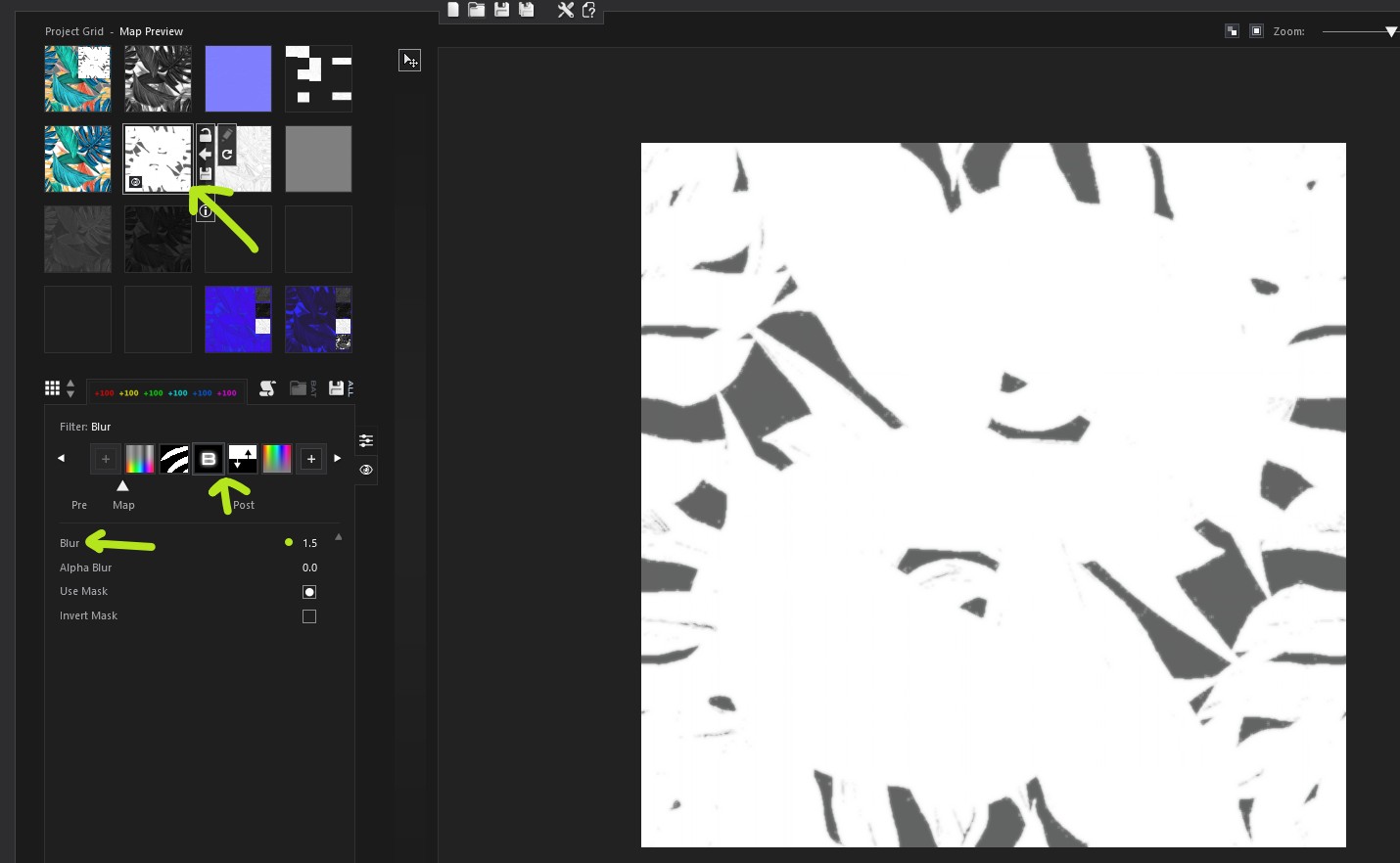
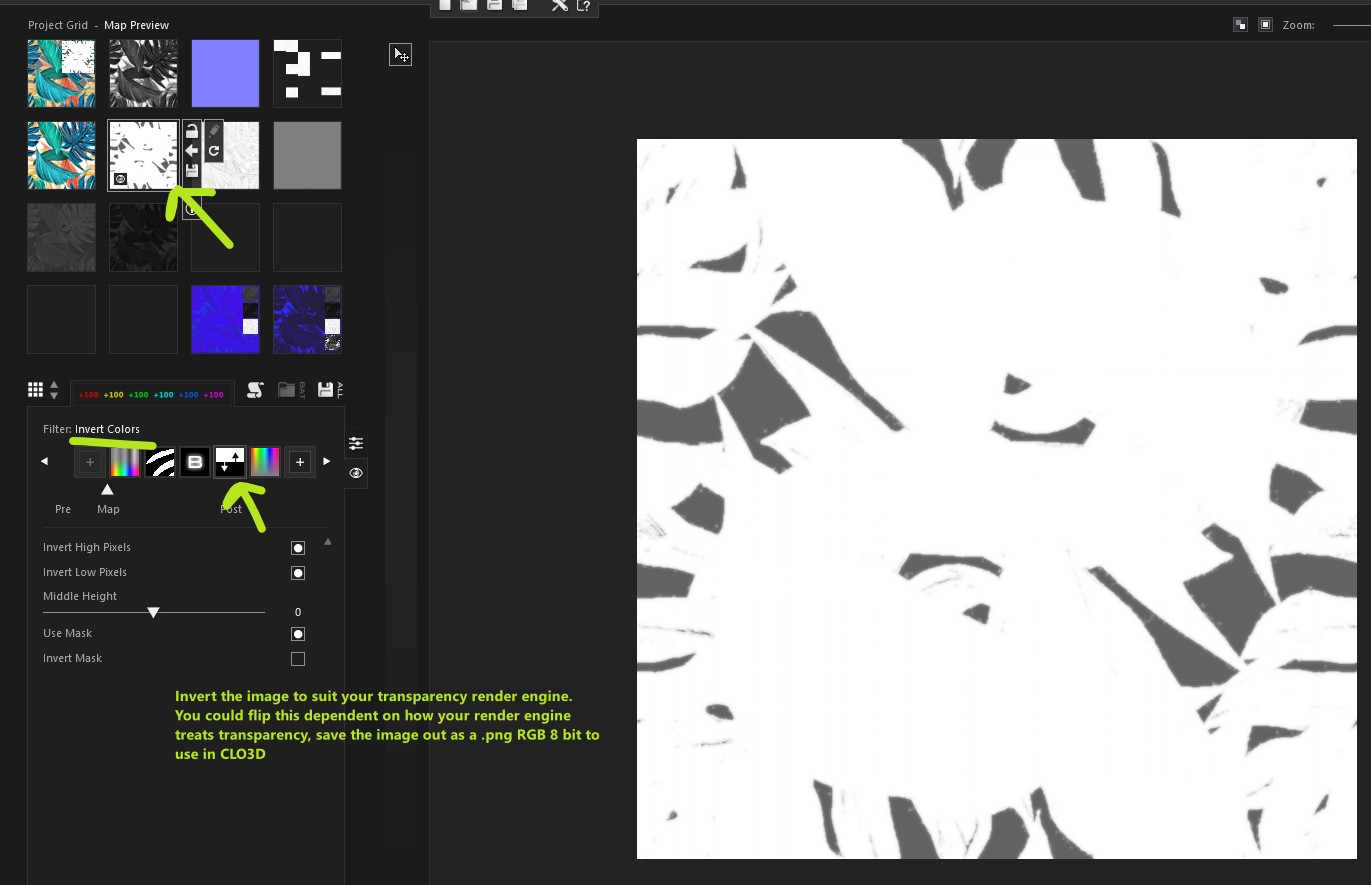
Yes shader map can get quite involved, but basically it uses node in a grid graph, and filters can be added per map very much like those found in photoshop. For this transparency map you will likely only need one grey scale image (see my highlighted map) exported from Shadermap to use in CLO3D as the opacity map. However you can test how that will look in shader map and when you have it as you want then you can save that out.
The advantage of setting up a template node grid (graph) in shader map is you can reuse it again and again with other images so it automates the process, as you can reload a new print image into the grid for diffuse and it will process all the filters and map node graph, and you can even autobatch save them out. So not a bad application - but it does take some training.
I start with a simple artwork print image (this is a really low quality jpeg but use something a little better, this is just by way of example). Then I clone a copy and process the diffuse color print image by adding filters to get an adjustable greyscale image that has a threshold filter to mask the general areas of the print and non print in the artwork. So you may need to play with that balance relative to what you want to achieve. So in that context this is just an example of how you can apply filters to get you from A to B relatively easily, record that process map and save it as a template. You will only need this one image to use as a transparency image in CLO3D. All the other maps are factors you can adjust to check if this is what you want in PBR workflow, you could use some of these or ignore them, as CLO3D uses Vray render engine and its shaders are specific to that shader setup.
Notes:
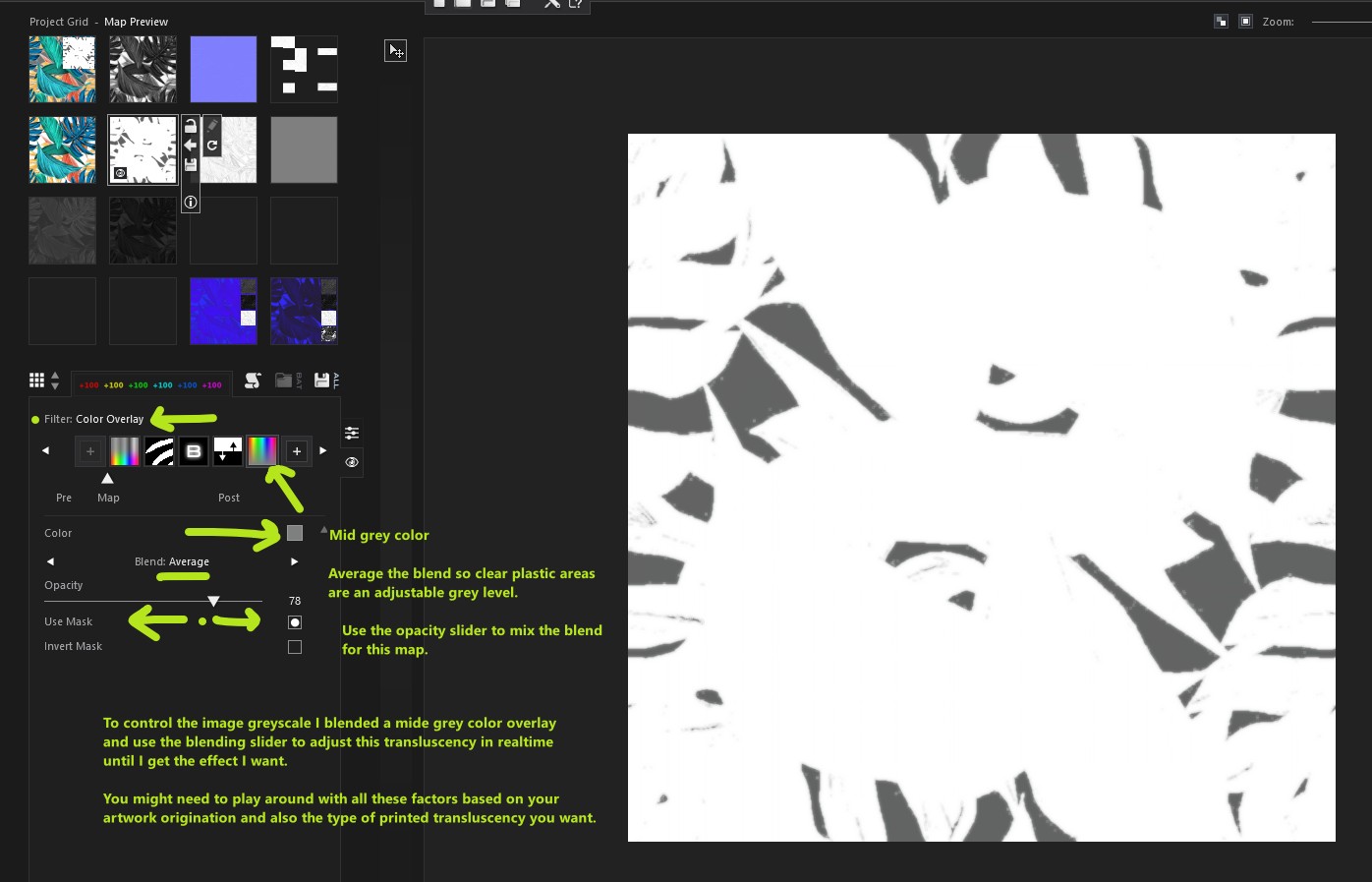
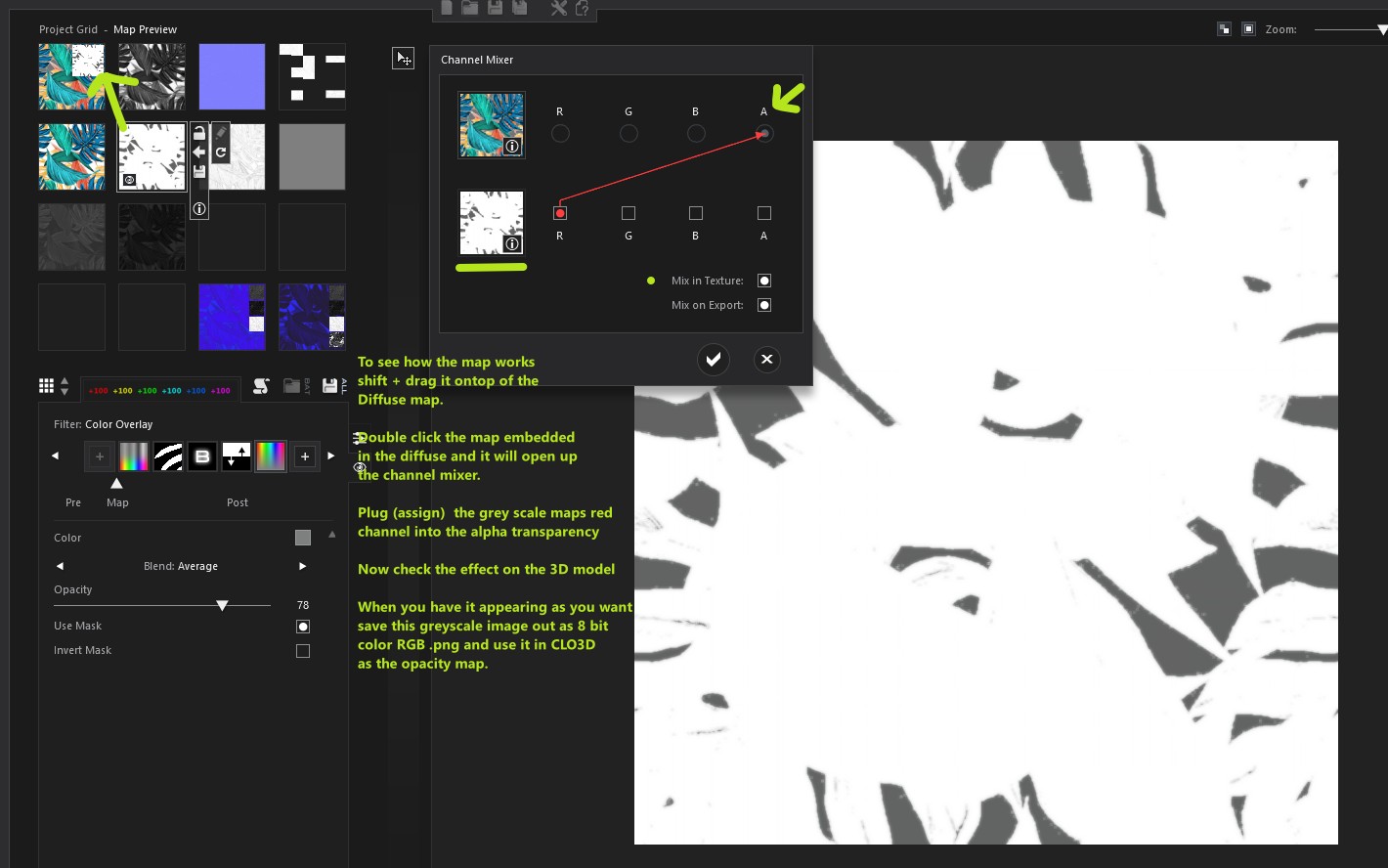
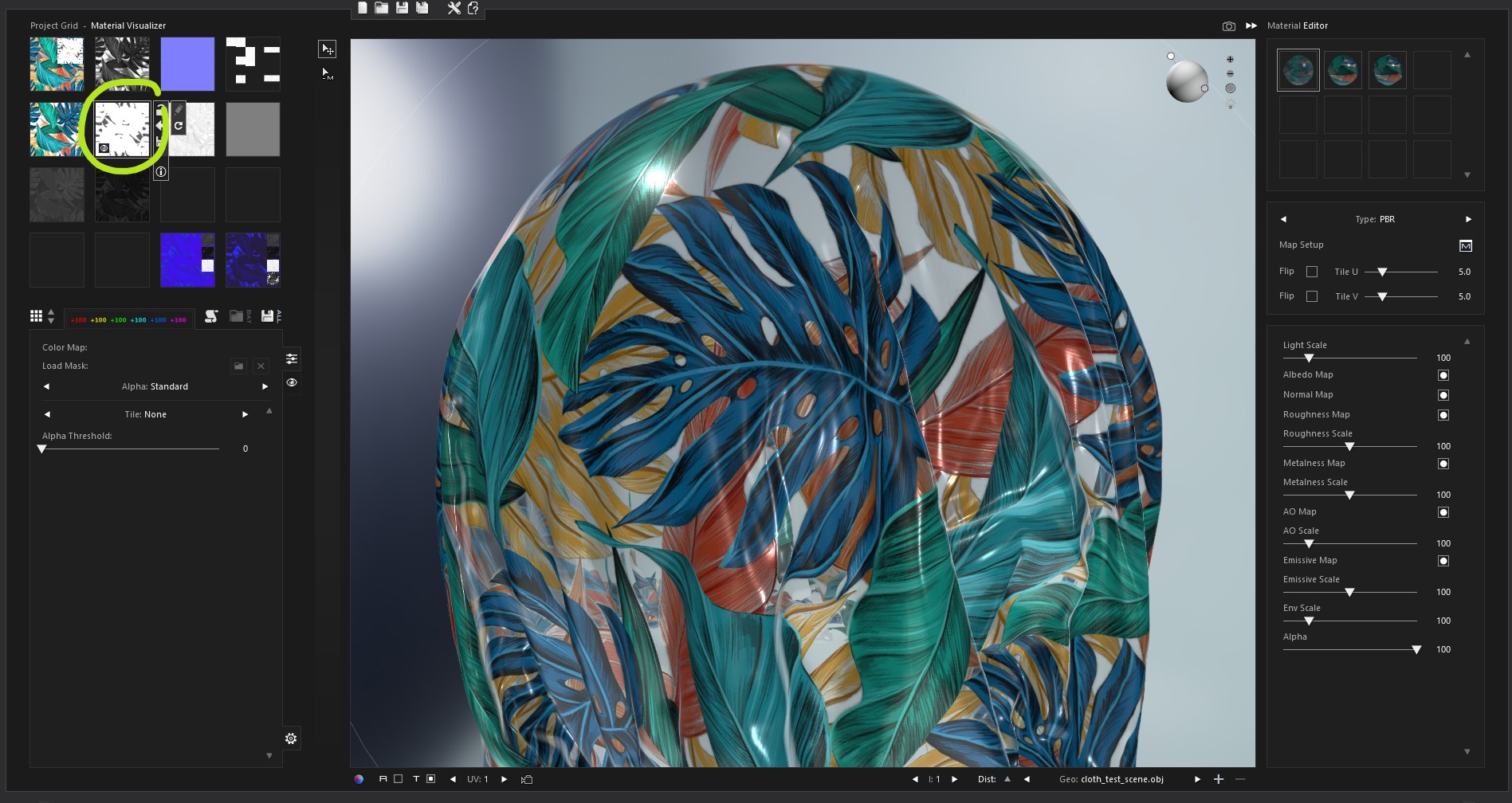 0
0 -
Extra note:
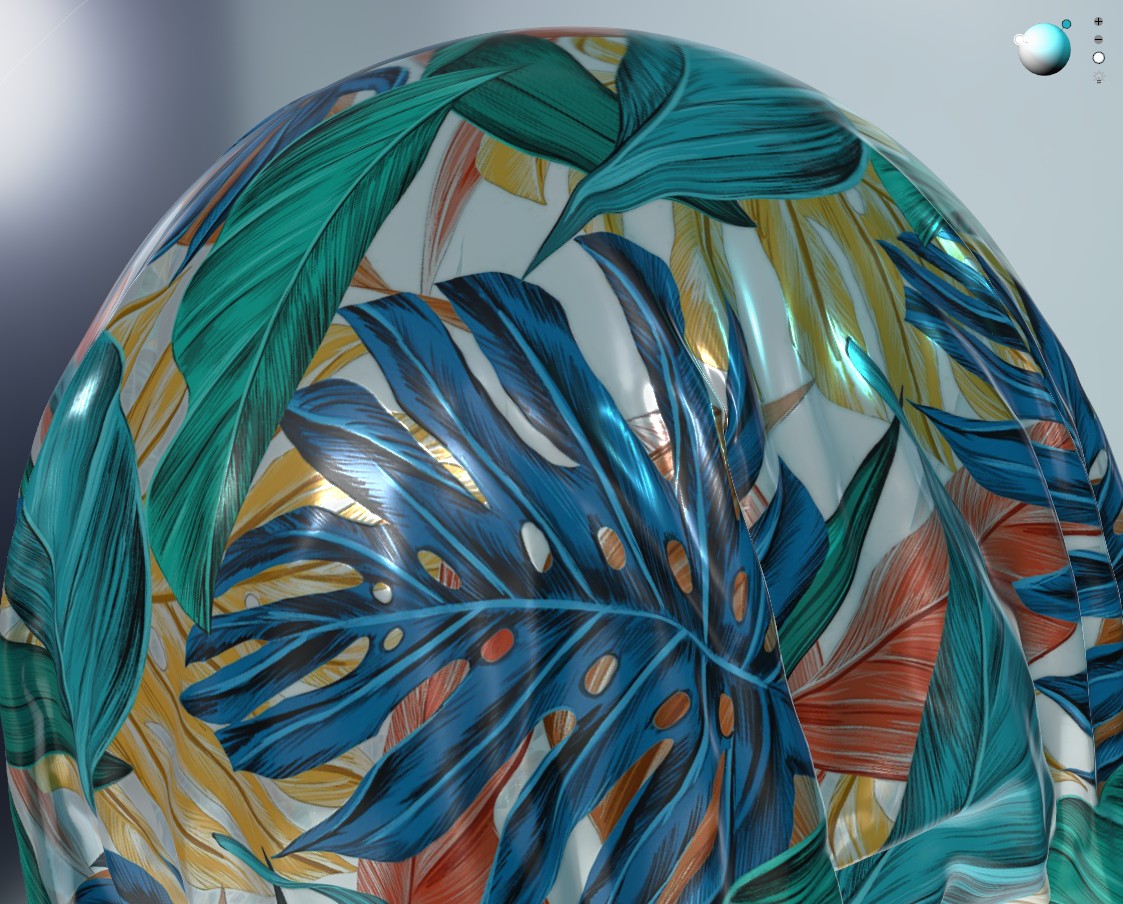
You can do double sided textures in vray, so you could assign a mirror image to appear as if it were rear printed over a white base for example. That would mean your diffuse map might be lightened to give that effect and blended with a white over fill so in areas in the camera view where you get a glimpse through the plastic onto the rear it renders correctly.
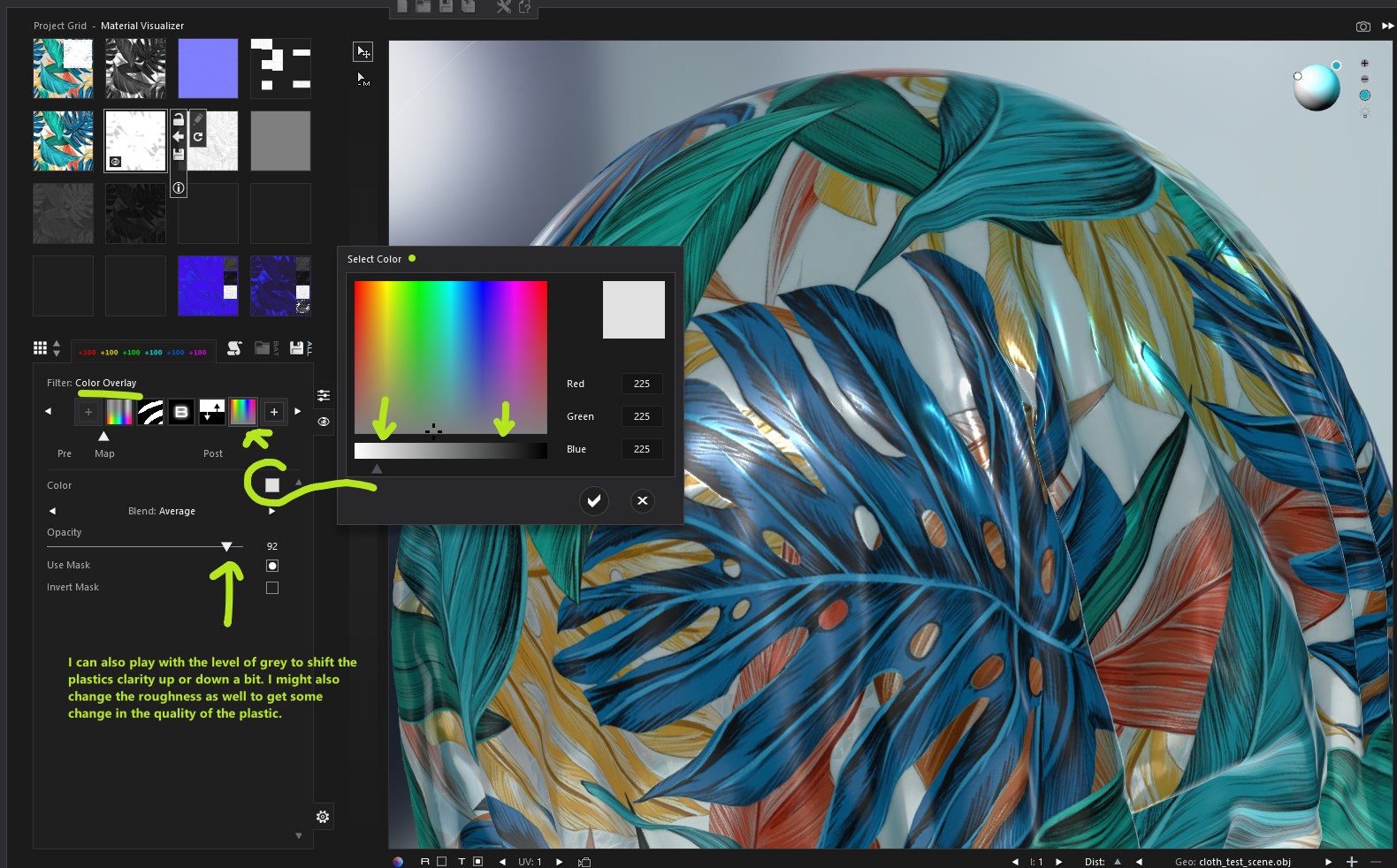 0
0 -
Thank you very much, I will at least give it a try. Now I understand better what to do. I will also look for a video tutorial on how to use ShaderMap.
Thanks again!
0 -
If new to shader map there are two versions the free, and the pro. Some of the more complex node graph features (grid) templates are only in the pro version, however for this you should be able to use the free version no problem. It's actually one of the best texture software's to accompany CLO3D fabric texture making as it's fast once you get to know how it works and can do stereo photo normals - which you can hook up to your digitization hardware.
But not easy to step into in a few short hours as you do need to get some of the concepts that surround their grid layout and how to stack filters. I actually prefer this app to using substance designer as the algorithms for producing the texture maps for normal's give better results, plus it can open massive images and process them faster using batch automation, if you assign it your image editing app, it will also work as a bridge with that application as well - so when you know it's power hard to not use such a low cost app.
I get truly staggering quality fabric textures using this app, not even Adobe substance designer or synthesizing alchemist can match the editing power of shadermnap pro with a image editing app bridge, so in the hands of an artist you can rip some amazing texture quality from it, a much hidden power house of an application, it also has scripting so you can fully batch automate with some really staggering speed. I hook it up to my hardware and it rips through a days digitization, faster than vizzoo and able to plug into other algorithm apps to synthesize totally natural fabric repeats.
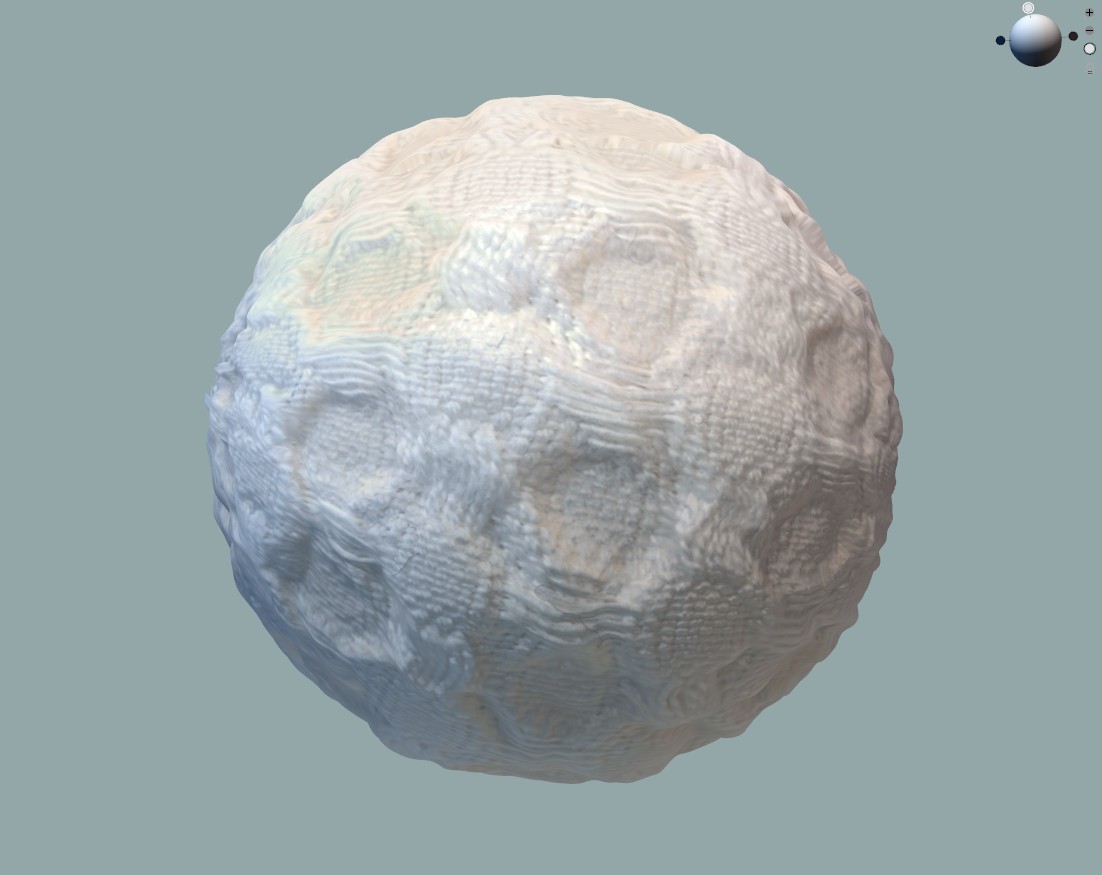
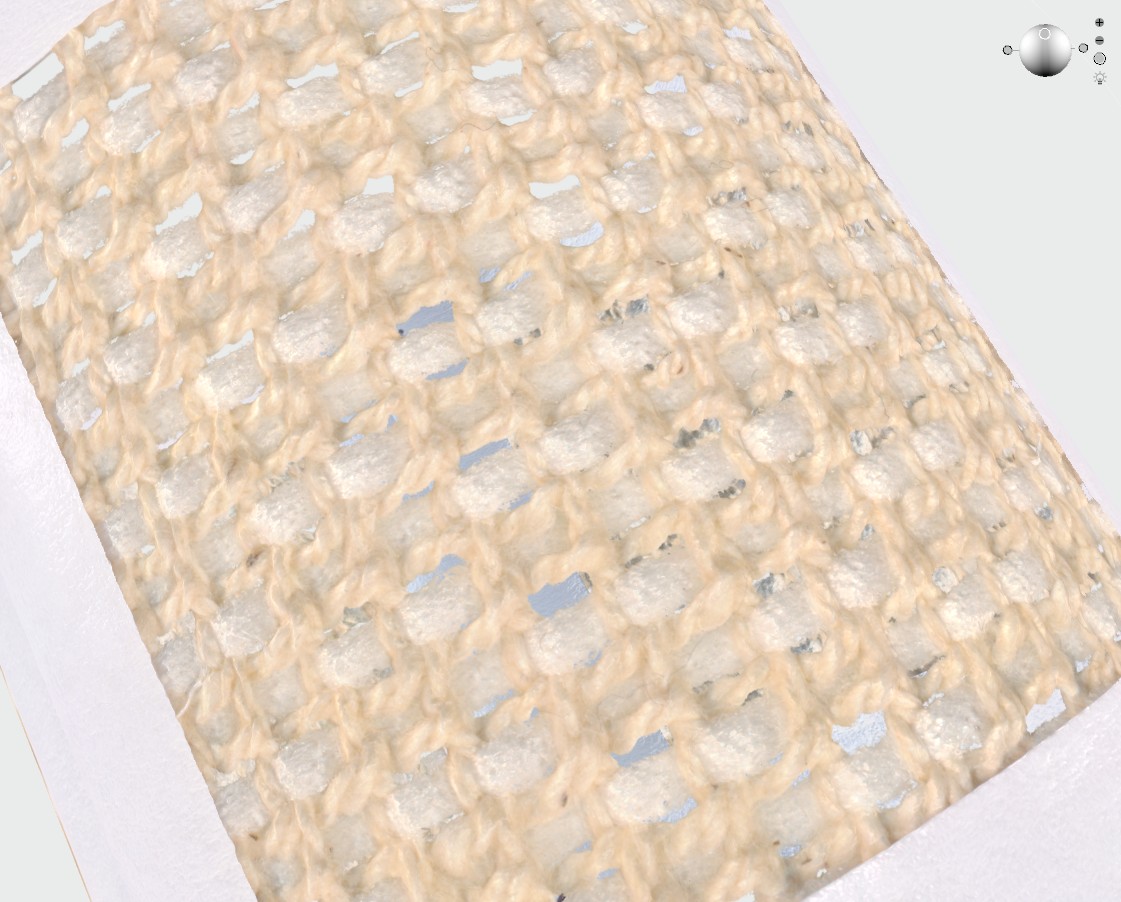
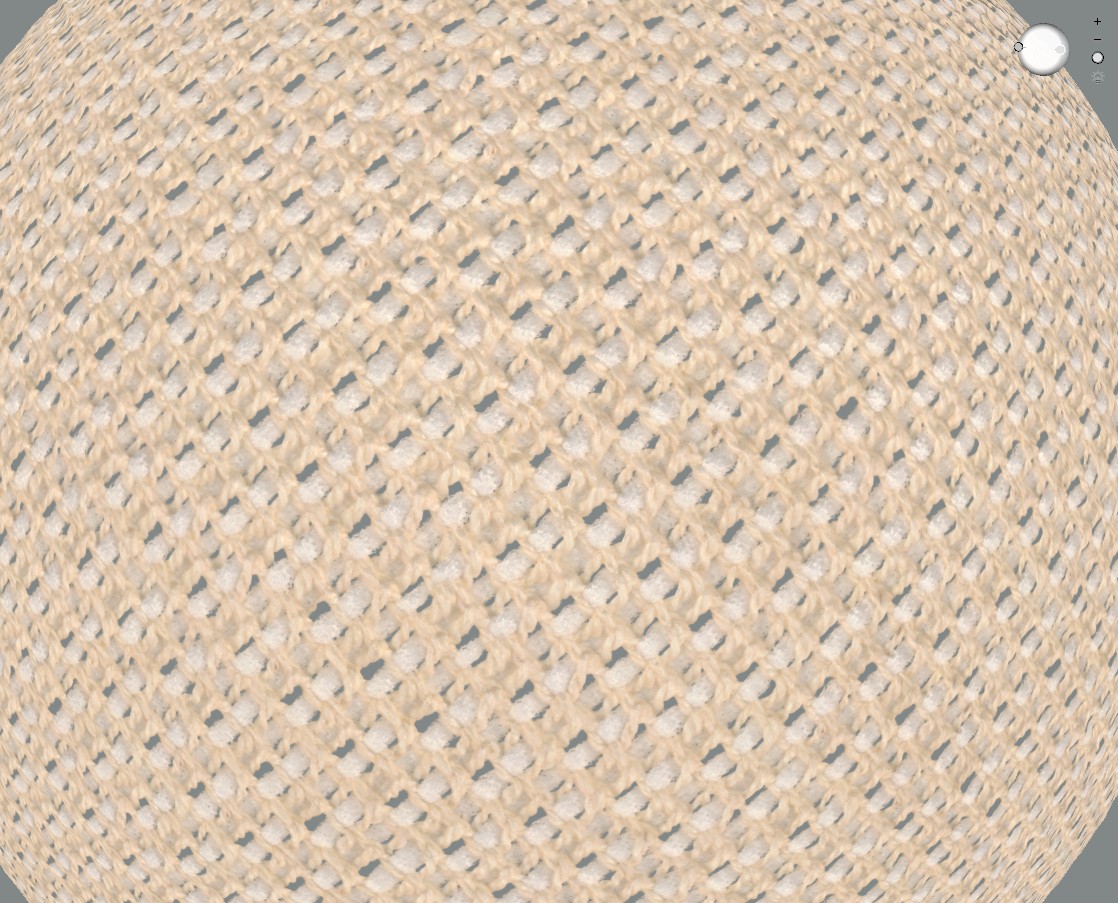
I go from a really small sample 12mm to meters in natural fabric for incredibly complex woven fabrics and shadermap nails the quality every single time, into meters of texture yardage with no repeats with weave correction plugged in. So when you supercharge shadermap it outperforms specialist fabric texture software that costs many thousands of dollars - and you get all that for the ludicous low cost of knowledge + knowhow! Bonker$.
 0
0 -
Incredible work on fabrics and textures. I see that ShaderMap is an important program next to our CLO3D.
By the way, do you have a website or Instagram profile where you can see your work?
Where will you publish the stuff you are preparing/working about fabrics?
Thanks again for the information.
Regards!
0
評論