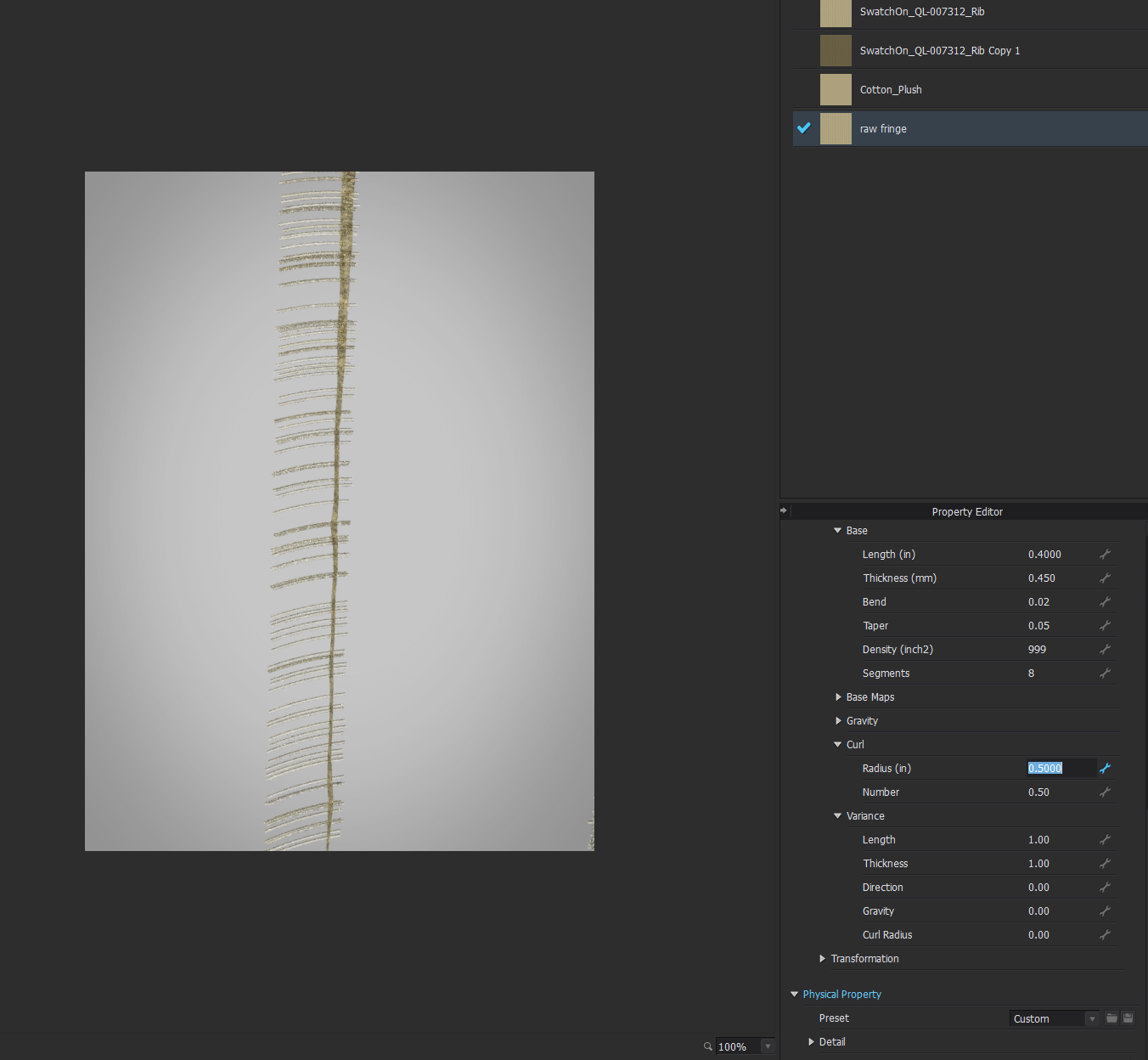
Why is my fur density so sparse, even when I've increased the density to the highest number?

Hi - my fur density still looks so sparse although the Density (inch2) feature is at 999/1000, which is seemingly the highest it can go. Picture attached below. How do I make the fur look MUCH more dense? Thank you in advance!
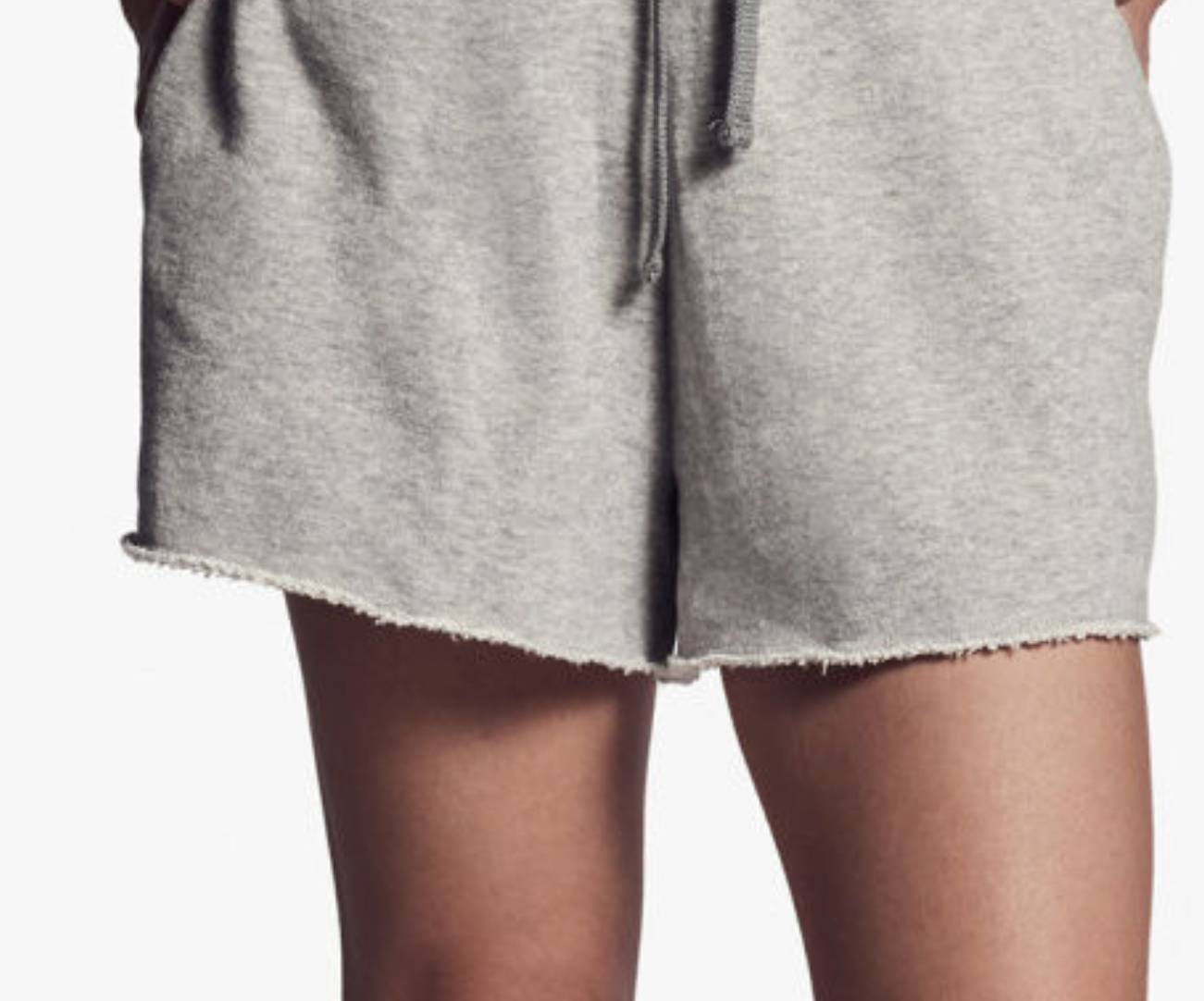
Also, do you have any tips to create the raw terrycloth hem in the picture below? Thanks again!
-
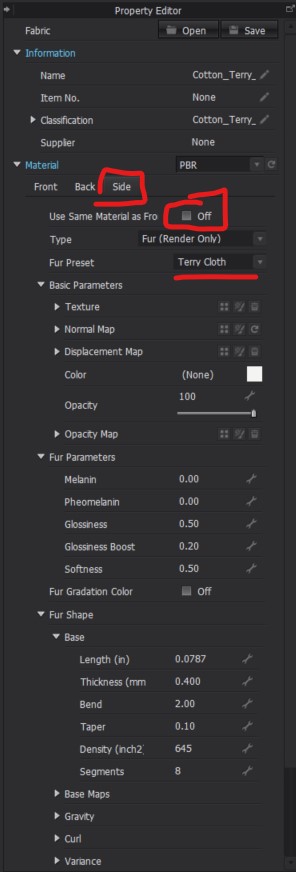
Hi mishayu. For Terry Fabric When you set the Fabric to Fur Underneath that change the Fur Preset from Default to Terry Cloth. If you only need Terry on the edge of the fabric you can go into your Fabric, then under Materials you have the option for Front/Back/Side. You can turn off "Use Same Material as Front" To give just the sides a raw terry look. There are several other presets in the drop down as well. Such as Raw Edge Denim, and different types of animal furs. So for your main question about fur density you may need to change to a different Fur Preset that will be more full.
 1
1 -
I don't use fur for edging but a transparency map with a normal / displacement. As a process that allows me to make all types of fringe detailing, photoreal and in unbelievable detail and transition with seams and stitching in place.
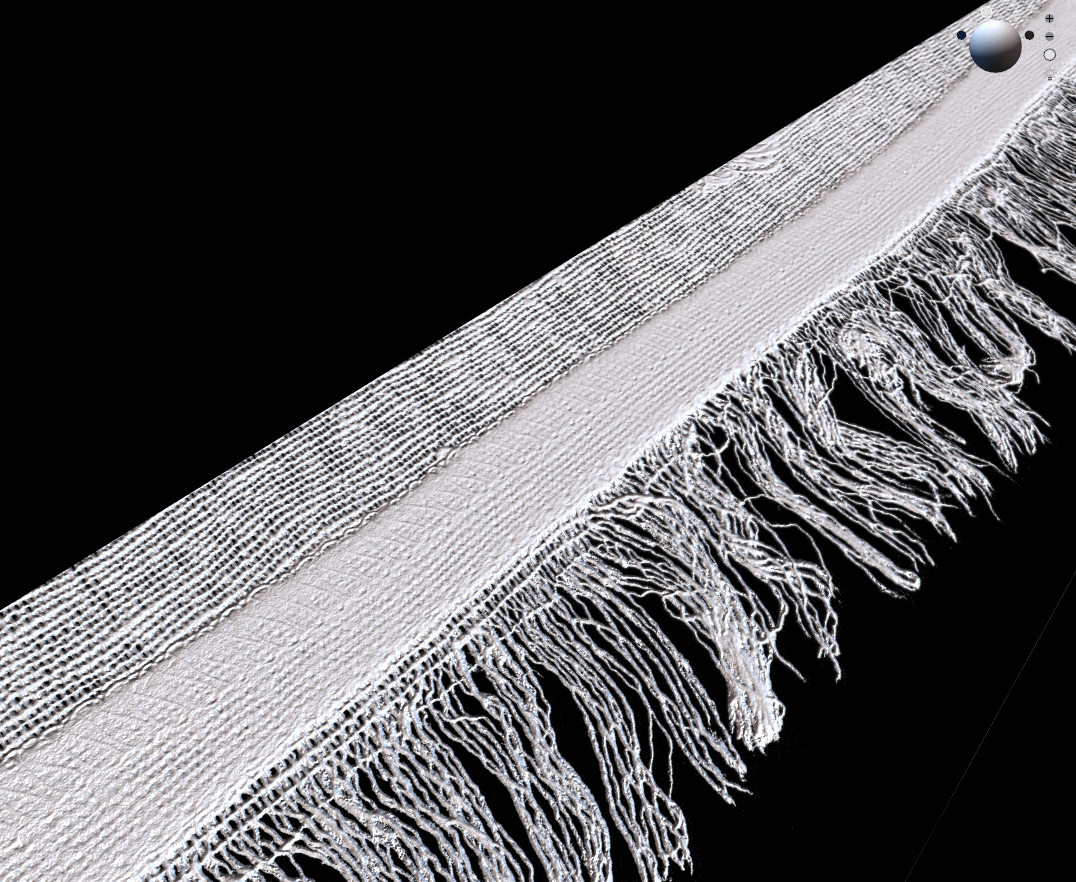
You are then armed with an approach that is unlimited in scope and high resolution. Fur is not a tarn edging.
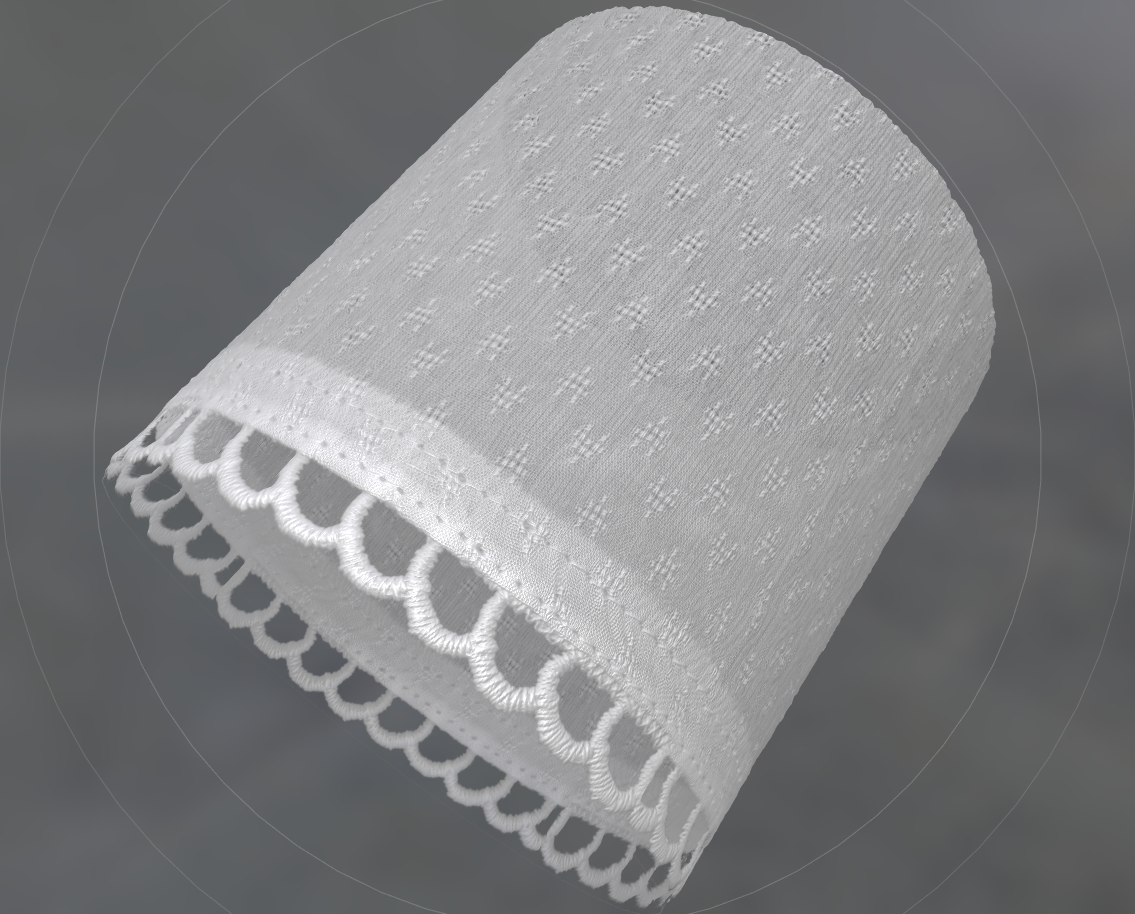
The only limitation is what you capture and how you tile your texture maps, most of mine are drag and drop, and work with my basic fabric textures so I can mix and match combinations in the blink of an eye.
This way you get to express the thickness build up and unrelenting organic nature of some trim edging in a consistent fashion, true to real world garments, no faking it, virtual exactness.
1 -
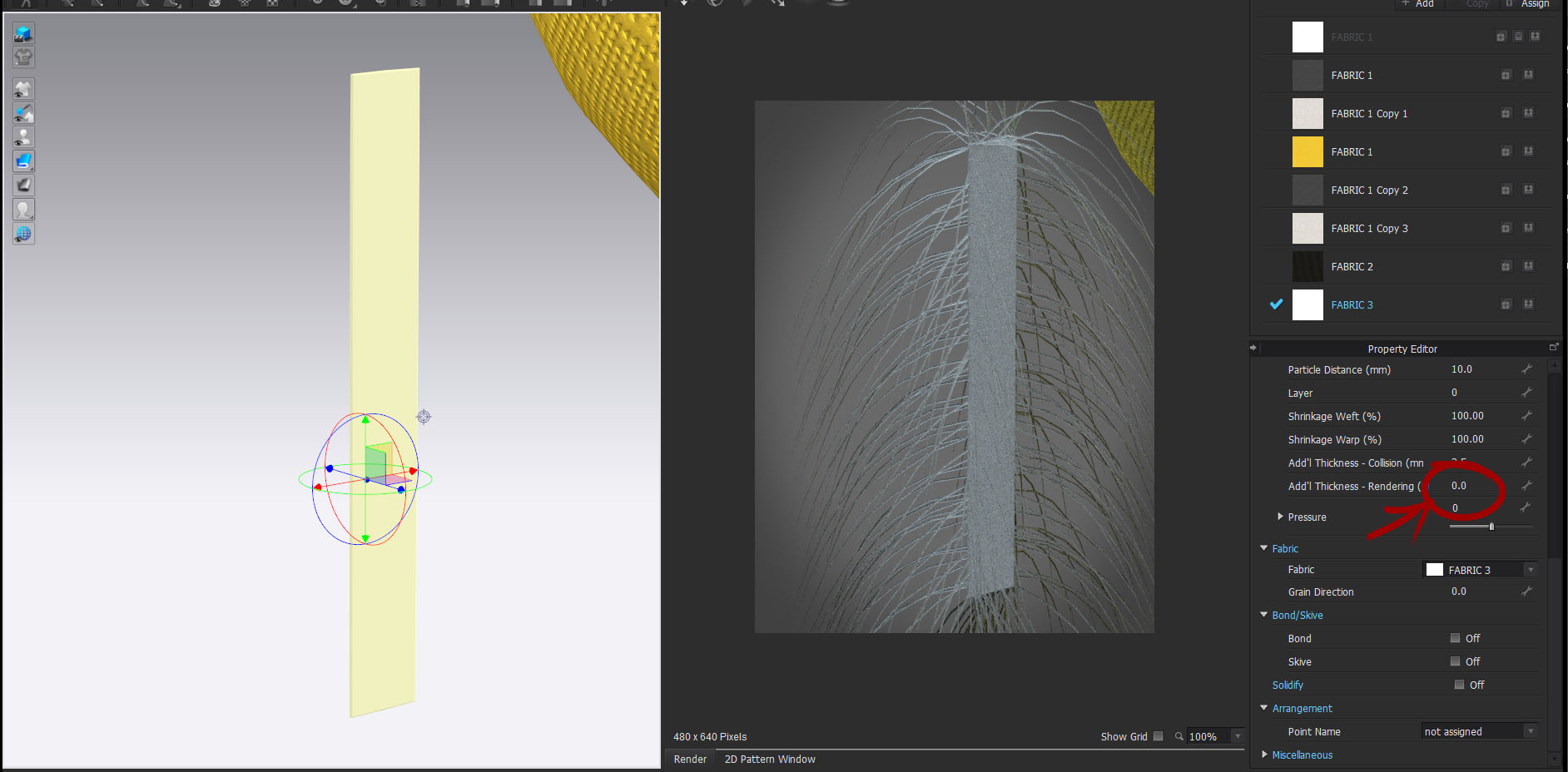
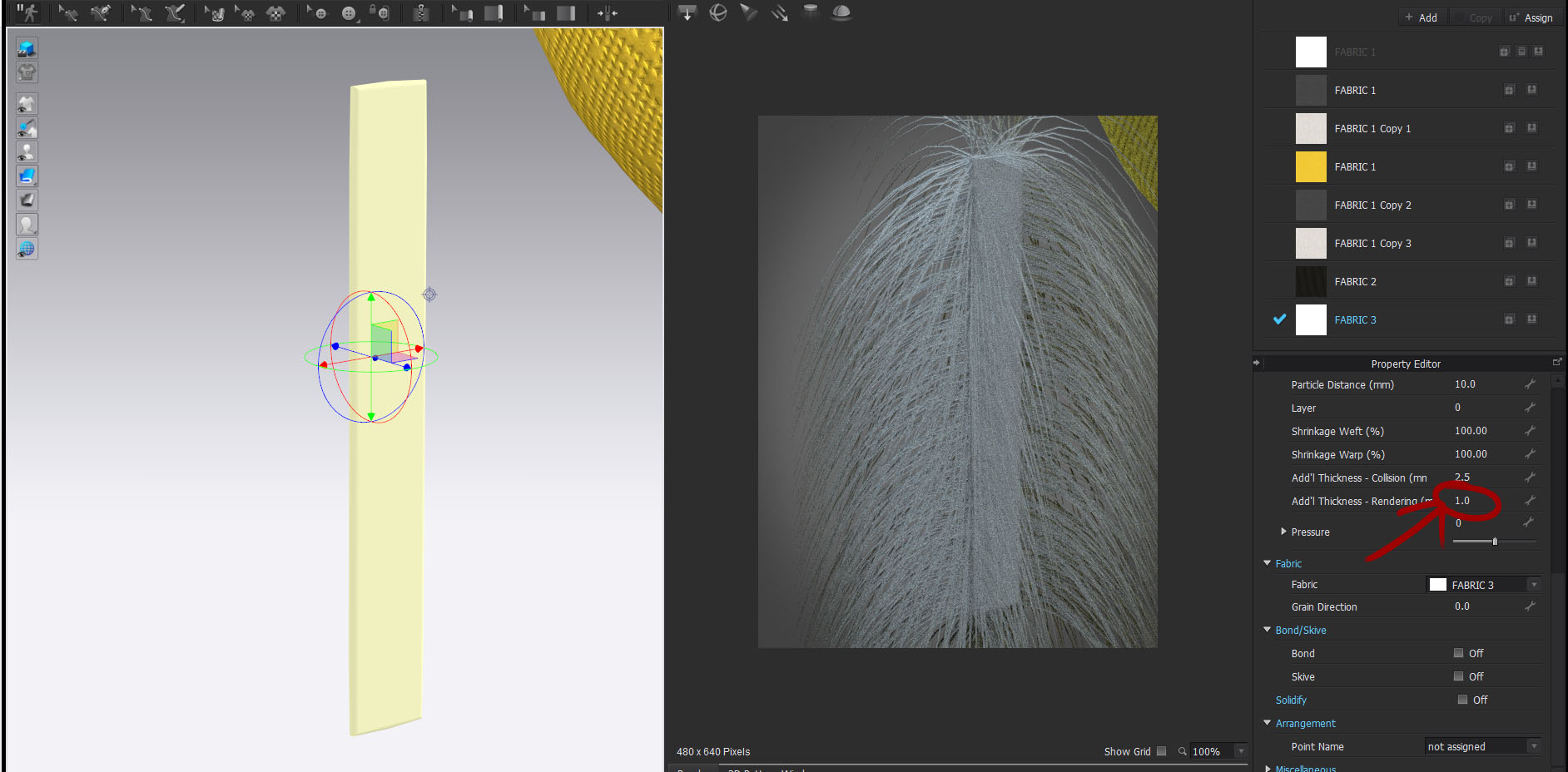
Ok. The problem you're having is probably from the additional thickness (rendering) of your fabric. Because the fabric is thin, imagine taking a very thin strip (less than 1 mm) off a piece of fur, there wouldn't be much actual fur, the same principle applies here. So, the only thing I changed in those two renders was adding 1 mm to the rendering thickness, that will give you more area for more fibers and the wider it is, the more fibers you'll have, because it calculates a certain number of fibers per square.... whatever.
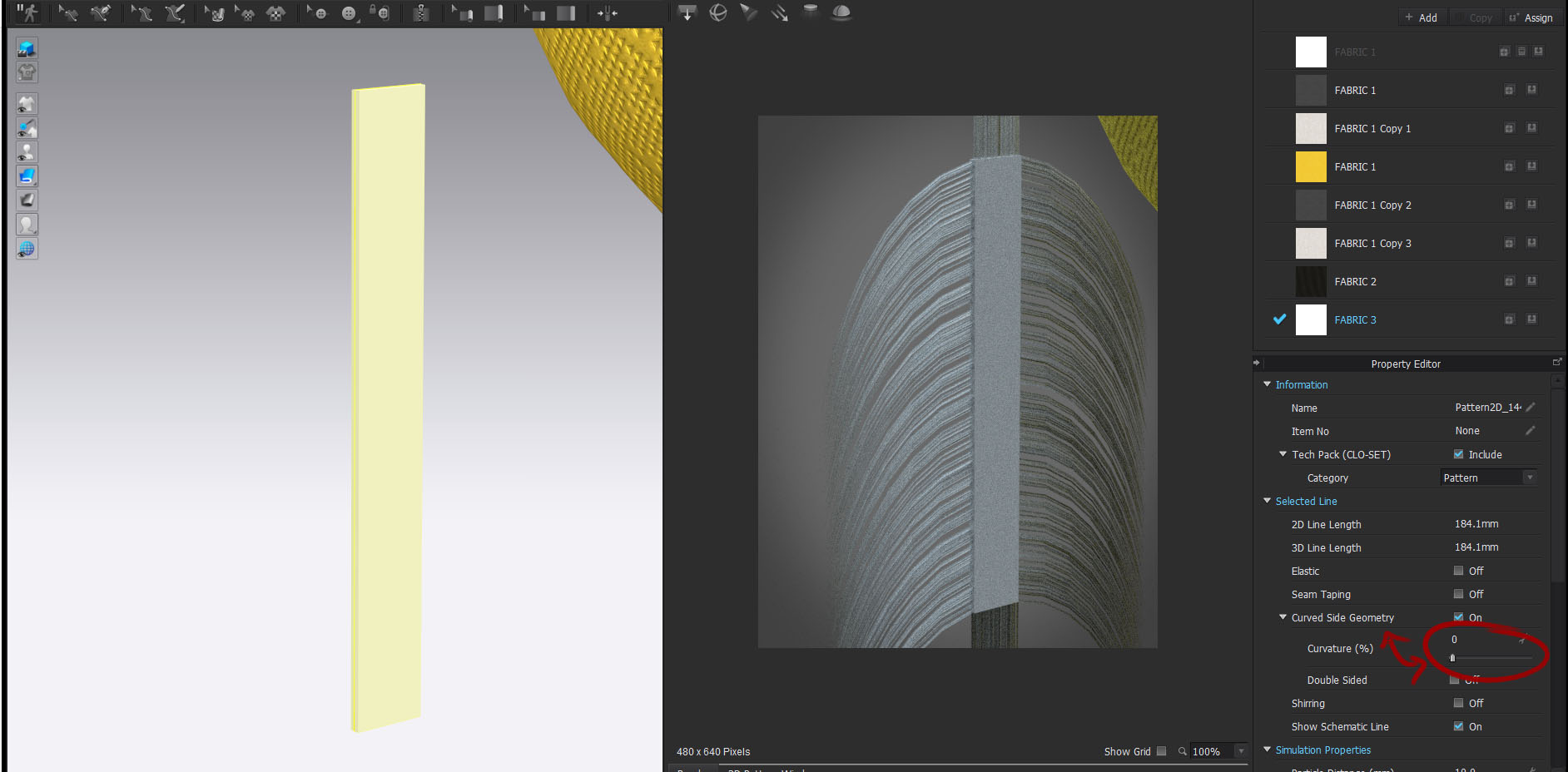
Now. One other point about using fibers, they tend to spread out a lot, as you can see in the pictures, and a lot of times you don't want that, well that's because by default the edges of fabric are curved in Clo. You can control the spread of the fibers with the Curved Side Geometry, you can see in this picture I have it set to 0% and what that does. Vray fur is pretty powerful and you can do some really cool stuff with it, but it's very tricky to use.
 1
1 -
Thank you so much jetsetgeometry, ottoline, and CLO Designers! This helped me a lot.
Turning on additional thickness and curved side geometry was the fix in this case and increased the fur hairs by a lot. Thank you again!
0
評論