logo engraving in clothes

 How can I make engraving in clothes like this?
-
Totally possible with displacement. Have a look at using it here in the CLO forums, manual or online.
P
0 -
Dear hi8947,
In order to create such logos, you will need to have a displacement map.
Please follow this video about graphics and maps.
But instead of having a displacement map with a black background + a white logo for an embossed effect. The displacement map for an engraving effect should be inverted. Meaning that you should have a white background + black logo.
Hope this helps!
0 -
thank you for answering ! . And I did it following your method " The displacement map for an engraving effect should be inverted. Meaning that you should have a white background + black logo." ans referenced this link https://support.clo3d.com/hc/en-us/community/posts/360046884514-Two-mwthods-for-debossing-engraving
But result is fail... This is my file picture.. please helping me!
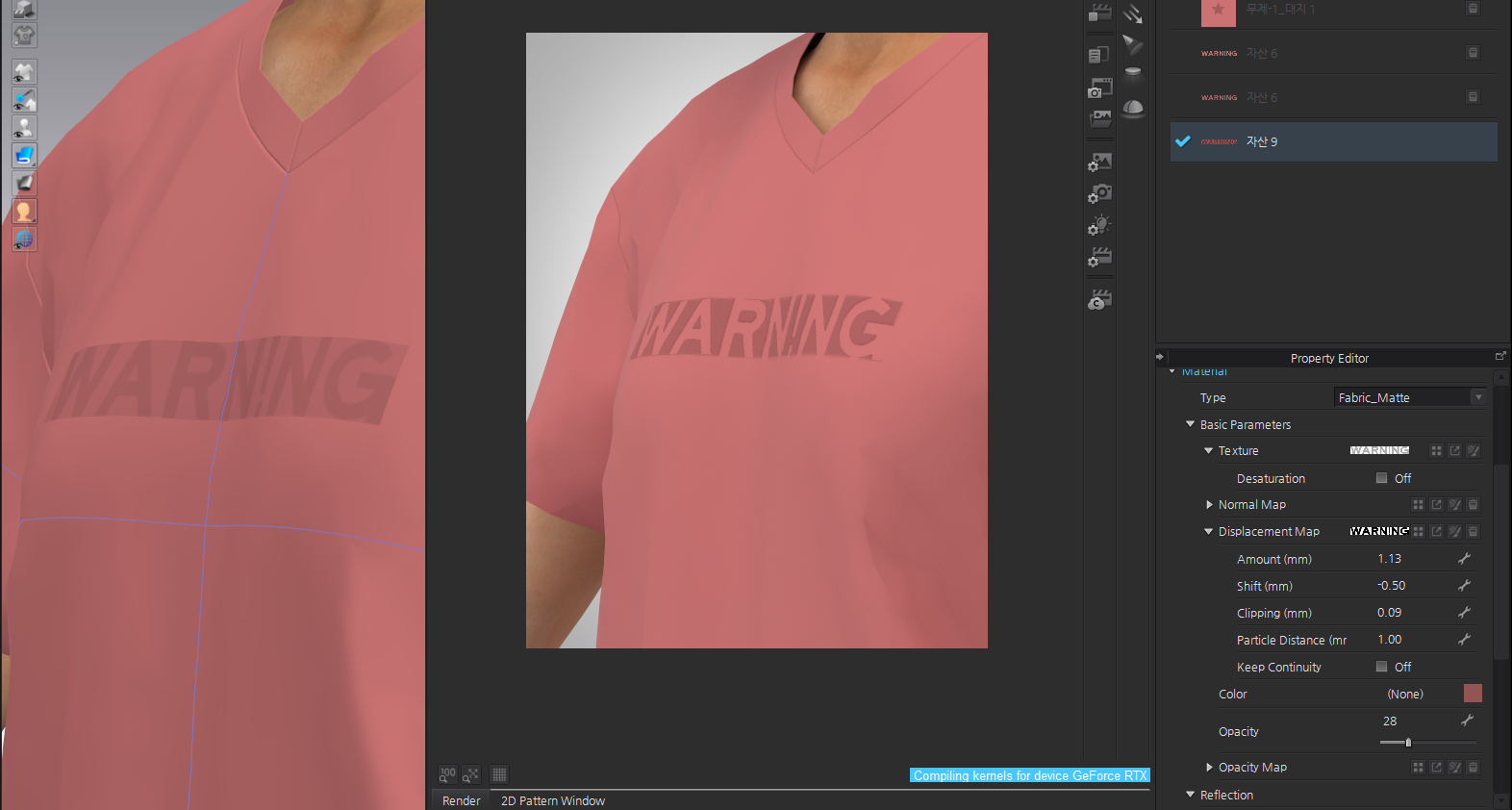
https://support.clo3d.com/hc/en-us/community/posts/360046884514-Two-mwthods-for-debossing-engraving
0 -
You have to tweak the parameters, like the Shift so the base (white part) is leveled with the rest of the clothing. You'll have to put some time to this. No recipe for these kinds of workflows.
1 -
Thank you! I followed your tip and it worked!
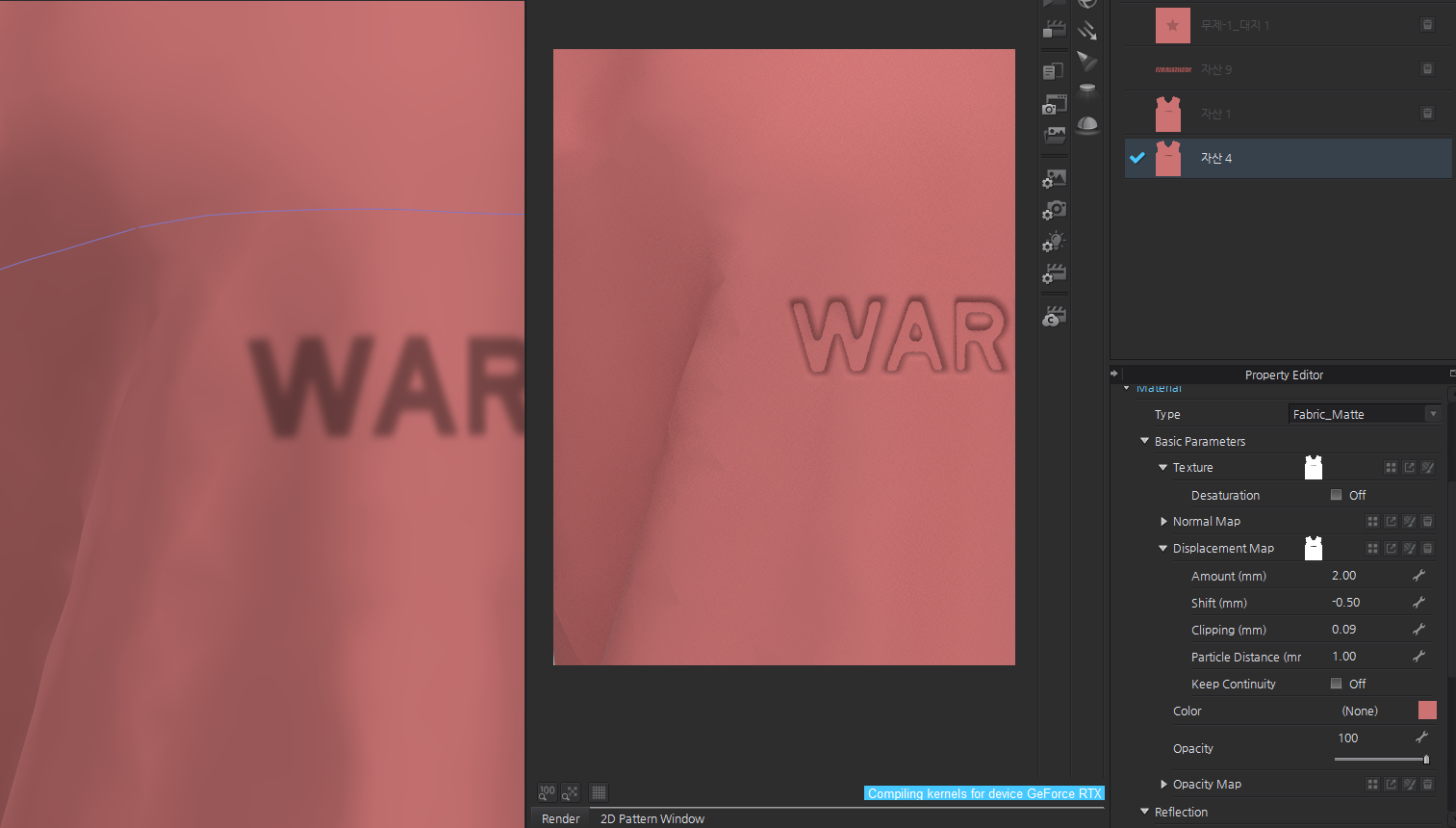
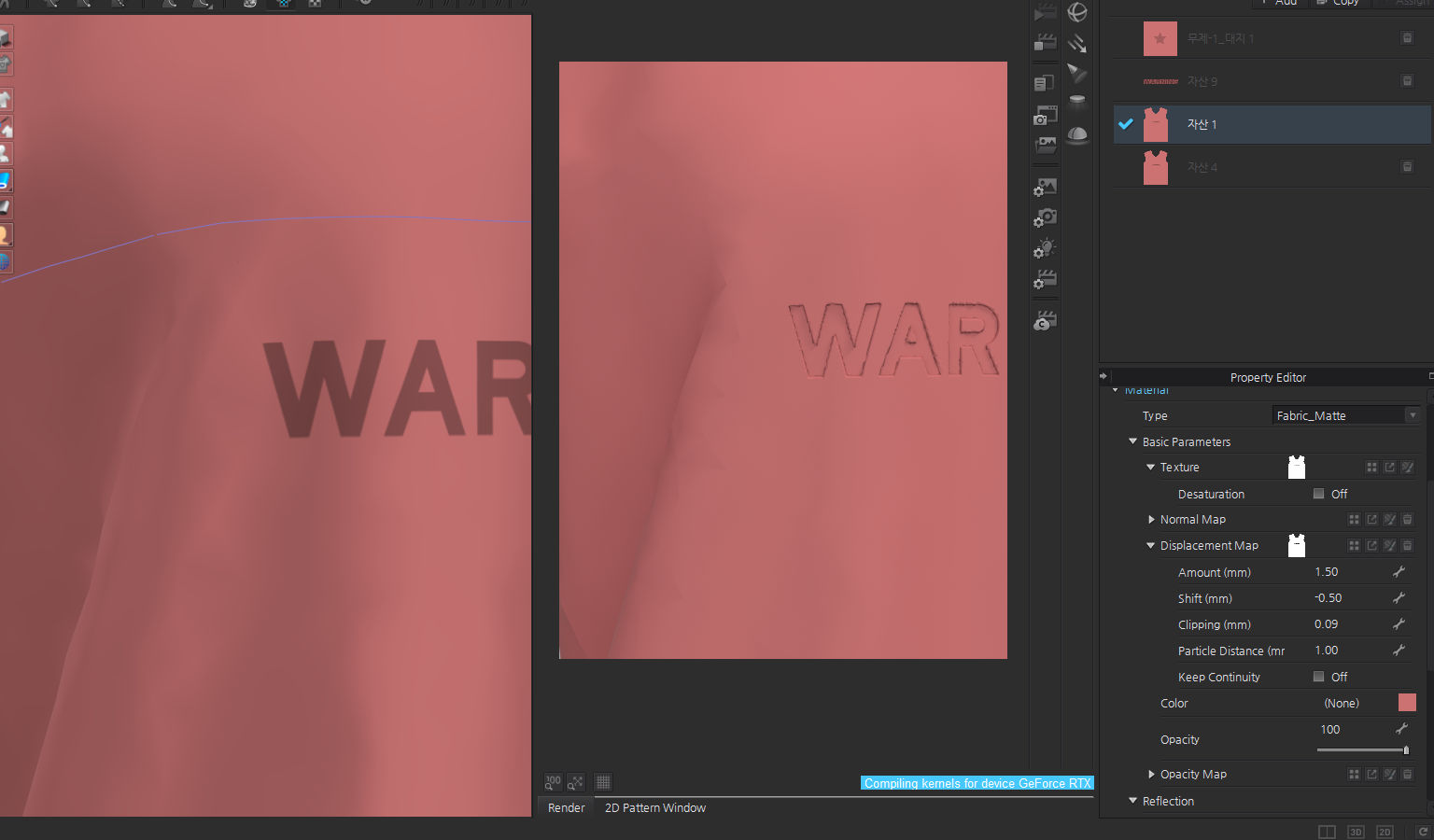 1
1
评论