The avatar and fabric properties aren't showing in the right way

Hello!
I have a problem with my glass avatar, it looks different in the rendering window. Another problem is that the transparency of the chiffon isn't visible during the rendering and in the final result :\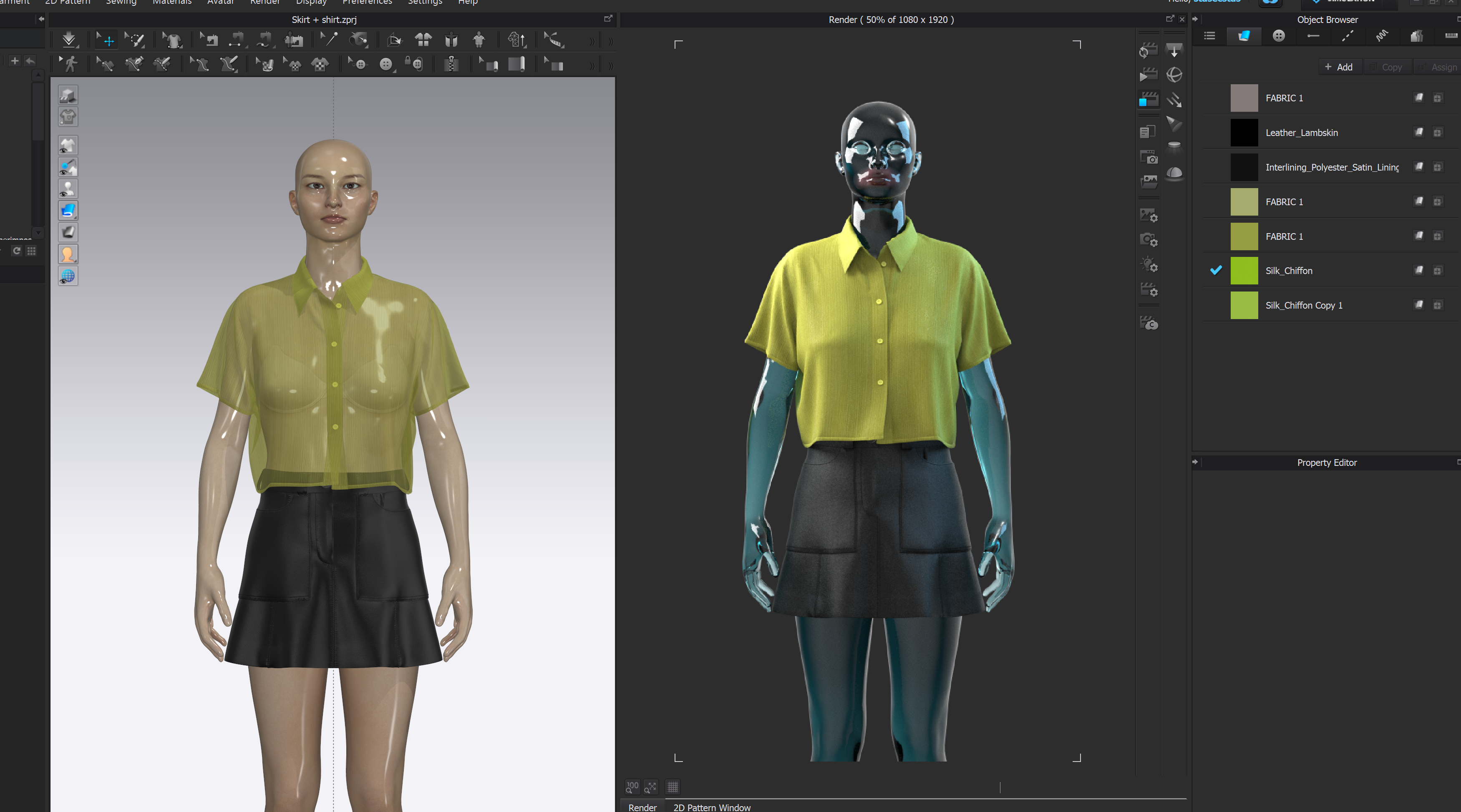
-
The render engine that drives the PBR preview on the left is not the same render engine as the right window that uses vray > these are two entirely different methods for rendering and the shader for vray materials will need to be set (eg: translucent ) specifically to the fabric/material type you want. So activate the fabric (double click) and check the vray shader type for the material and then adjust that to the material category you want eg: silk shiny, or glass, metal, or translucent ... etc
The view on the left is for WIP (Work-in-progress) to describe a basic high speed PBR materials view for basic shader such that you can see the fabric color, some limited shader variety, and graphical print scale/orientation for repeats, and labels, artwork placement etc. So although you can run a low quality WIP render quickly your beauty pass final render would be using the vray (a built in 3rd party render engine) for finished photoreal images.
So two render engines = 2 separate image results. Choose your method.
0 -
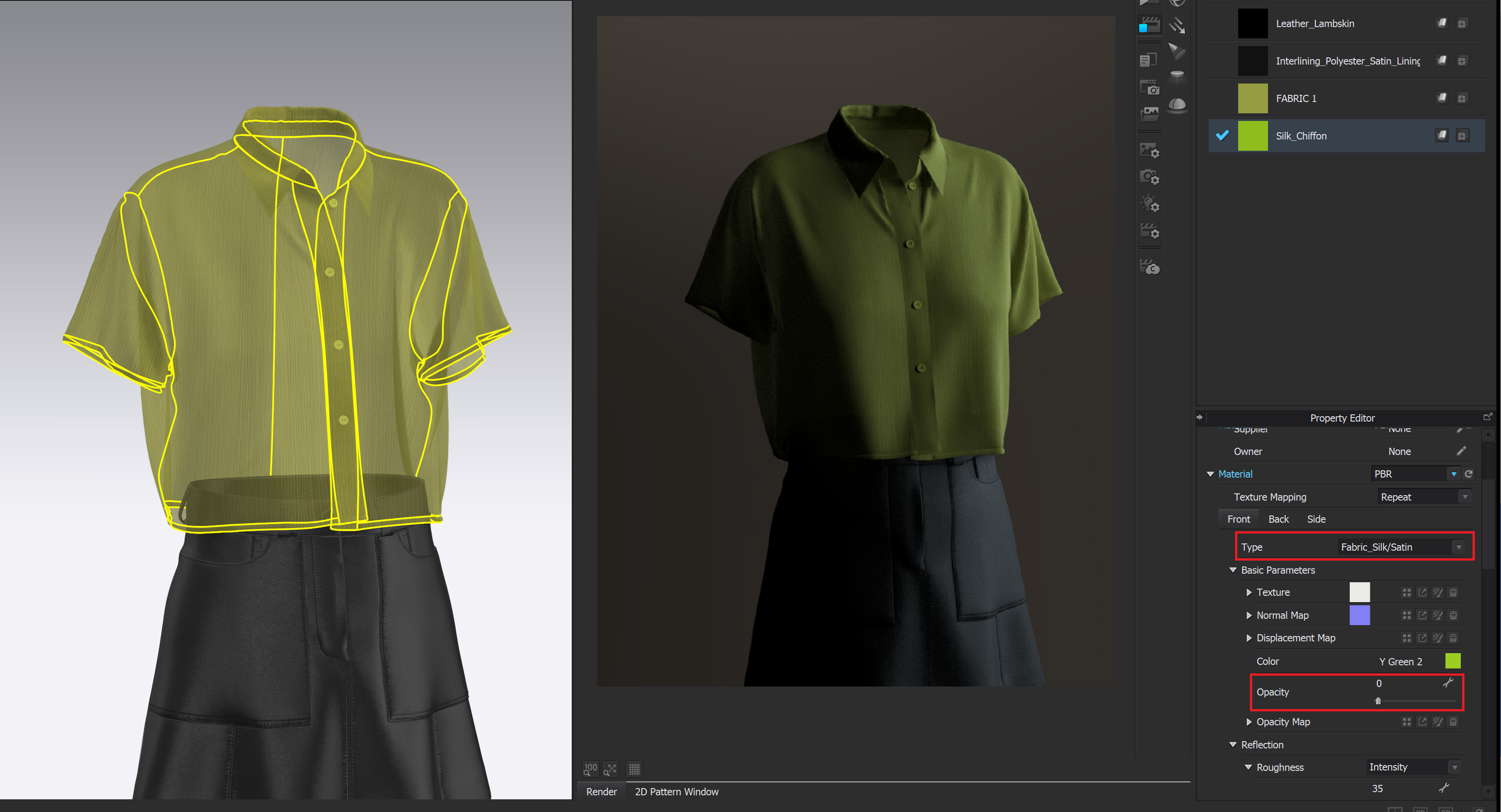
ottoline, thank you for your reply. I'm still not sure where to change the shader for the vray materials. I've already changed the options in the "material" tab, but it didn't help.
 0
0
评论