Some pattern lines won't copy

Hello,
I'm doing a pattern from scratch in 2D window, using mainly the intern polygon tool and the add point/split line tool. When I'm trying to copy some parts of the pattern to edit just this part, although all lines are in yellow when I make a right clic to copy, some will not paste. Could you explain me why such a problem occurs please?
-
Hi axelleb can you add a screenshot to better understand what do you mean?
You said that you're using the internal polygon tool which draws only internal line. So when you copy an internal line, that can only be pasted inside to a pattern, but a message pops up saying this.
Alternatively, you can select the internal lines with both the transform or edit pattern tools right click and choose from the drop-down menu " clone as pattern".
Maybe in this tutorial you can find a better answer to your problem: https://youtu.be/2txgDjHsXIc
Daniele1 -
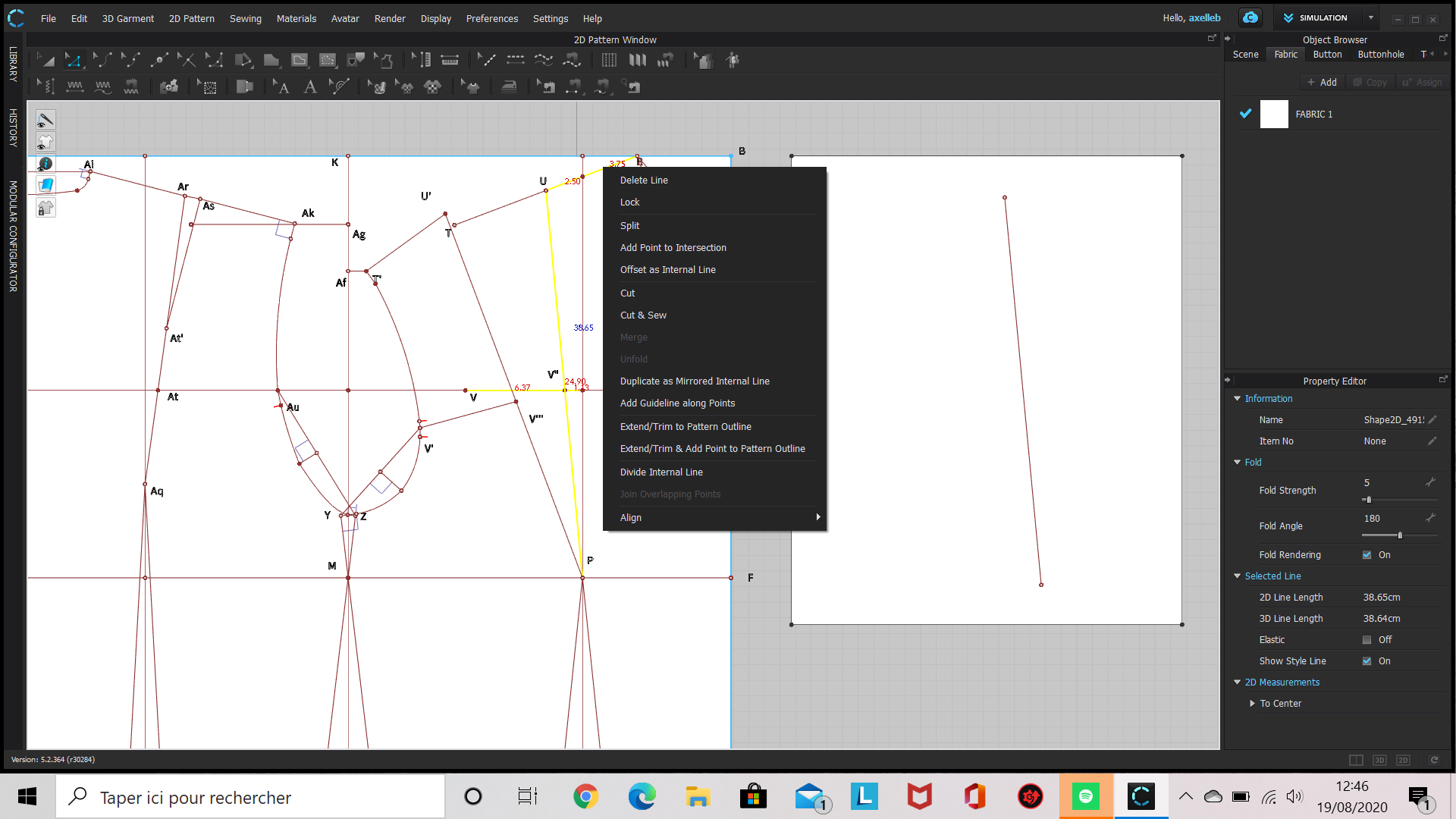
Hi Daniele, Sure here is a screenshot where you can see that when I'm selecting the parts I want to copy (with the Edit pattern or the Trasform point/segment tool), Clo doesn't offer me to copy. I use the keyboard shortcut CTRL + C then try to paste it on the rectangle at the right and you can see, just one segment pasted althought I selected several.
Thank you very much for your help!
 0
0 -
Hello axelleb if you select the segments one by one it does allow you to copy and paste that selection. I tried, and when I made a box selection ( clic and drag the selection including all the segments you want) it allow you to copy and paste that selection.
Keep in mind that Clo recognize segments as a path , so if in your selection the starting or ending point of a path is not included, even some segments of that path is selected it won't be pasted.Maybe you can create a copy of you technical sketch and delete the unecessary lines, also merge all the overlapping point, if you can.
Daniele.
0 -
Axelleb, you could join those two segments. You can see on the image below that the two segments on the left are not joined (hollow dot) and to the right joined (solid dot).
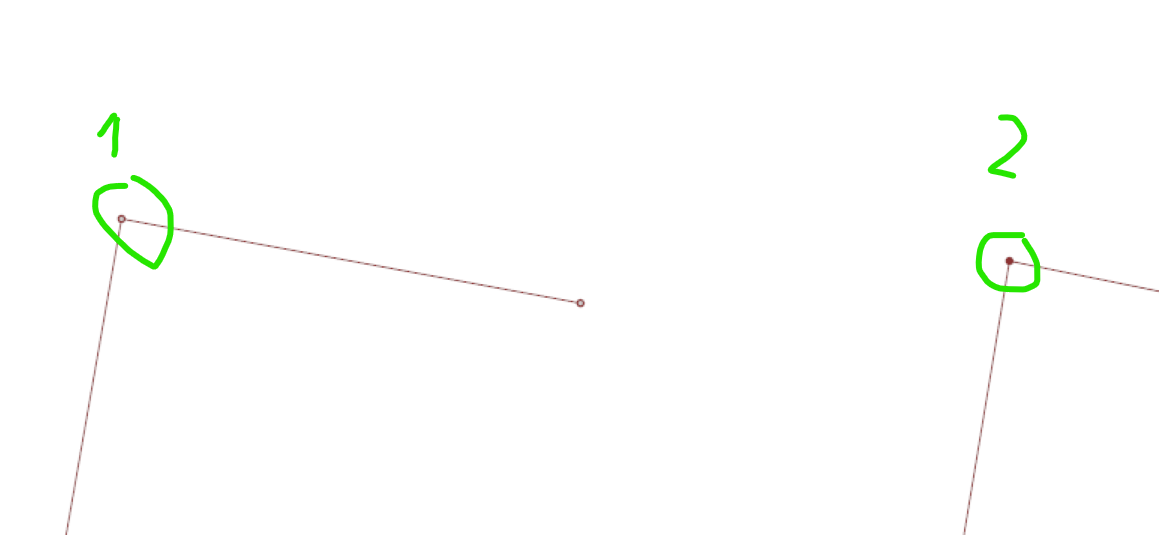
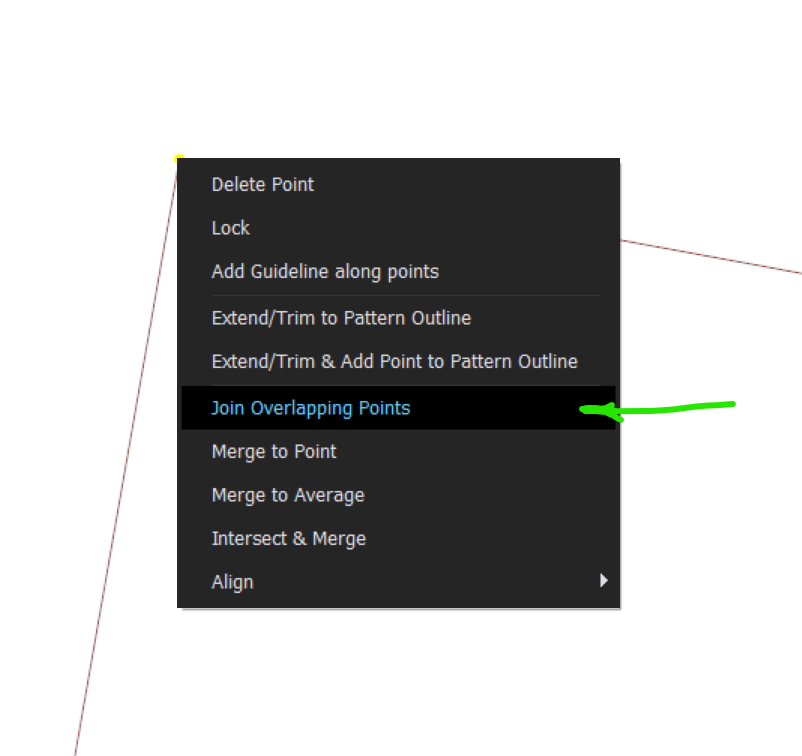
If you box-select them and right click you can join them. This will help you select all the joined lines in a single copy.
 0
0 -
Great thank you very much! It will help a lot to know this tip :)
Have a nice day!
0
评论