Exporting to Illustrator for Sublimation Missing Features

When creating patterns for dye sublimation, I need to export it to Illustrator basically just as the seam allowance outlines and notches. However, it seems like the only way Clo is exporting it is when the pattern outlines checkbox is checked. I need it to export only as the seam allowance outlines (cut line), without the notches repeating on both seam allowance and pattern outlines, and with the seam allowance outline as one complete path!! It seams also that the seam allowance line is all in pieces and not a complete path like the pattern outline. Is there anyway to export to Illustrator with these specifications?
When I export, I have to unmask and ungroup, delete pattern outlines, delete duplicate notches, simplify the paths, shape build the seam allowance, and then group all the notches. I have to do all this prior to sending my patterns to the graphic designers, and when I have 8 different sizes to do and a project with several pieces, this is VERY time consuming and it seems like the simplest set of features to export as.
Can anyone help?
-
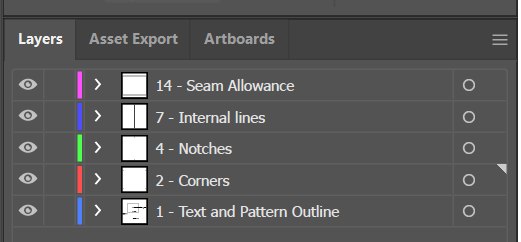
Acarm1020, when patterns are exported from CLO, you will have notches, pattern outline, seam allowance, text, internal lines and other features in different layers when opened in Adobe Illustrator.
Here I made a simple rectangle, added a seam allowance and notches in CLO, exported it as DXF and when opened in AI, you can see these layers. I added the names for clarity. If you have grading, these should be grouped by sizes too. Can you quickly run a test?
P
 0
0 -
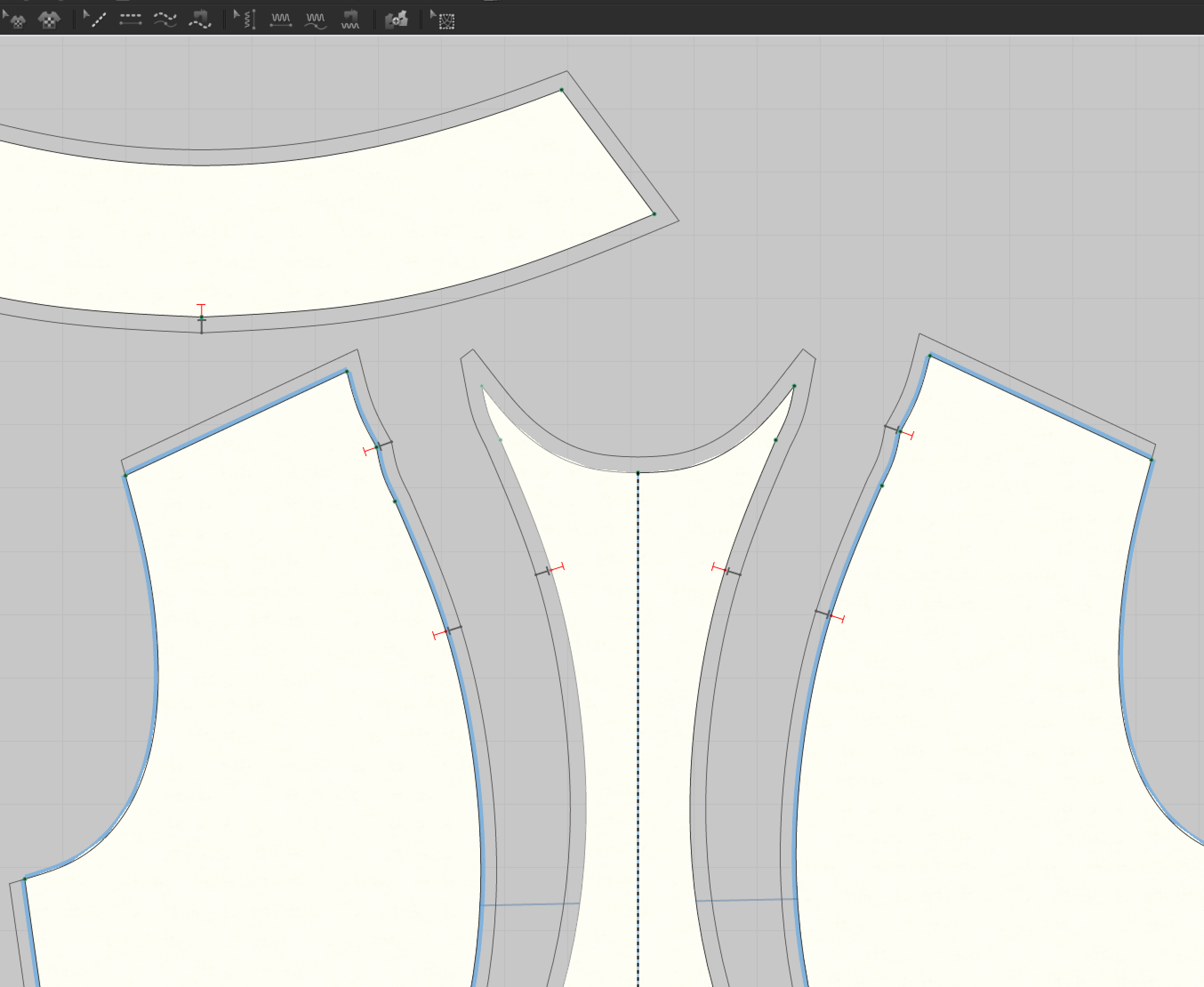
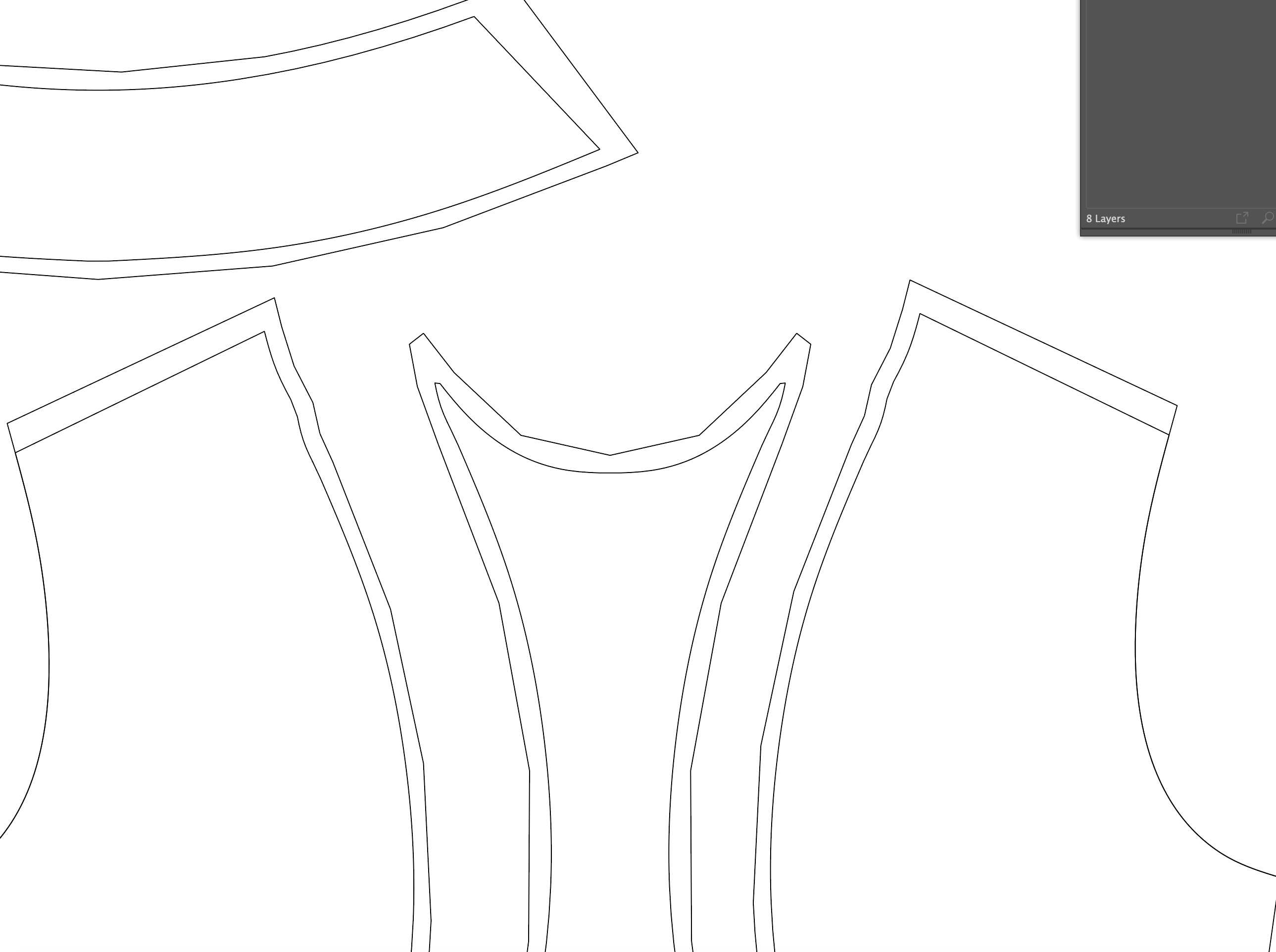
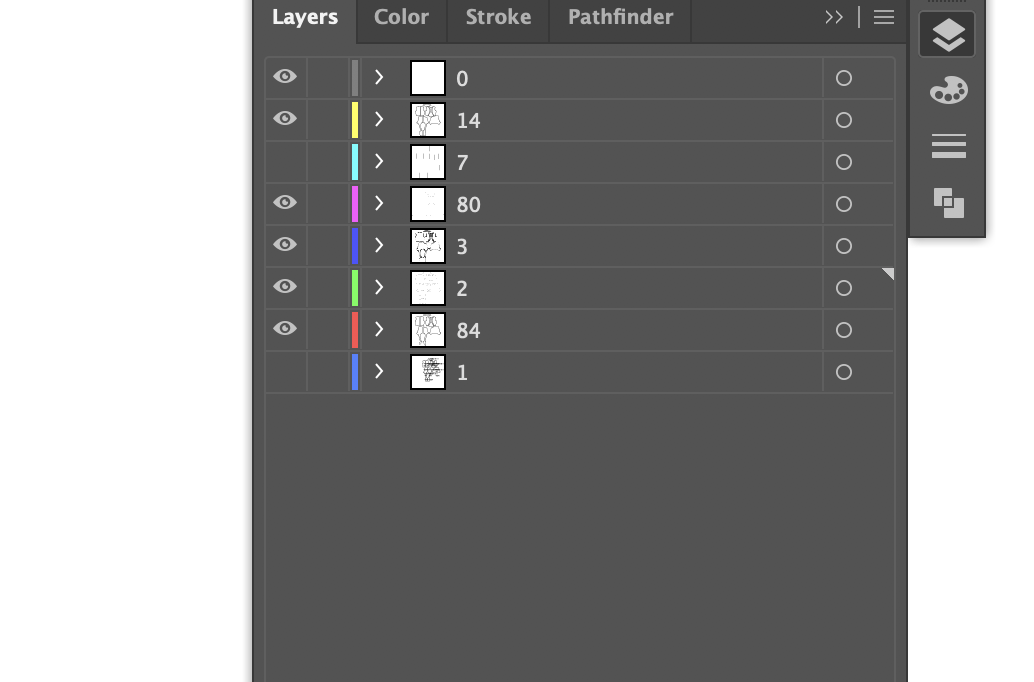
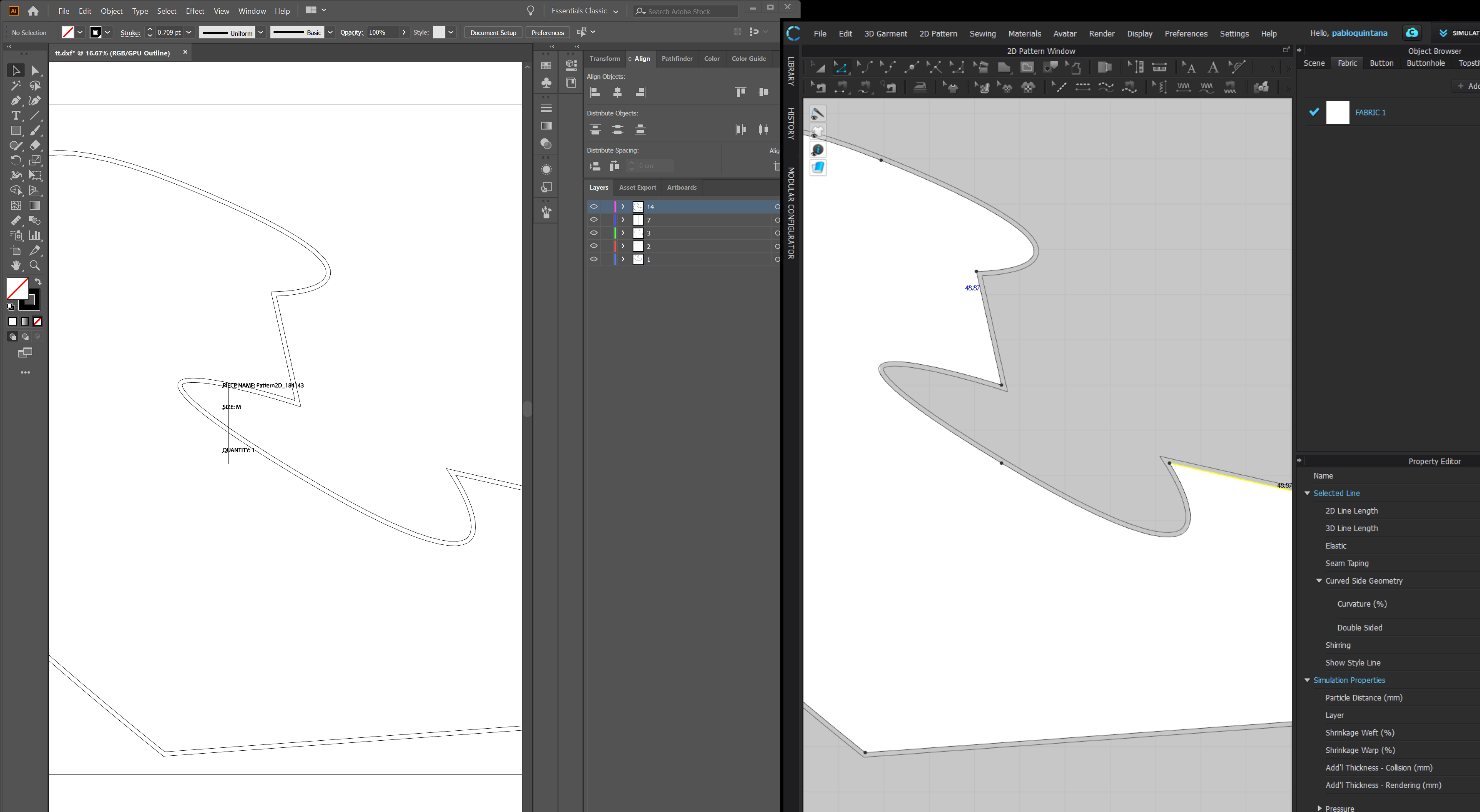
So I've tried exporting as .dxf, but I find there's lots of issues with it as well. I tried many things, and can't get my notches to show up. Am I doing something wrong? And second, the seam allowance curves are terrible! That is part of the reason why I never preferred exporting as pattern outlines. When I export as AI, curves seam to be very smooth. I've tried checking and unchecking many of the export options on Clo such as optimize curve points, do no duplicate notches, etc. and I can't seem to get a good export out of it. Refer to images below. Could there be some sort of importing setting on Illustrator I am missing?
 0
0 -
Diffar, it seems like the lines in AI do not have enough resolution. Make sure, when exporting from CLO, that you select the correct unit of measure (inches, cm or mm) and then when importing in AI select Original Size.
Here you can see the curves are imported smoohtly:
 0
0
评论