Sherpa rendering issues

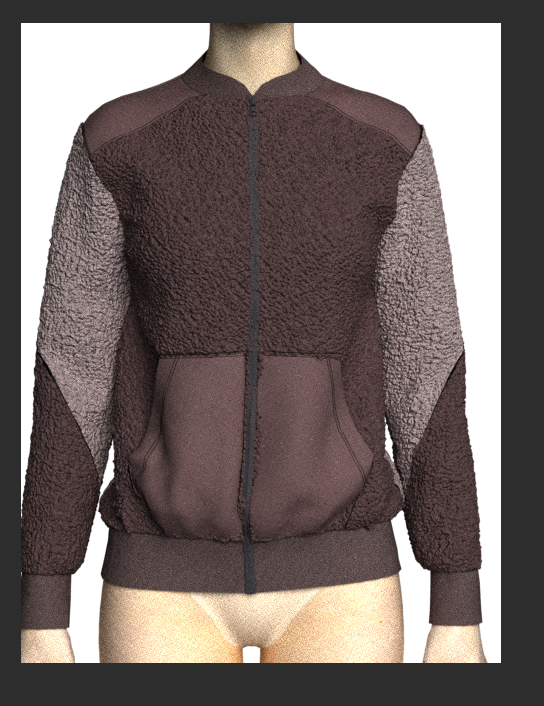
Is anyone else having issues rendering Sherpa where the CF zipper disappears and if you use a different fabric for certain features like pockets, it shoes through? Even though the 3D window appears fine?
-
You need to check your pattern offset (collision) and then it's render material thickness for the top layer for the pockets.
And then for the lower layer where you have also used a fleece like fabric with material thickness (displacement height) texture maps.
Change these pattern collision settings to match the Fleece fabric displacement distance for each texture > simulate again > then render. NOTE: in fabric you can switch off the back and side texture if you wish.
On the 2D pattern you may also want to try switching off the edge curvature to see how that renders with the texture.
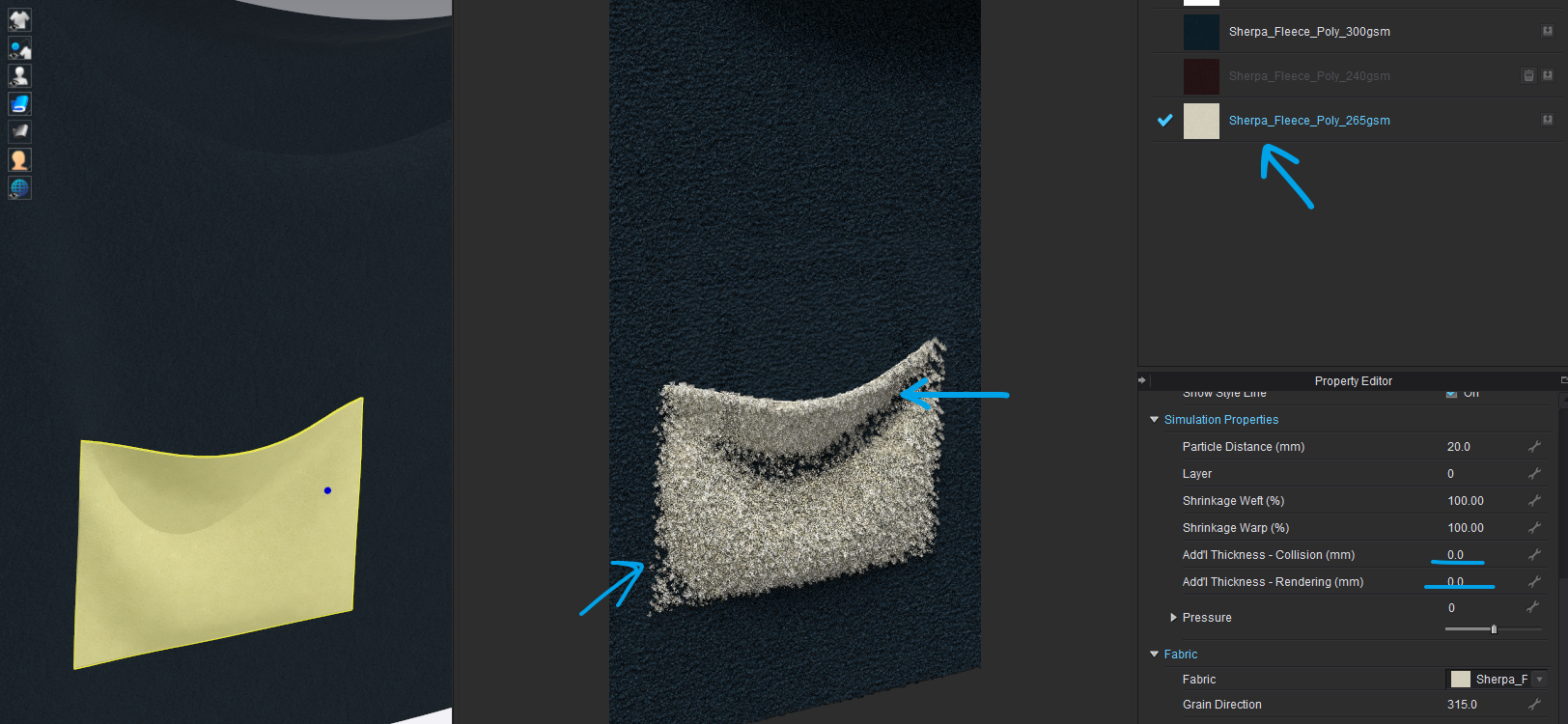
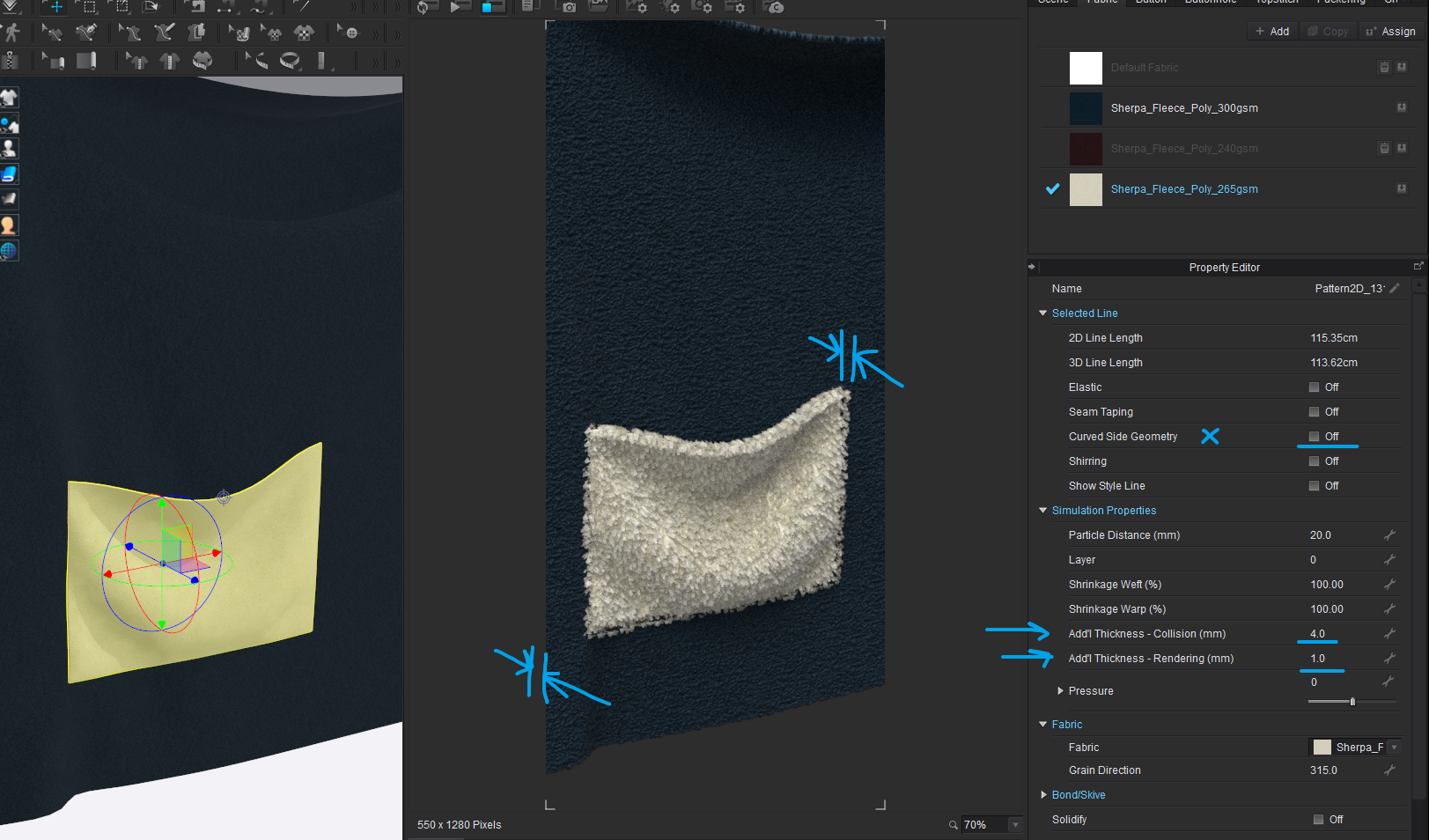
Your fabric has both a thickness (pattern piece) and a texture displacement (height for the fleece) You need to make sure your collision offset for the sewn together pattern pieces is slightly more than these totals. The collision offset distance is measured either side of the pattern plane. eg: 6mm collision offset = 3mm either side of the pattern piece.
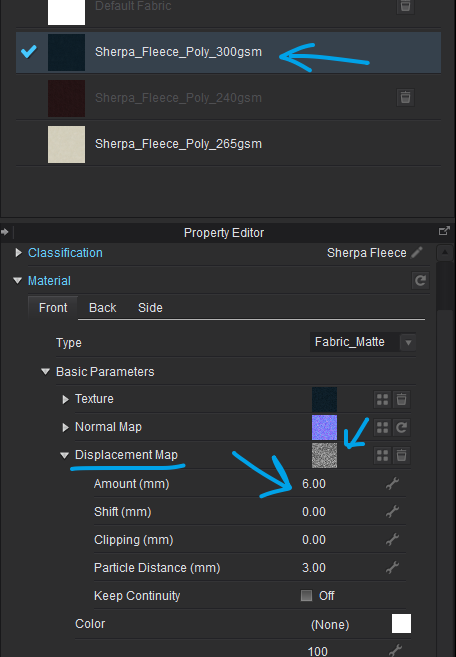
Therefore if you displacement is high you need to ensure items don't pass through when rendered - relative to what you see in the 3D window. View the garment in the far left window in the (thin) 'Textured surface' mode (Alt+2) so you can see how far your pocket pattern sits off the front pattern.

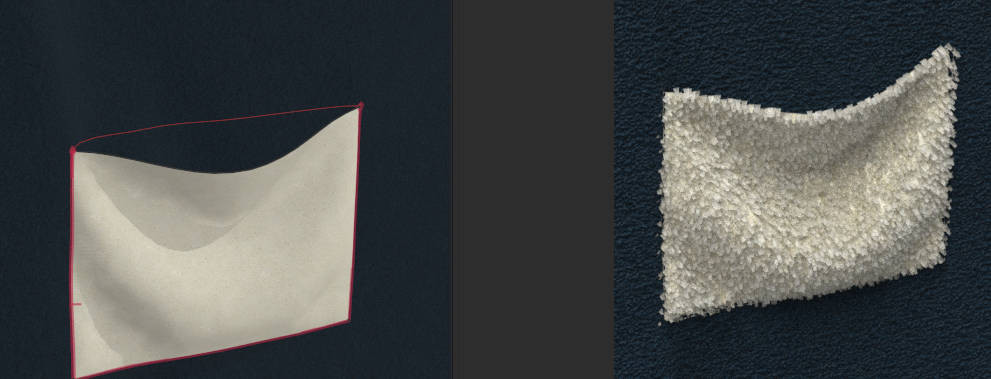 1
1 -
Hi Ottoline,
Thank you so much for the detailed explain! I really appreciate it. I was able to fix it following your advice :)
 0
0 -
Well done.
0 -
Hi Ottoline,
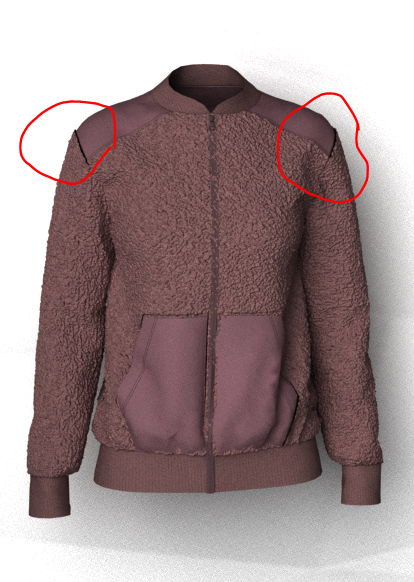
I have one more quick question. I noticed that armhole at sleeve cap area appears to not be sewn, but it is actually sewn and shows up fine in the 3D working window---but gets like this once in the rendering window. Is this related to fabric displacement as well?
 0
0 -
You can shift the offset displaced surface by balancing out how far it moves by adding in a negative value equal to half the offset displacement.
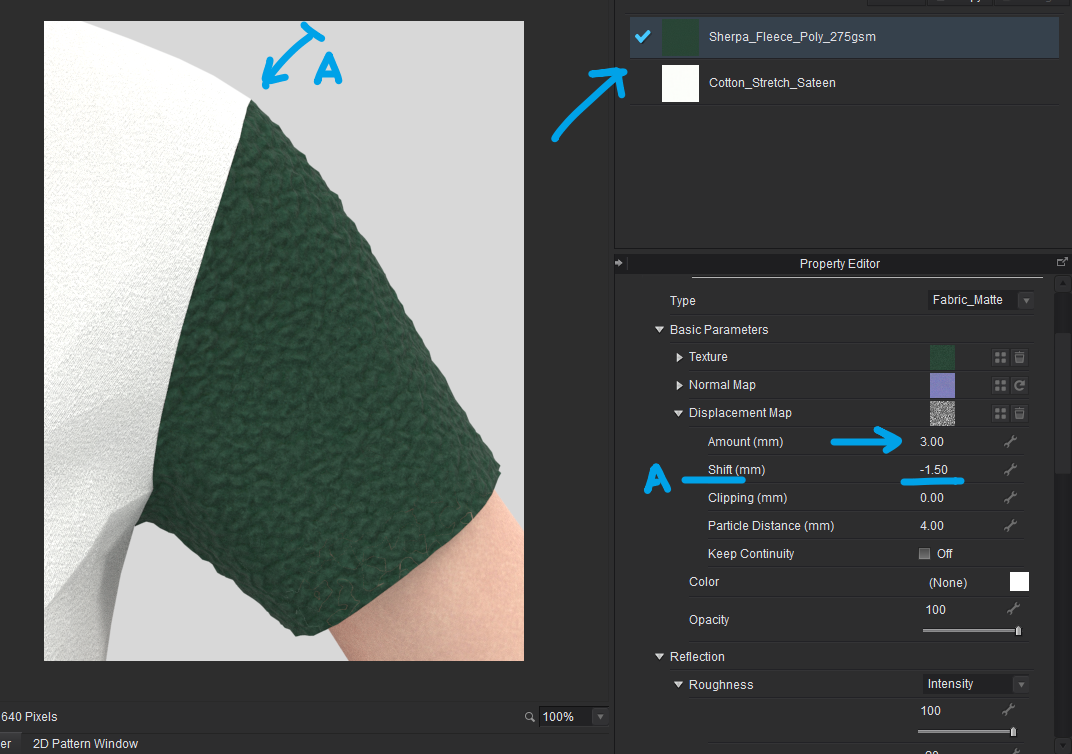
CAUTION: This very much depends on a number of factors as to how well this behaves. If you are rendering the garment in a thin texture mode or a thick texture mode you may have additional pattern piece factors kick in (Additional render thickness) set at the pattern piece level > select pattern > property editor > Additional rendering thickness (make sure this is zero to start with)
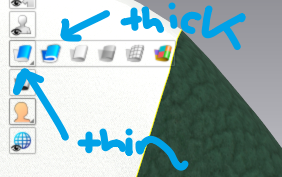
Render mode (thin or thick) will impact how displacement textures render around all surfaces. When you add in material texture displacement to a fabric you need to be careful how to balance out all these small surfaces , especially on edges.
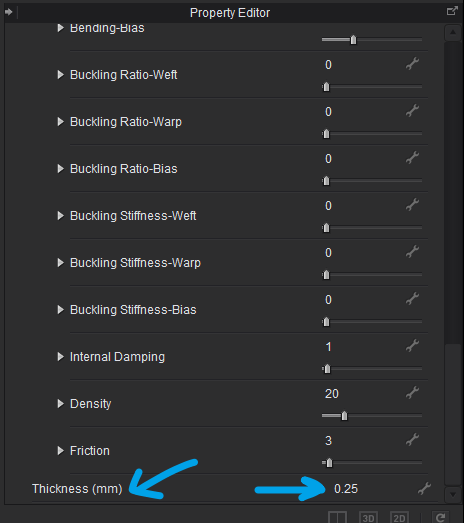
Fabrics all have a preset thickness that effects the offset values and total values. So you may need to view this to accommodate it in your calculations.
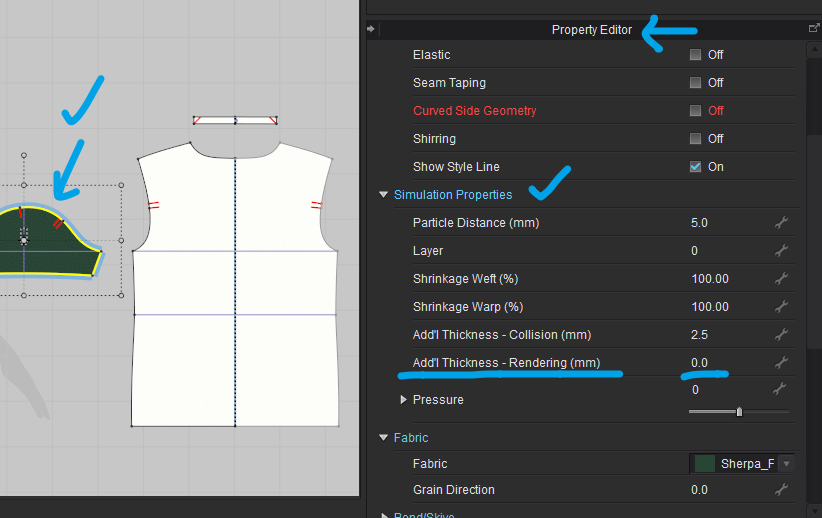
When you view the garment in thick (textured surface) render mode you need to make sure you check any additional added thickness added to the pattern piece. This will add to the total behavior for offsets in this render view mode. So check this factor on the sleeve and at the mating shoulder patterns.
So as you can see it is very dependent on what mode you are in and what fabric thickness, and material displacement total is before you shift the texture down.
You really need to try these settings out and see the result you get.
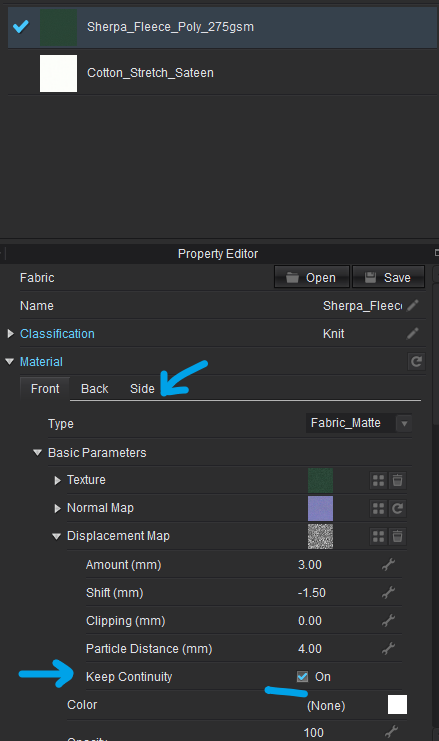
On the fabric you can also toggle on Keep continuity for edges ( and in the material SIDE TAB you can decide to have textures on or off for pattern side surfaces)
You just fell down the rabbit hole ... of the many texture and surface settings you can tweak.
0 -
Thank you so much for posting this ottoline, this is exactly what I'm struggling with at the moment.
0
评论