Why is interior garment darker?

I'm new to Clo and having some issues with fabrics and textures. After selecting a Clo preset fabric---the interior of my garment is showing up darker even though the back side has "same fabric as" selected. How do I fix?
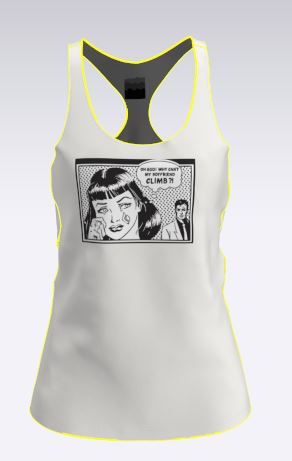
-
Issue #2 is that whenever I change the texture to a .jpeg (it doesn't matter which jpeg---ive tried a bunch) the garment always becomes transparent even thought he values of opacity are set to 100.
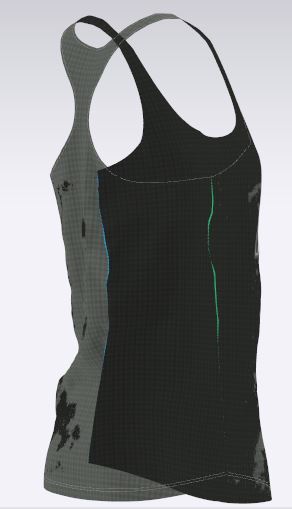 0
0 -
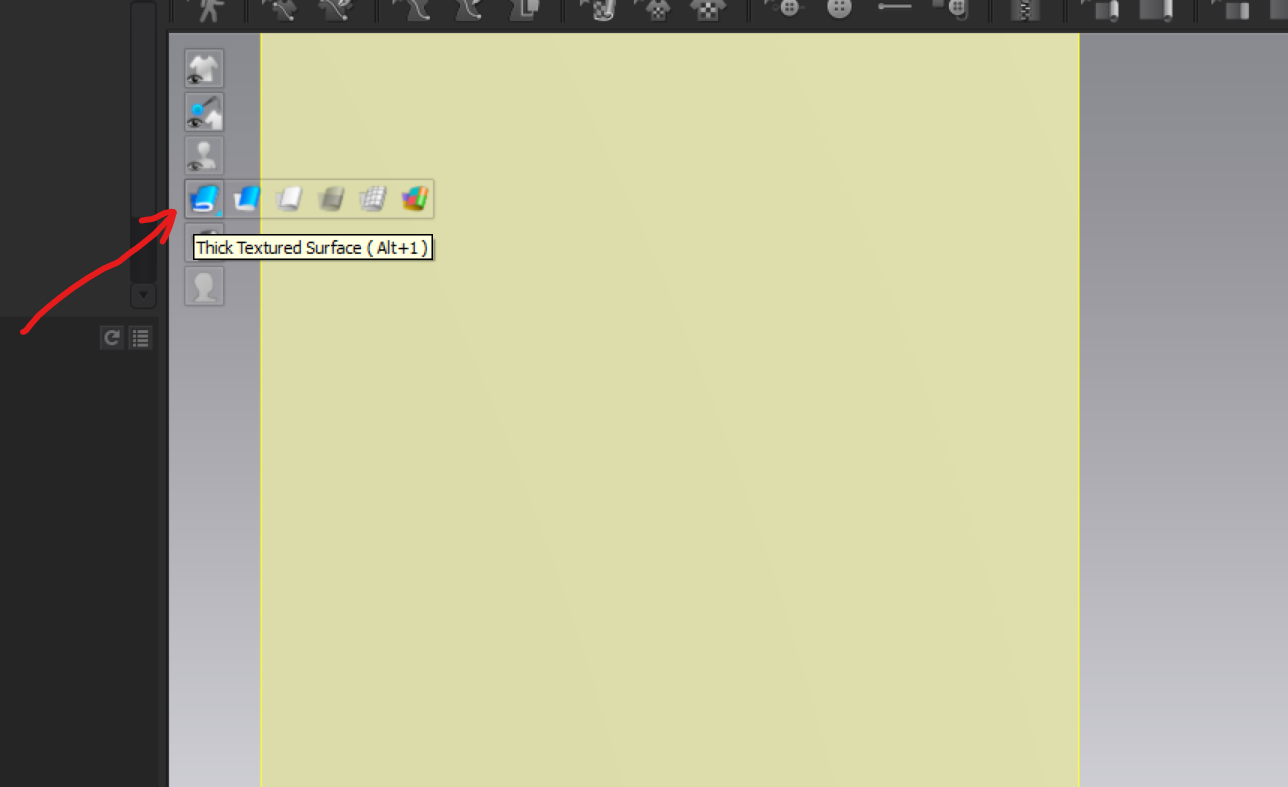
Kwoehr814. Can you confirm that you are in Thick Textured Surface (ALT+1) in the 3D viewport?
 1
1 -
Kwoehr814, Pablo showed you the solution, put the fabric view in Thick Textured Surface mode and your first issue will be solved.
The second one is a Clo issue I have using .png file. Take note that is a 3d viewport problem. When rendered everything, usually, works fine.Daniele
0 -
Thank you both for your responses. I clicked the Thick textured surface mode and that corrected the interior garment. For Issue #2---I have tried both .jpeg and .png and still get this strange transparency problem. When I "Render", the render always looks very grainy so I am still trying to figure this out.
0
评论