the mouse cursor wheel does not drag

I just started working with Clo3D on my computer (have used it in another computer). For some reason my mouse cursor wheel does not drag the pattern or the avatar. The scroll only functions, it makes it larger and smaller. This is crucial issue, as I cannot move left to right or up & down the pattern or the avatar. Can anyone help?? Thanks!!
-
Hello Maarit the Middle-Mouse-Button (MMB) default function is to Pan, not drag. You drag (or move) things by selecting and then dragging with left click. I'm a Windows guy, so I can't tell much about the magic mouse functions from Apple.
If you use Mac, maybe someone in the forum is willing to help.
Check the settings here:
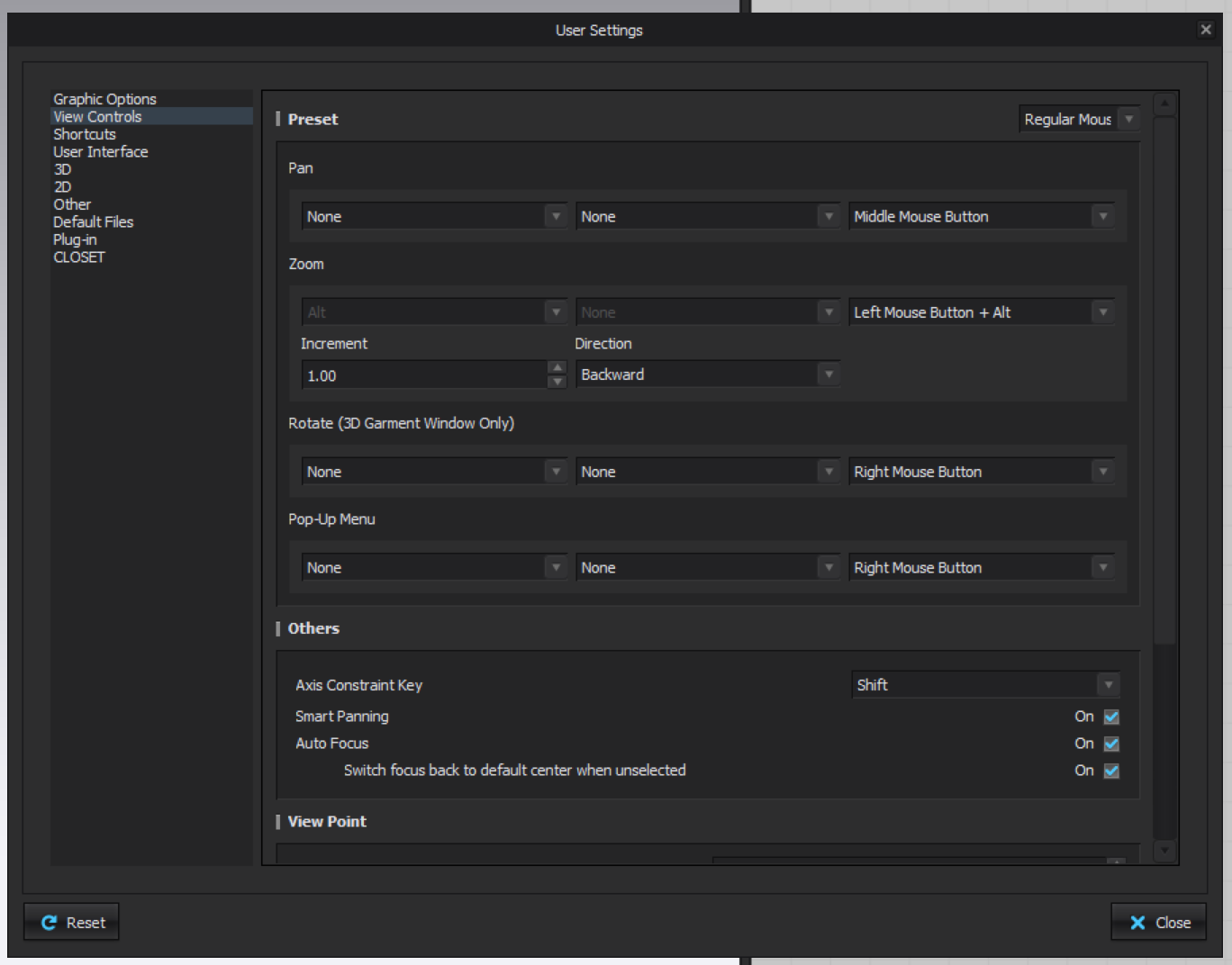 0
0 -
Hi,
Thanks so much for this info! I will check the settings and hopefully the problem is solved this way. Yes I use Mac, sorry I didn't mention that in my text. However, I have a regular mouse and not a Magic Mouse. The problem is not actually only with the dragging, but I cannot move on the screen. It should be possible to do by clicking the cursor wheel. This is especially annoying with the avatar, but also with the patterns of course.
0
评论