How can I make the parts of my avatar get highlighted?

Hello, I have a question, how can I make it so that when I click on it or when I select a specific part of my avatar, such as the arms or legs, it is highlighted in yellow, indicating that I have indeed selected it? Since when I click on the parts of my avatar none of them are highlighted with color, I would greatly appreciate the help if someone can tell me what can I do to solve this problem since I have not been able to find a configuration that allows me to make them stand out, below I leave an example that I found in third-party videos in which the parts of the avatar are highlighted.
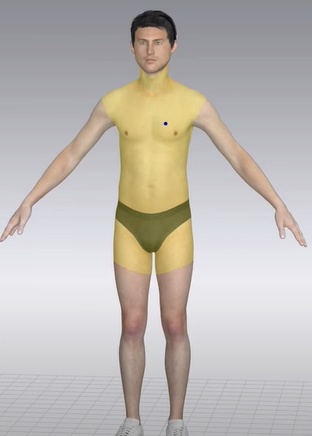
As you can see in the image when a specific part of the avatar is clicked, it is highlighted in yellow, but in my case, my avatar is not highlighted. How can I solve this problem?
-
Hi jxnl,
What ultimately counts is that the properties of the selected part of the avatar show up in the Property Editor. In case you are a Mac user, it is a common occurrence there that the yellow overlay does not show.
0 -
Thank you very much indeed when clicking on a piece of my avatar it is shown in the properties editor but is there any way that the parts of my avatar are highlighted with this yellow color since I am a Windows 10 user, not a mac user?
0
Comentários