Graphic tear, Cant see the seam lines after applying the graphic

Hello,
I have been struggling with this problem for a long time!
Whenever I apply a graphic in a pattern, even after putting a normal map on the graphic from the same fabric, I cant see the texture. Moreover, the graphic tears in some parts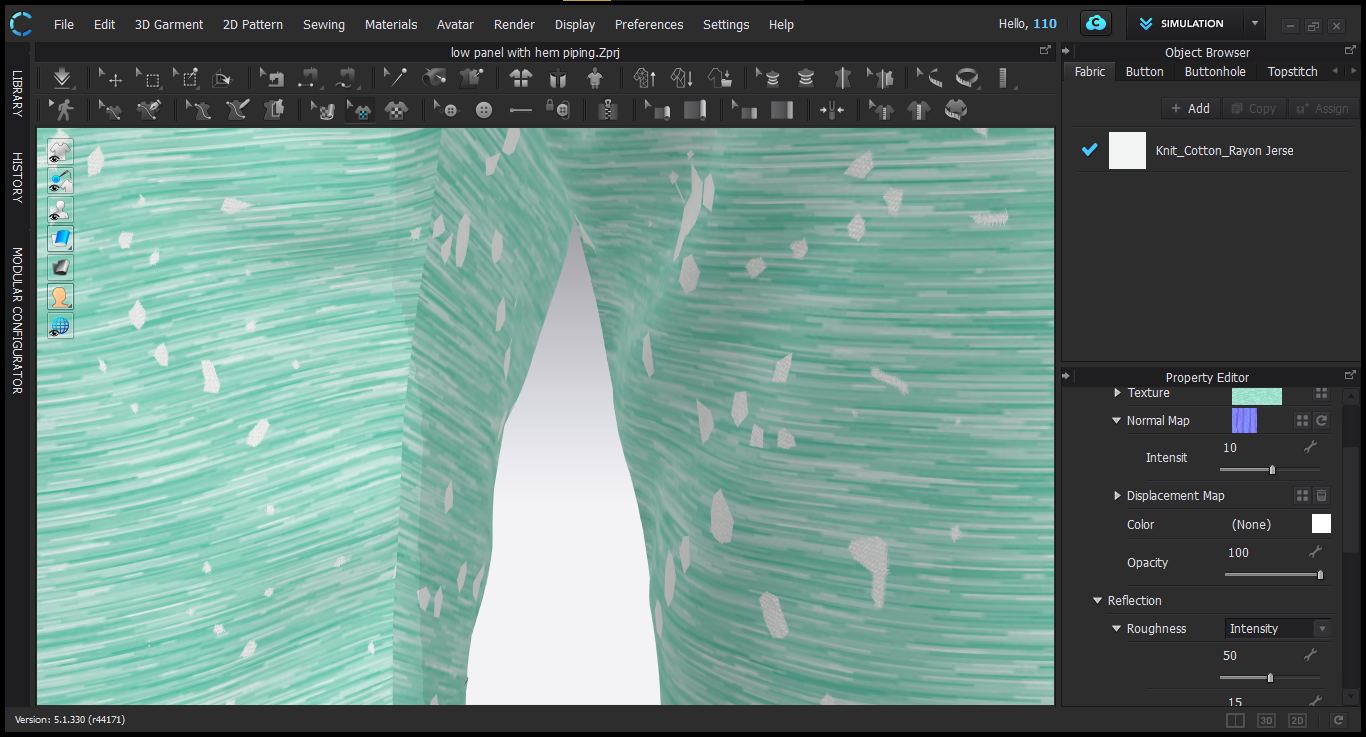
Another problem,
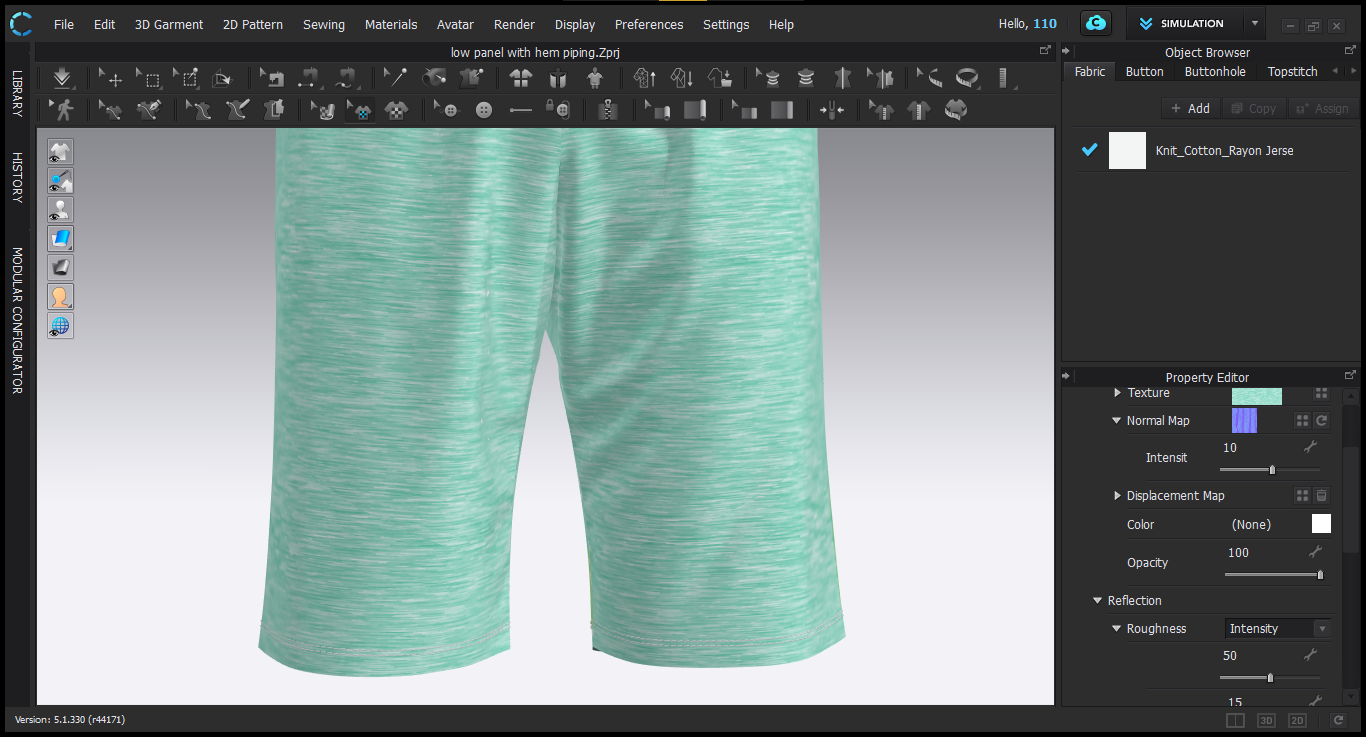
After applying the graphics, I cant see the seams between the panels. Tried increasing the intensity & thickness of the 3D seamline but It doesn't work.

Help ASAP
-
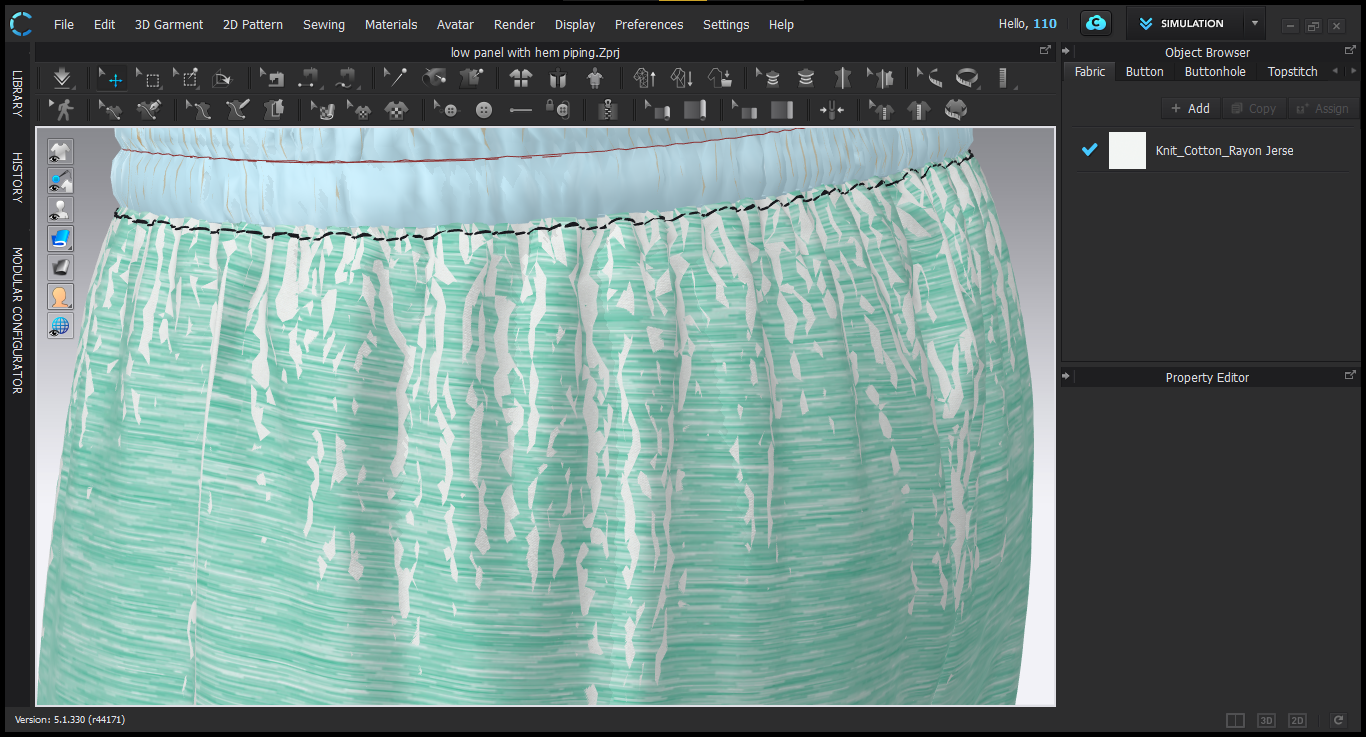
Here is another picture of the graphic tear
 0
0 -
Error #1 > Your texture and normal map need to be the same image size and pixel resolution. You are effectively applying an out of ratio set of texture image maps, this will lead to the issue you now see. Your textures should be a texture 'set' or you need to edit your images in an external image editor like photoshop and create a normal and diffuse image that work at scale together OR you need to use the scale facility in the property editor under the images you load (scroll down in the property editor) and assign a custom scale to bring these images into correct registration.
Error #2 > When you view your work in the 3D window you need to make sure you have the show 3D seam (shift + S) mode active.
0 -
ottoline 3D seamline option is active, still i am not able to see the seam lines
0 -
There is also an option with the Edit sewing line (B) where you select your seamlines (sewing between pattern pieces) and you have to make sure your normal for the 3D seamline intensity is not set to zero (otherwise it will not show) in the property editor the default is usually set to 10. Check that feature.
0
Comentários