Painted edge finish with Multiple layers - Help required.

Hi Clo3d users - me again!
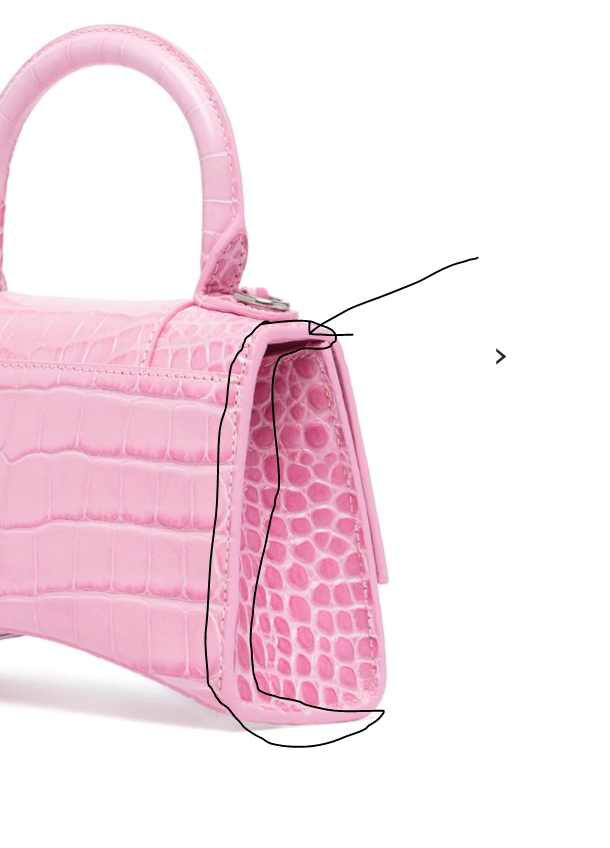
Quick question: As an accessories designer we often design bags with a painted edge finish- I know how to achieve this on clo3d with a single layer of fabric, however, with multiple pattern pieces/ layers of fabric a painted edge can also be achieved (in real life), however I have no idea how to create this in Clo as I end up with countless layers- does anyone have any suggestions for this?
I've added an image below to demonstrate this a bit more and the type of seam finish I am hoping to achieve. As you can see the back pattern piece and gusset are cleanly finished with the paint.
There is probably an easy solution to this.
Thanks!
-
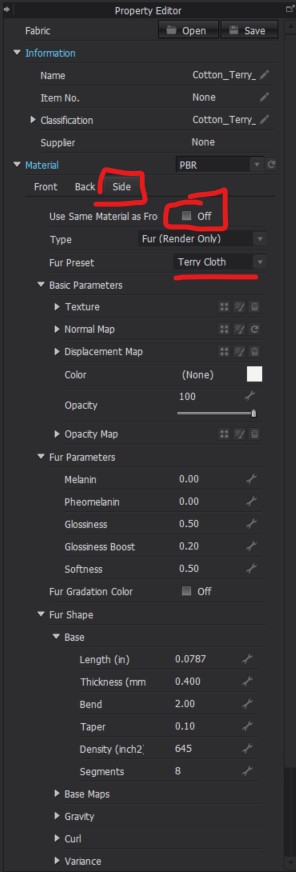
Hi alexloz. You can definitely achieve this look in CLO. This can do this by customizing the "side" view of your fabric. When you select your fabric in your Object Browzer and then go to the Object Browser. You can then change from the Front Tab to the Side Tab for your chosen fabric > Where is says "Use Same Material as Front' check that off. You can then change the Side fabric to any color/texture that you would like.
 0
0 -
You can cleanly fill any texture into a transition if the texture is mapped to UV correctly. So this is where you can drop a base color (fabric with swatch color ID) in and do some additional texture map work in an image editing program or texture program.
In CLO3D you can also set the model to have edge thickness and apply on the pattern an edge material (fabric) separate to the front and rear face. Eg: edge curvature and additional render thickness > So in that instance you could include the painted texture by changing that edge render material in the property editor on that end panel pattern piece. So a few options.
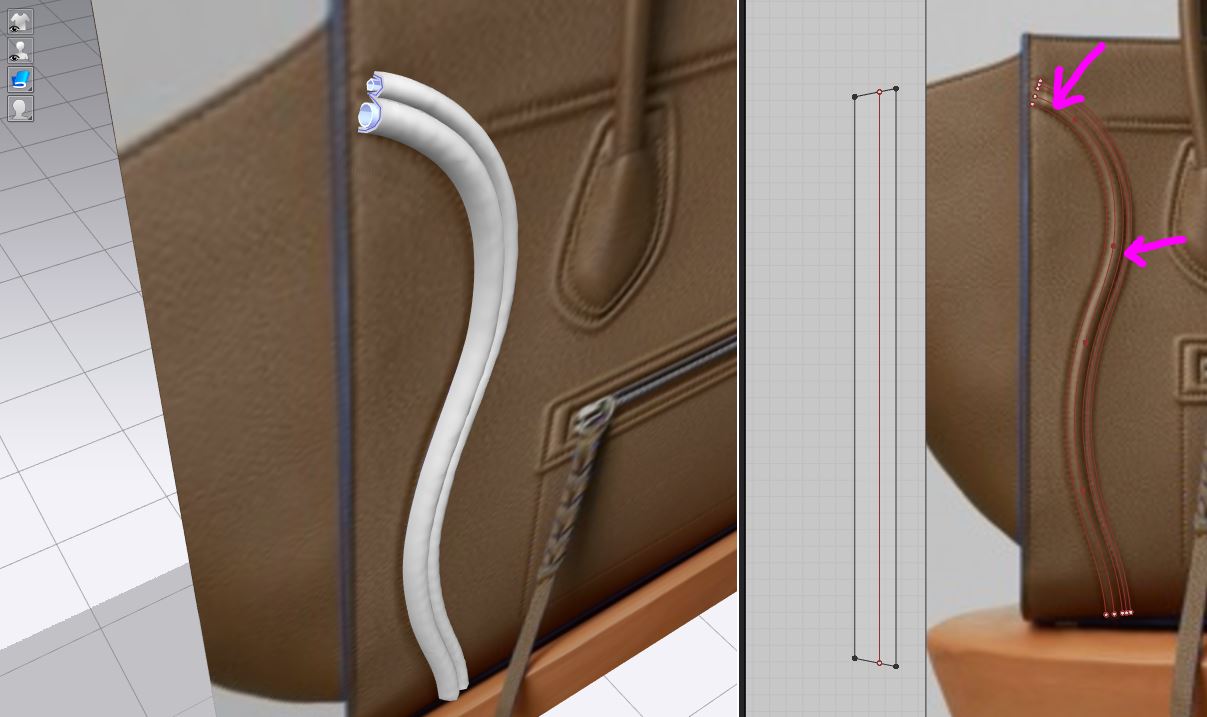
Or alternatively , below you can see I create a thin mesh model by inserting a thin strip of fabric and molding it over a tube chord > if you render outside using procedural tiling where you can can control the seams on the UV parts across the welded surface on a thin mesh, in CLO3D you could simply apply a second material as there is no need to make the texture transition seamless, like below. So very easy to do from the property editor.
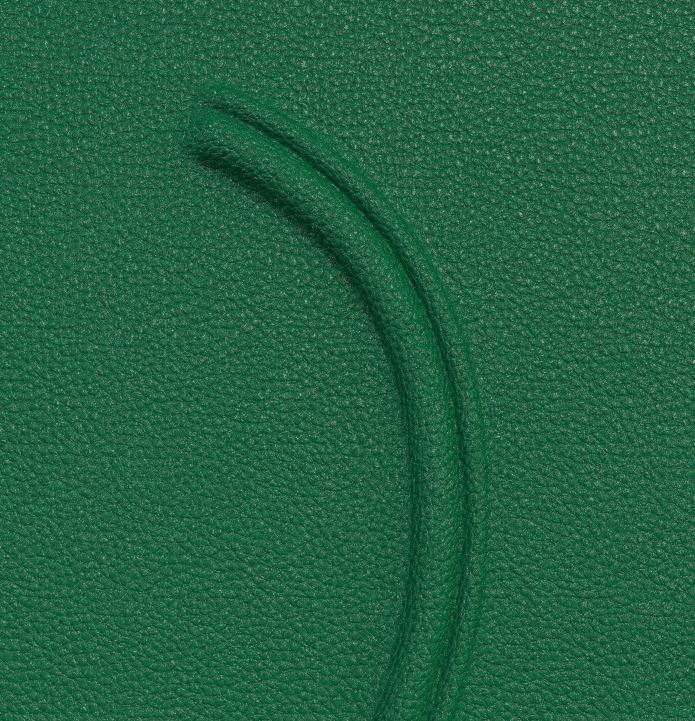
And the construction below for this trim detail so you can see how easy it is to stretch or add in 'seamless' surface detail.
 0
0
댓글