DXF problems - wrong measurements

I have exported a file as DXF but when I reopen the file the measurements are changed.
I haven´t scaled the pattern when saving nor when opening.
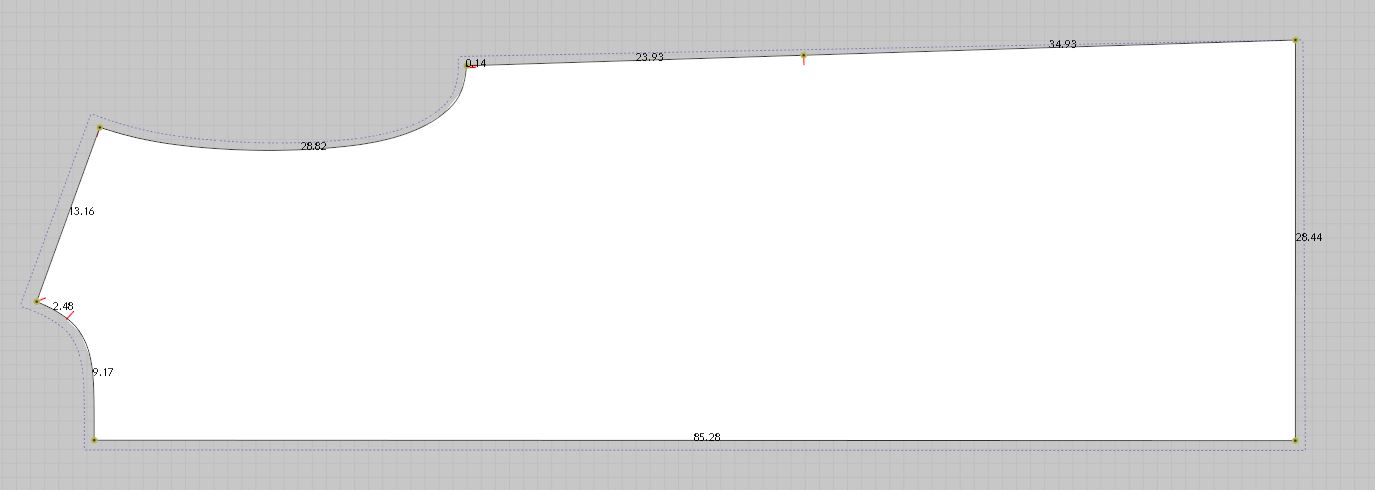
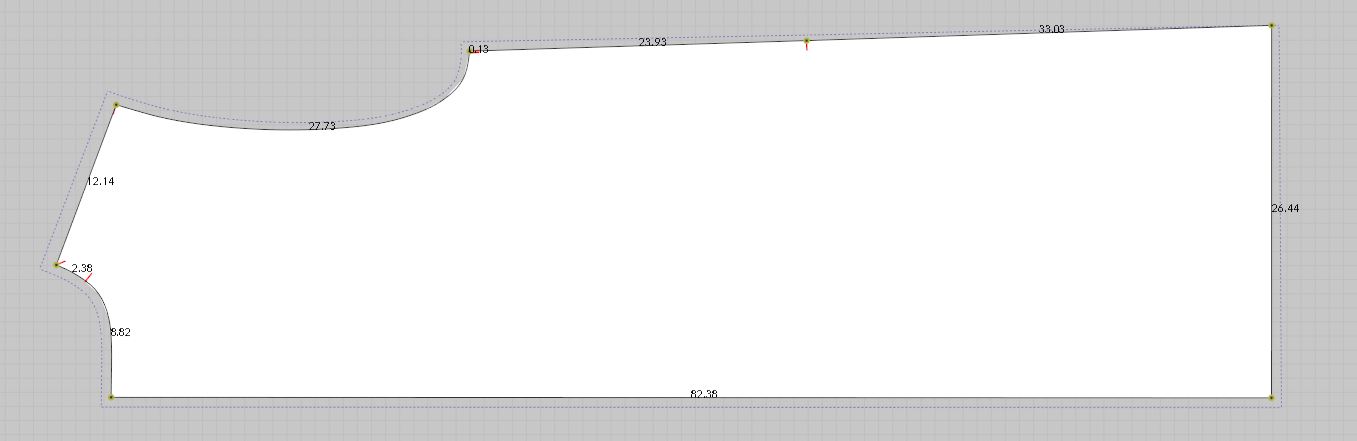
I also tried to save the file as a pattern file (pacx) any the same thing happened.
Any ideas for what went wrong?
-
공식 댓글
mbphelgesen Thank you for reaching out about this. Where did the patterns originate? Did you create them CLO? Can you confirm your import/export settings, please.
-
I don´t know which program was used for the original pattern, but i know it`s not CLO. it´s a third part pattern I´m correcting for a costumer.
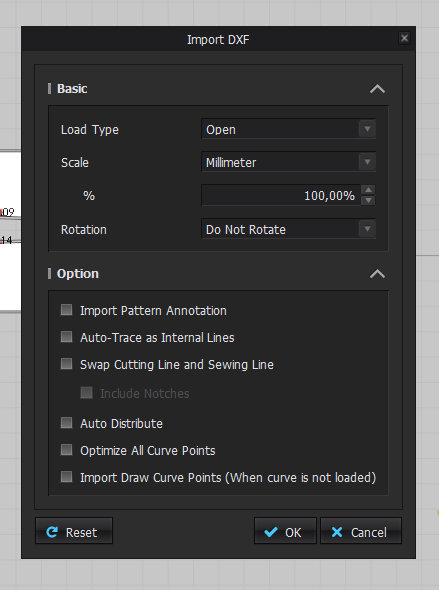
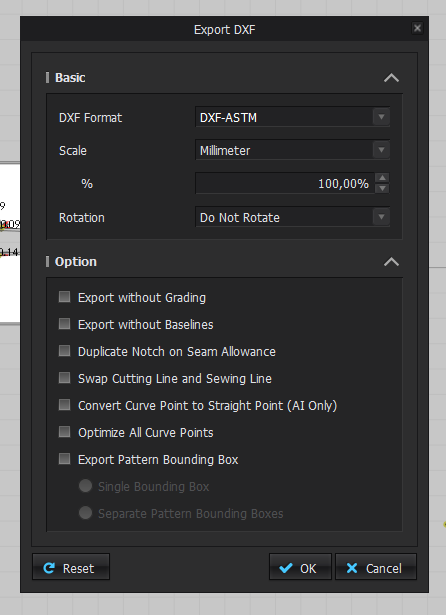
The setting below are for when I import/export the corrected pattern. When I first imported the pattern I ticked on "Swap cutting line and sewing line" but the seam allowance is transformed into a baseline and it makes no difference whether it´s activated or not on the corrected pattern.
 0
0 -
mbphelgesen Did this pattern come with the Rul (grading) file? If so try moving that file to another folder and importing. Also try ADDING the DXF as opposed to opening. Is this the only pattern this is happening with?
0 -
The original pattern came with a Rul file but the corrected pattern was saved in another folder. I have tried to add, import and open the file, all with same results.
I experienced the problem on 2 out of 3 patterns.
0 -
mbphelgesen Please contact us via our website and send the DXF File. Also send a link to this discussion so Tech Support can review. https://www.clo3d.com/contact
0 -
Hello, When exporting a pattern in DXF file and PDF file, I have noticed some changes in size between the two options. Can I fix it? Thank you so much! pablo.quintana :)
0
댓글