Export back side of the fabric in the same UV layout as the front side for relighting in Blender/ Or bake texture in CLO3D

Hi there,
I am struggling relighting a garment in Blender that I exported from CLO3D like this:  as this is a layered garment, I exported all separate layers (first the base(the layer that is closest to the body), then the patch pockets and finally the top "layer" with only the buttons) to prevent intersections and mixed-up mesh while importing in Blender. And I exported it as "Thick" so it has the "inside of the fabric" which I need for relighting.
What my problem is now is, when I want to bake the relit texture in Blender either /when using the the option: "Use Same Material as Front" turned on, that I end up with unwanted shadows on my front material - so this method doesn´t work at all. 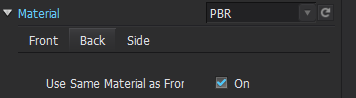
When I turn it off, I have the problem, that I can´t place it in the same UV Layout, as the front fabric, which I would need for proper relighting it in Blender, so prevent overlapping surfaces.
So my second thought was, can I bake the light in CLO3D right away on a map, so I can just assemble it in Blender, and no light baking in Blender is needed anymore?
Please help me out, I am quite stuck here unfortunately.
Thank you and all the best,
Hela
-
You are approaching the baking process incorrectly with blender. A thick mesh model out of CLO3D and then baking the inside manifold surface is a no-go. You will have to rethink how you approach the project in blender. My suggestion would be use a thin mesh export (surface textures can still be inner and outer) and then add in a thickness modifier within the blender stack to match the thickness you used in CLO3D. (technically this is a lot more efficient and more accurate). Then apply your tile map textures in blender as per normal, they should then come in exactly to the UV.
0 -
Hi ottoline,
thank you very much for your respond.
Would it be also possible, to bake the light on a map right away in CLO3D? So I can skip the relighting in Blender?
Thank you very much for helping me out!0 -
No. vray (for CLO3D) doesn't bake the lights down, you are maybe getting crossed over information about render engine use in specific domain spaces.
Blender evee is blender evee and vray is vray and blender cycles is blender cycles. Link > render engine differences
They are different render engines and therefore you need to keep things relative to the next workflow, and not try and mix'n'match that's not really how you should transport your materials to the next software or render app. My suggestion is simply load your pbr materials from CLO3D into blender using a standard node and then choose your render workflow there and if you are baking down scene lights then do that there ( as would be typical). Your lighting should be based on the render domain you are in.
0 -
Hi ottoline,
thank you very much for your respond.
regarding the UVs, I have the problem here, that it outputs only the front view of the pattern pieces, which causes later overlapping UVs in Blender and makes relighting impossible... Is there a way to export both sides (meaning the back side and the front side of the fabric) in one UV Layout?
Thanks again for helping here! This is of great value to me!0
댓글