CLO Freezes when I try to sew.

Using version 6.0.560
When I try and sew on a pattern that I imported from adobe, the program freezes for several minutes. Happens frequently and happens for both segment sewing and free sewing. Is it possible to step back to CLO 5.0. I didn't have this problem back when I was using an earlier version
-
공식 댓글
ganderson Does the freezing only occur with the imported pattern? Can you sew pattern pieces created in CLO? I would try that first to see if it is a Sewing Tool issue or an issue with the imported pattern.
-
Just tried to sew a clo tee shirt. The freezing still happened. ( not as bad with the segment sewing tool, but the free sewing tool got completely lost for a second). Is there something special that I need to do for the imported pattern?
0 -
ganderson The freezing of the sewing tools is what is most concerning; has this always happened or is this a new issue? When you say "freezing" do you mean that it pauses and then sews? As for the Adobe Patterns my question would be about the number of anchor points in the artwork that is being imported. If it is complex and or has more anchor points than necessary, that might be the problem. Can you send a screen shot of the artwork in Illustrator while it is all selected/active?
0 -
This is a new issue, just since I went to CLO 6. I am running 6.0.56. When I say freezes, I mean the program stops responding, sometime for minutes on end and my courser turns into a spinning wheel. I am attaching a typical imported adobe file.
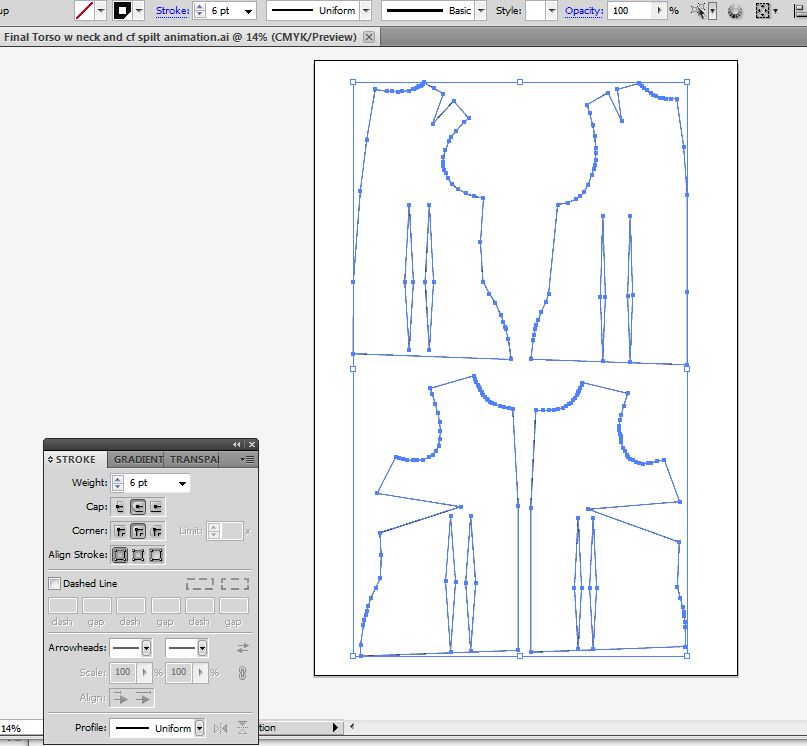 0
0 -
ganderson Try editing the pattern in Illustrator. Make it as clean and simple as possible.
- Fill the patterns with a color and remove the stroke. The stroke is unnecessary.
- Edit the pattern so you have as few anchor points as possible. See the attached image.
- You could remove the darts here and add them in CLO. Both on the edges and the diamond darts inside
- IF you keep the diamond darts they do not have to be compound shapes; they can be filled in shapes ontop of the pattern pieces; they will show up as baselines or Internal lines.
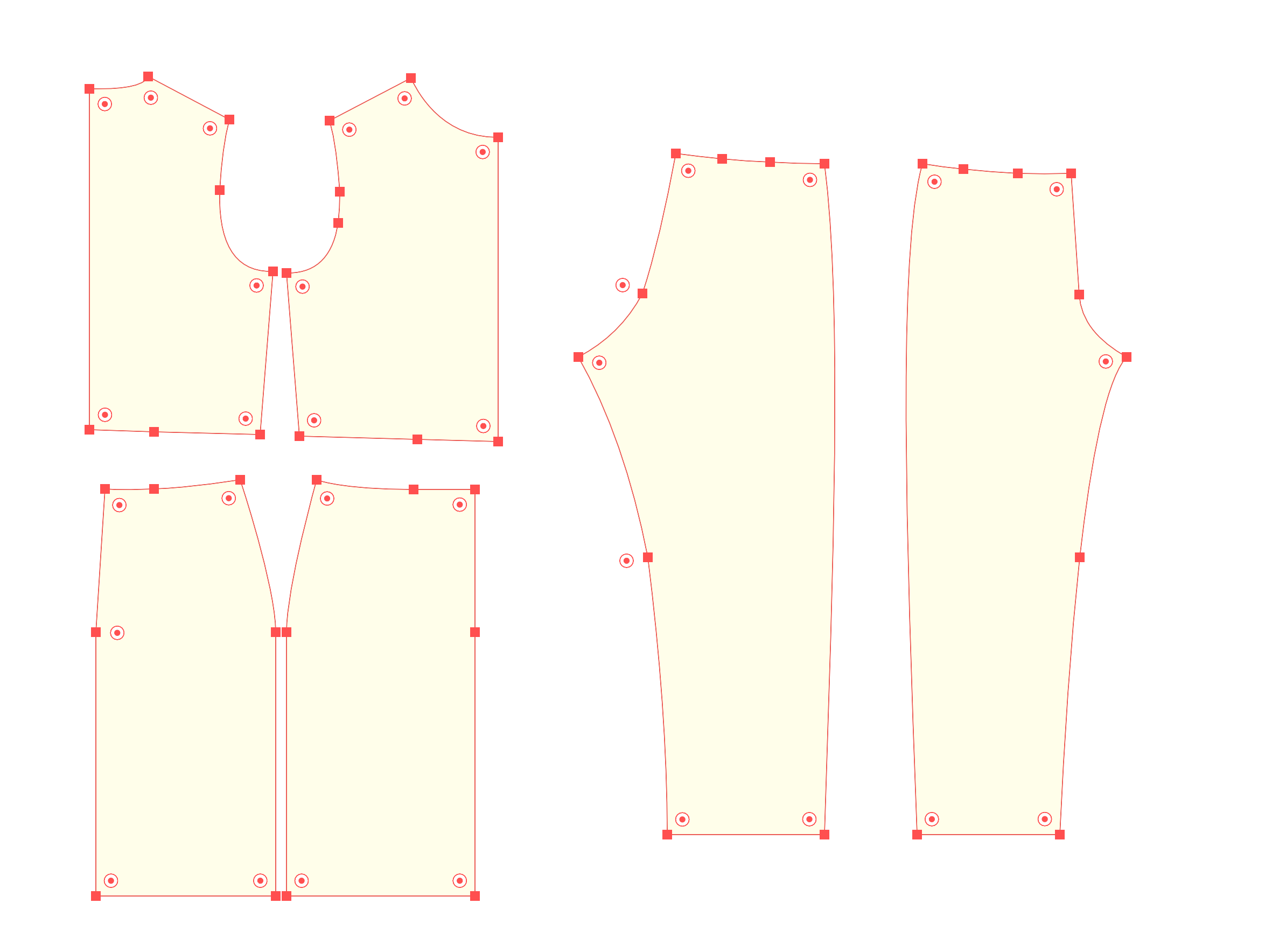 0
0 -
OK, I've played with this some this week and this is what I found. Free sewing seems to always go to the m:n sewing in the 3D window, even for the simplest seams. In the 2D window, if I do all my free sewing first, then the segment sewing, it works OK. Free sewing still gets confused when I'm doing a "split seam" ( such as a dart). I can start on the dart side and stitch to the solid side for each side of the dart, but if I start on the solid side and try and use the shift key to split the seam on the dart side, the program can freeze for a couple of minutes. Still using version 6.0.560, but will probably go back to a later version 5.xxx. Any thoughts? Thanks for your help.
0 -
Upgraded my video card and that seems to have solved the problem
0
댓글