Get rid of partially flipped normals

Hi,
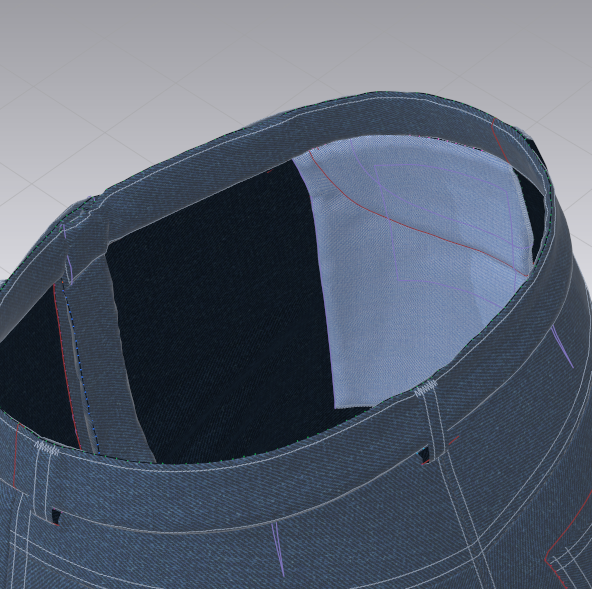
I am having the problem that sometimes normals flip partially, please see below: 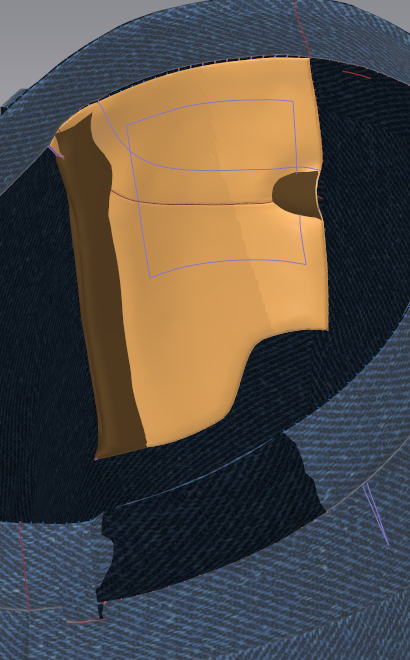 It is really hard to get rid of these especially in case of the pocket bags.
Can somebody help me out?
Thank you and all the best,
Hela
-
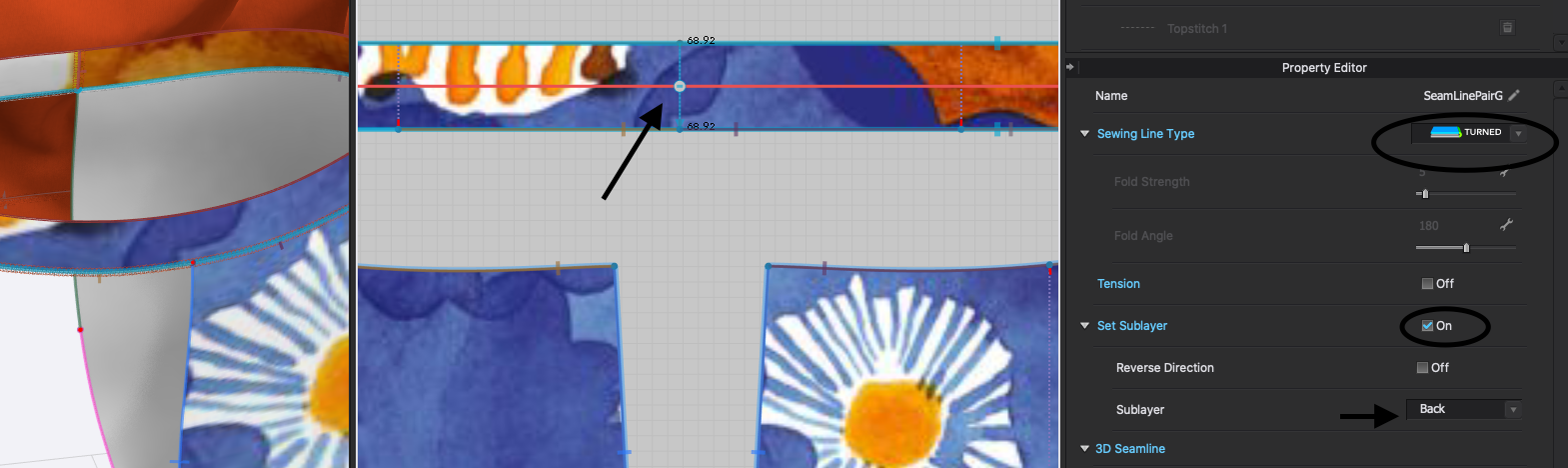
I've been down this road! Your pocket has a fold, and you're sewing the other edges with wrong sides together, and those are "turned" seams. So as you create those sewing lines, switch each to turned, choose set sublayer, click "back". The first seam line is sewn to the back of the second seam line (although order doesn't matter here). The fold line is 0 degrees, which looks like you already did. The simplest thing is to re-drape this with those settings.
Looks like you also have a pocket facing sewn inside the bag. Those sewing lines are the same, they are turned and the wrong side of the facing is sewn to the wrong side of the pocket bag.
This is a waistband, but same concept, it's sewn wrong sides together, that needs to be specified:
 1
1 -
Hi,
thanks! worked perfectly well for the waistband and the sewn together parts of the pockets, but the folded part of the pockets still gives me a hard time:
here my settings: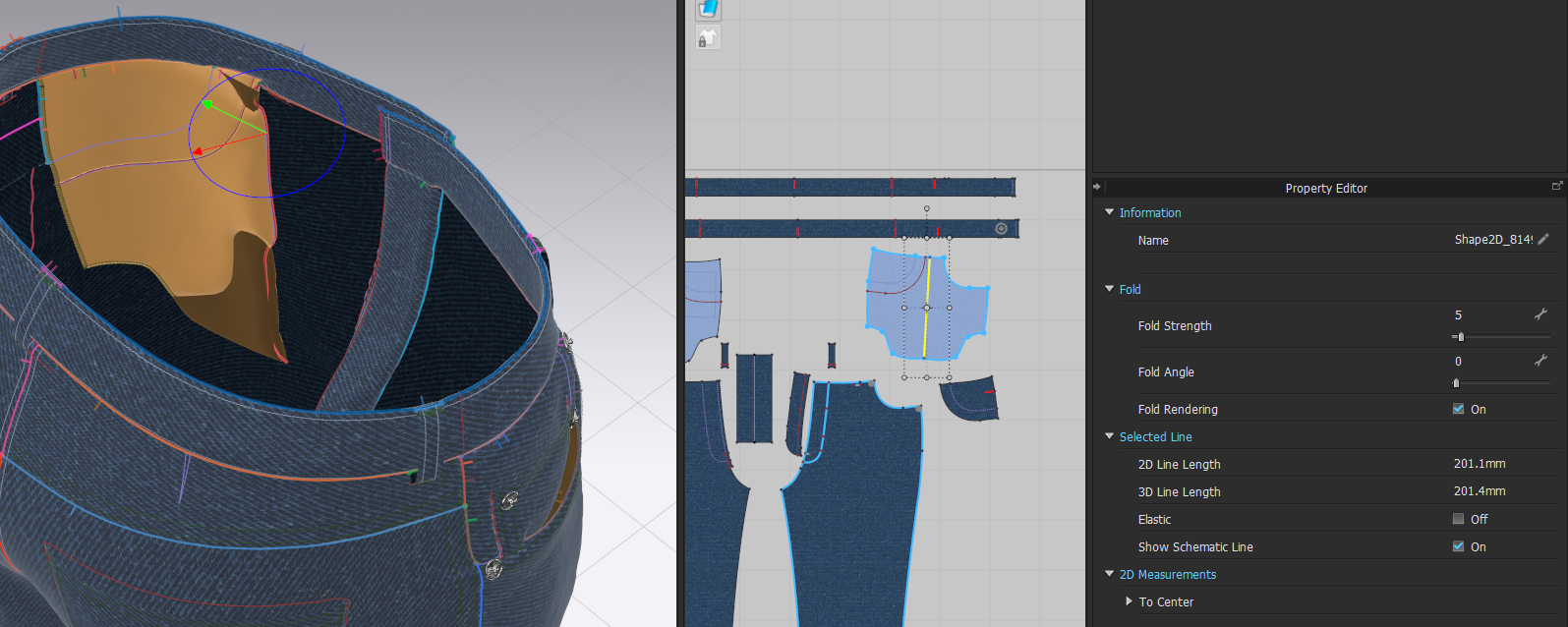
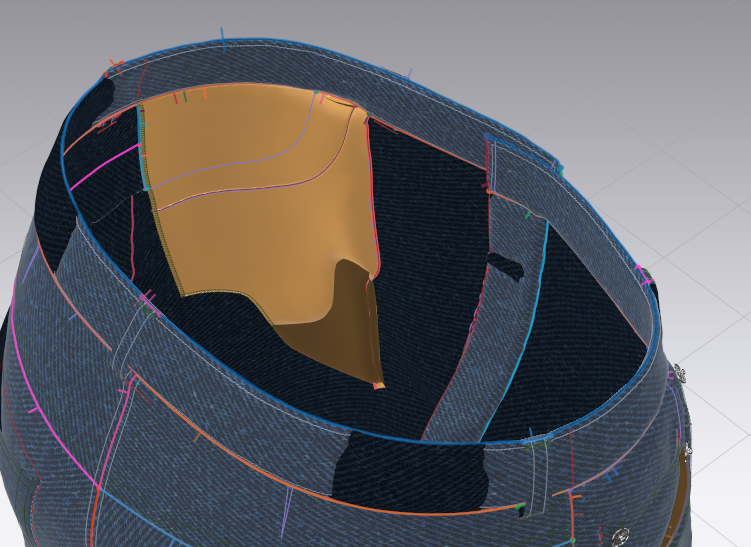
Also, each time simulating i run again into these partially flipped normals (below is after simulating again):
 0
0 -
Hmm. On the pocket bag, the bit of fold at the top edge hasn't been sewn. Sew those two bits of bag together turned and layer to back. After your previous problem, did you re-drape the bag and start fresh on the folding? or did you change the stitch line setting and simulate? If you deactivate the bottom edge stitching of the bag temporarily and let things shake out, it might work, but if not, set the pocket back to 2D position, and start fresh.
On the waist band, yours is two pieces, did you set the sublayer on those pieces as patterns (okay if you didn't, just trying to find out if that is causing the switch, or if adding that could be a quick fix)? If you do set pattern layering, it needs to be in the negative sense on the waistband, because they are wrong sides together. For patterns, positive layering is like a patch pocket, wrong side of one layer placed against the right side of another layer.
Same for the fly facing. The sewn edges are need to be turned and layered to back. If you set a pattern layer, the facing is layered with the front leg in the negative sense. I use seam line layering all the time, but tend to apply pattern layers only when there's a problem, and sometimes remove them later. The "Press" tool can be used to switch multiple edges to turned.
0 -
Hey hela. This is not a flipped normals problem but a mesh intersection issue. The part that you see darker is the wrong side (back) of the pocket piece that is sandwiched that is intersecting with the avatar's side of the pocket piece.
This can be caused by to much pressure between the avatar and the outer piece (the jeans front leg piece). Some fabrics tend to do it more when using strengthening and also when using GPU simulation (different collision algorithm).
I solve these issues by using the "Layer Clone Under" option in case of mirrored pieces, or "Superimpose Under" after being sewn correctly. If you select both pocket pieces and reduce the Add'l Thickness - Collision to maybe 1 or 0.5 mm you can get away with "Superimpose Under" and not even needing to simulate as the pieces will be sewn in place perfectly with no intersections. Adding the Layering option to the pieces to force CLO to maintain the pieces stable will help too.
As jne4sl was saying for waistbands that are layered using the "Set Sublayer" when stitching is a must for stability.
 0
0 -
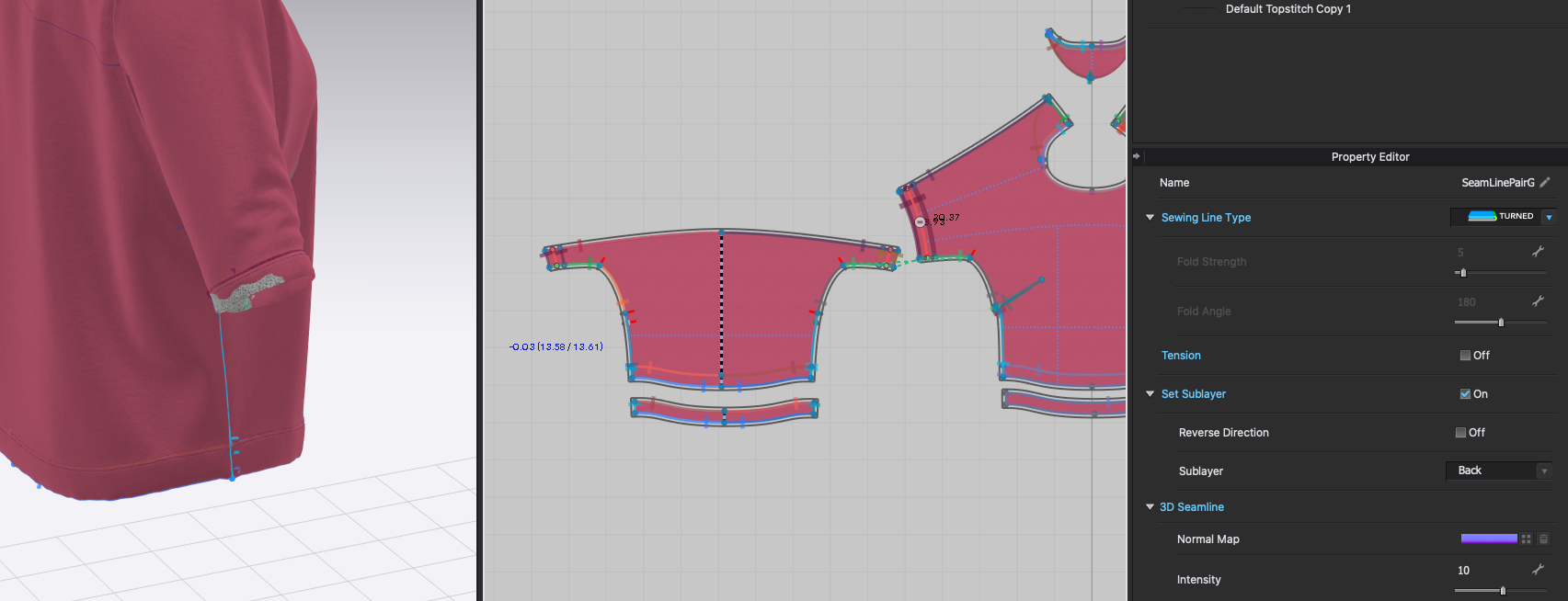
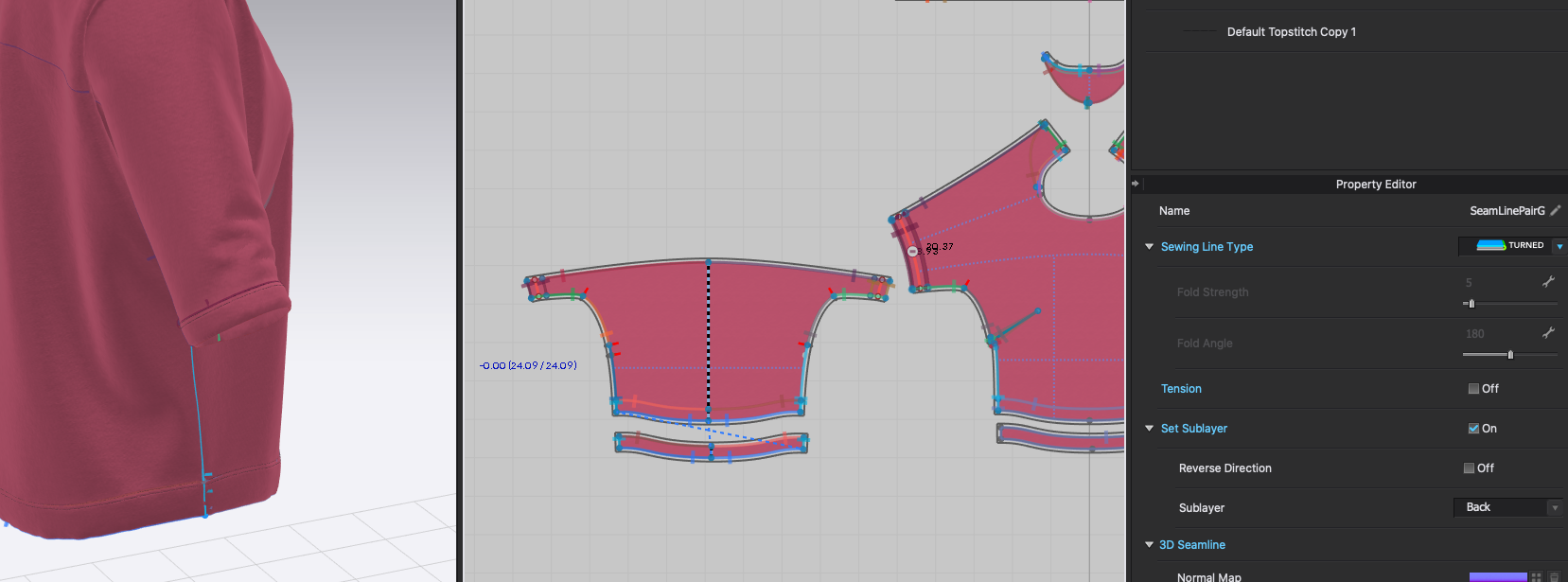
I agree with Pablo Quintana the normals aren't "partially flipped" it is that the layers are intersecting, and this does only become an issue when layers are thick, but I find it's good practice with any folded piece to set the sewing layer. (With facings and separate pieces, the simpler thing is to sew under (or clone under) with normals stacked, and then as a last step flip the normal to look like the actual garment configuration. Then the software will take care of the settings at the seam lines.) But this isn't possible on folded pieces, and sometimes a fold is needed. If there's a folded edge and sewing sublayer hasn't been specified, everything may go fine as long as the mesh has settled properly. But then if a thicker fabric is introduced, suddenly there's an issue. If sewing layer is then specified to "back" this corrects itself (exactly like layer under), and then further settings can be adjusted as needed. Here, the sleeve hem was sitting nicely, but a switch to thick fleece caused an intersection, and then it was clear sewing sublayer hadn't been set:
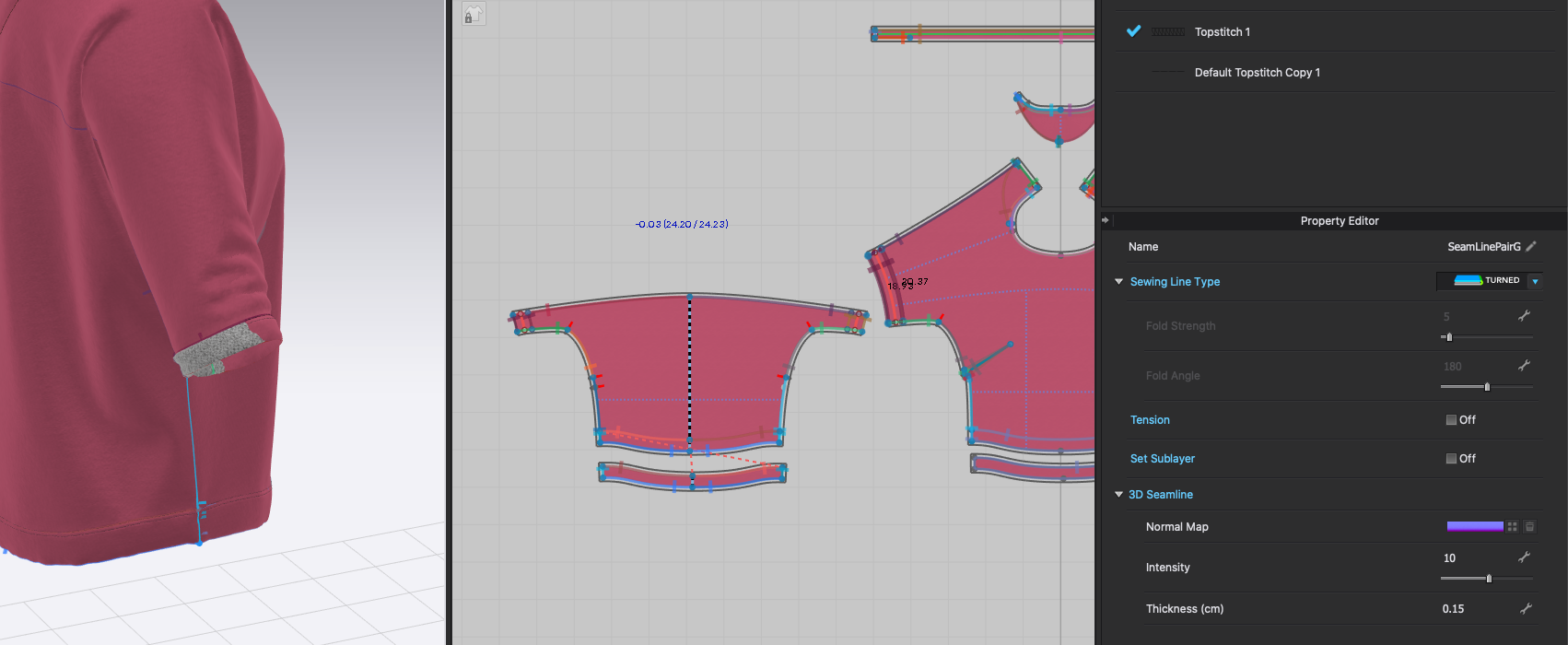
Switch the sewing setting, things resettle nicely. But better still would be if this setting had been in place before the change of fabric--at least that's my aproach.
 0
0 -
Hi guys,
thank you so much for you explanations and your advice! That solved my problems here.
have a nice day and all the best,
Hela0
댓글