Top stitch is floating on the fabric

Please help with how to topstitch without floating on the fabric. Thanks!
0
-
Hi Mai Cheetham. You can adjust the Top Stitch one of two ways.
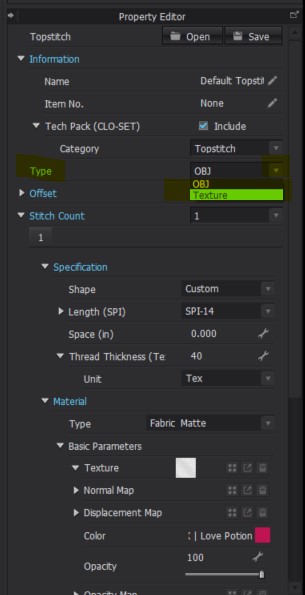
The first would be to select the desired Topstitch in the Object Browzer > Go to the Property Editor below > Change the Type from OBJ to Texture. See below image for reference
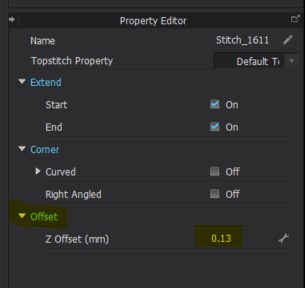
Secondly you could select the desired Topstitch using the Edit Top Stitch Tool then go to the Property Editor and decrease the Z-Offset. See below for reference
 0
0 -
It works. Thank you!
0 -
So happy to hear. Thank you for letting us know :)
0
댓글