Normal map in wrong position (graphics)

Hi, I'm trying to add a normal map to a graphic, but for some reason the position is incorrect. Does someone know how can I fix it?
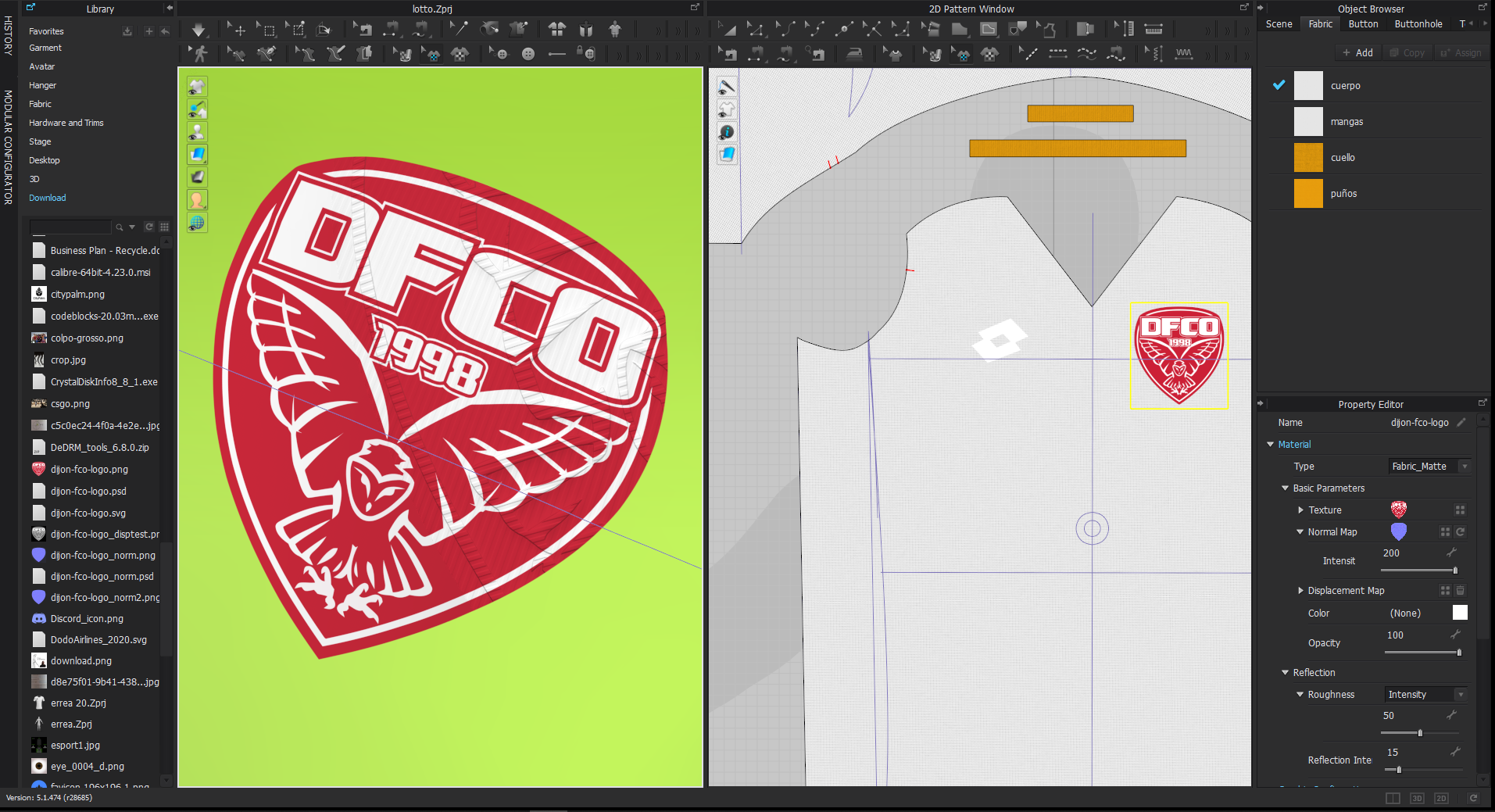
-
Alessio, are you transforming (moving, scaling or rotating) the graphic after being applied? Those controls in CLO for graphics only affect the texture (diffuse channel). The normal map can't be manipulated inside CLO. My suggestion is that you bring in the graphic at the right scale already and once that is done in Photoshop, then you create the normal map out of that graphic. That way when you import you don't have to do any transformation.
0 -
I know that the transformation affect only the diffuse channel, in fact I'm not doing it. The thing is that the map and the texture have the right measurements and scale so I don't know what's the problem. I've always applied normal maps like this without a problem, only now they don't work even if I use a different kind of graphic (like another logo that I have a diffuse and normal map, still in the incorrect position). A thing I noticed is that sometimes the normal map acts like a repetitional pattern on the graphic. Is it possible that I have unwillingly activated a setting?
0 -
When you crop origination artwork using trims within your previous software's make sure the crop on the images (origination artwork and normal textures) when exported share the same crop/trim mask window. This can be crucial when you create origination artwork and then export out the texture maps. I tend to take all those texture assets back into a single image file, as raster artwork and then make sure that all layers are cropped/trimmed to the same artboard size. Then I export each layer so they all share exactly the same data artboard size. So I would just check over that color diffuse image and the normal map by bringing them both back into a new layered image file, make sure they are perfectly aligned and then make sure any crop on the artboard results in an export image that has no additional artboard references outside of the crop size you choose for both images. I find this occurs when I use a vector artwork with a crop/trim mask on the artboard export that has a reference outside of the immediate crop area, and when exported the software decides to enlarge that diffuse vector artboard size to accommodate some small detail (often white) that I don't see. Then when you import it the centroid position for the 2 artwork textures is off.
0
댓글