Rendering problem: compiling geometry

Hi everyone,
I have been having issues with rendering my garments in Clo for the past few months. When Interactive Render is on, the bar on the right corner never fills up completely but it's stuck on "compiling geometry 1/1 100%". To be able to render I have to stop the Interactive Render and click on Final Render but in this way the quality of the image is very poor. I always adjust the settings to enhance the render quality and it's not a computer problem either (my computer is professional, besides I had the same issue on different devices).
I seem to be unable to find a solution anywhere.
Thank you for your help.
M
-
Parodim, Compiling Geometry 1/1 100% stuck is normal. The rendering will never finish as this is an interactive mode. So, it is waiting for you to change something to reflect it immediately.
Final render does what it says. Can you post an image of your rendering settings and how your render looks so we can help you?
0 -
Hi Pablo,
these are my rendering settings


Thank you for helping. I rembered that at some point the Final Render button would light up to confirm that the image was ready to be rendered but I may be wrong.
M
0 -
Change the rendering image resolution from mm to px (eg: 1200px x 1200px) for an image size > and down from 300 to 72 or 96 (ppi) then try again to see if this is a VRAM issue. Also try toggling on > Rendering engine > GPU > low priory. You could also take the noise threshold value up slightly and run another test. As a final check make sure you don't run any video tutorials when you intend to render, stop any and all activity other than using CLO3D, so there is no background OS overhead whilst you carry out a test.
1 -
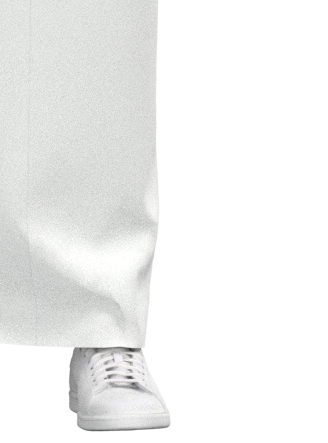
Hi Ottoline, I made all the changes you suggested but the image quality is still poor. If I zoom in there is a sort of noise on the garments.
 0
0 -
What hardware are you using ?
Try using another HDRI (dome) there are a number of them and get rid of any active lights in the scene, then try a test render again.
0
댓글