All fabric is 'inflating'.

I am trying to complete the "Denim Construction Workflow" tutorial posted on the CLO youtube channel (here https://www.youtube.com/watch?v=qscn8bipxzA&list=WL&index=2&t=0s ) and I am having an issue where it seems like everything is inflating, or 'poofing' out, it's most noticable where there is fabric layered together but it can also be seen with buttons and rivits, and the pockets just seem to be pushed out about 10-20mm (.5 to 1 inch). I have have not adjusted the 'pressure' settings in the fabric (and a negative pressure doesn't seem to do much either), and adjusting the collision additional thickness doesn't seem to do anything, nor the collision on the avatar. Im including some screen shots that hopefully show whats going on a bit better. Is there a scene simulation setting that I may need to change? It just seems like eveything has a invisible force pushing all fabrics 'out'.
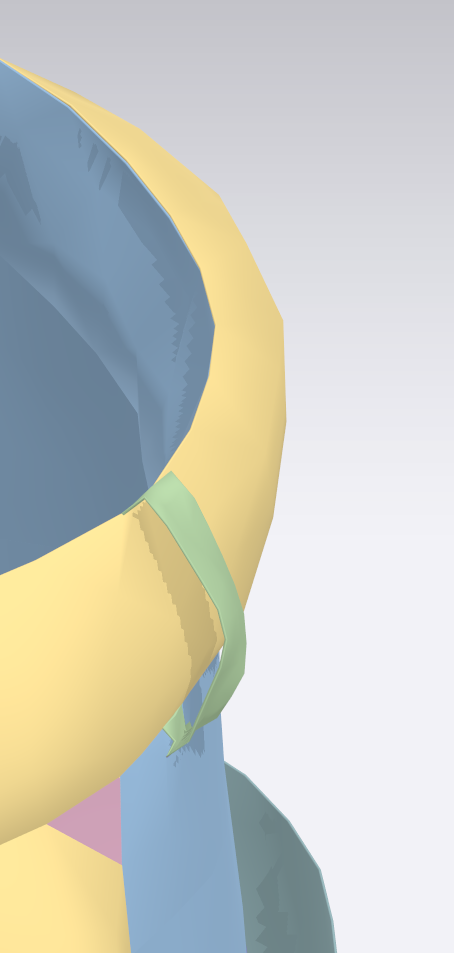

-
When using layered pieces of fabric, used turned seams.
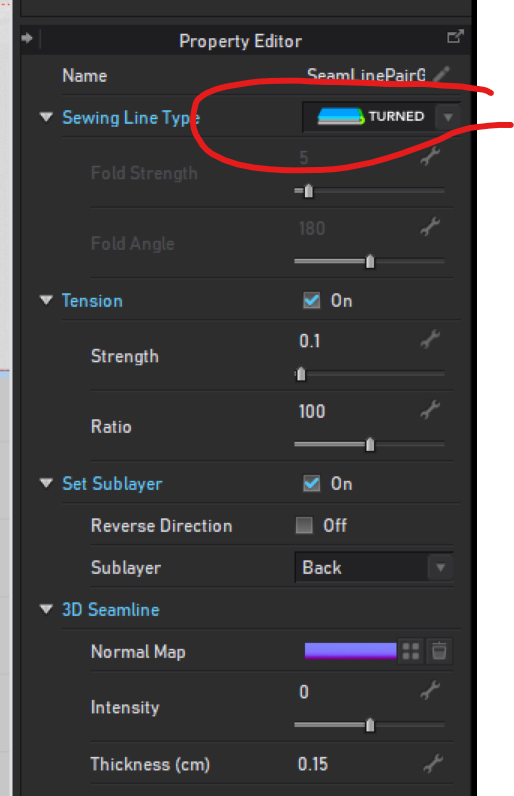 0
0 -
Thanks Pablo, I checked they are set to Turned (One I had missed, but changing it to turned didn't fix the issue). I'm pretty sure I changed seams to 'turned' when instructed to for the rest of the seams in the pockets as well. I tried grabbing all the seams for the two waistband peices and changed them from turned to custom, and that didn't make a difference, and then turned them back, and again no real difference. They still have that poofed look like internal pressure has been turned way up. I also tried opening the finished example piece that is part of the youtube tutorial (File can be downloaded here https://drive.google.com/drive/u/0/folders/1tvKdKIzDaeQNDUClixxRAoe7iSUMPDoE ) and changing the same edges does make a difference I can see in that file, but it's a small difference compared to the amount that my pieces are pushing out.
I am on version 5.2.334 (r30132) and the trial version, if that makes a difference.
0 -
Ah! Found the issue, I was using GPU Fast simulation. changing that back to regular simulation fixes the issue! Thanks so much for your help!
L:F
1
댓글