Import AI/PDF bug

Hello everybody ;-)
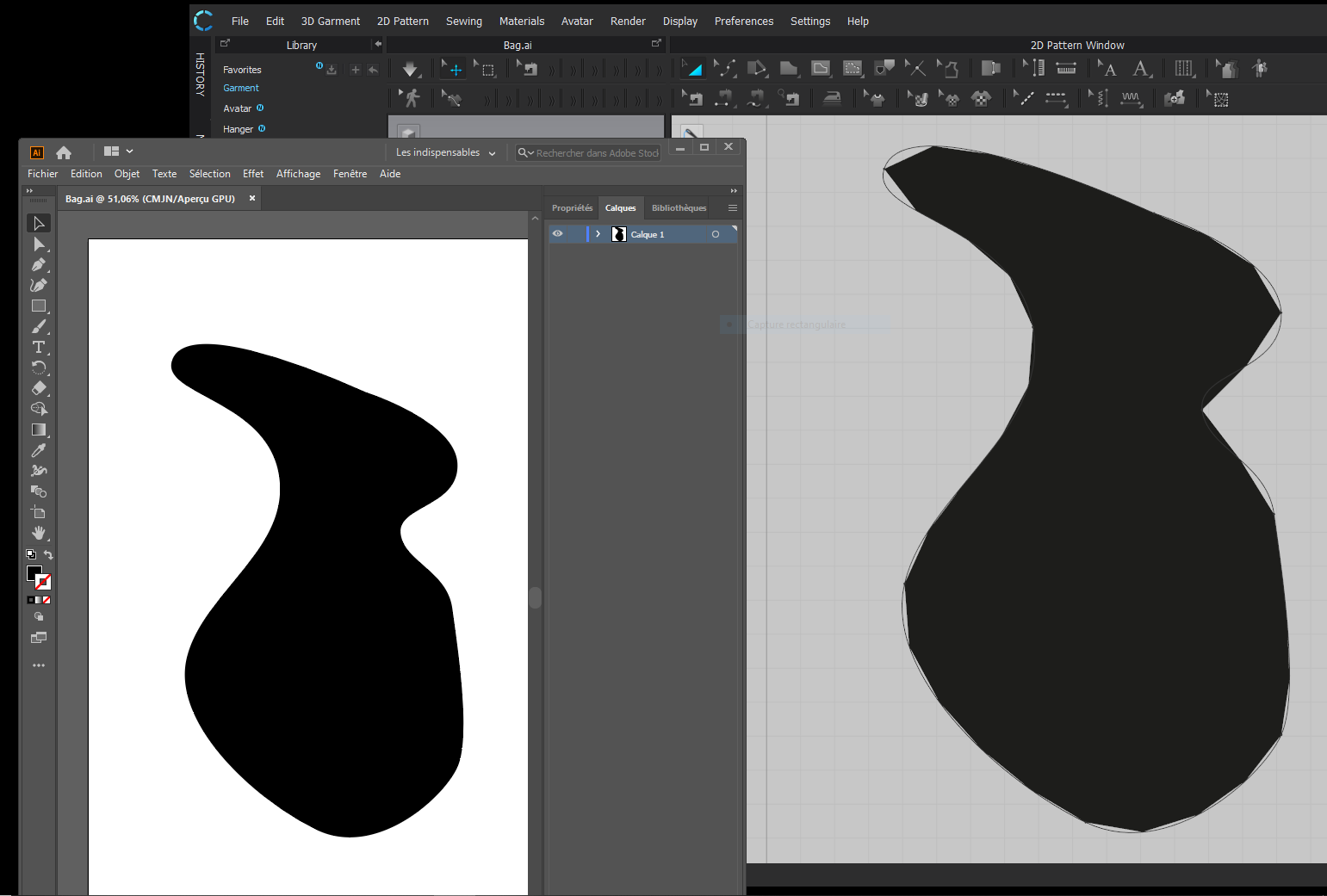
So my problem is when I import my pattern from illustrator in Clo the curves disappears...
On the left you can see the right pattern in illustrator, and when imported on the right in clo3d.
Is-there a way to fix that ?
-
It is not a bug. Reduce the particle distance of your pattern piece to get more geometry to follow the curves.
0 -
HI mrcedric11111, By default every pattern in Clo is created with a mesh of 20 , selevt the patter and change this value to 5 and you will see the curve come back to is original shape.
Daniele.1 -
Wow you are so fast, thank you !!! It works great now.
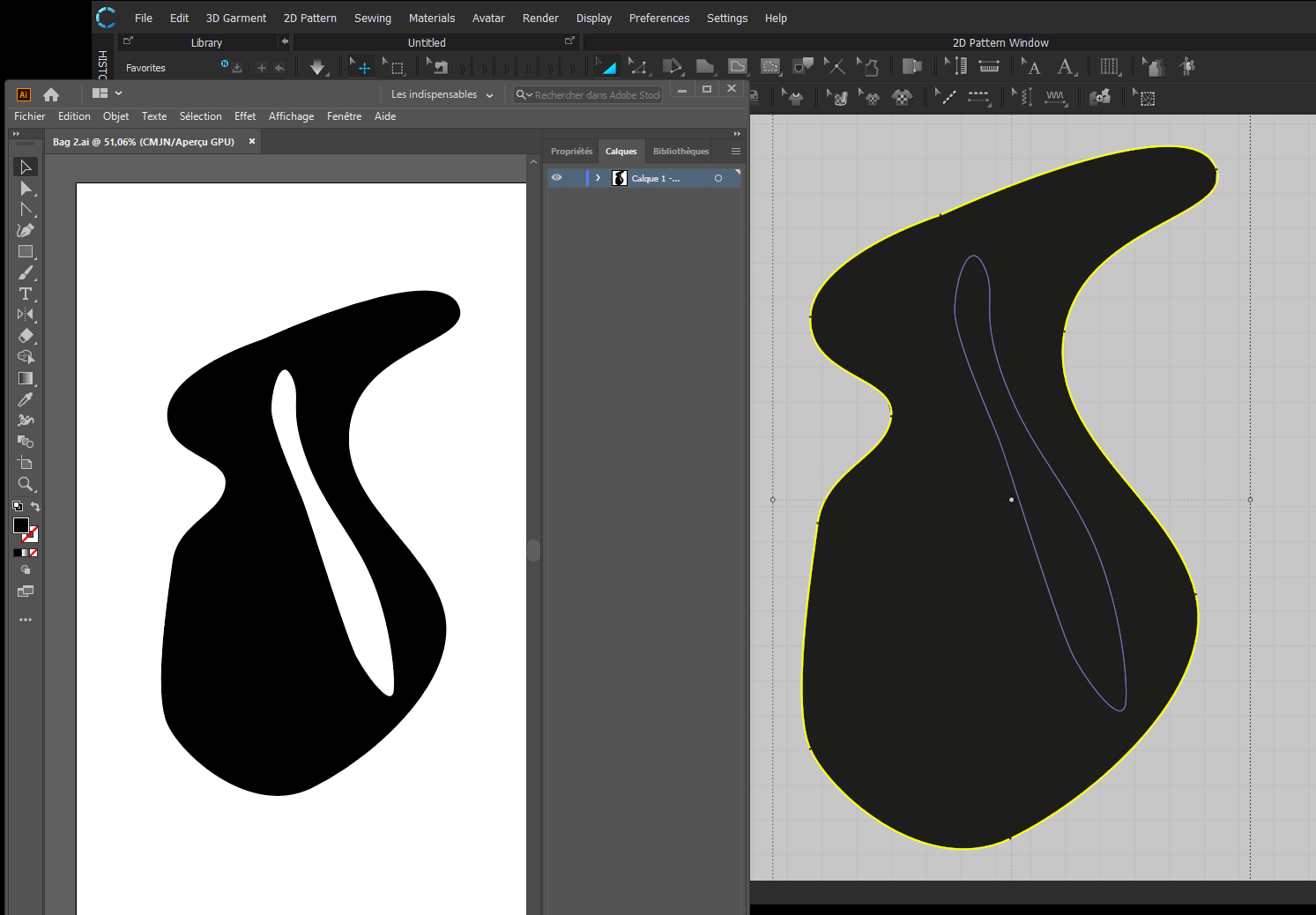
Last question, in this new shape I have a hole inside, but when imported in clo3d it is plain,
How do you solve this ?
 0
0 -
Use the Trace Tool (Shortcut I) to select the blue baselines and right click then to Convert Internal Shape. After that you can convert the internal shape into a hole by right clicking the shape and select Convert to Hole.
0 -
Thnks, I'm not an expert in Ai maybe I have to change somthing in the importing menù.
Anyway you can trasform that line in an internal shape using the trace tool and then covert it to hole. It must be a close shape to work correctly.
D.0 -
Hi Pablo yuo're quicker !
Daniele1 -
Speedy Pablo ;-)
Thank you Daniele and Pablo, I can go on now !
All the best
Cedric
0
댓글