Trouble with bounding volumes and arrangement points using custom measurements on default avatars (5.0 and above)

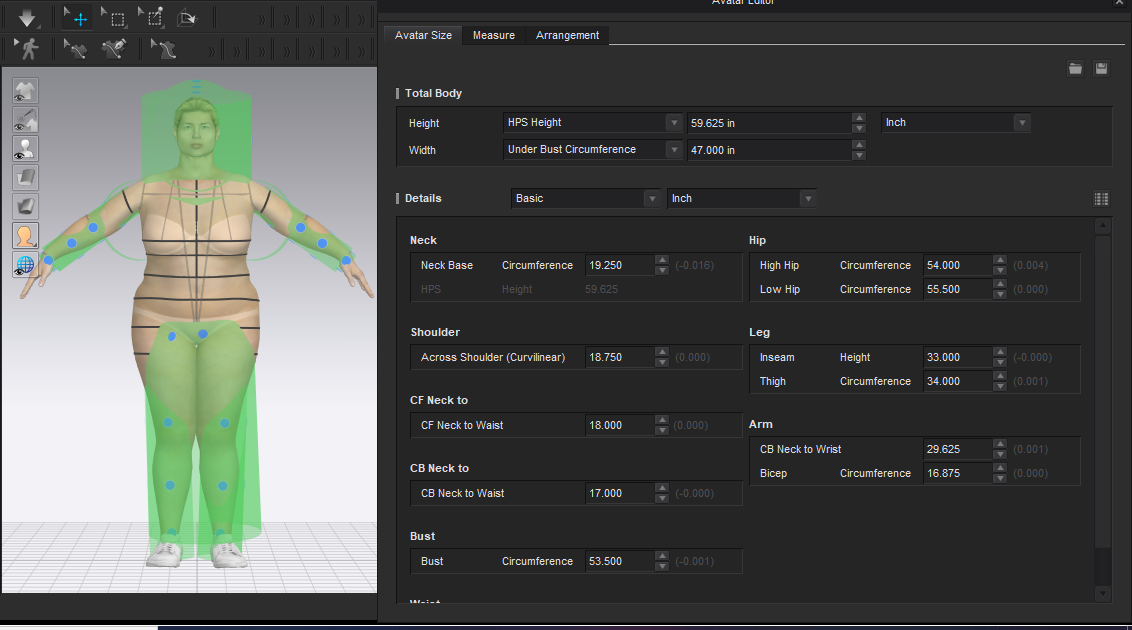
Forgive me if this is posted somewhere, but I wasn't able to find it. I'm wondering if there is a simple way to have the bounding volumes and arrangement points resize to match the custom measurements on default avatars or if the only option is to resize them manually. I have a chunky avatar and the bounding volumes don't correspond. I tried the fit to avatar button in the arrangement tab but that doesn't seem to work with default avatars. Unless I'm doing something wrong?
0
-
Arrangement points will automatically reset with the Bounding volume when they are reset on larger girth avatars.
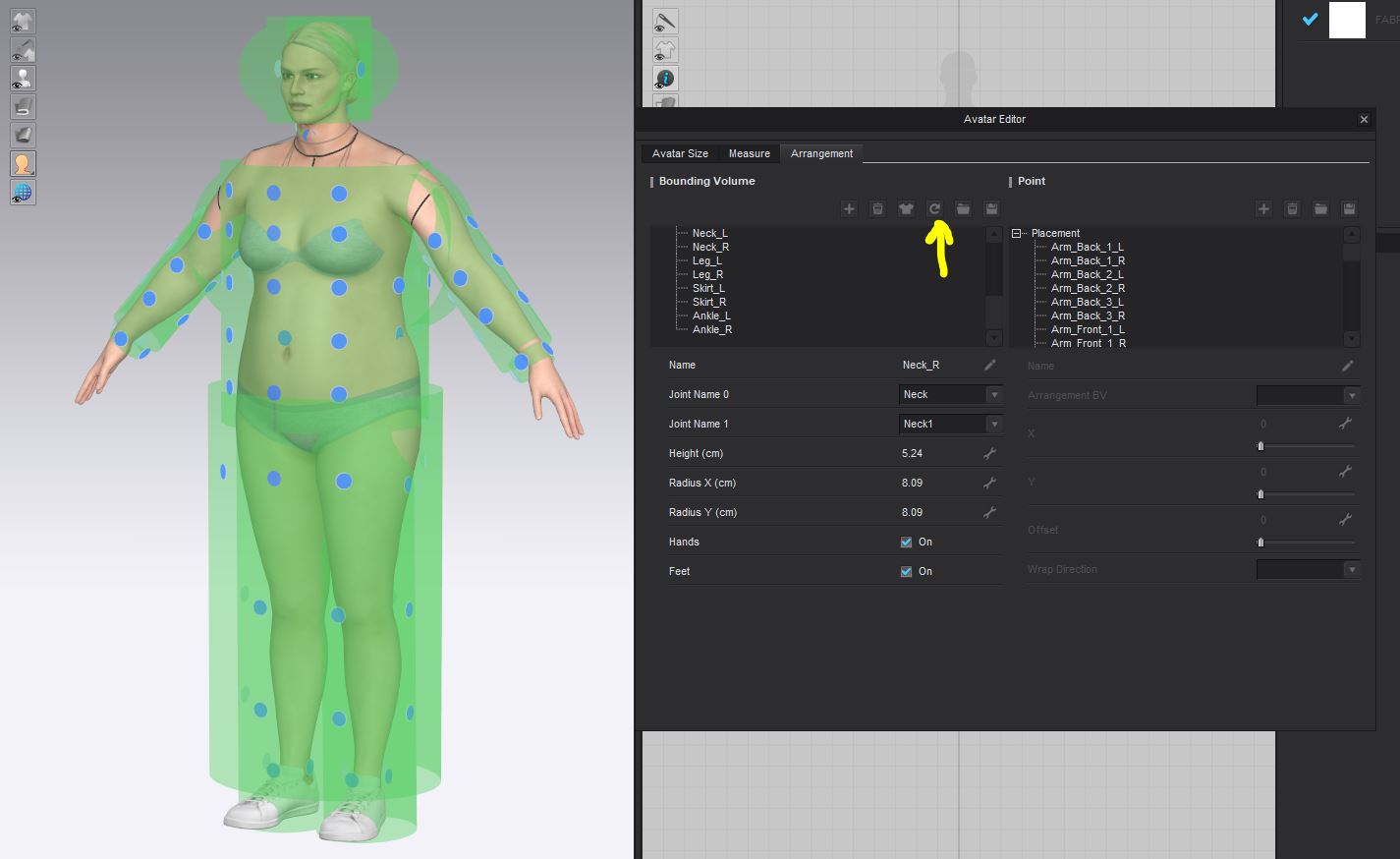
Use the: Avatar Editor > Arrangement Tab > Bounding Volume > 'Reset Bounding Volumes' Button.
0 -
Perfect! Thank you so much :)
0
댓글