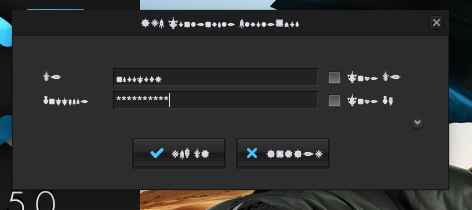
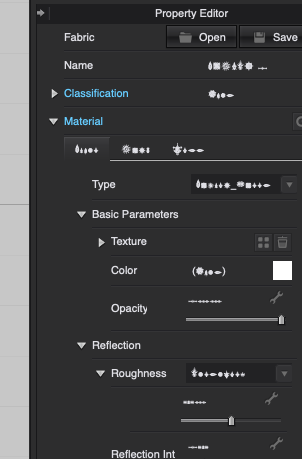
Glyphs appearing instead of letters for interface.

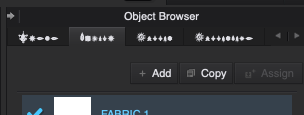
Help... my computer shut down without warning and now I see glyphs instead of letters. See screenshots. I've restarted, I've uninstalled and re-installed 3 times. I even downloaded a new file from the website. Same issues.
-
Hi Artistjc. It looks like Microsoft Windows problem, because even the password dialog shows these characters.
I wouldn't know where to start but to have a fresh Microsoft Windows installation. You might benefit of having a faster computer after that.
Let us know in case you find the problem.
P
0 -
I would make sure your Windows computer is updated first. Also check language settings. Might be something where it is somehow defaulting to a language that isn't supported. Is it just Clo that is having this problem or is it other applications? If it is just Clo you might need to not only uninstall but delete the preference files found under AppData. Uninstall Clo and also manually delete it form the Programs folder also you might want to check if anything is left in the AppData folder. It is hidden by default but the screenshot below will show you how to get to it. Delete anything that has Clo in its name. Empty your Trash. Restart your computer then Install Clo again. See if that solves your problem.
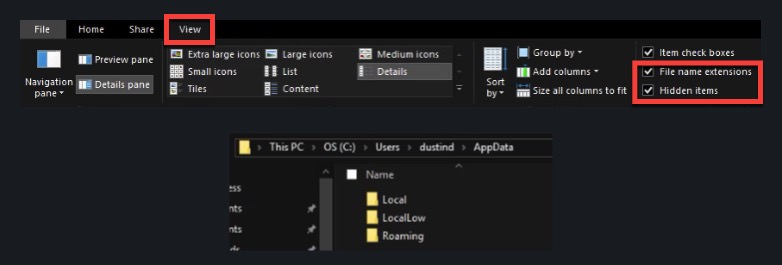
If completely purging Clo from he system and a clean install doesn't fix the problem as Pablo mentioned do a recovery on your computer to refresh Windows 10.
Check https://support.microsoft.com/en-us/help/12415 for the process.
0 -
Sorry, I forgot to mention, I'm on a mac. It is only happening Clo. Nothing else is affected. I deleted all assets, preferences and program again and restarted. Same issue. :(
0 -
Even weirder. Could be using Apple's Last Resort Font which if it can't find the referenced font it uses the Last Resort Font which is just symbols. It is a font that is hidden to the user.
Have you also tried changing the font family under the Clo user settings?
Here is a process of clearing out the font cache. https://www.macworld.com/article/1139383/fontcacheclear.html
You might need to post your question to a Mac forum like MacRumors (https://forums.macrumors.com) or Apple Insider (https://forums.appleinsider.com) to get a better answer on how to solve this.
0 -
Changing the font family in user settings worked!! Thank you so much.
0 -
That is awesome to hear. You are Welcome.
0
댓글