Getting Started with CLO

Hi,
I just learned about CLO and based on what I've seen on the web site, I am very excited to learn more. I have been working with AutoCad and 3dsMax for generating patterns and avatars. I really like the fact that it seems that you can move a body scan and pattern into CLO and fit the clothes to the scan! Also it looks like the scan can be rigged easily.
Starting from ground zero in CLO, what would be the best approach to get me up and running so that I can play with all the features? Should I download the CLO software before I read the tutorials. Or should I read before I download.
Thanks for your reply
Giovonnae
-
Hi Giovonnae. If you are a self-learner like me and you have the CAD and 3DS Max previous experience, this should a walk in the park for you.
My suggestion is to go to YouTube and see as many videos as you can of CLO3D and Marvelous Designer. They are from pretty basic to advanced stuff out there. Do not worry about old versions, as the basic still the same over the versions.
When you have seen a fair share of videos, I would download the free trial and have a project in mind already to start working on it. We have a very helpful community here to assist whenever things get too tricky.
I also suggest you have a look at the New Features Webinar here:
https://support.clo3d.com/hc/en-us/articles/360019043754-Ver-5-0
Happy CLO'ing!
P
0 -
Hi Pablo,
I've found a few basic tutorials that speak to moving things around in 3D and stitching garments. I can't seem to find anything that deals with importing body scans or avatars. The only tutorial I found was about avatars sizing and it consisted of a fuzzy screen with a cursor flying around on it for about 2 minutes with no sound. I have an interesting project that I would like to try in CLO but I don't want to be flailing around for 30 days with no idea of how to do what I want.
I have several 3D body scans that I would like to get into CLO and to try to make patterns for and to fit existing pattern to. Do you have any tutorials that can help me work my way through that?
Thanks,
Giovonnae
0 -
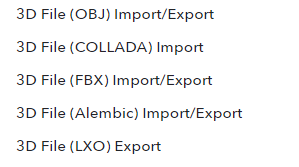
Try out our manuals with detailed explanation on importing/exporting avatars:
https://support.clo3d.com/hc/en-us/sections/115000628387-File-Import-Export
 0
0
댓글