Different layer fabric textures colliding

Every time I go to render this clo project the under layers fabric comes through the top layer. Is there any way to fix this?
Please respond and help!
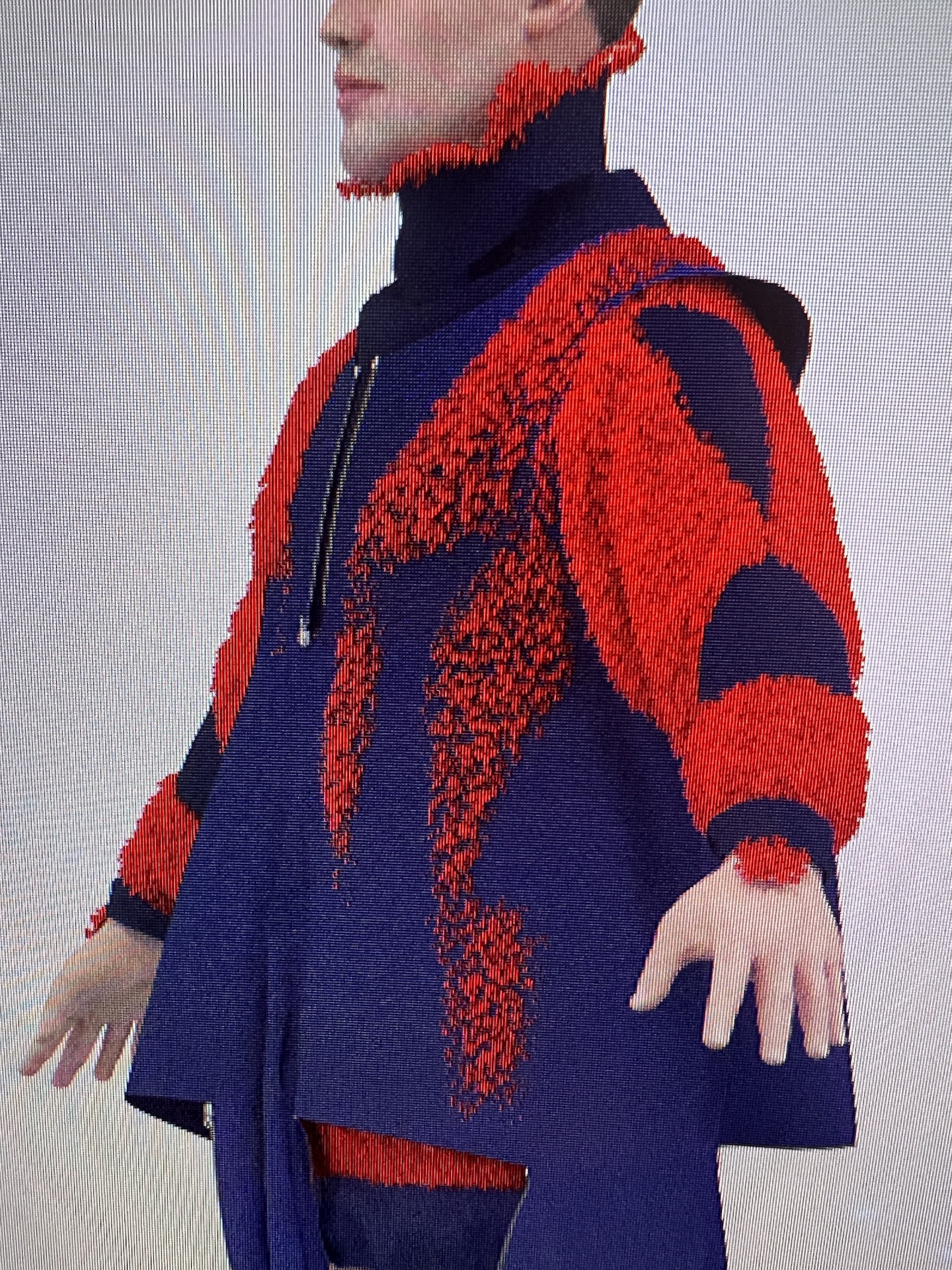
-
Hi techops,
Details aren't that well visible from this photo (a screenshot would be more helpful), but is there fur applied to the orange fabric? Then the hair is what is poking out, it is only visible in the render window.
0 -
It is a fur fabric applied to a garment underneath the blue one. It only shows in the rendering screen and comes straight through the top layer(the blue).
0 -
No matter what I do the underlying fur garment shows through the top layer, the blue garment.
0 -
Hi techops
I see. When you are in the Fur Fabric Property Editor you will see three tabs under Materials. Front Side Back. For the Back (or whichever side is touching the shell material) Turn "Use Same Material as Front" Off. Then change the material from Fur to Matte. This way the fur is not only on the exposed side of the lining and will not Clip through the jacket
0 -
I thought that would help so I already had that done, but the bottom layer(fur) keeps showing through the top layer.
0 -
Dear techops,
In this case, it is the front side (if this is not lining but a separate garment, or the lining has not had its sides "flipped to normal" (3D window right-click command "Flip Normal")) of the fabric poking out. It would have to be set to Fabric: Matte there, but you could keep it on for the back.
If you really want it to stay fur on top and not poke through anywhere, you can try setting Add'l Thickness - Collision of the furred pattern pieces up to a value that is high enough to contain the fur and keep distance to the next layer. However, keep in mind that IRL hair can be pressed down, which is not the case here, so it might not look as you intended volume-wise anyway.
0
댓글