Program problem

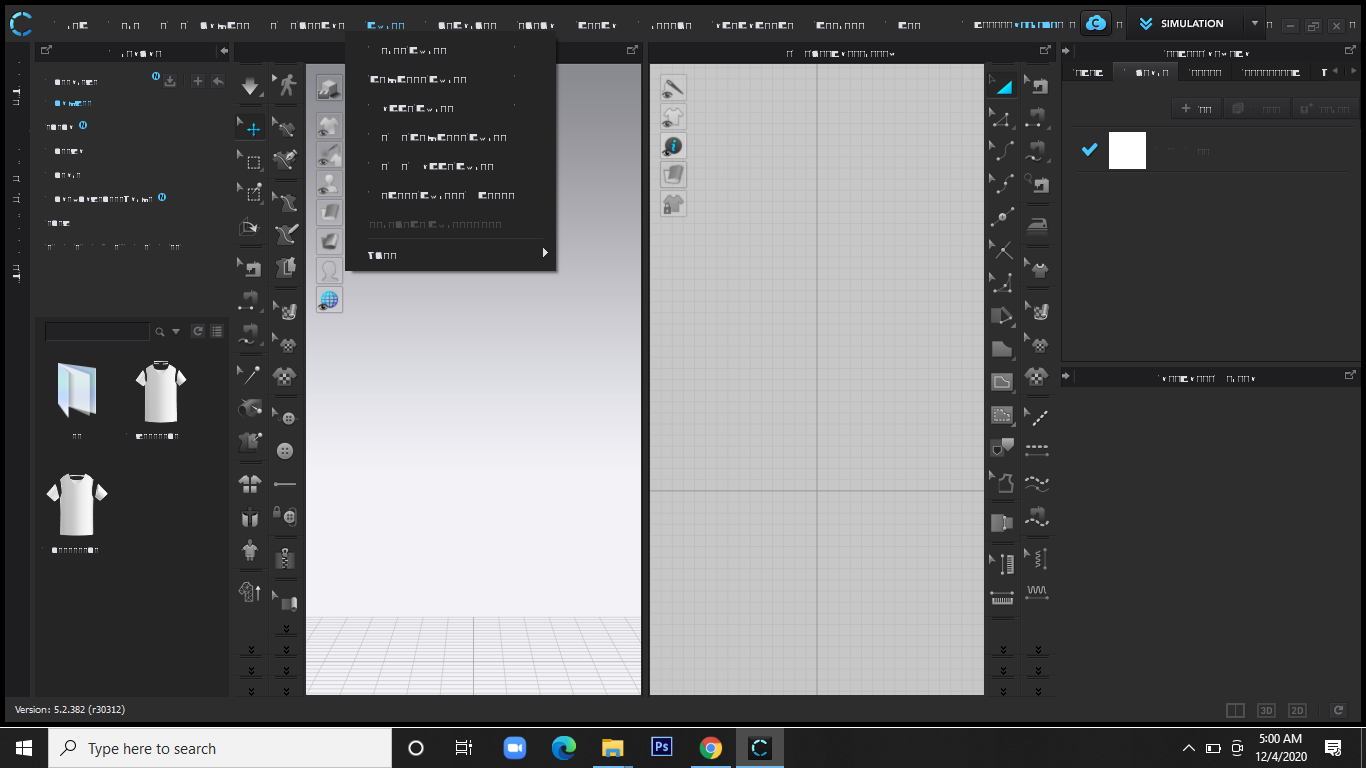
I have a problem with the program. For two days, instead of letters I only see weird symbols.
It worked properly before. I can't understand anything. Please help.
-
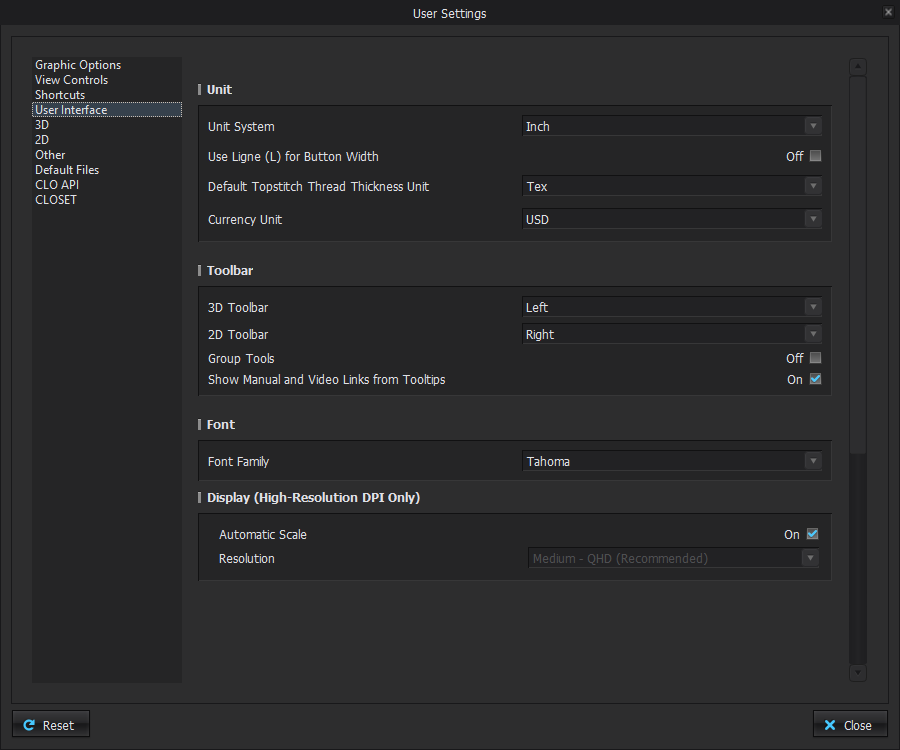
Hi rodicagoreea. This might be the font family that is being used for the application. Please go into your User Settings, under User Interface and check which font is selected. Tahoma is the default.
 1
1 -
Try checking your windows system hot keys for the keyboard character set language. If you use a similar keyboard shortcut to any CLO3D shortcut the windows OS system could then start using another language keyboard system. If it does that simply change that Win OS language keyboard shortcut so it doesn't kick in when you are working. When I work in multilanguage to check imported patterns done by other language users I often have to use my hot-keys to switch, which often can conflict with some bespoke software hot-keys in CAD.
0
댓글