Measurement oddity

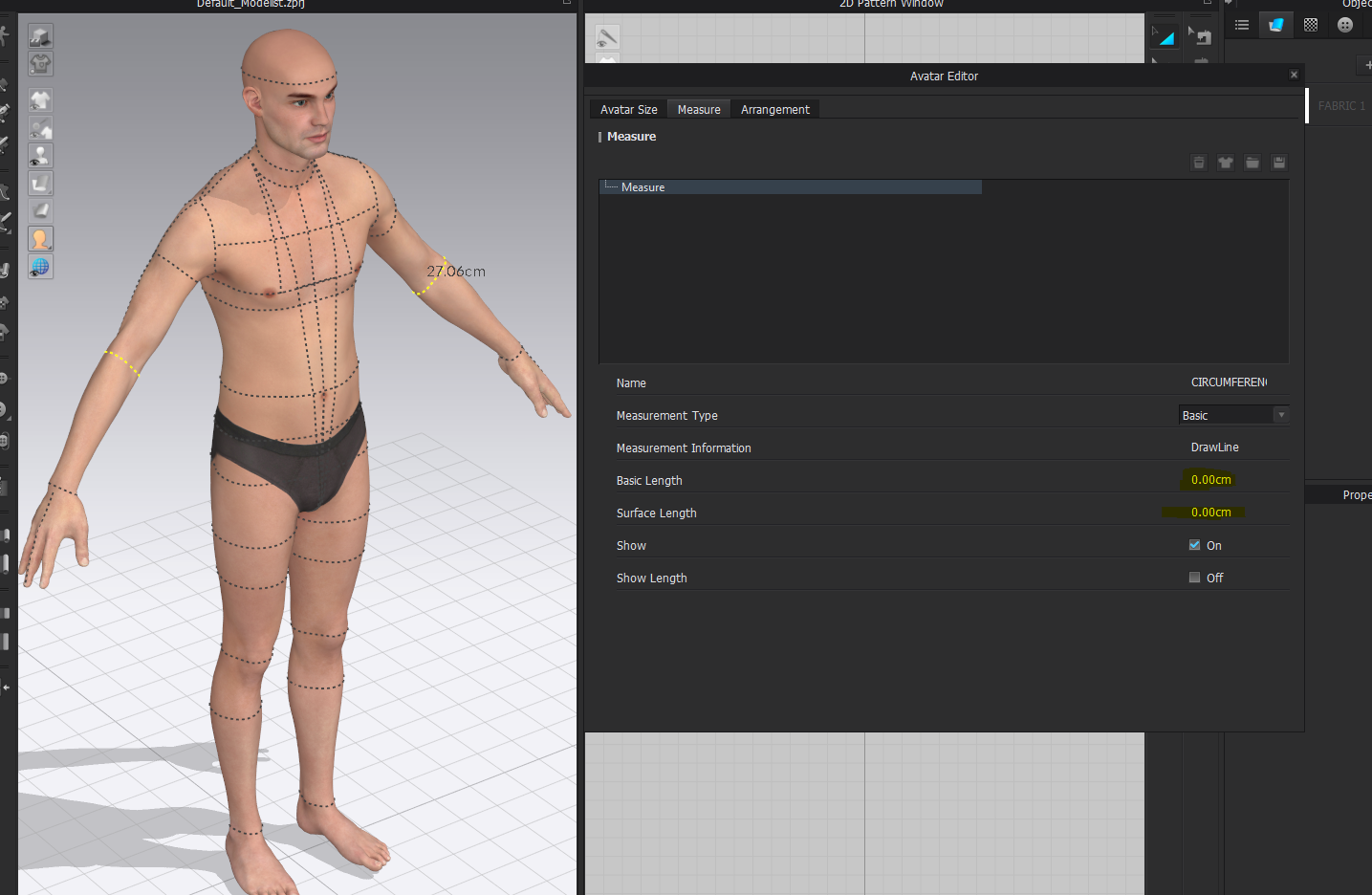
I tried to follow instructions here but when I open avatar editor the dimension isn't shown. As you can see, the avatar shows a measurement but the avatar editor doesn't.
Thanks so much in advance
Joe
-
HI virgosystems
The Measurement tool has been updated since those videos were originally made. In order to see the measurements listed there you will first need to add measurements to the Avatar with the Basic Tape measure (Avatar) or the Basic Circumference measure (Avatar) tool. Once you use these to draw the desired measurements the Measure Tab will populate.
Hope this helps!
0 -
Is there any way to "convert" the existing measurements represented by the dashed lines?
0 -
Hi virgosystems
You will have to manually add them if you would like to see them in the measurement page.
Those visuals you see with the blacked dashed line represent editable Avatar Measurements that you can adjust in the Avatar Size Tab.
0
コメント