How to delete brown color when fabric is flipped

Dear Community, I need help in an important project. The collar on this shirt is always shown as brown, and I don't know how to get rid of it.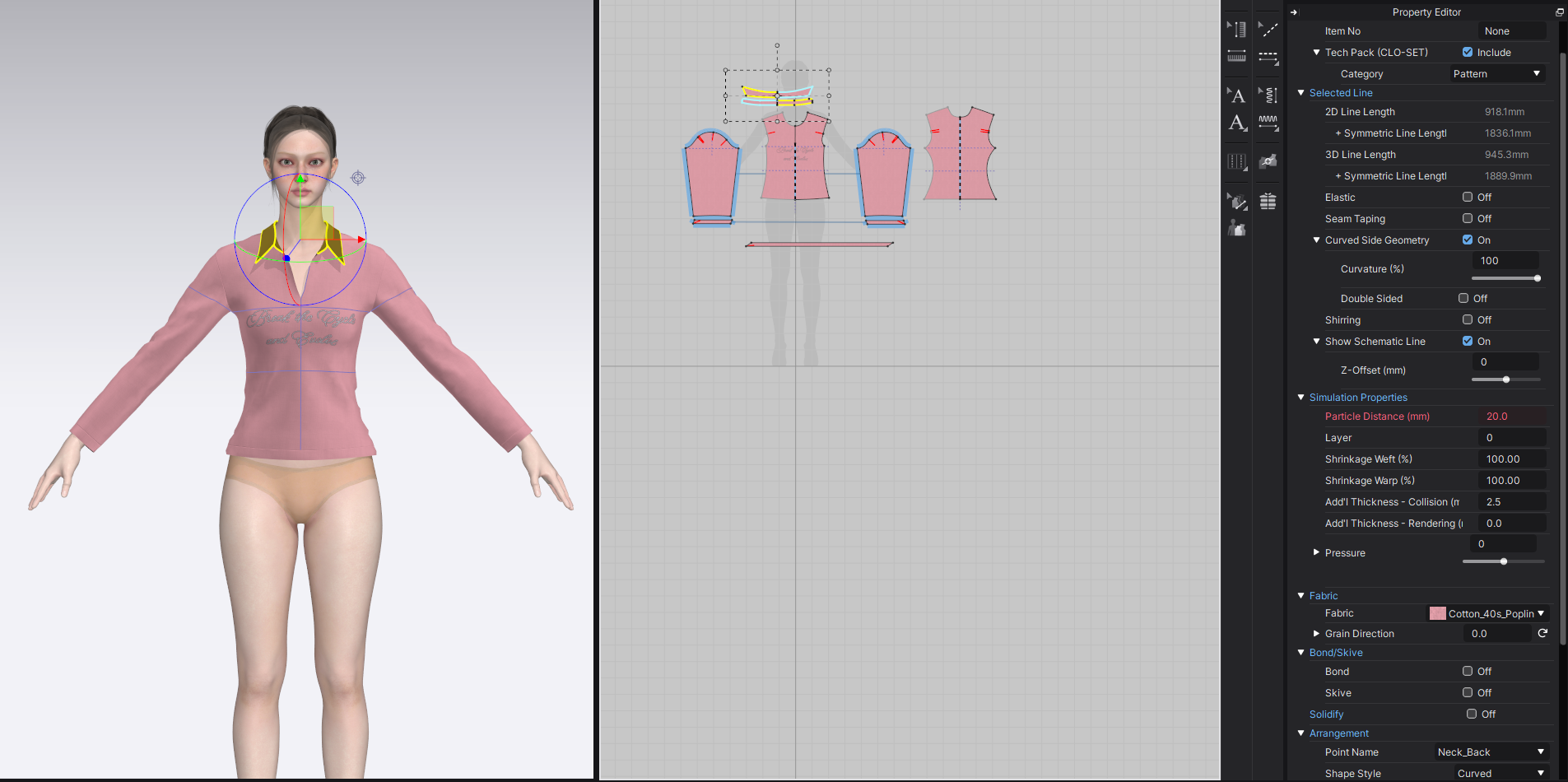
-
Dear Designer Support, I already tried that but it turns orange.
 0
0 -
ahh! I see. You also have strength turned on. R-click on the pattern in 3D and select Unstrengthen. We have a video about different 3D stabilizers HERE
If you are newer to CLO we may also suggest you take a look at the Beginner Series which is free on our youtube channel. Or our newer CLO academy HERE/ This will help you to learn a lot of the foundational tools in CLO
0 -
Thank you so much for your quick replies and the tutorials, I am learning with them and they are great. Regarding this issue: If I unstrengthen the collar I lose the desired effect - Is there a way of getting rid of the orange color without it losing its form?
0 -
You can Hide/show color by R-licking in the grey space of the 3D background and select from the menu
There is also a fold tutorial later https://www.youtube.com/watch?v=xab0oWSPQ0c
Remember IRL garments do not fold on the actual seam, but usually near the base of the collar. Which you will see in the linked tutorial the designer adds an Internal lines and folds from there0
コメント