Pattern Pieces spiraling around avatar in wrong direction

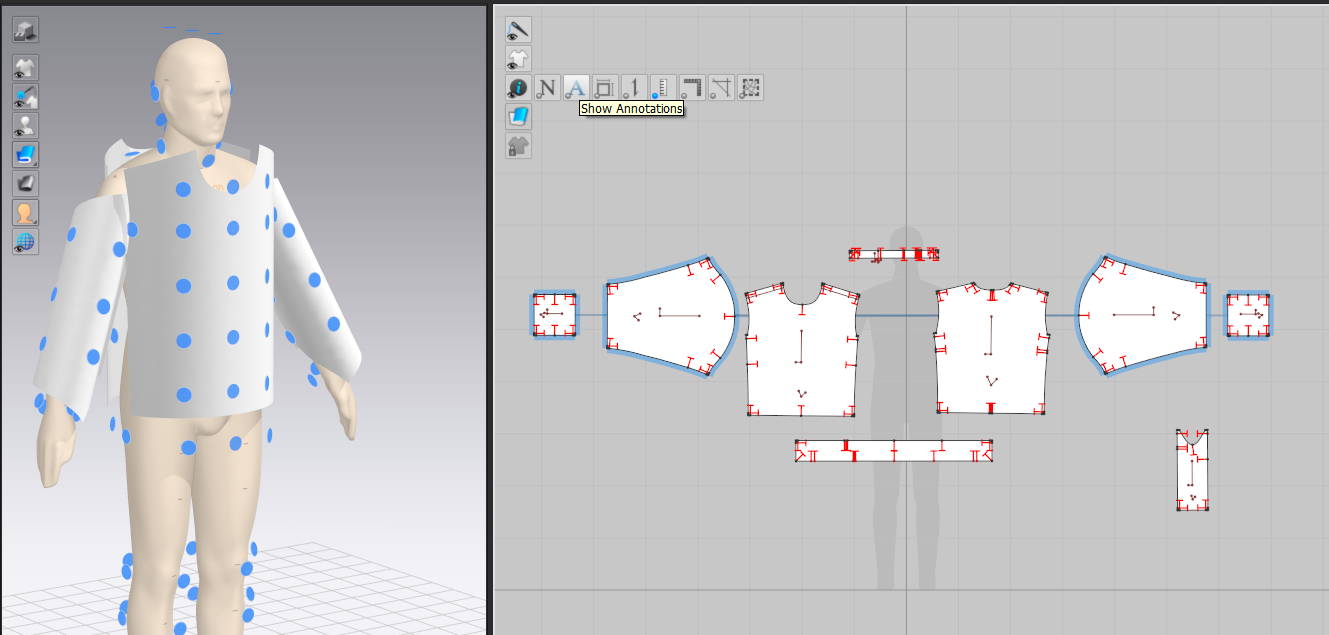
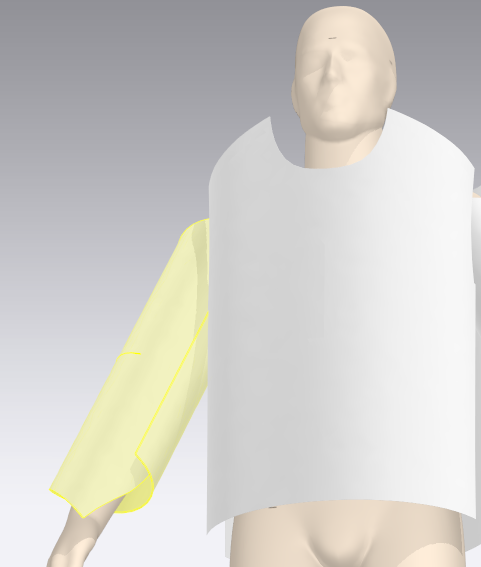
When I go to place pattern pieces (mostly sleeves) on the activation points of an avatar, they place in the wrong direction & "spiral" around the arm. I am not quite sure what is doing this and why. I click "Symmetric pattern (with sewing)". I can easily change the direction in the Property Editor, but I would rather find out why this is happening & prevent it in the first place.
In the images, the armhole end of the pattern is facing toward the front :-/
Thanks for any help!
-
Hi mary just rotate the sleeves 90 degree in the 2d window with the bottom in the same direction of the body part, then riposition them in the 3d .
Clo work in this way the pieces in 3d window are placed accordigly the way they appear in the 2D window. Th Y axis as the same direction in both window.
The upper part of a pattern in 2d windowis the upper part in the 3d window.Daniele
1 -
Hi danielemanassero Aha!!! Many thanks!
0
コメント