2D Pattern - Snapshot 1:1 (save as more images)

Hello everyone,
I am trying to make a 2D Pattern Snapshot (1:1) in a custom format - A0, so I can print it out. The problem is that when it saves, no matter the format (.png, .pdf or .jpg) it only saves as one image and is not splitted in more images in order to print it. Can someone please help me?
Best,
Diana
-
Why not save it as an A0 pdf and just print it? Or if you want to print an A0 plot onto an A4 printer use the pdf feature print to poster format in the windows pdf software app which will print all sheets in order so you can stick them back together as a A0 sheet.
Use the save as .pdf option. Much better. Snapshot is not the best solution.
0 -
Hi ottoline ,
Thank you so much for your reply. I followed the steps you mentioned but there is another problem - I am using OS Mac and not Windows, so when I try to print to poster format, I can only print A4 because this is my printer's format. I can not use the function "Print to PDF", choose an A0 format, save it and then send it to a printing studio.
Is there another way for Mac users? I really want to save the patterns in this format as I can not rely on the printing studio staff.
0 -
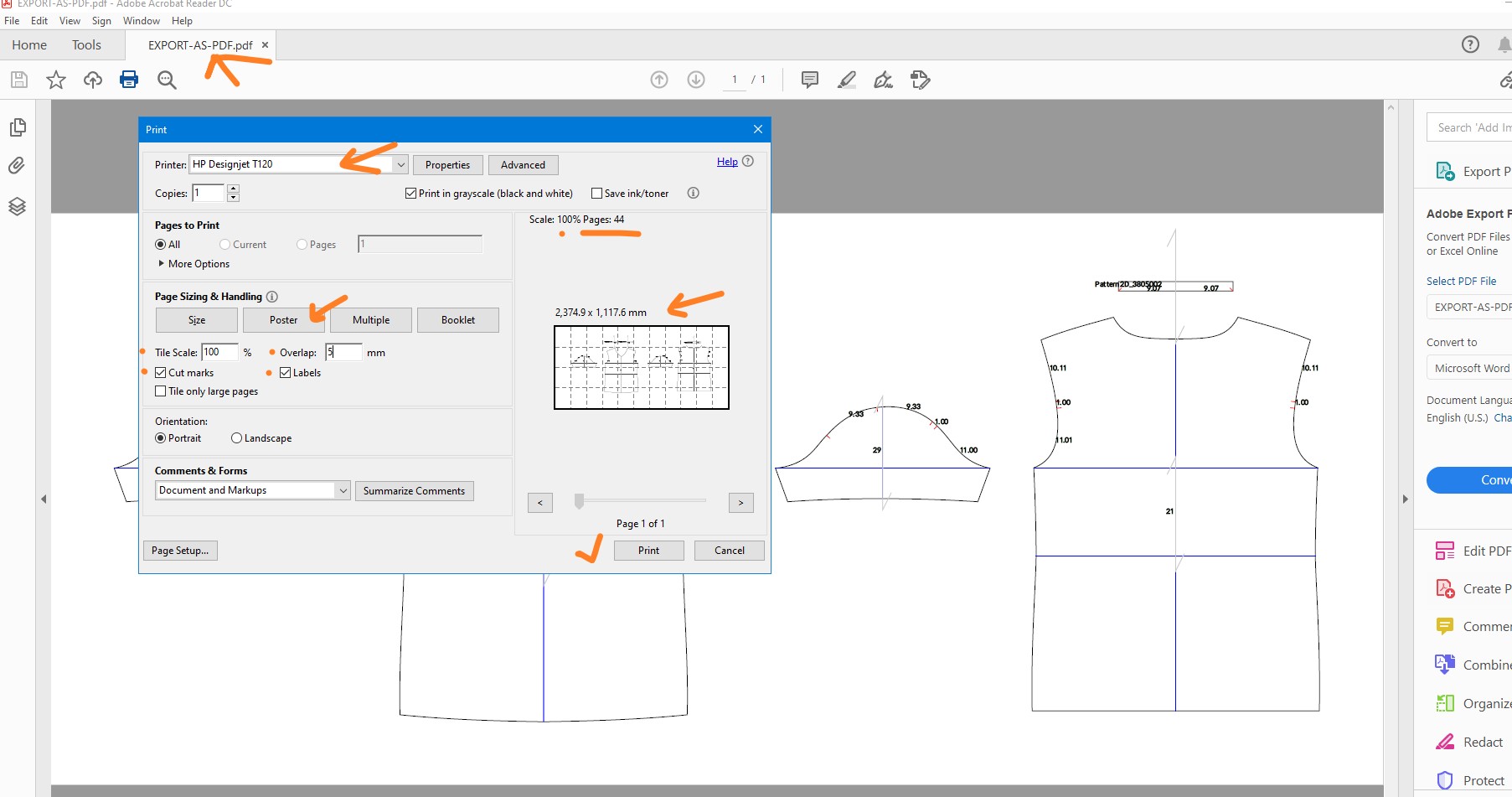
Use Adobe reader (free) with the pdf to open the output from CLO3D that works on all operating systems. It's been possible to do this print from large page formats at scale 1:1 (they are classified as - Poster) to A4 for over 25 years.
(Export direct to PDF)
File > Export as PDF > direct to soft copy.

Note this will drop the nested print wide format layout and default to 2D drafting layout. This has implications if you want nested layouts based on cutter sheets for various sizes.

Now open up exported PDF (drafting layout) as large scale 1:1 pdf and print as poster from adobe acrobat reader to A4 print sheets (below).
 0
0
Commentaires