Exporting DXF-AAMA CLO created Pattners - Issues importing in Accumark

Hi Everyone,
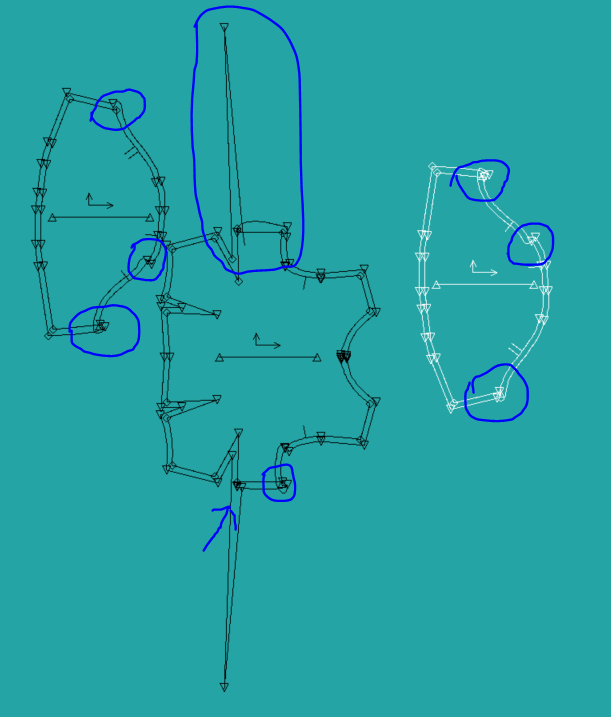
I created patterns in CLO3D and exported as DXF-AAMA to send to my factory. I have a lot of respect for the Technician importing the files at the factory. She is an expert in the industry and she had a really hard time getting the files to open and when she finally did they were very wonky. She is using Accumark 13.0, February 2020. See the below images for reference. I am great with patterns but am far and away from being knowledgable in importing and exporting but trying to learn!
Does anyone know why this would be happening? I would appreciate any and all advice.
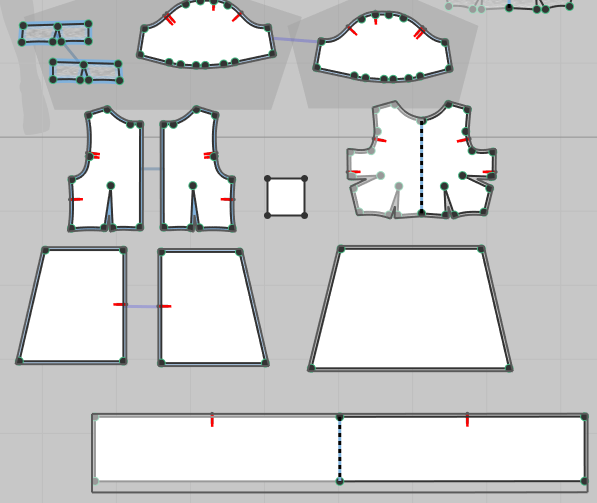
My pattern pieces as I see them in CLO3D:
This is a view of the patterns after being uploaded using Accumark 13.0, February 2020.
Thank you for taking the time to read this.
Best,
Lori
-
Laparadis, is there any way you can try importing it in other software to diagnose if there is probably a setting in the import process in Accumark. You could use share.padsystem.com to try it as they have a 30 days trial.
0 -
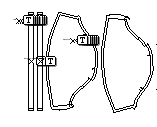
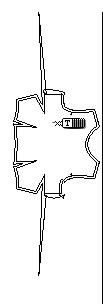
Hi Pablo, I opened the file with Pad Systems and I am seeing the same issues. See the below screenshots. Is this something I can correct from my end? I'm not sure what could be causing this.
 0
0 -
Laparadis, well I'd do the following: 1. I will check my CLO patterns and see if there are unnecessary points which could be causing this, especially points that are too close. I'd start where the distortion is happening. 2. I'd try exporting as DXF-ASTM and see how that goes.
0 -
laparadis What was the solution to this problem? I am interested in how you worked around it, or fixed it? THanks!
0 -
me too
0
Commentaires