Problems exporting patterns to DXF and PDF to open in illustrator

I'm a newbie, just downloaded the trial version and been immersed for only a few days so I hope this is just me and someone has an answer. I scoured the community for this and found people with the same problems but no solutions added to the posts so hoping a fresh post might catch someones eye.
I simply just cannot get a usable file exported out of CLO and imported into Ai. All 3 DXF options and AI/PDF exported just look like crap when opened in Ai. Can't get notches to show up in dxf; armholes are all jagged lines instead of curved; in PDF some lines are just straight up missing and the rest are impossible to separate out and clean up. So instead of going round and round with my design, I tried using one of the template garments provided but those dont work either with all the same problems. I tried converting the dxf file into pdf using dxfconverter.com and got a file error back from them saying the dxf was incorrect format.
Please does anyone have some clues? All similar posts out there I found with a "try this, save it like that, delete here", I tried and just couldn't get it to work. Below is screen shot of a dxf file imported into AI.

See the jagged curve in the armhole? In 2d my pattern line is smooth but the white area of the pattern is jagged. I didn't think much of it while in design but now I see its an issue. How do I correct that?
Sorry about this but I just have to rant a bit: Does CLO have employees or any tech support??? The tutorial videos are utter garbage and give no training or insight. No phone number. Dozens of unresolved problems in the support forum. I got so damn excited stumbling across this software as I am tired of paying a fortune to pattern makers to make the simplest adjustments and stuff for my production and I was so ready to dive in and buy this for my company. But after 3 days of just STRUGGLING...I'm not sure anymore. I really hope its just me.
Oh and if this matters, I'm running OS Catalina, Ai CC 24. Maybe with all the new updates CLO just hasn't caught up?
Thanks and sorry this post was so long. Should've done a tl;dr haha.
-
Have you seen this news about the patch. Looks like you may need to check that out.
https://support.clo3d.com/hc/en-us/articles/360042697774
 0
0 -
Thats the version I'm running. Are you able to export out of Clo and into Ai without any problems?
0 -
Here is dropbox link to my project for a golf polo.
What am I doing wrong? Overall question: on this one the 2d doesn't render on the 3d avatar so I know theres an issue there of my own doing..but for me right now I'm using this to simply adjust my size grade and using the 2d to re-size and grade/nest apparel patterns that I already have on file.
0 -
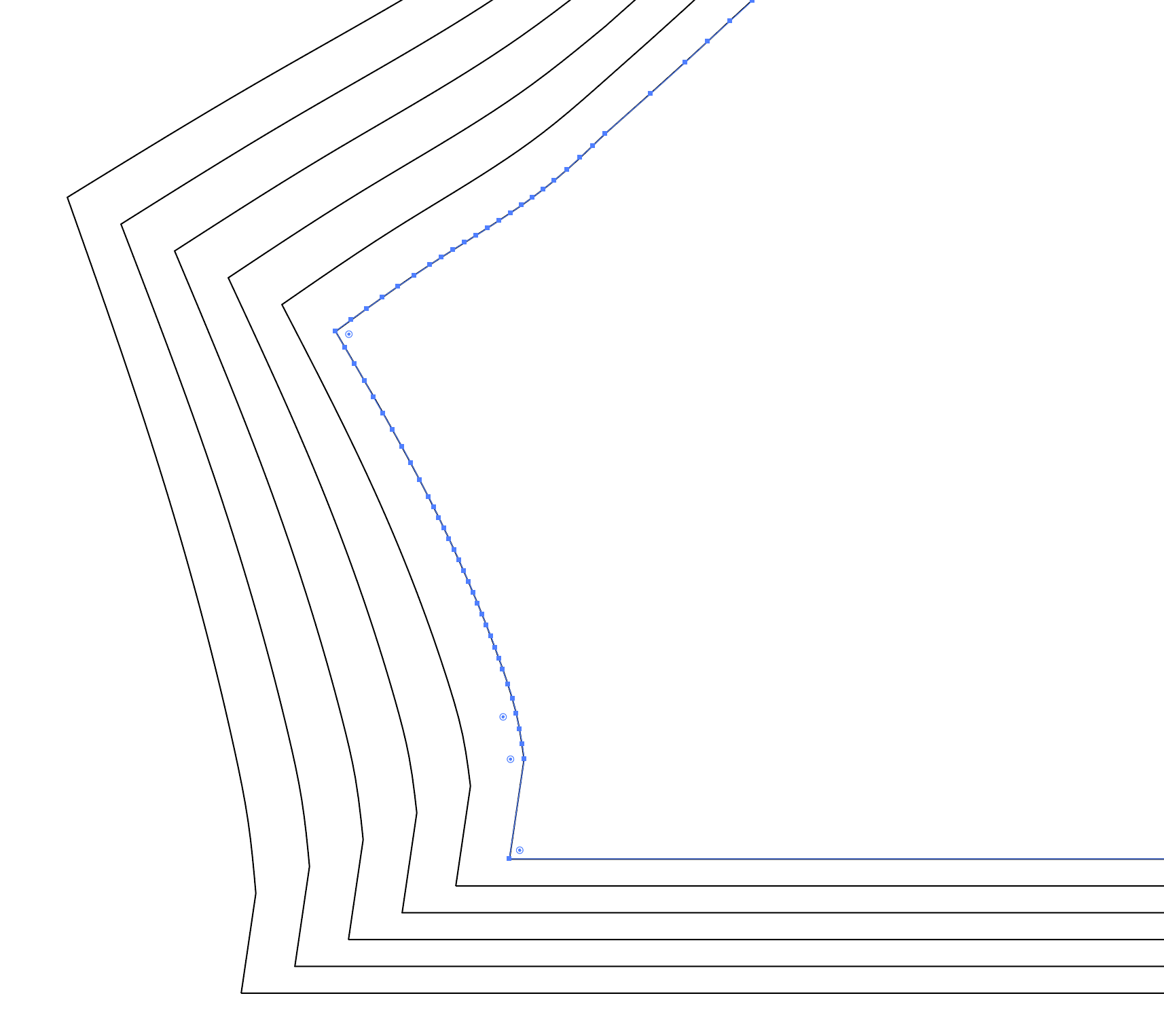
truethreds2020, the trick is selecting the Convert Curve Point to Straight Point (AI Only) option when exporting. See the first screenshot with the option checked and the second one without it. This is Layer 1 on the AI file.

 0
0 -
But what about the notches not showing up pablo.quintana I cannot get notches to export in AI and it doesn't seem like the question is answered on any thread in the community
0 -
Export as pdf and then open up in illustrator then save as a native illustrator file.
-1 -
ottoline that works for single sizes, but does not export the nest.
-1 -
If you want NEW help on the topic, you need to state you want the 'nested' output when you enter the thread, as it's kind of a new request tagged onto an old thread and software updates change how the machine goes 'ping' after 12 months. I don't read minds for requests. My crystal ball is broken.
Why don't you save the DXF-AAMA format and use that, or the PLT plotter format for wide printers, that should get you from A to B.
Another thread to read > Link
You need to decide if you mean plot 'nesting' for pattern sampling (eg: cutting) or 'graded' pattern drafting. As the PDF export is per grade size ~ aka one at a time. And plotting for sampling is based on your fabrics relative to your patterns. So when you have decided which it is - maybe post back for some answers.
0
Comentarios