DXF Export Problem - All Points are numbered now?

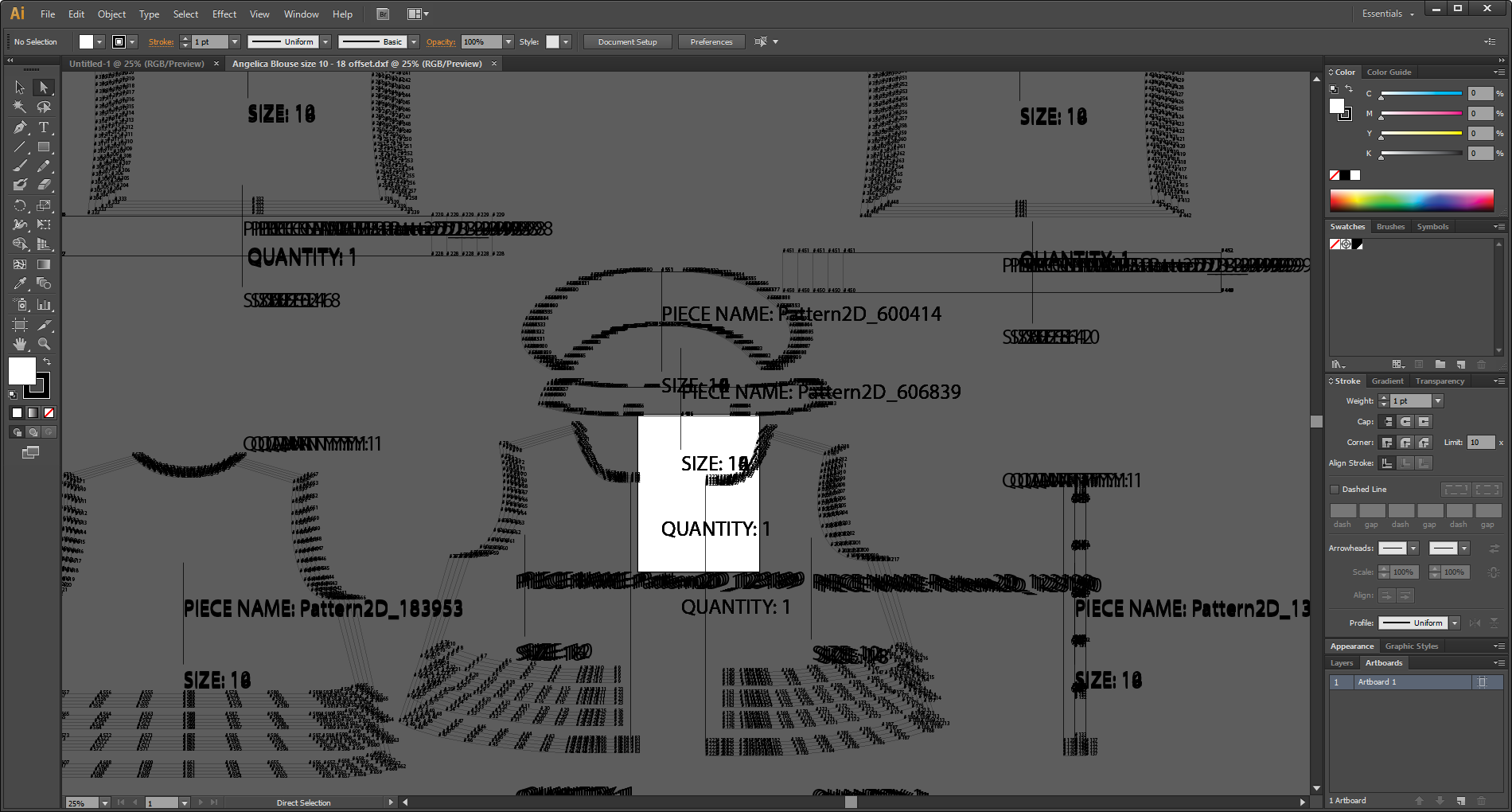
I am having the darnedest time. I create patterns using CLO and Adobe Illustrator. I export the DXF file and import the lines in AI to be cleaned up and ready for printing for customers. However, lately the DXF export settings seemed to have been updated and with no way of changing it back?
It seems that no matter what I do, all the tiny little points that used to be just dots are now *all* numbered. Cleaning all of that up in AI would be quite a chore, and it already kind of is one. Is there some setting I might be missing to change the export back to how it used to be?
-
 0
0 -
Hi lunarcrystal. Can you please add a screen shot of your export settings in CLO. Thank you
1 -
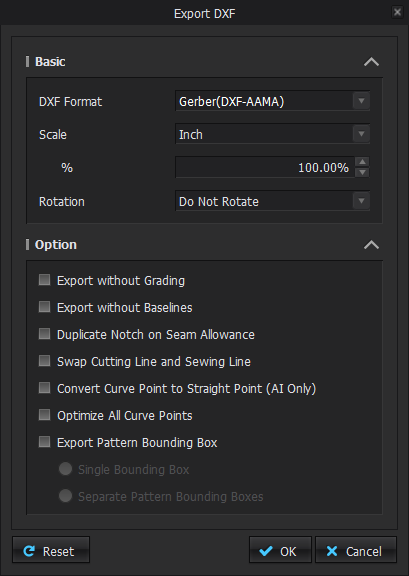
Here's what I got. I've been using the same settings just fine before, so I'm not sure how this is happening suddenly.
 0
0 -
So I guess we don't know?
0 -
lunacrystal in Illustrator you can select by attribute for most object types in your file. In this way you can look for the text (as a property attribute) or any other object and globally select them. (you have been able to do this for 20+ years in illustrator) and if really stuck you can even make actions to make the workflow a single click.
See video >> Link
0 -
Hi lunarcrystal. Have you tried to export these as a PDF instead of as a DXF? This could work. Otherwise please reach out to use directly here with the information above that you have already included.
0 -
As an alternative:
Lunacrystal Try ticking on export out 'Pattern' bounding box when you run your dxf-aama export.
DXF R13/R14/2007 output into inkscape note object layers assigned to 2 + 3.

You can globally switch these off in the object properties layer stack within inkscape (free vector application that can take in R13+ DXF).

You might have more layer level object control within inkscape than AI, as the Adobe DXF translators are maybe not up to the job for DXF-AAMA or <DXFR12 better to use R13+ or higher when parsing DXF for CAD. Or alternatively using the plotter output.

PDF export works well. Maybe a better choice into AI.
 0
0 -
Hey everyone. I appreciate the responses, but I'm still having the same issue.
To be clear, this did not happen before. I've been able to create multi-size patterns before February that exported as DXF into AI without the barrage of numbers that now appears.
I cannot export as a PDF as there is no option to include the graded lines into the export.
So for the time being, I can clean up my export in AI just as before with maybe an extra step. It's still rather strange that this would happen when it worked fine before.
0 -
Use Inkscape and change them in two clicks.
1
Comments