Cannot edit some avatar measurements (fields greyed out)

Hello!
Cannot edit some (not all) measurements on my avatar.
Downloaded all the updates and still, itl doesn't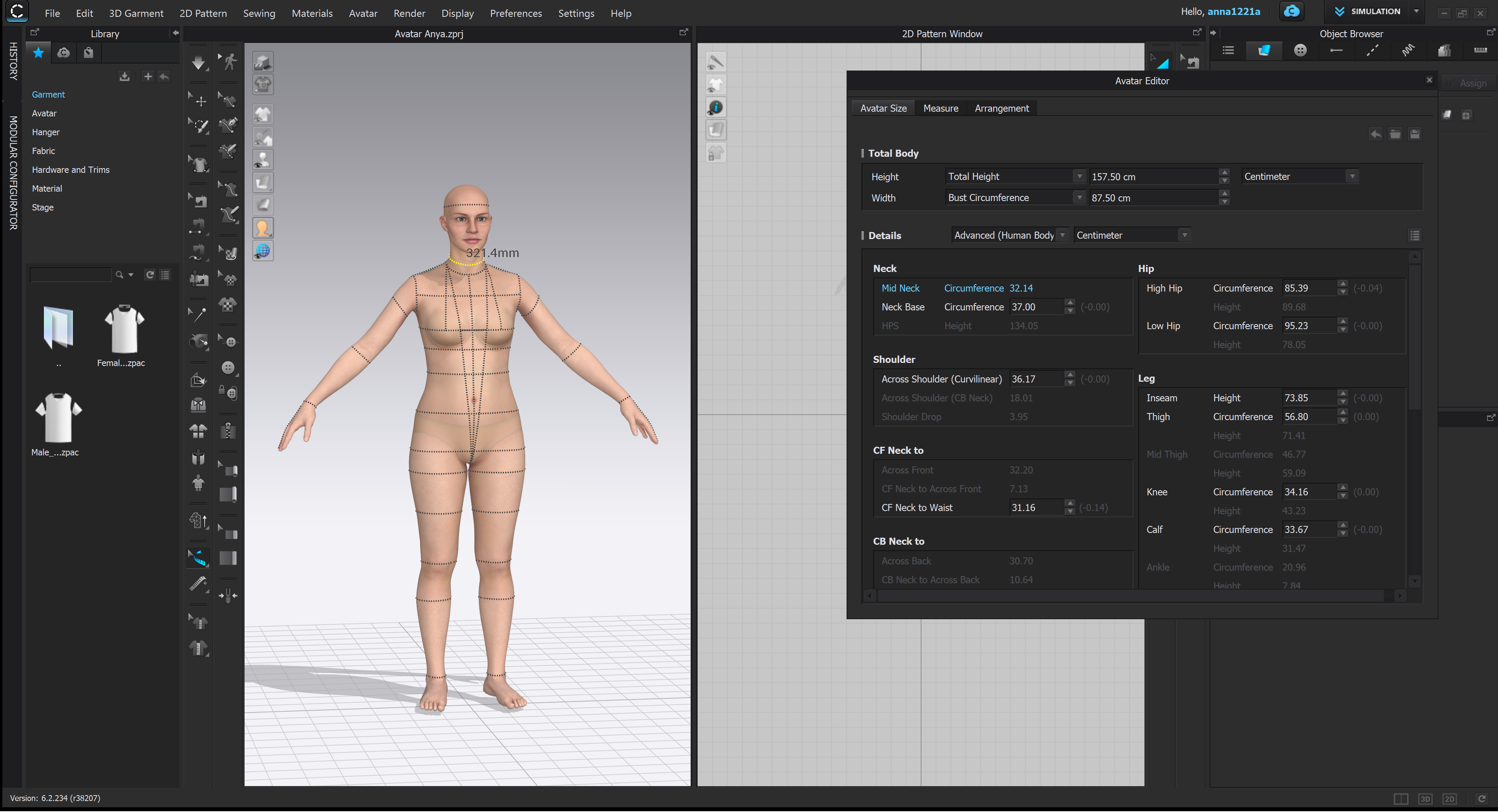 allow me to edit. Please see the screenshot.
-
The avatar editor uses a database driven anthropometric model to give the body shape, therefore not all dimensions are editable as that would break the computational algorithm that generalizes those base dimension landmarks used to drive the database/body shape fit algorithm. If you want subtle shaping or a custom avatar you need to break the algorithm driven model (avatar) away from the automation and either manually input dimension tape changes one by one or sculpt that change with tape measures in place as you work.
MD has this manual approach on their avatar editor, but it comes at a cost, the avatar may fall outside human norms of frame and body shape. This is maybe where CLO3D should provide an obvious toggle to switch (or detach) the avatar from a generalised algorithm data driven avatar to a manual size landmark tweaked one (like in MD). There could be advantages to that approach (custom fitting) when you reach a certain stage in the character development. An over-ride button.
1

Comments