How to see Topstitch shadow effect

Hello everyone. I am a begining user. Here is a deal: I am creating a t-shirt dress, and stuck with topstiches, which I want to apply to a neck line, to sleeve and to hem. But I don't see a shadow effect of these stiches, even though I turned on the 3D option in the Property editor. Please give some ideas what coud be a problem here.
-
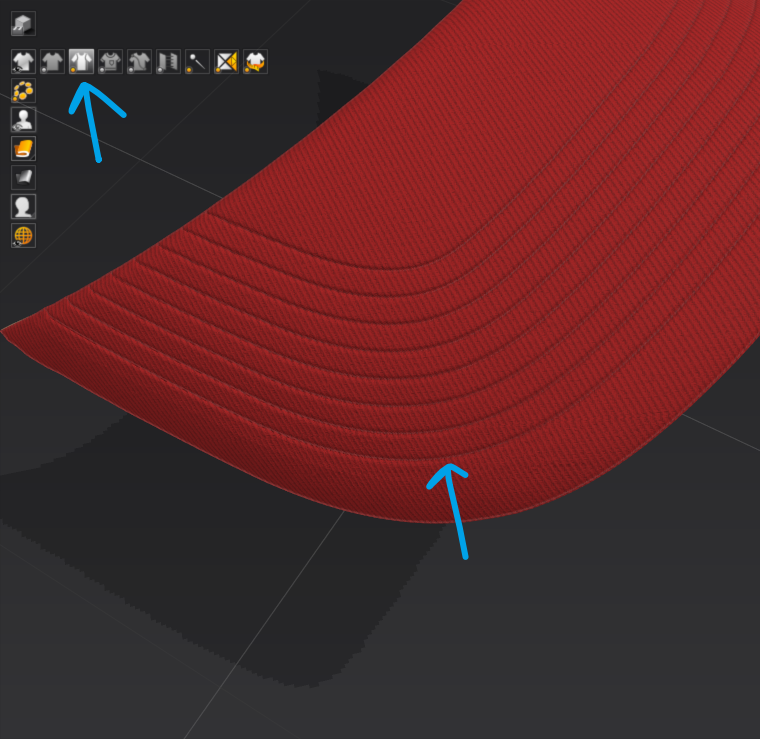
You are in the wrong viewing mode in the 3D window > you have it set to thin textured surface mode > you need to change that setting and then also check the property editor.
Set view to (Alt+1) Thick texture surface in the 3D window (this is important)
Then ....
Make sure in the 3D window that you have the show 3D seam seamlines on. To change the normal effect > select the Edit sewing (B) tool in the 2D drafting > property editor > 3D seamline > adjust intensity (10) > adjust thickness mm (1.5)
 1
1 -
Thank you so much, I did everything you've said and it helped.
0
Comments