Issue of puffiness

Hi, everyone.
I have an issue of puffiness.
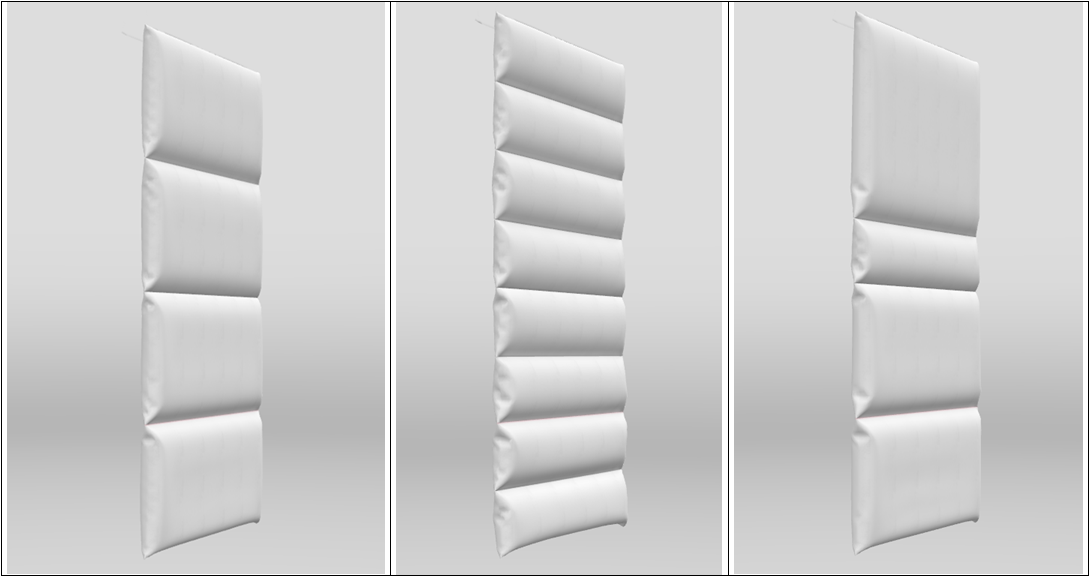
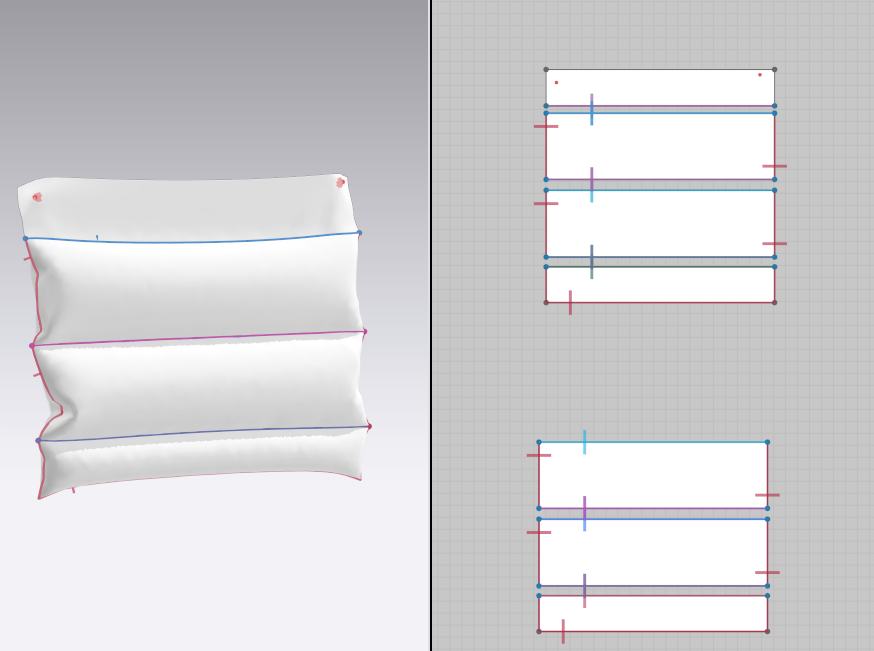
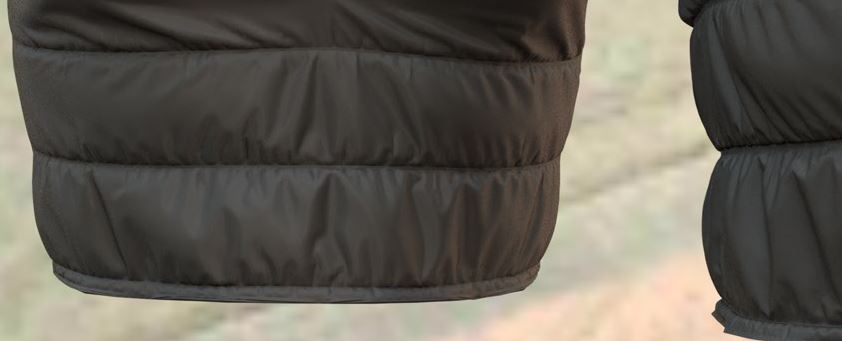
Paddings in Below picture were made by other 3D program. I can see even volume for each channel
 But when I made paddings in CLO, the volume for each channel was uneven. Especially, if the width of channel is not constant, the volume difference is too big .
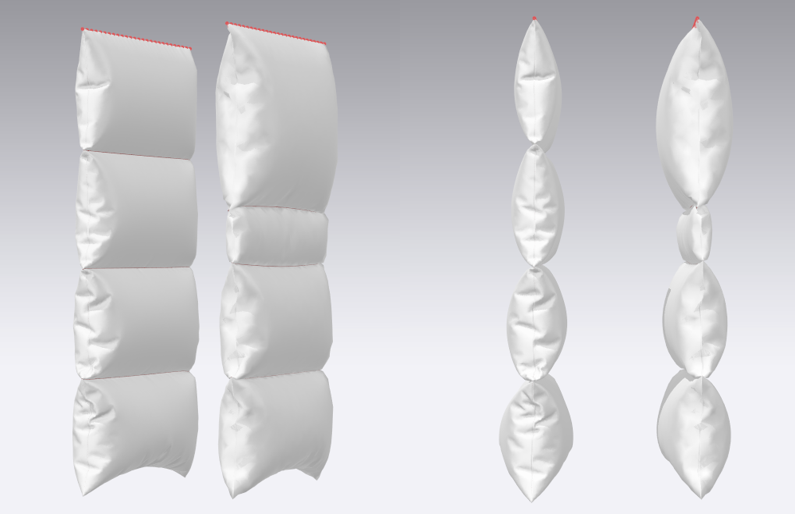
1. Is there any function to keep the consistency of volume for each channel?
2. Above picture applies the minimum pressure of "1". For lightweight padding style, I think that I need to give lower pressure than "1", so is there any tip to express it?
-
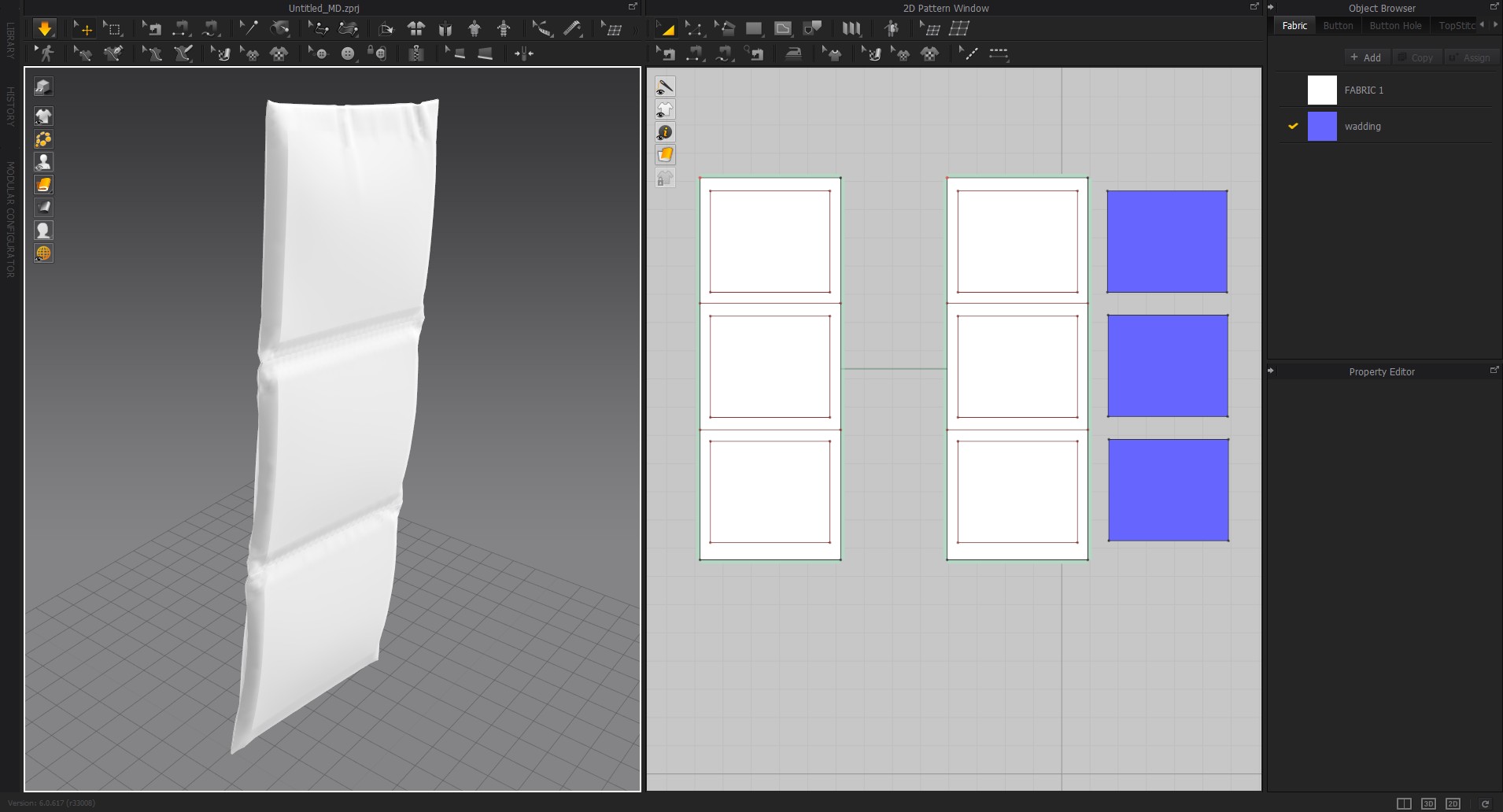
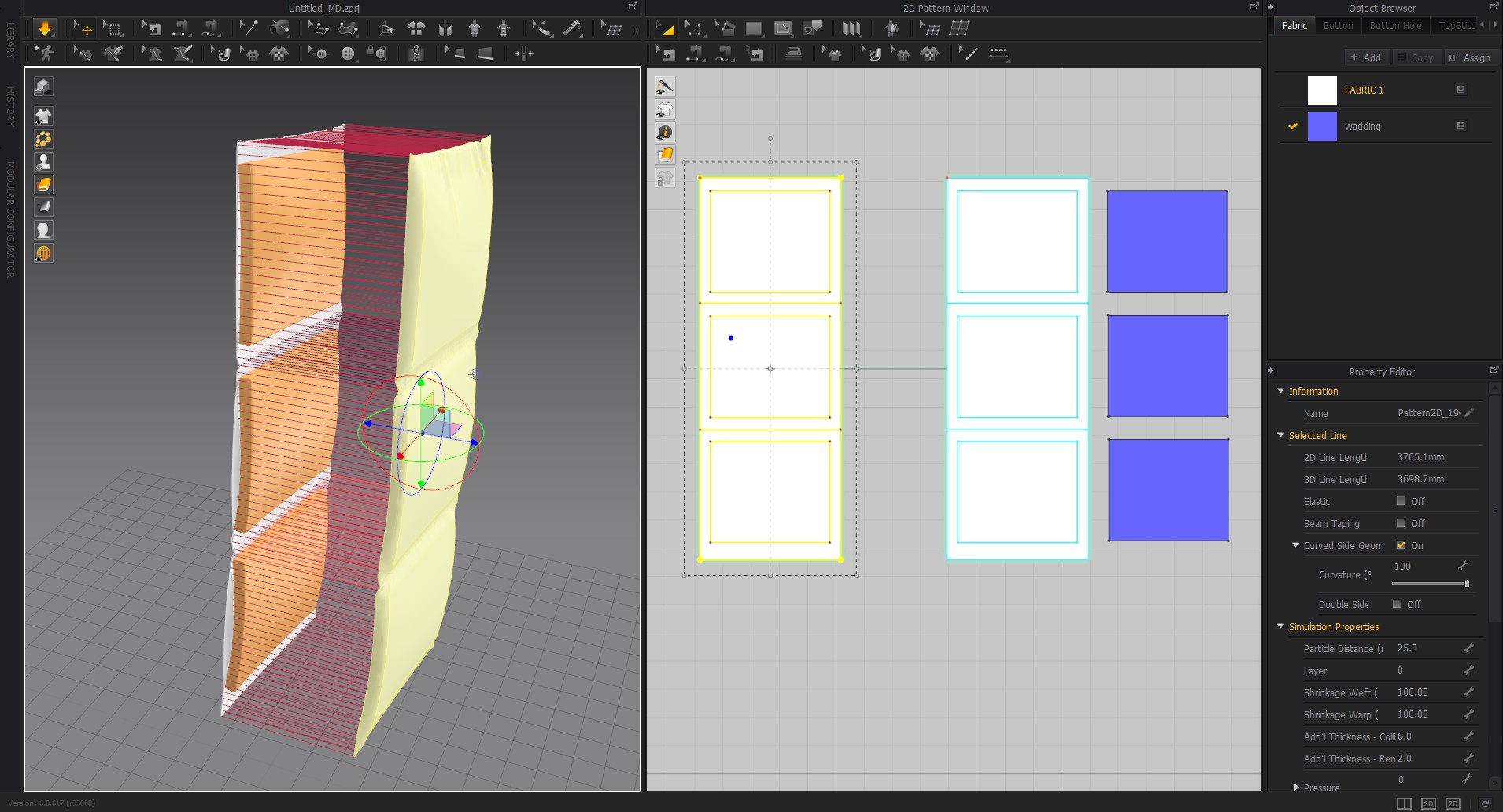
The cloth simulation applies equal pressure to retain a balanced simulation so in the instance of simulating wadding and foam, no you cannot make a direct real-time simulation that mimic's wadding physical behavior. The only way is to 'fake' the effect by inserting a middle pattern offset layer inside the cushion that has additional collision offset equal to the wadding thickness then simulate the cloth over without pressure. That will go most of the way to creating the effect you want.
 1
1 -
Hi wltnr02280! It would be great to know what other 3D programs & the function you are using for puffiness.
CLO puffiness appearance bases on the combination of Pressure value and the puffiness area. Puffiness appearance will look stronger in a bigger puffiness area as it contains more pressure. Vice versa.
To make an even puffiness appearance, you can try to separate the patterns > apply a lower Pressure value (eg. +10/ -10) in a bigger puffiness area > apply a higher Pressure value (eg. +15/ -15) in a smaller puffiness area.
 1
1 -
Hi, ottoline.
I really appreciate your suggestion.
I understand what you said. But I use CLO for fitting, so it is little cautious to apply for garment.
Anyway, many thanks for your opinion :-)
0 -
Hi, CLO Designers .
I really appreciate your comment and have a question additionally.
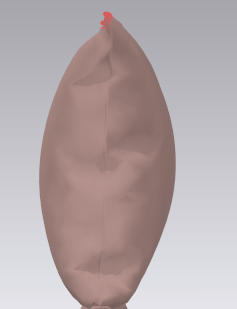
I give big channel "the pressure value = 1" and I think it is too bulky. If I want to express the lightweight padding style, is there any tip to express it?
 0
0 -
When you want 'laminar' airflow between the wadding and the external cloth you have to appreciate that both CLO3D and Marvelous Designer DO NOT have this physical capability in their simulation engine, that is possible using external software but not in these two apps that are sister companies. Therefore when you create a 'laminar' (air layer) between the wadding substrate and inside of the cloth the fabric will ripple and crease totally different to how CLO3D simulates for clothing, it can to some degree be 'faked' by having a substrate in place and a captured pattern volume over as a constraint and reducing the friction factor on both the fabric cover and the substrate to overcome the default friction settings for garments, however that is what you are left with as technical options.
See technical paper on why this is not yet possible in CLO3D /MD. >> Link
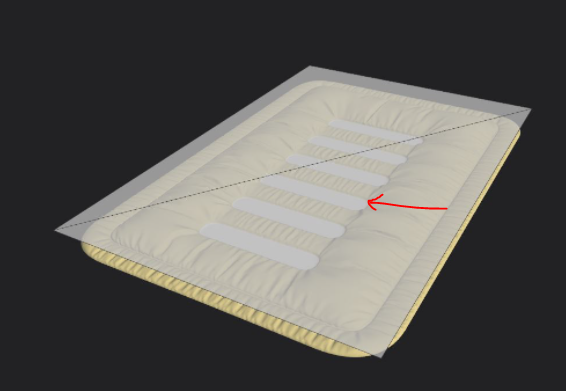
Below : you can see where I use this wadded effect in MD/CLO3D to get a weight pushing into the inner foam, using the spherical fan tool in MD to blow turbulence into the cushion externally. Which is a pretty crude way to apply external pressure.
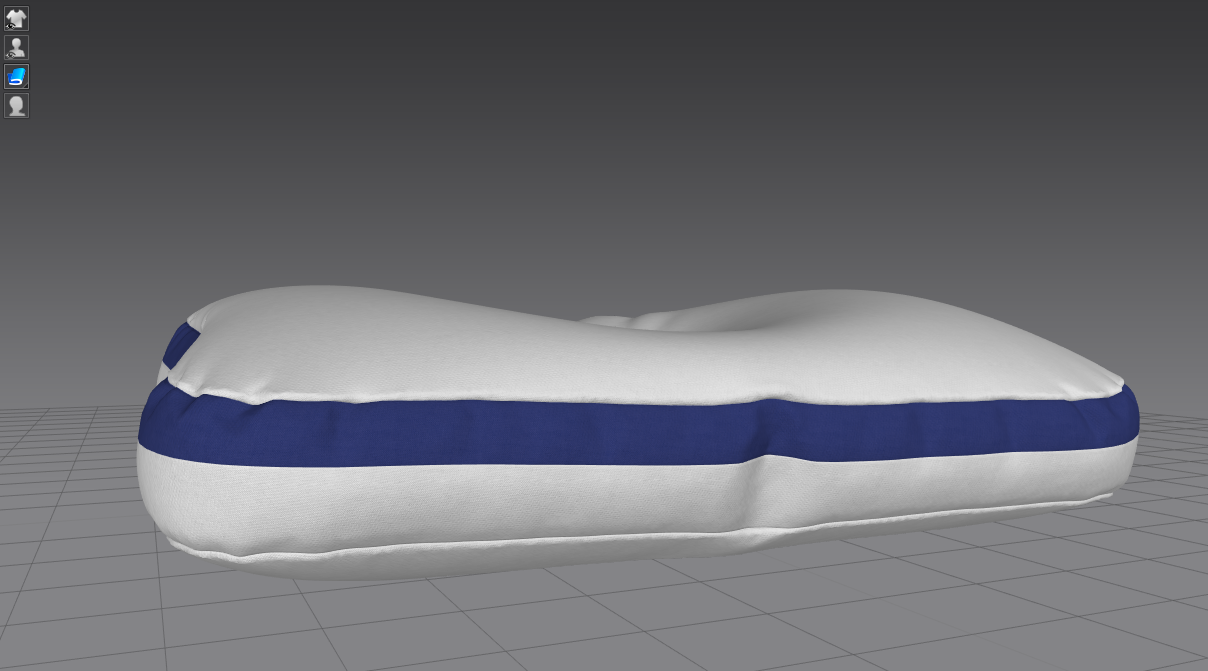
You can then create this on the flat (horizontal) and transfer the effect of the simulation across to the model drape form very easily > using external software this is a very easy fix as you can apply both displacement and normal bump maps to get a lot of crease detail via mesh morph and you can also use apps like shadermap to combine normal frequency maps to get additional map displacement in the final simulation.
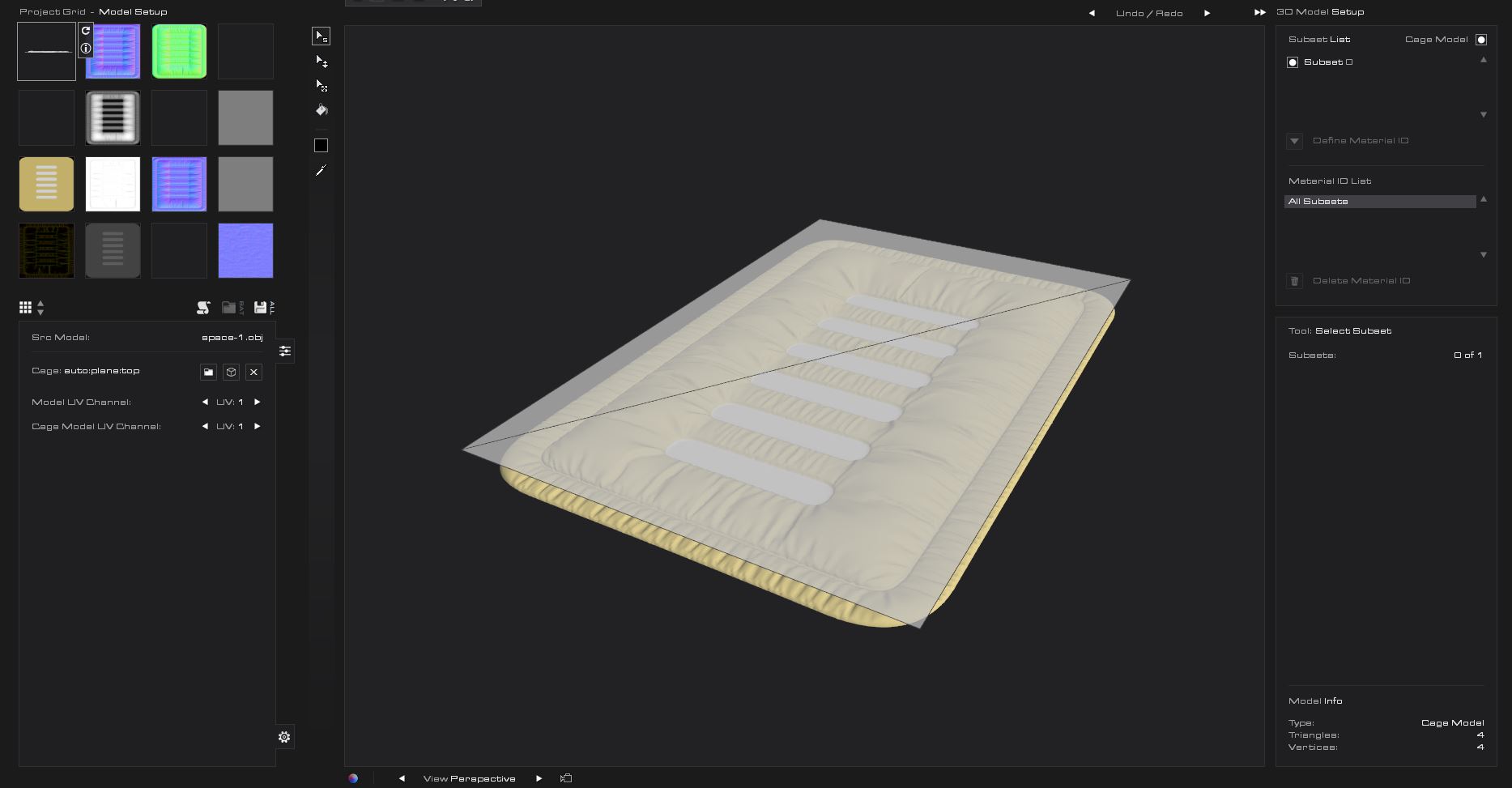
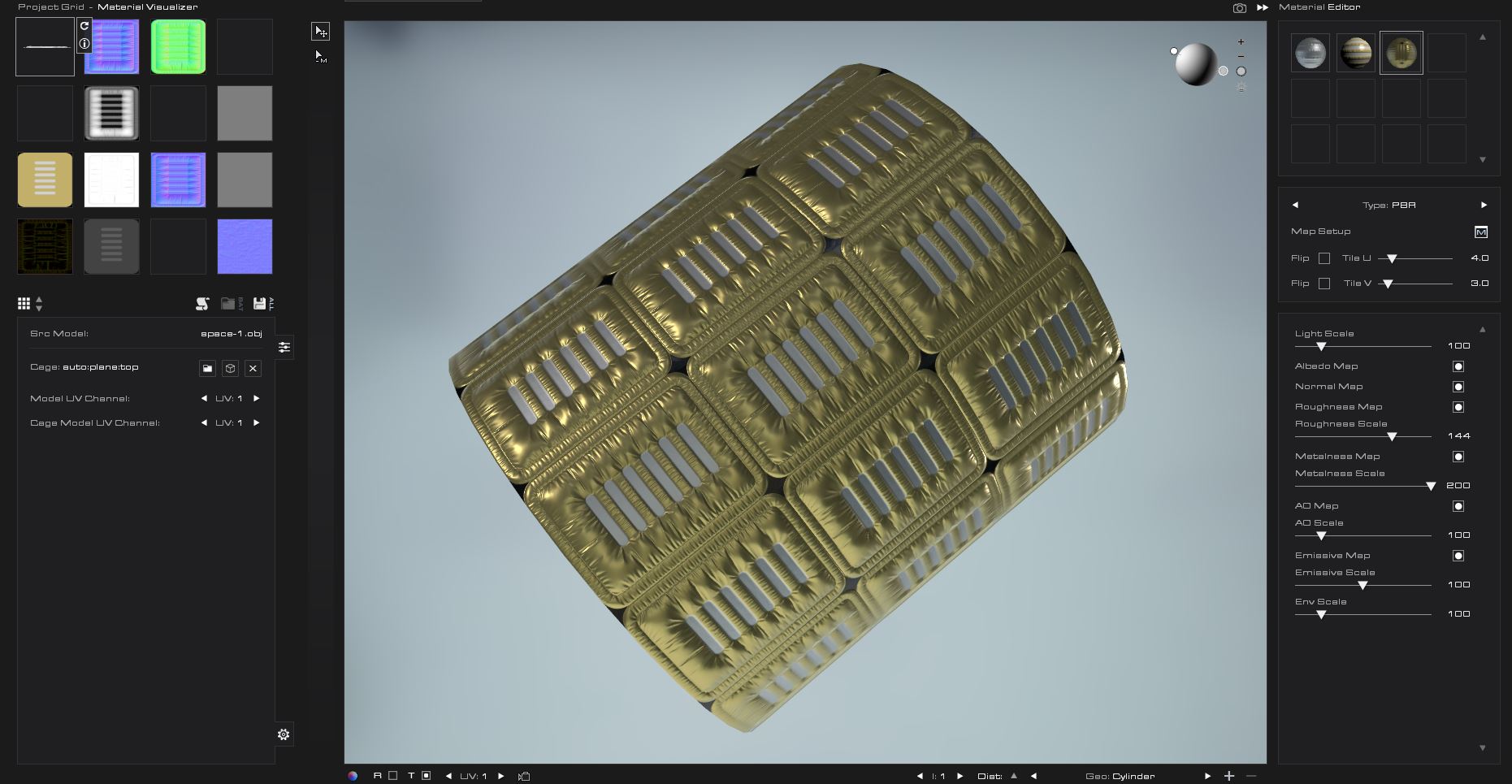
I use this process all the time and it is how I create puffer jackets at very high detail by adding in the bump maps to the fabric texture stack.
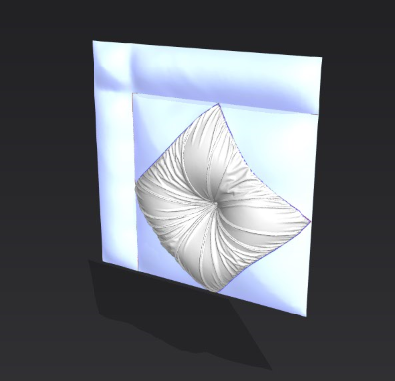
Below laminar creasing from low friction between cushion substrate and cover using MD/CLO3D.
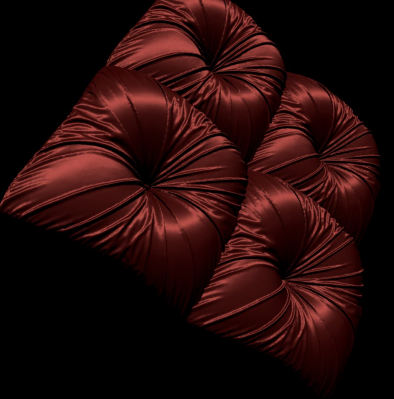
 0
0 -
Hi wltnr02280. The minimum Pressure value is +1/ -1 at present.
You can try to change the Fabric Physical Property Preset. Different fabric presets will leads to different drape/ bending/ stretch results. And this will affect the puffiness look less bulky/bulkier. (Steps: Select the fabric > Property Editor > Physical Property > Change the Preset > Simulate to see the changing).
Other tips: You can go to CLO Library > Fabric to preview the fabric preset appearance before you applying those fabrics.
 0
0 -
Hi ottoline. Thanks for your insights! Wondering which external software you are using for?
 0
0 -
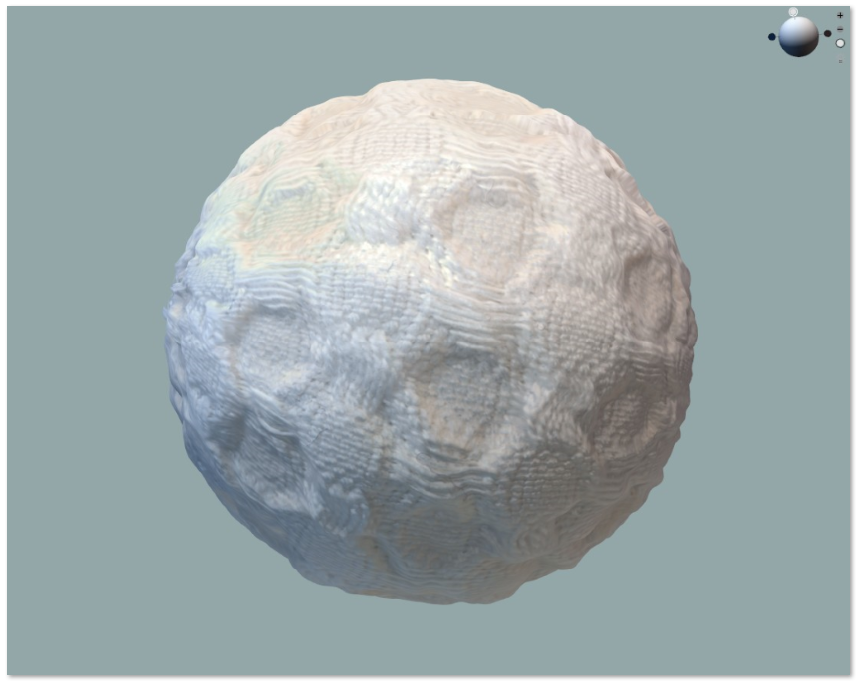
Shadermap >> they have a free version or the low cost pro version. You can add in a plane cage to bake down/up to for you pattern normal. You add that as a second element into the scene once you load your flat MD/CLO3D object model (high poly) then bake out a normal to load back into CLO3D at the pattern level as a normal. In shader map you can combine (blend) normals so you can add in the fabric texture weave with the creasing and presto - combined frequencies.
Best fabric texture creation software for digitization - I find it way better than Adobe Substance as you get far better normal map quality + the filters are easy to load into their node graph , so it will batch output faster from a folder, will work with image editing software so you really get to push this software envelope out to the limit. It has lua scripting so I can batch literally hundreds of colorway fabric textures out before I have even booted up Adobe substance. Hands down better for realistic fabrics digitization as the algorithm for normal's is superior and their filters perform better than Adobe Substance when pushing into 16 bit > and up.
 0
0 -
ottoline is there anyway I can get into contact with you? I'd like to ask some questions on this topic, I'd appreciate it!
0
Comments