External 3D files

Hi,
I'm browsing stores that sell 3D materials and avatars.
I'm wondering if I need to be aware of anything when buying files - to ensure they are compatible with CLO?
I'm most interested in materials, as I work with unusual fabrics like TPU and haven't had much luck simulating its properties myself.
Would also be nice to know what options there are to expand my library beyond default and what's available on CLOSET.
Thanks - Sharna
-
Maybe throw up a picture or link of the type of fabric in a garment you are trying to replicate, there is a huge range of TPU's from thin to really thick like you find in ski-jump suits. So the drape preset and seam/pucker maps will be on a broad range - you need to narrow that down. Post an image and drape quality you are after.
Depends if you are using CLO3D 5 or 6 as the latest trial includes the potential for PBR based materials with vray (which is an improvement) so you may need to state what version CLO3D you want to render it in. Generally anything is possible, if the texture maps are good, so it depends where you are getting them from as to how good they render.
Poor quality will result in only being able to push the fabric to a certain level - and where the camera will be (portrait) or close up can also impact on how high the resolution needs to be based on camera distance to the fabric. So there are a few scene environment and camera factors to consider.
TPU is a composite so dependent on the thickness the underlying substrate of TPU is made too it's going to impact on how it creases and drapes as it's a fabric that bridges the physical characteristics between plastic and rubber. Which means the standard fabric physical settings in CLO3D will need to be played around with.
There is maybe a way to make a preset relatively easily by adjusting the settings towards stiffer materials that crease more and maybe adding in some custom crease maps.
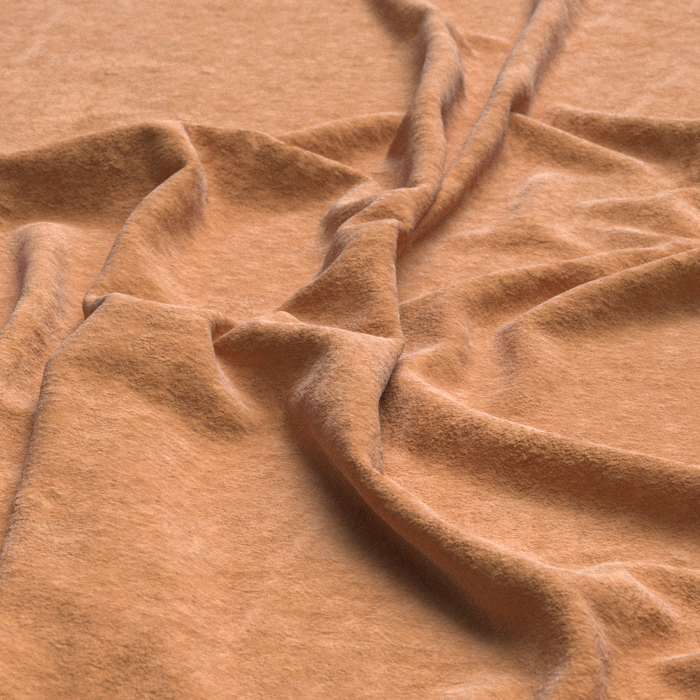
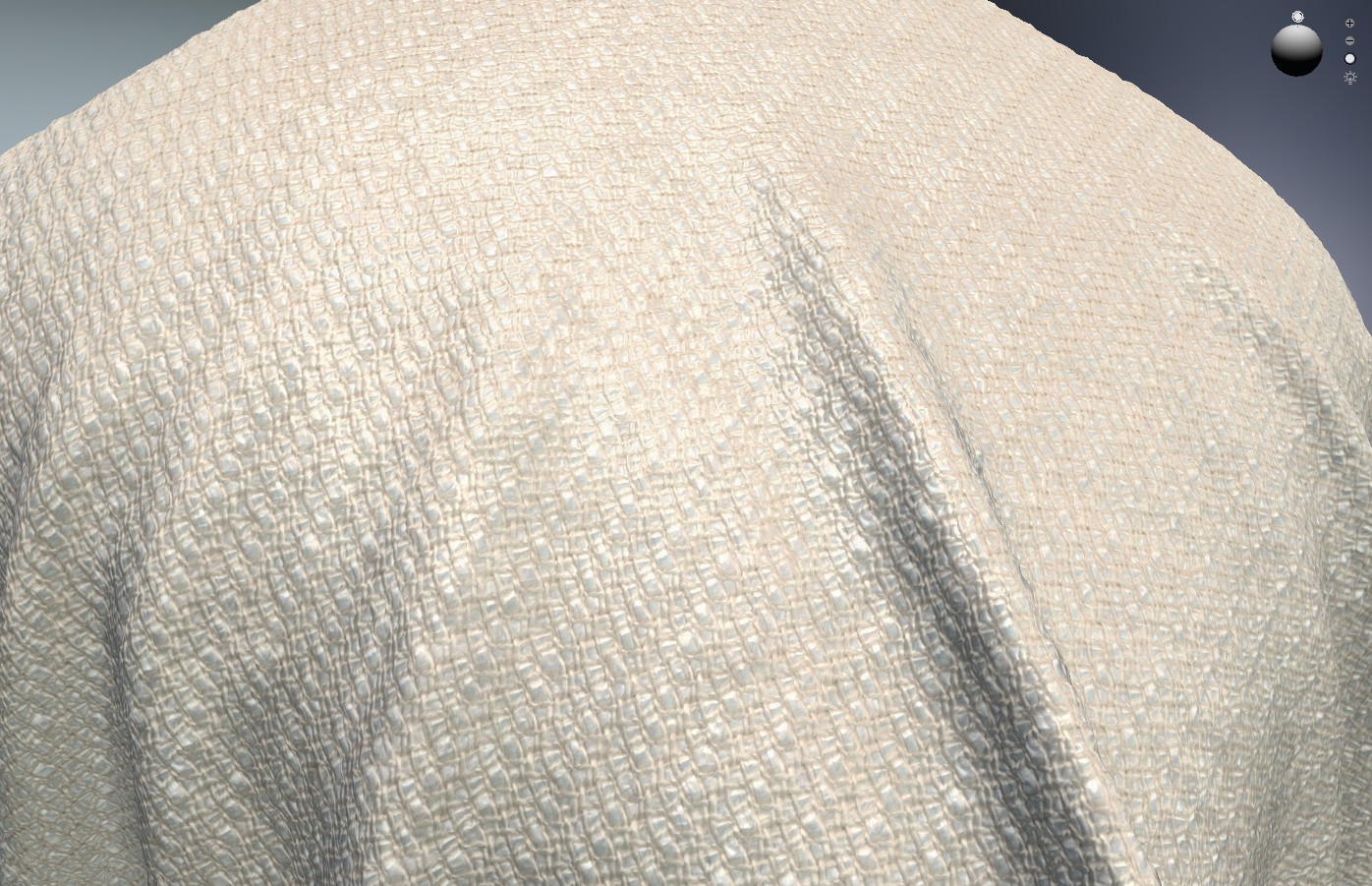
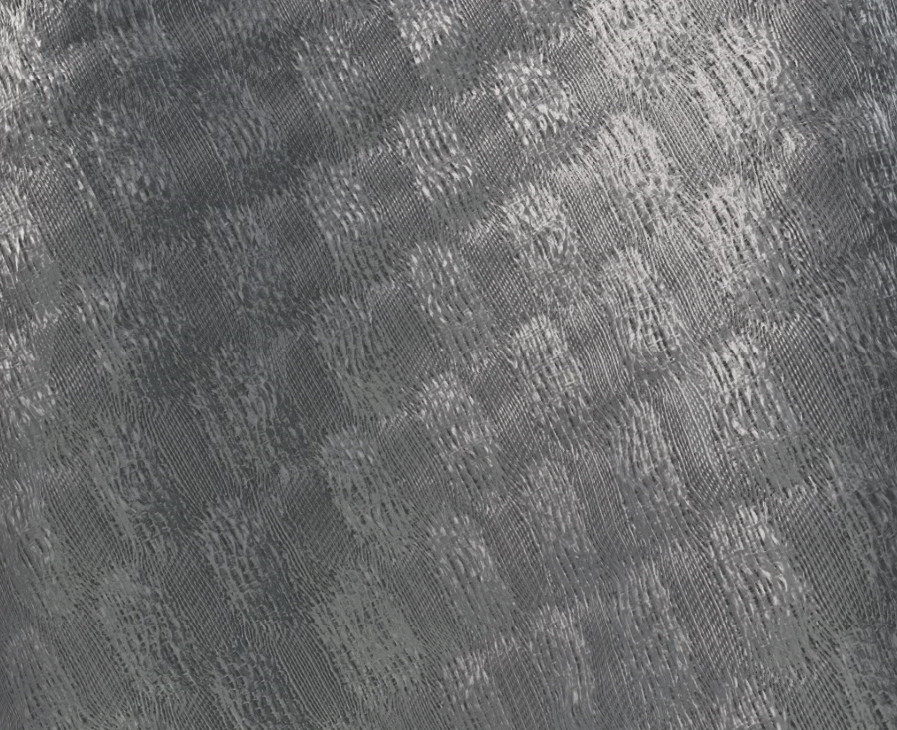 0
0 -
Thanks for the detailed response!
I am relatively new to CLO, coming from Gerber - so still learning. I've been through the tutorials on customizing fabric, and haven't been able to get it right. Even when I dial down the stretch it seems to drop heavy and fluid. I may invest in the fabric kit in future, after a bit more experience with the program.
My fabric is a 0.1mm frosted TPU with a structured drape (which is the part I can't seem to replicate). This is the fabric: https://www.aliexpress.com/i/32968308474.html
I'm not too concerned about the texture map at this point - happy to just do a matte white and knock back the opacity. I'm more concerned with getting an accurate drape for the toile process.
If you have any suggestions I'd be super grateful.
0 -
NOTES:
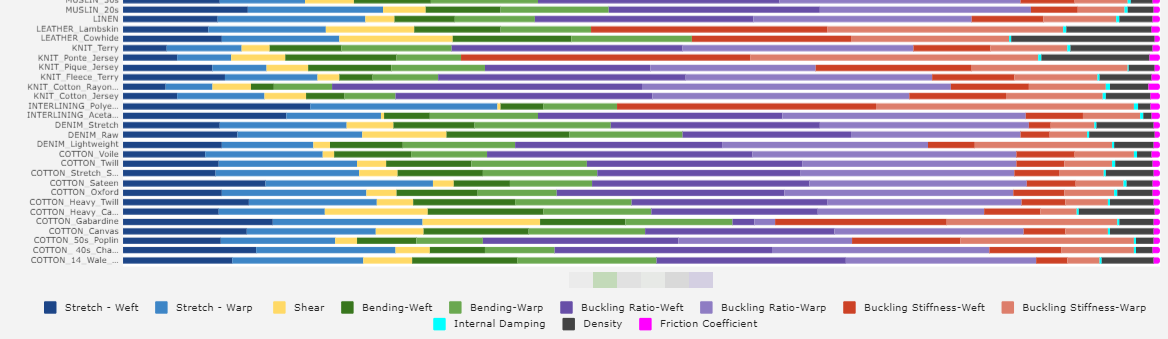
It's easier to understand the physical presets when it gets broken down into the 8 trait's they cover relative to > warp/weft/bias :
Stretch | Shear | Bending | Buckling | Stiffness | Density | Friction | Dampening
The items in bold are the primary factors that give the fabric it's character ie: if you held it in the hand and scrunched up the fabric you could say these effect how it reacts at ratios (0-100). Some factors are linear others are hockey stick shaped curves. Over a range of fabrics it gets easier to know where to move sliders if you want to tweak a physical preset to get an effect if you don't have measurements to hand.
Notes about your TPU example:
Having looked at that fabric link it doesn't look like a TPU, that looks like marketing BS on their website or an error in their spec > maybe it's being marketed as a 'TPU like' fabric or vice versa. So you need maybe get that confirmed what that is - as PVC and TPU are quite different in how they drape and also ethically for use in clothing (PVC= Bad Robot). Get that cleared up 1st. because on that web-page it is listed as a TPU PVC fabric and there is no such thing - it's one or the other.
I am assuming from the additional images they show that it is a TPU, as it doesn't seem to have the creases in it you would get with a PVC so I have used a listing spec from another site that is for a TPU fabric.
A TPU is more like an elastomer as it has some stretch, TPU doesn't crease where a PVC creases, and as plastic extrusion it is going to behave differently under a pull test.
Sheet Thickness 0.1mm / 0.2mm / 0.3mm
Typical Shore hardness range for TPU > [85A, 90A, 95A]
SUGGESTION > run an adhoc test using some simple testing gear:
The how:
Unfortunately fabric is based on different stretch values and curves to those for extruded polymer plastics, that is just a fact of materials technology, so using any texture (woven) fabric based algorithm is not necessarily going to give accurate results as the underlying factors and the curves that control the slider gradient settings are maybe not in the same testing space. So it would be a fudge at best when you test a sample. Having stated that I will now run an adhoc test to see if I can get it to simulate. Due to covid I am away from my main testing equipment so this is a bit of a 'heath-Robinson' test alternative to get at some ballpark values and a bit of fun to break the boredom of watching grass grow. However this is maybe a handy exercise to go through as you may find it's possible to test a fabric with very few tools on that odd occasion.
So I will place into the CLO3D fabric testing emulator, what we do know, to try and get a 'pretty good' result:
What we do know from the online spec:
The weight for TPU 0.2mm translucent at 1 square meter = 330g Therefore at 100cm x100cm = 10,000 cm area > 330gm weight.
Therefore > 0.3mm thick TPU 1m2 = 495g per square meter
[Correction] The CLO3D emulator uses 3 samples cut (warp/weft/bias) as 22cm x 3cm = 66cm2 (3X) = 198 square cm total area. These 3 samples are weighed to get the total tested sample weight. We can estimate that from the online spec - or use some kitchen scales. (I do both as I have a sample of TPU to try this)
198cm2/10,000cm2 = the combined weight of 3 sample strips for the emulator test stage = 0.0198 x 330gsm = 6.534 grams on their digital scale at 0.2mm thick
and 0.0198 x 495gsm = 9.801grams at 0.3mm thick (estimated)
_ _ _
Total Sample Weight Result:
3X test strips at 22cm x 3cm > Can be calculated as sample of 0.2 - 0.3mm TPU fabric > measured as weight 6.53 grams & 9.80 grams total (respectively).
Bend / Force Pull Approach for this TPU estimation:
For the bend test / and pull test I do have a sample that I will actually do this with using simple tools > I use a 0.3mm thick sample of TPU as that is all I have - so that is the sample thickness value I will work too and run the other CLO3D tests with using the CLO3D emulator.
The bend test and stretch test is tricky without high tech gear so lets use the next best thing some adhoc gear to hand - and an educated guesstimate using some too hand alternative home measuring gear. (Which in hindsight proves to be extremely accurate). The bend test is as twist on the classic fabric cantilever test, but slam a sample in a book and slide it out and you have a adhoc cantilever test.
Extruded sheet verse woven cloth:
We can assume that the extruded sheet TPU is unlike a textile that has a warp weft and bias differentiation > which is why you have 3 samples in the CLO3D fabric test > we can say the TPU has no bias or warp and weft (due to the extrusion process of what is a basically uniform sheet material). Yes there is a possible roller (extrusion) direction - but we could say the material is inherently 'uniform' when pulled in any of the 3 vectors being sample tested unlike common textile fabrics. I hand stretch my sample in 3 directions to quickly see if this is the case and it is. [Therefore the assumption we can technically make is that the 3 tests in CLO3D emulator for warp/weft/Bias will be the same values for an extruded uniform sheet material > using some common sense approximation.]
So put simply into context for the CLO3D emulator we can enter it 3 times and that should spit out a pretty close assessment using their Fabric Emulator algorithm.
We are now half way to working this out, with a few household tools.
Finally we don't know what the bend value is, nor the stretch unless done under testing but again what we can do is use logic and get within at least a 3-5% window of real materials accuracy, using a simple testing procedure with a book.I use the concise oxford dictionary for this next bit as its' 50mm thick.
Makeshift bend test equipment: To perform a quick bend test without any costly hardware equipment, get a dictionary (book) and measure up 25mm off the desk surface to an open page > now slot in your TPU test sample at 30mm x 220mm and slide it out and measure the point out from the pages where the sample touches the table top and the length. I get 49mm and 60mm respectively - I do this 3 times and it's roughly the same.
Make shift force value test : To do a makeshift force pull test get the sample - pin (loop) over the ends and pull it using a simple digital luggage scale at about $12 accurate to 0.00 kg (two decimal places) with one end pinned to the table firm. Make a mark on the table with masking tape at 0.01kg/f and start measuring from that mark with a short ruler at 10mm increments reading off the force at each increment. In my earlier assumption for this extruded fabric we can treat all 3 samples the same as there is no grain, bias,warp or weft to this TPU material. So I only need to do one test for a guesstimate and enter it 3X into the emulator.
Thickness test: If you don't have digital measurement calipers handy there is a handy work-around that is accurate to 0.1mm.
Simply get a stack of photocopier paper each sheet of standard paper is about 0.1mm . If you are unsure measure a stack of 100 sheets with a mm ruler and divide by 100. To carry out the fabric measure for any fabric > Slide a ruler between the stack of paper and sample (cloth or plastic) on a flat table until the cloth just freely slips out from the cantilevered ruler, now count the sheets and that is your fabric (plastic - thickness). eg:0.3 mm = 3 sheets of photocopy paper. Who needs a digital gauge when they are not near the studio ! 0.1mm accuracy
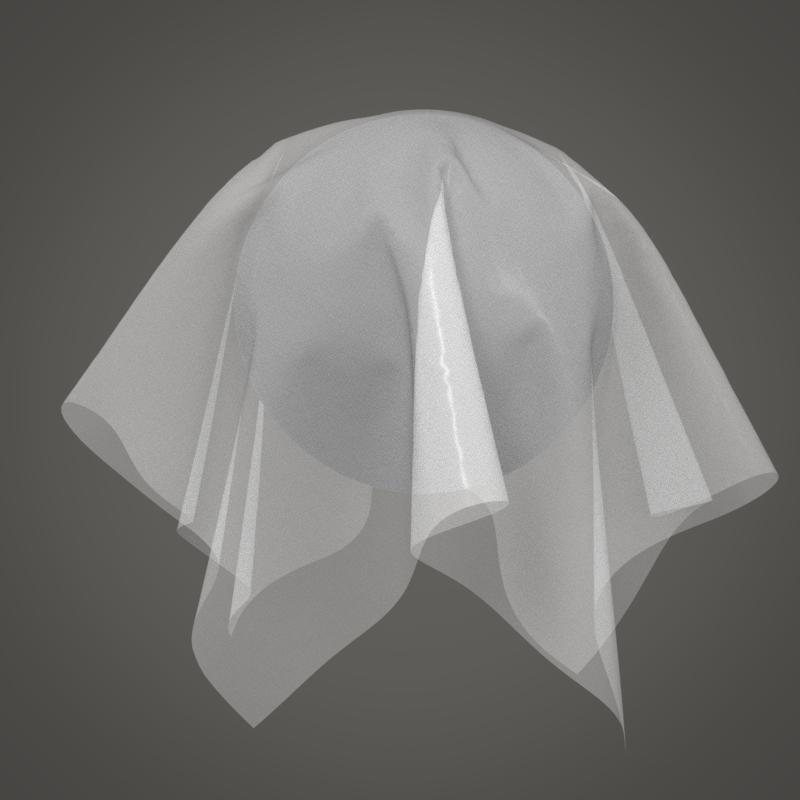
The process takes about 10 minutes to do - and although no custom measuring equipment was used by me, other than simple home gear you will get a pretty bang-on result using some common sense.
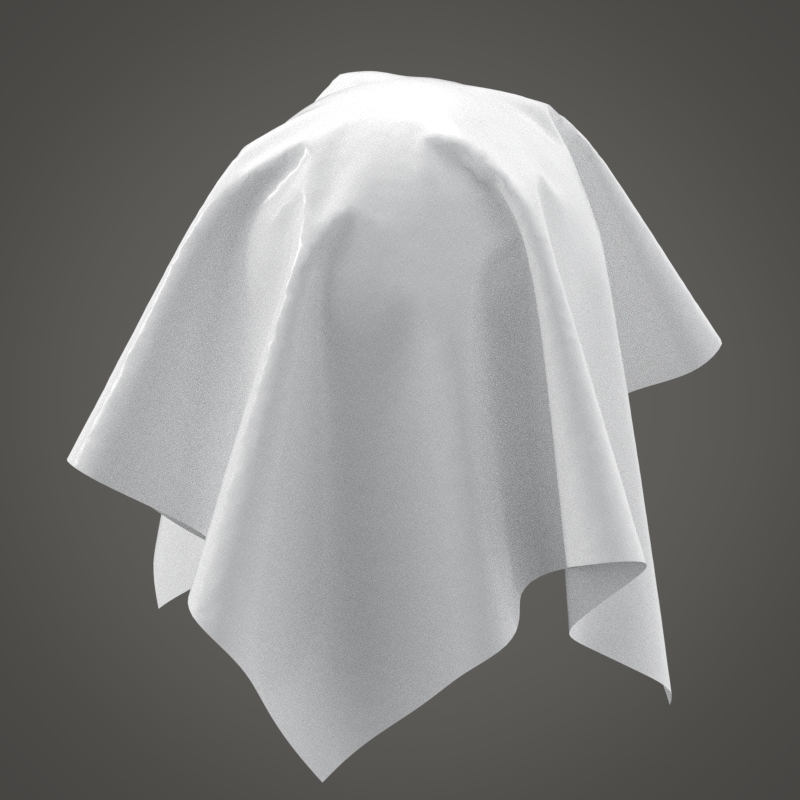
Calculating the fabric in CLO3D:
When plugging these values into the emulator > I started with the leather curve as that basically has no grain-line so I guessed that should give a more accurate start point and you will likely note some of the preset values will be zeroed out. I then also tried one test using the woven start point to see which is best, I went for the latter.(see physical values below)
Caveat: Plastic sheet is not really something that CLO3D is geared to testing as it's not a woven fabric.
And as you can see above my simulation calculation is adhoc but the (drape below) using some simple home office gear is not bad for a guesstimate of plastic sheet using some simple tricks to get close to the values so I can plug them into the CLO3D emulator. All I needed was ruler, a digital luggage hand held weight (force scale) I had banging around the house, a kitchen scale, a few pins, and some photocopier paper to get this result. (Updated values below)
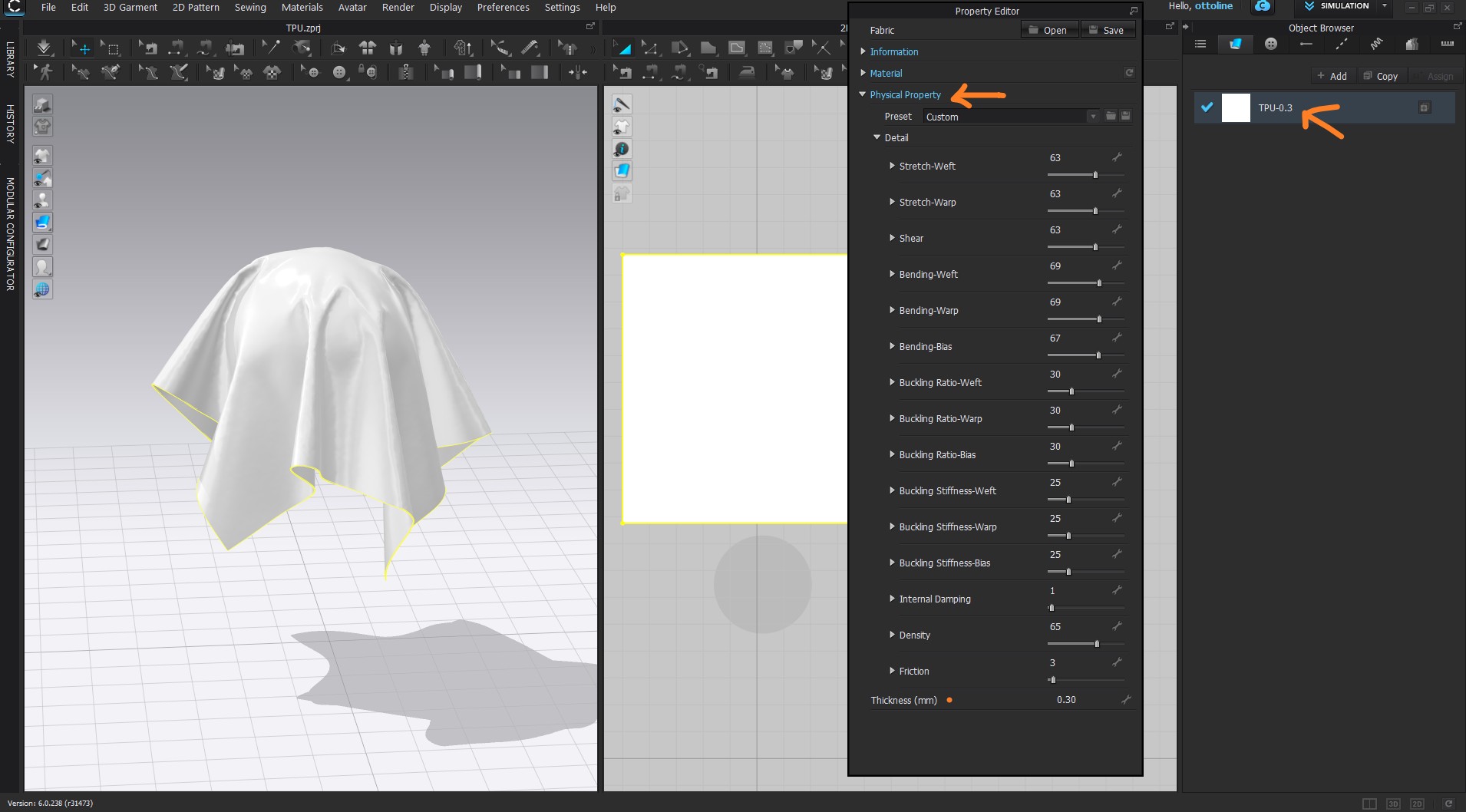
* WHOOPS (Density slider should read 495g = 47)
So when you next travel think - get a digital scale (force meter) and you can use it to run some simple fabric tests that will actually get you quite a long way towards a good fabric preset guesstimate. TPU is surprisingly not unlike a wool melton preset.
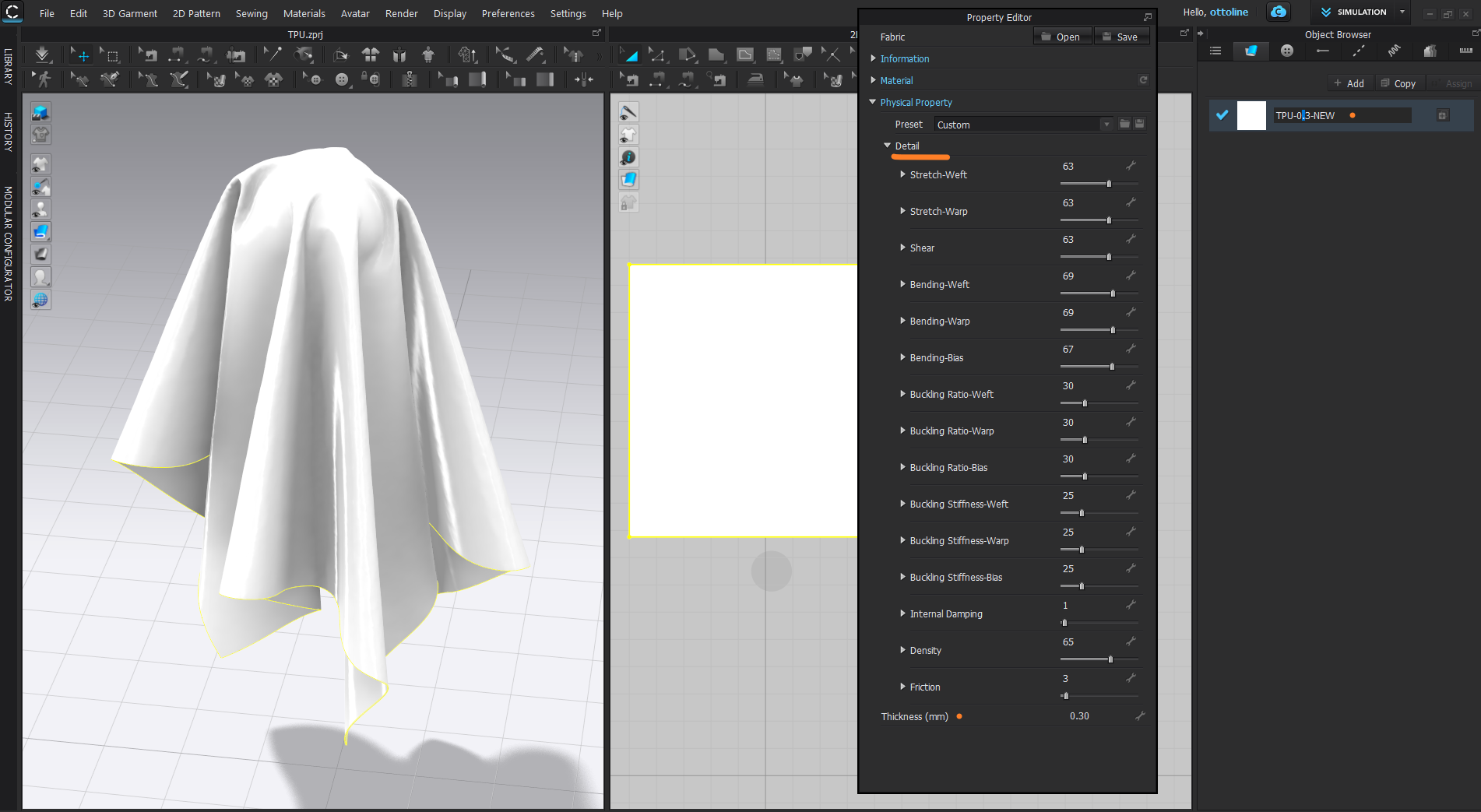
* WHOOPS (Density slider should read 495g = 47)
Now the drape and eyeball test on a few standard drape test spheres to see how close it is.
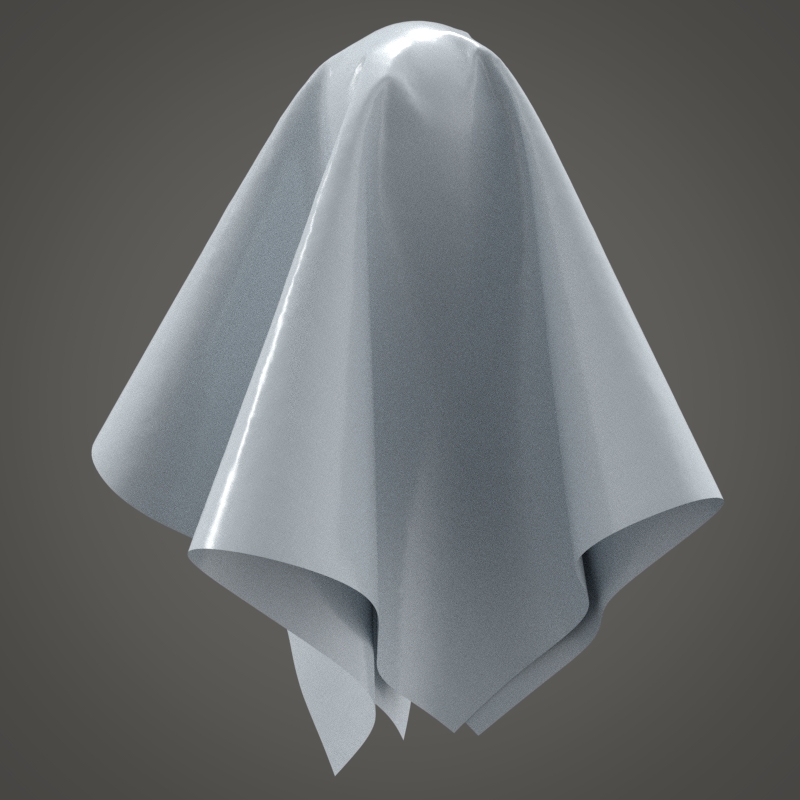
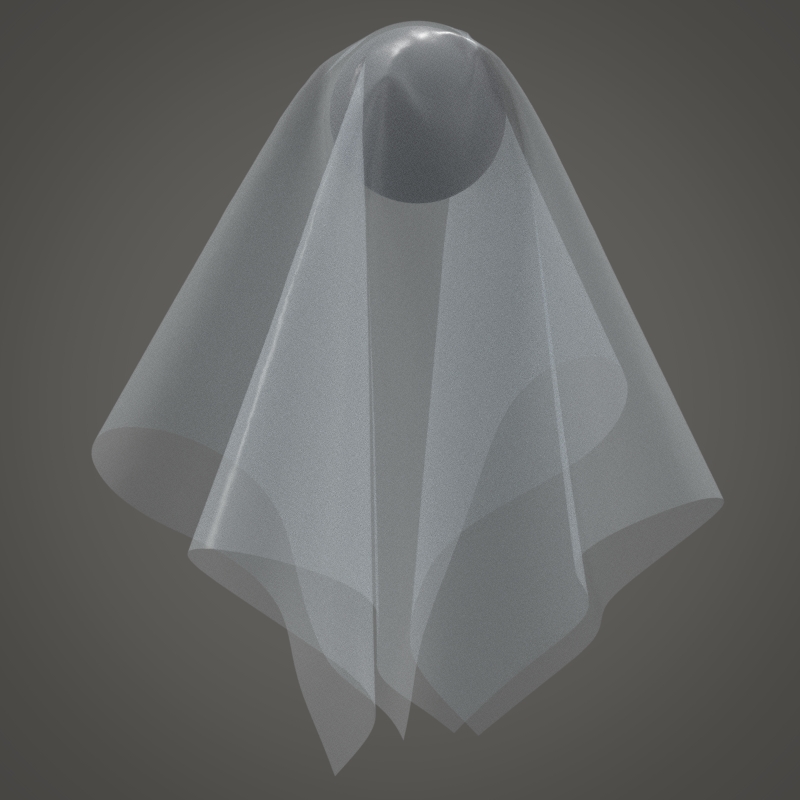
Above draped over a 15cm sphere with 1 square meter of fabric > particle mesh density set at 5mm.
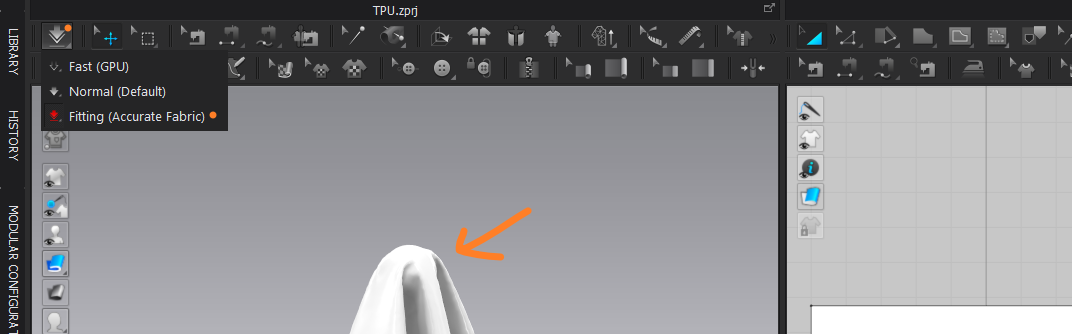
All simulated with CPU > Fitting (Accurate Fabric) mode

* WHOOPS (Density slider should read 495g = 47)
And when you compare it to a real sample - it's not far off.
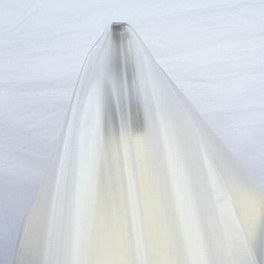
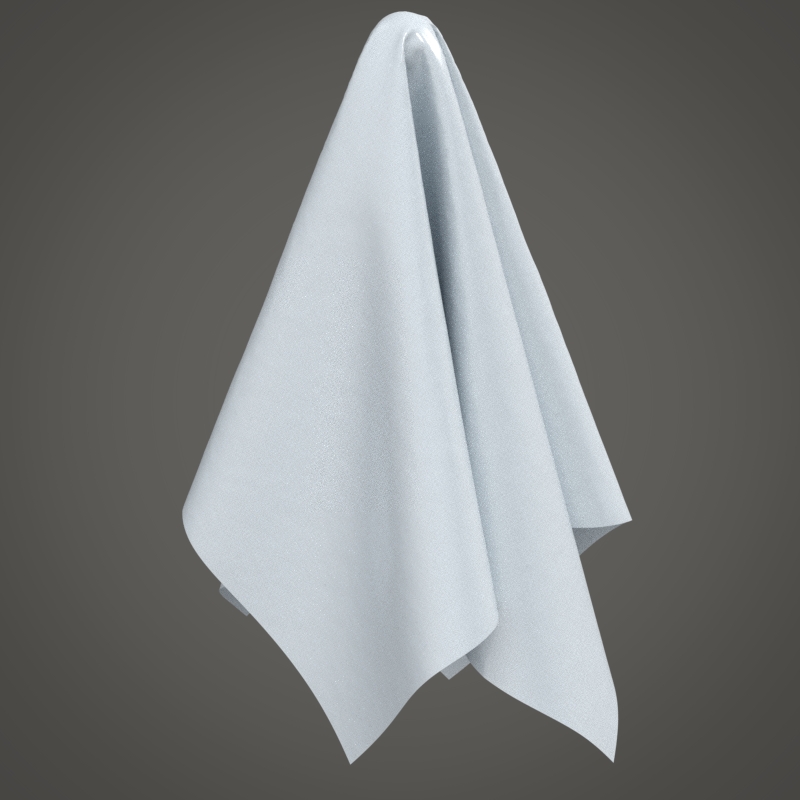
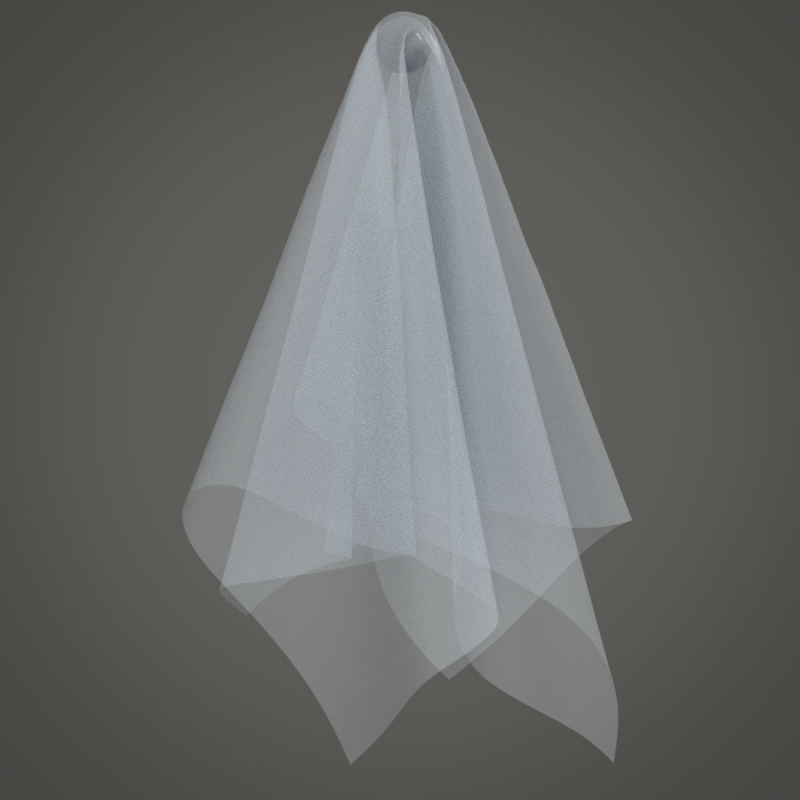
So that is my 'heath-Robinson' method to get a custom fabric preset in CLO3D when you are stuck in covid lockdown away from the studio testing equipment.
I also measured a couple of fabrics I have tested on my proper gear using this method just for a bit of a lark and much to my surprise they were almost identical to my very costly FAST test equipment I use in the studio. Which makes me think crikey - maybe I make a CLO3D fabric test procedure with 2 tools that fits in a pocket !
So my 'make shift' Measurement jig used a > digital kitchen scale (about $12) for the weight test, luggage force meter (about $15) for the pull test, steel ruler, 2 pins, one Oxford dictionary for the bend test, and some BYO thinking due to a covid lock-down.
0 -
This is a really in depth explanation - thanks for taking you time to do this.
I'll have to look at this closely and run some trials with your suggestions.
I'll share my results with you :)
0 -
I took a deep dive into the topic some years ago as I needed to translate over all my other fabric tests into CLO3D/MD fabrics - which I did for a few thousand items I had in my old digital library.
[CORRECTION] for the TPU fabric preset to my previous post.
A slightly updated version (below) with a couple of corrections - a little more accurate, I screwed up the density - it's now correct for a 0.3mm thick fabric
See the latest values for sliders below.
As the TPU basically stretches like a rubber, it is unlike many woven's.
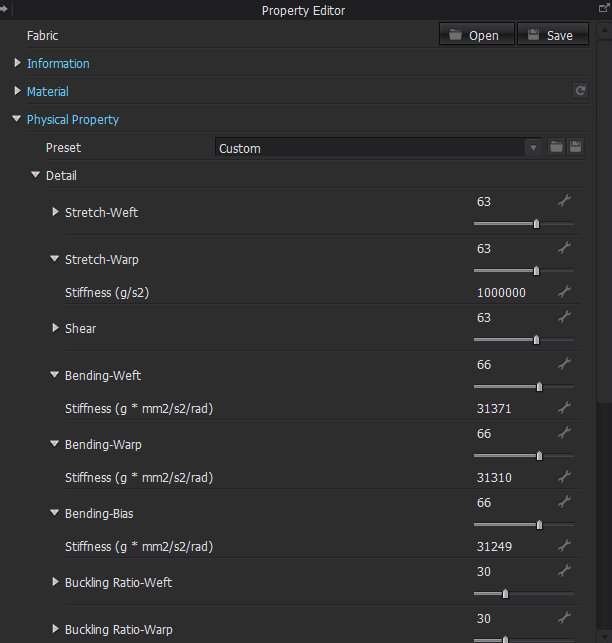
You can also manually input a value as well by expanding the slider out using the little arrow. Not really needed as these are generally simple curves so using the slider is maybe good enough.
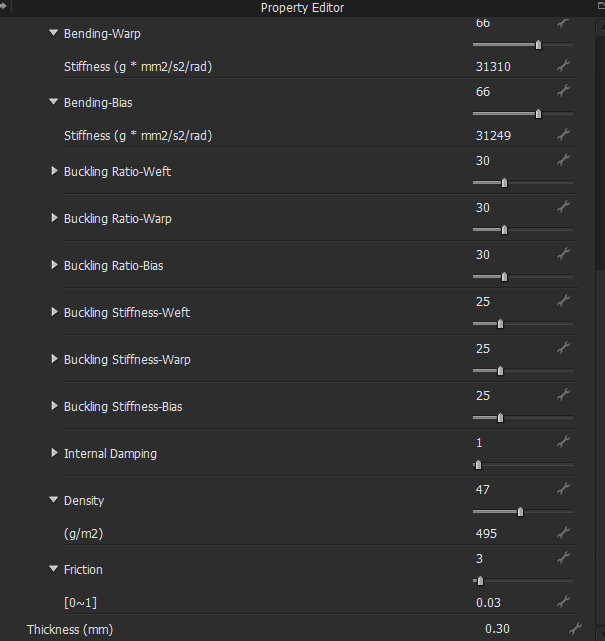 0
0
Comments