View turns black when rendering

Hello, I have such problem when try to render - whole look is black and it doesn't change in times. What might be the cause of problem?
-
Official comment
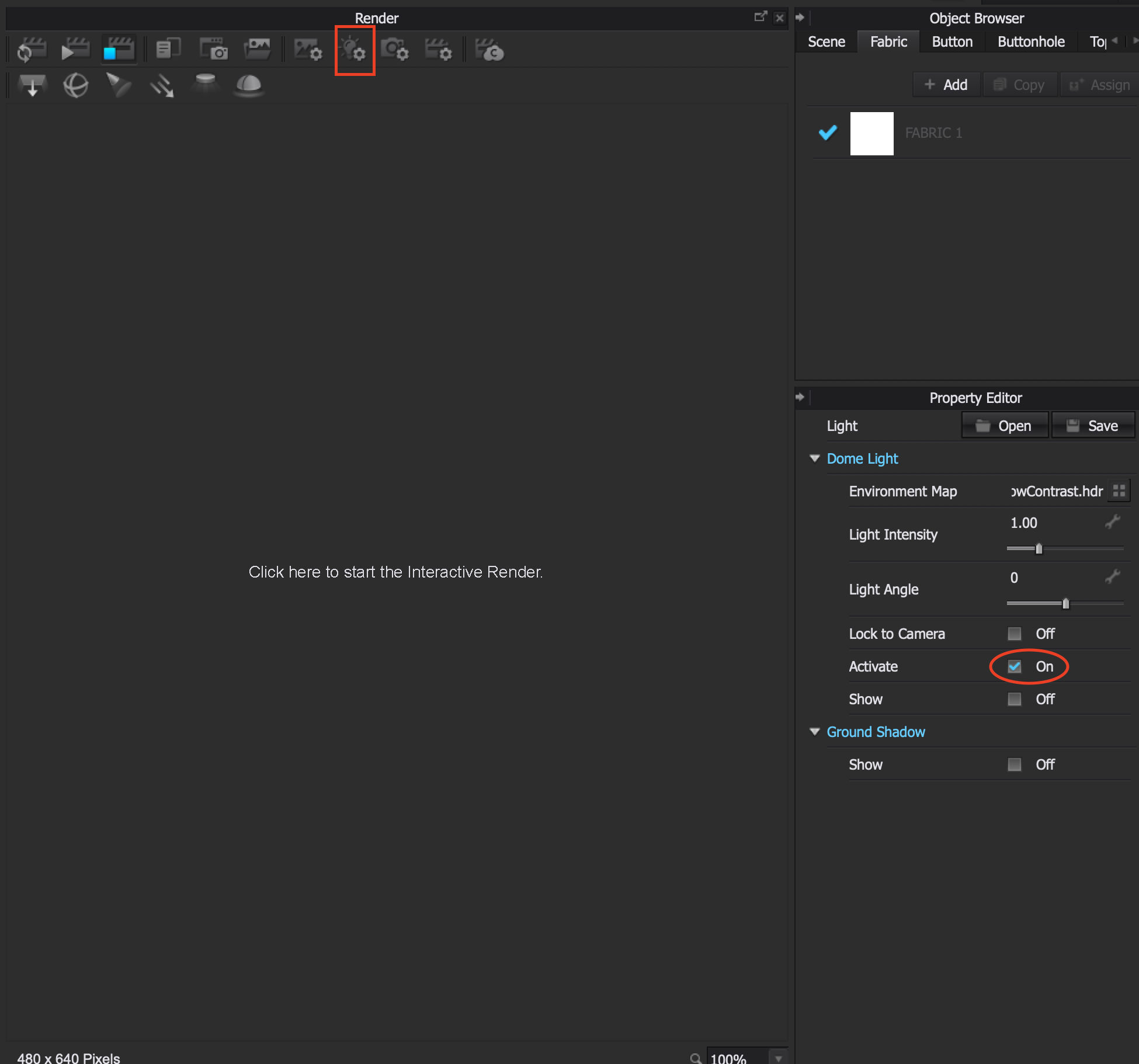
asiaalyaeva Thank you for reaching out about your issue. It appears that none of the lights are active in the render area. See the attached Image. Click on the Lighting Properties (Red Square) and make sure you have at least one light available and that the Active Check Box (Red Oval) is Checked. IF you still have an issue, please send a screen shot similar to the one here so we can see the settings.
-
Thank you for quick support! Actually I had lightning by default but it doesn't appears when I start render. I have to go to lightning properties and change lightning preset and then change it back on default preset and only then the light shows up. I have CLO 6.0 beta
0 -
Btw, I faced another problem - when I try to use enviroment map it shows only half background, how can I fix it?
As you can see I also have multiple rectangle lightnings which I can't remove, only deactivate. Is it possible to remove them?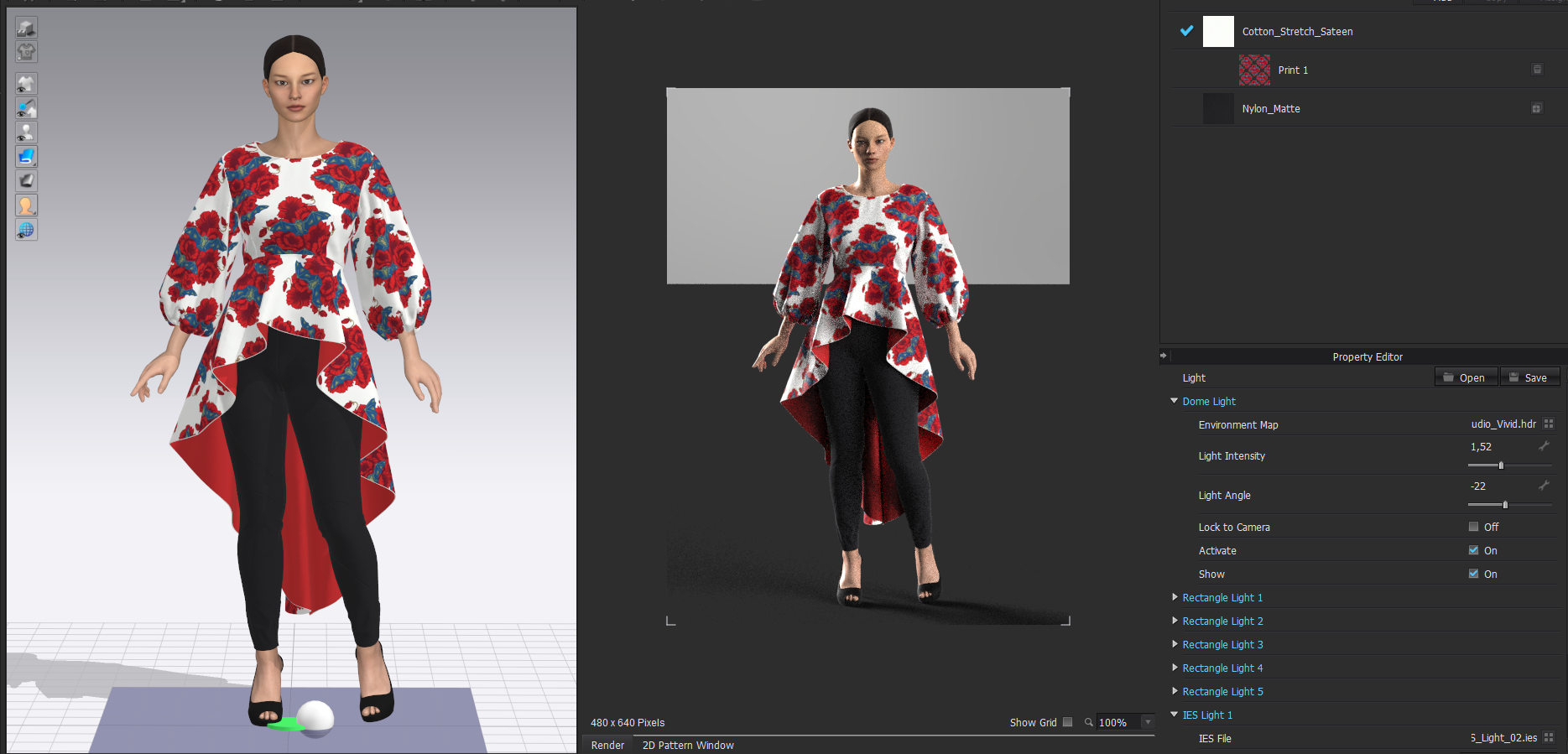 0
0 -
Hi asiaalyaeva. Glad to hear you sorted out your issue. Could definitely be because of the beta version you are using. Will take note of this in case it comes up again with another user. As for your other issue with the Environment Map; IF you turn on Ground Shadow and use the Environment Map, this will occur. The other solution would be to add either export with a transparent ground and compose in Photoshop, OR add a photo image as the background image in the Image Properties.
0 -
It's most likely not the beta version, try toggling OFF the SHOW Rectangle lights (#1 to #5) if they are in the camera angle view they can be seen, so it simply looks like your rectangular lamps are showing up in the render view as you forgot to HIDE them.
 0
0 -
Hiii! Thank you for your answers, anyway nothing helped with the enviroment map. I tried turn of ground shadow and rectangle lights but it still shows half way, althow when I rotate avatar enviroment looks full from different angle.
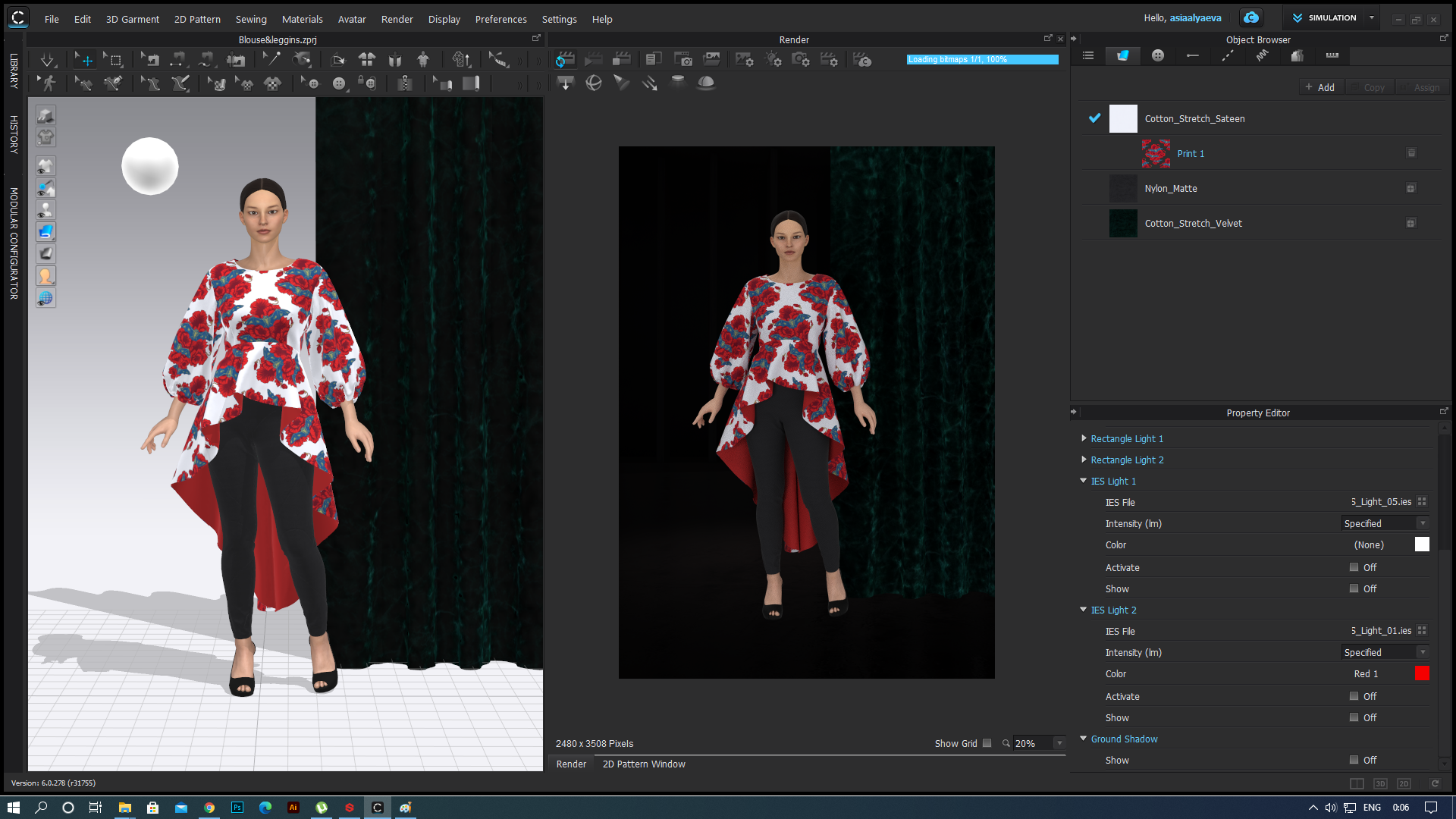
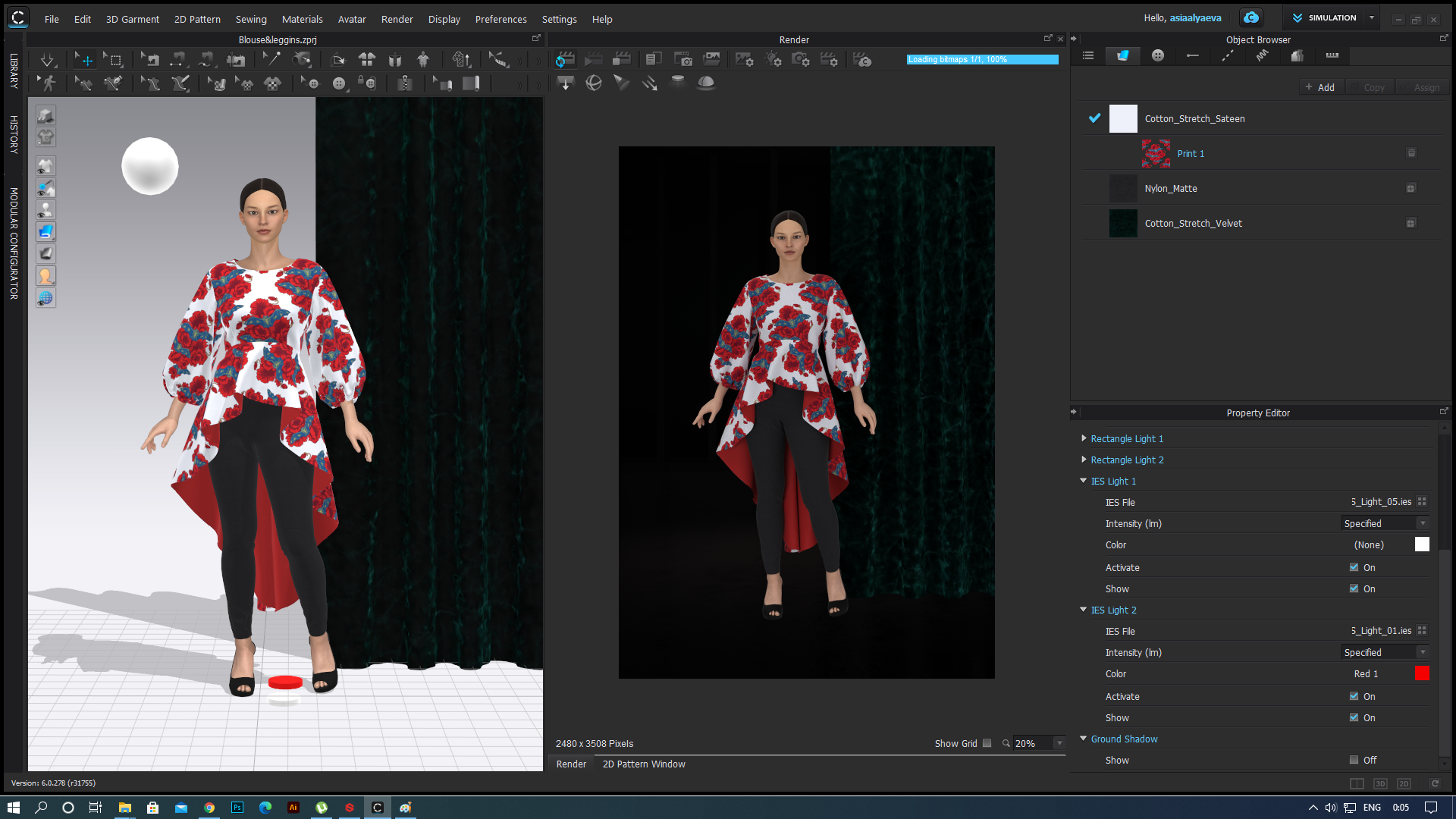
I still have problems with light settings.. I tried to add IES light but nothing changes (I tried with different IES files). Rectangle lights turned off only dome light turned on, but if I will turn it off with IES lights on the whole view turns black as before. So dome light should be always turned on by default?
See attached pics with IES on and off
 0
0 -
You have the lamp on the floor. Which is good for lighting everything in the apartment below in your scene.
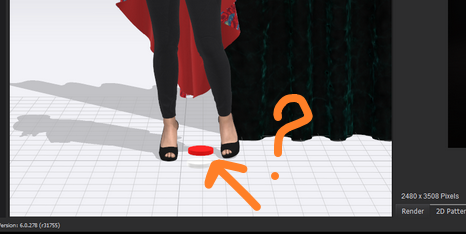
Try moving it up and outwards from the avatar (select and move with gizmo) so the lamp is casting light onto the model and into the scene. The people in the CG apartment below are most likely getting sunburn.
0 -
Ottoline, thank you for help, I didn't think about it
0
Comments