How to display all the measurement of the avatar on the 3D view?

HI
I would like to display all the measurements of my avatar on the 3D view. I tried the display button " Show Avatar Measurements", it only shows the lines but no measurement value. Also tried the "Point of Measure" button but it only display one value at a time. Does CLO actually support this function? Thank you very much.
Cheers,
Jian
-
Open up the avatar editor tool and measure area where they should all be listed.
1 -
Hi, thank you for your reply. But I am looking for quick way to add measurement of all points of measurement on the 3D avatar like image below. Is there any way we can do this? Thank you.
 0
0 -
They are already on the avatar in the measurement table. You can use the edit measure tool and select them to bring up the dimension or you may select the name of the measure in the avatar editor > Avatar size tab > and it will also highlight that measure.
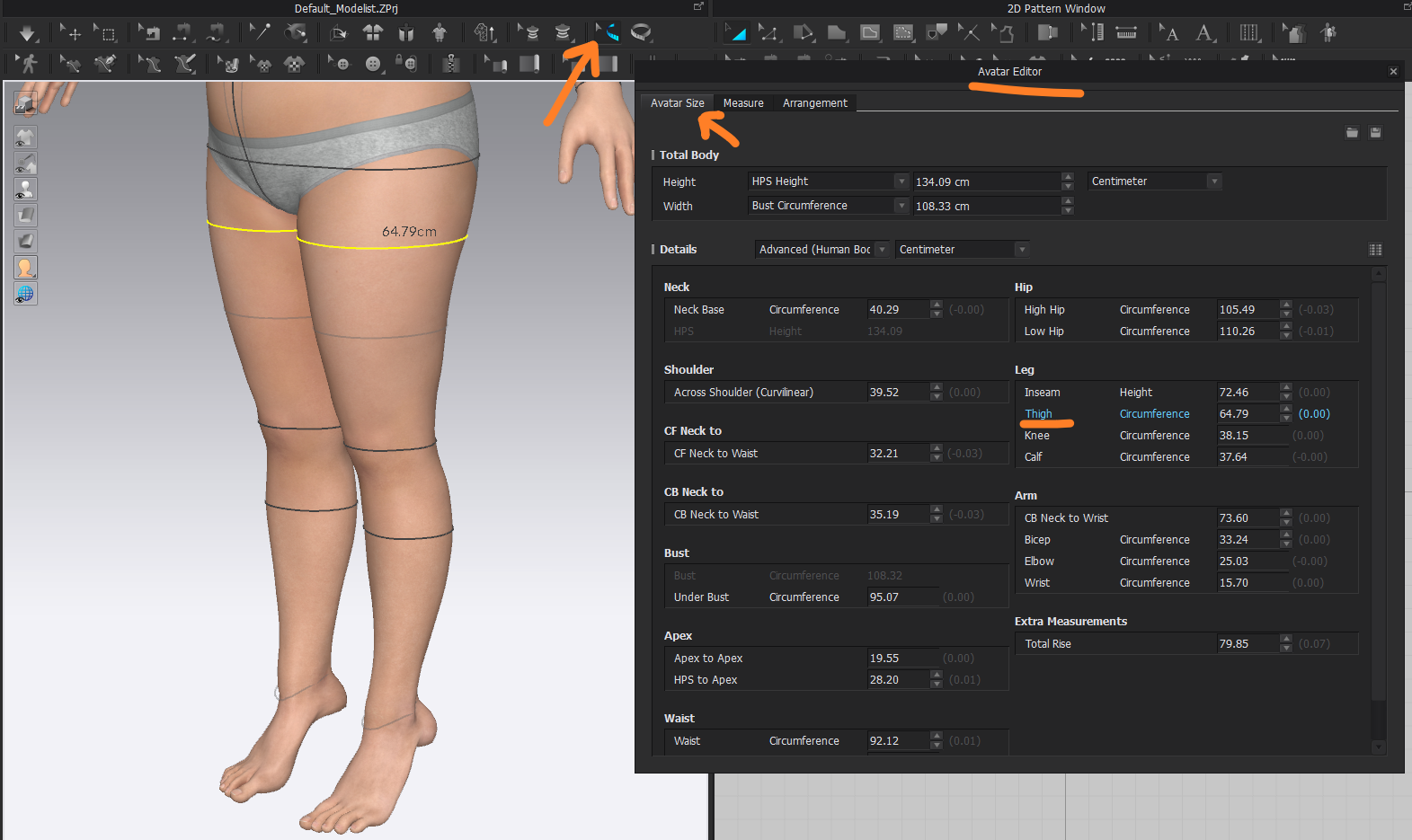
If you want to reference all measure tapes you can save a .csv (excel table) of measures and list them using the save > .csv option.
Hope that helps.
0
Comments