How to stitch down part of the pleats?

Hi Clo Designers!
I'm new to this software. I couldn't figure out how to stitch a few inches of the pleats down on the skirt. I also want to add pockets patch on to where the pleats have been sewn down.
But as I tried to only stich down the segment of the beginning of the pleat to the segment of the end of the pleat, the sewing does not materialize. After I click simulate, the sewing line is floating on the garment but not sewn down. As shown in the picture here.  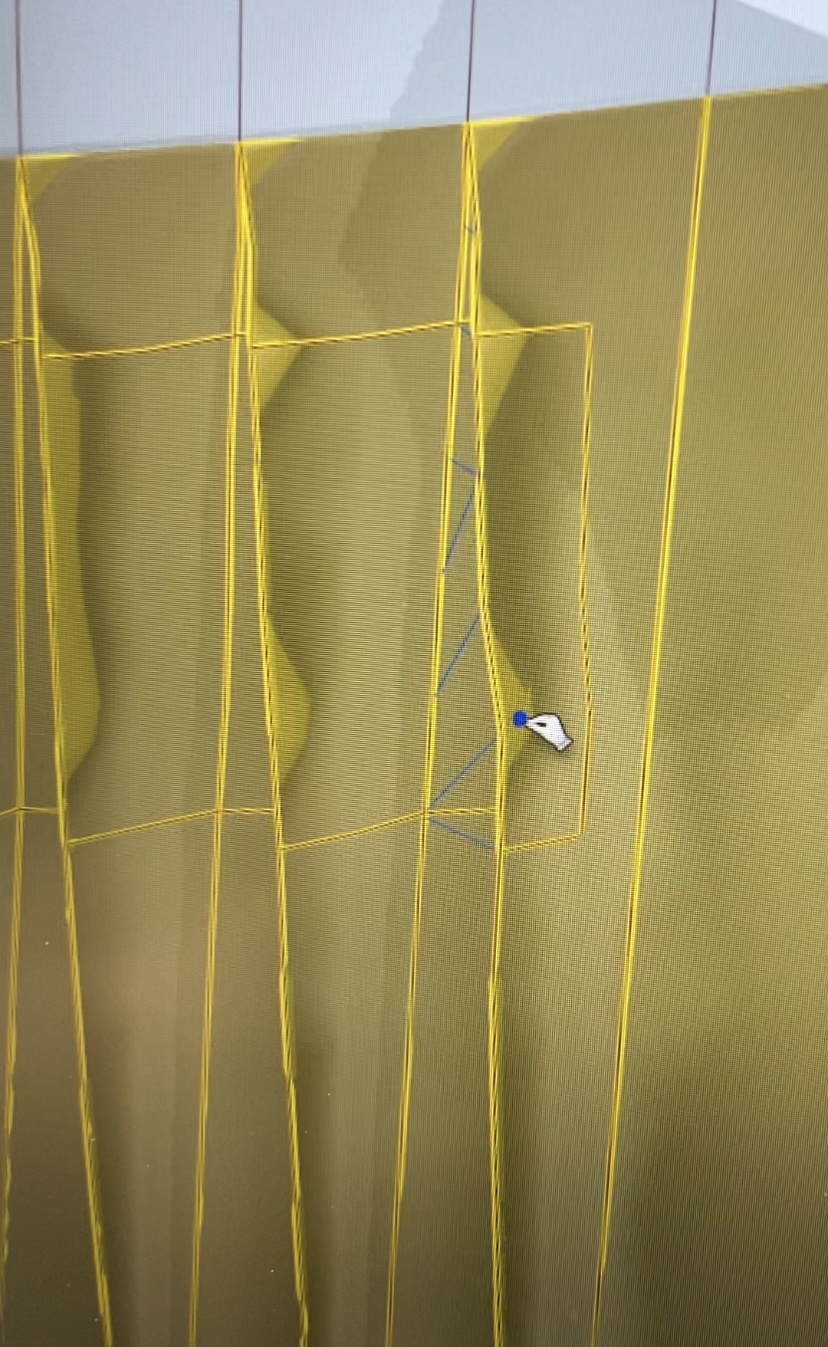
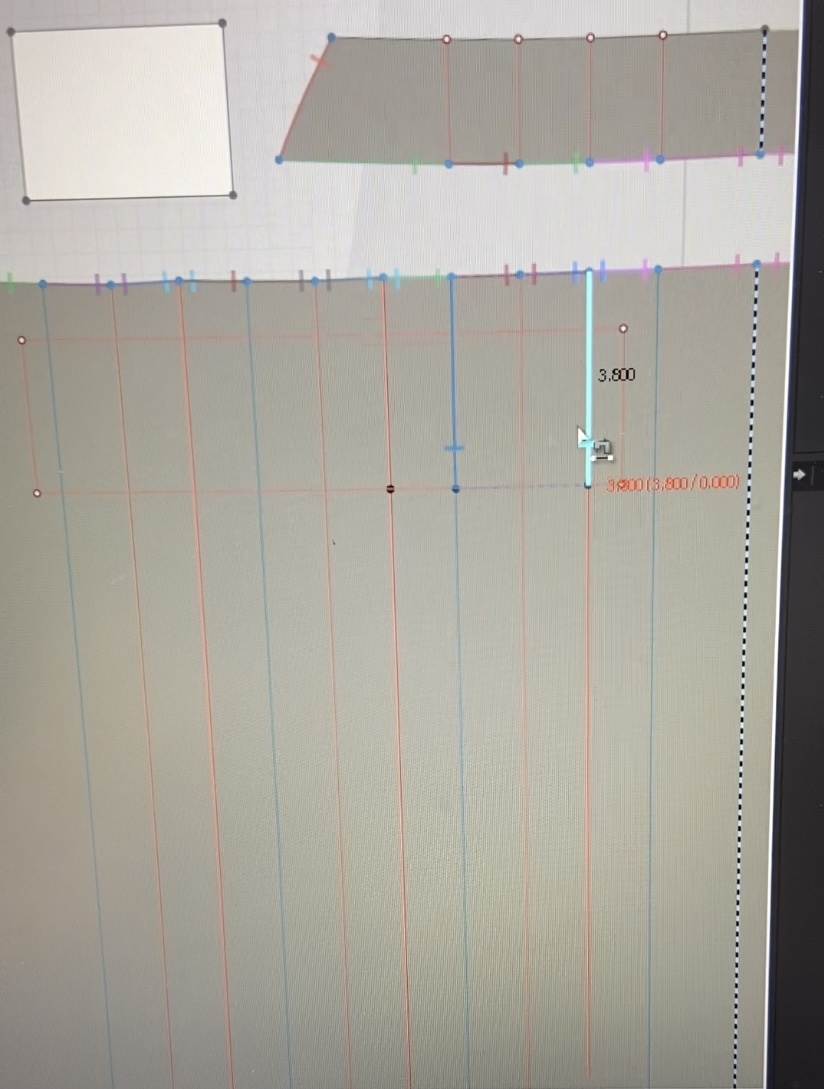
Please if anyone could help explain what I should do, I would greatly appreciate it!
-
Hi klclo3d
It looks like you have done everything correct. When something odd happens I first recommend deleting and adding back the sewing. If that still does not work I usually restart CLO.
Also make sure that you are on the most recent version of CLO 7.2.60. To check this you can look at the bottom left corner of CLO to see the version
0 -
Thank you so much for the response!
Actually, after I try to stitch down the pleats in many different ways and steps but failed, I restarted the program. Suddenly, I am able to stich down the 5 out of the 6 pleats. But the first pleat on the right side won't stich. I had to restitch many times trying different stitching steps and finally get the stitch on...
I am using the newest version of Clo. I'm wondering if this is a bug on Clo or something?
A following up question:
When I am trying to stitch a patch on pocket on top the pleats that are sewn down, only the side seams are able to be stitched but the bottom seam stitch cannot be materialized again, the stich just floating around as shown in the pictures. It failed even after I restarted the program neither. Is it possible to achieve this stich?
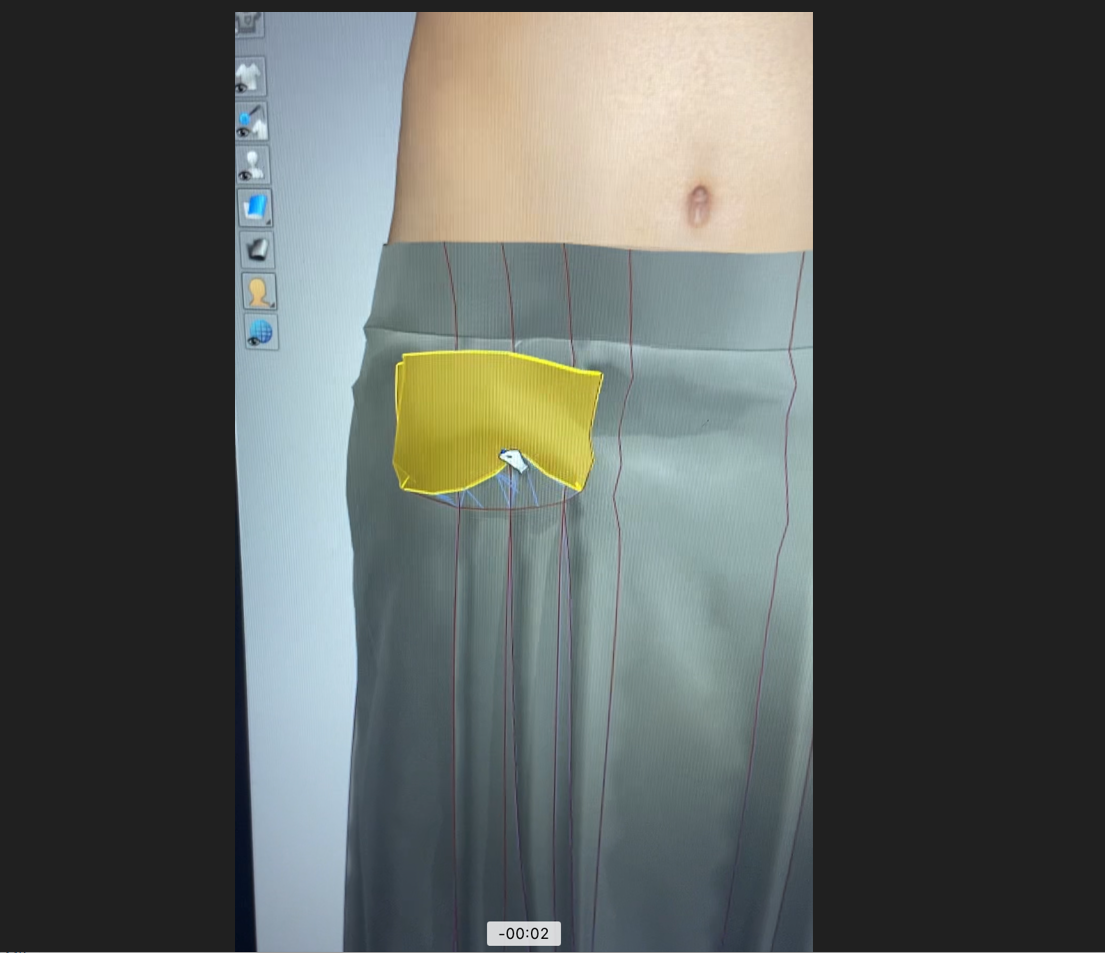
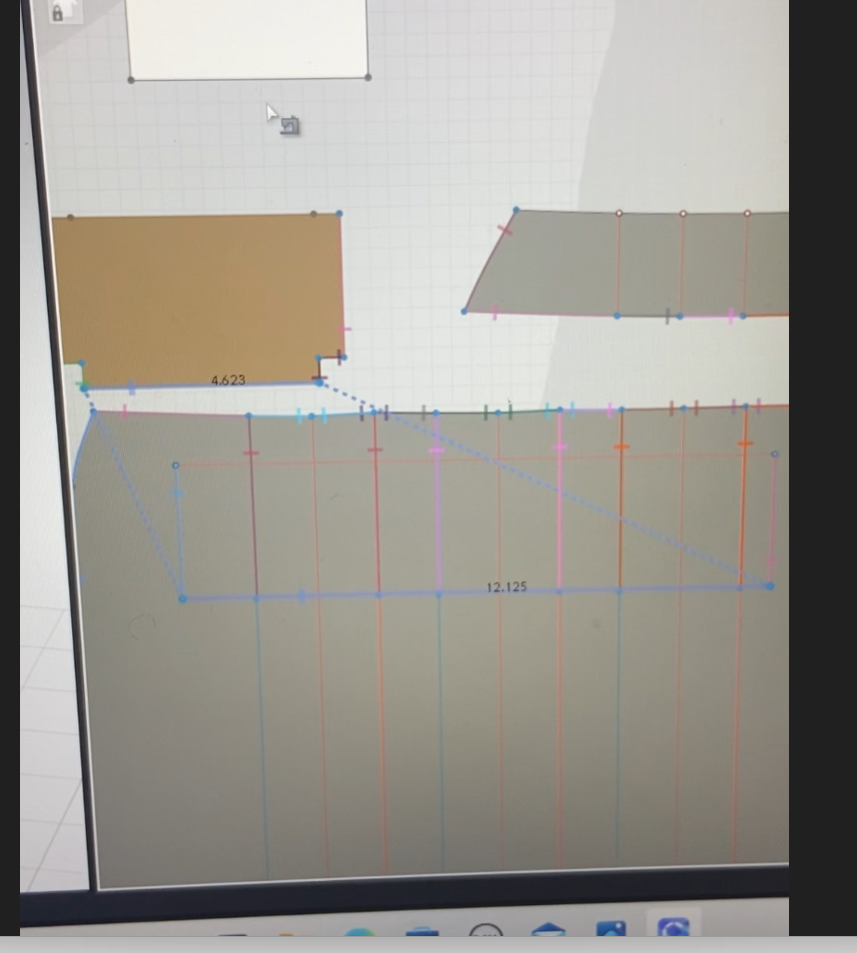
Would really appreciate your help! Thanks again!
0 -
Hi klclo3d,
Is there an internal line placed exactly on the pattern outline where it fails to simulate correctly, by any chance?
0 -
HI klclo3d
IS there any chance that you have Red Internal lines overlapping Black Pattern outlines? This can cause sewing errors
0
Comments