Part of stage appears to be white while rendering

 Hello. I tried to render the avatar with the stage. And the file was fine while making. Suddenly it has some issue. Any idea how to solve this?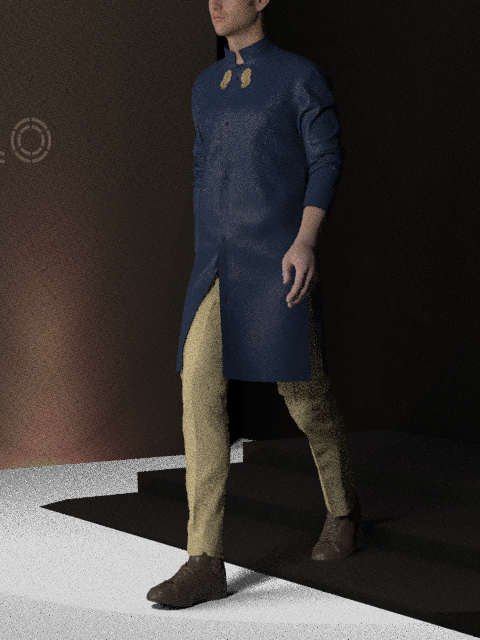
-
Looks like you have an additional plane in your scene bisecting the stage model as the 4th step is missing, and the white is bisecting the rear walls at a higher level.
This could be a flat plane light you may have active in the scene (and have forgotten to delete or hide from view) or another object that is rendering (eg: floor plane or HDRI choice) if the stage model is sitting slightly lower than the default 3D world floor plane.
You should be able to go to the root scene tree and select the object or de-activate any light (render settings) to check which object is causing the render fault - but that is what it is an object you have switched on in the Vray render (likely a light plane), that is not visible in the 3D PBR work-in-progress 3D window.
0
Comments