Failed to put displacement map in.

Hi Everyone,
I'm trying to put u3m files which scanned by Vizoo recently, and I'm using the latest trail CLO version now.
And I found out that I couldn't put displacement into CLO somehow.
you can see in below, other maps had put in successfully, but somehow displacement just failed.

This is the transformation result, and seems like it's without displacement?
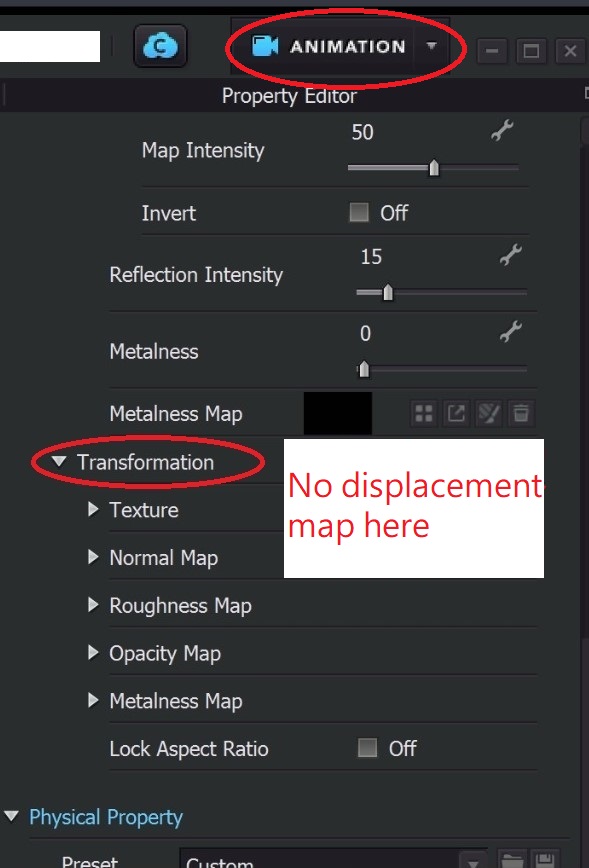
hopefully could have any advices here, thanks in advance with much appreciation :)
-
This has been happening to me recently, too, CLO just silently ignores a displacement map I try to add. One time I took t saved in another format and then it was applied (jpg->png or vice versa don't recall). Is only one format allowed for displacement maps? I haven't spent much time trying to figure this out, but I do think it's a new issue.
0 -
Try changing the bit density of your displacement map.
0 -
Ottoline thanks! I will try it today :>
0 -
It works! I saved as 24 bit file.
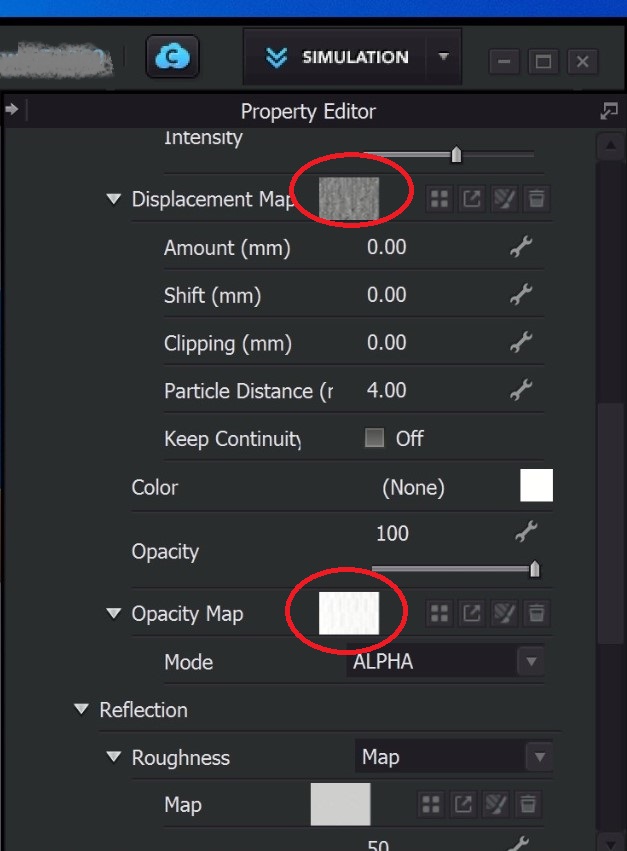 0
0 -
:-)
0 -
Hi all, I'd like to share another solution, when you set up the color depth in [Edit] with xTex software.
if you choose 8bit instead of 16 bit, the u3m could also workable with the displacement map. :)
0
評論