Light Properties does not have a Environment Map

Hi,
I can not find in the Light Properties panel the Environment Map to using HDRI, does anyone know what the problem is?
Thanks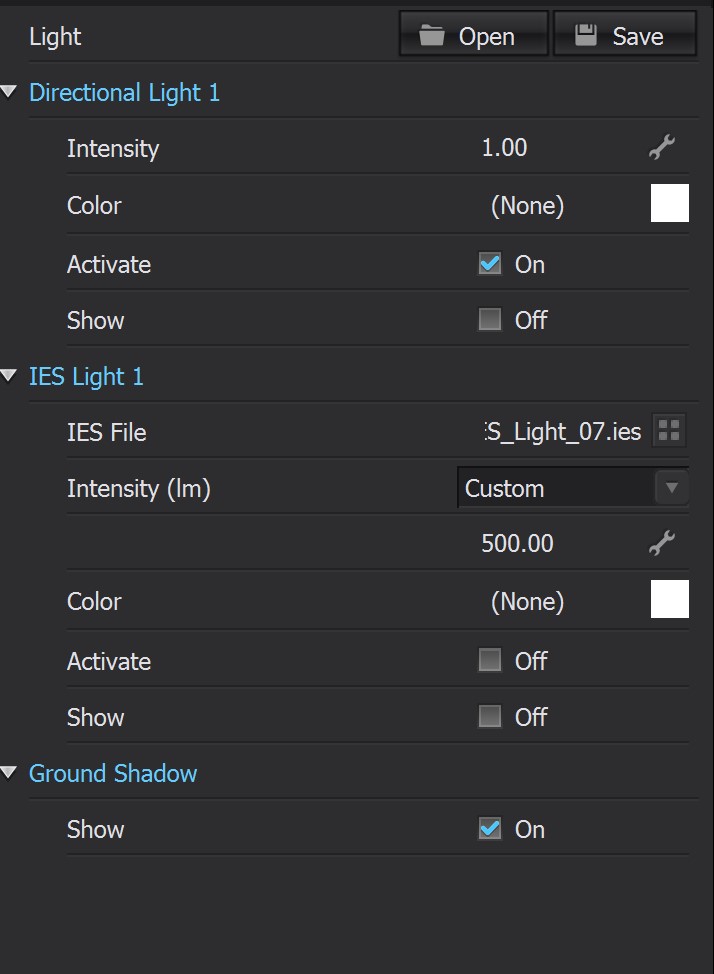
0
-
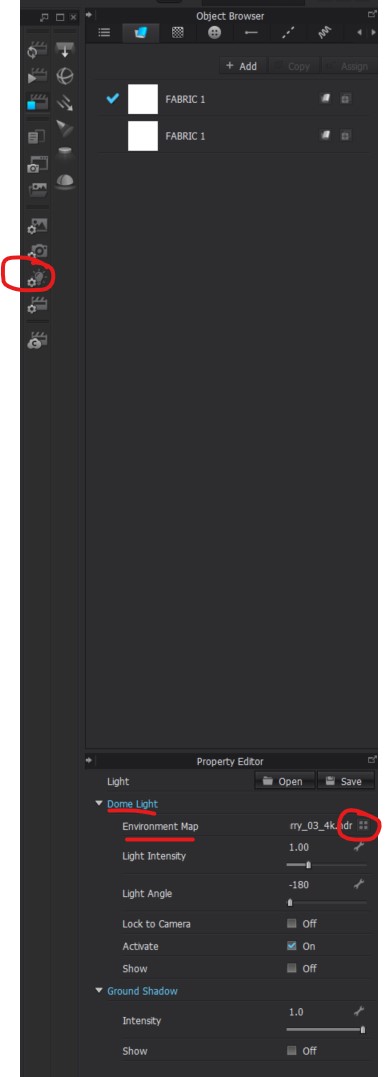
Hi YASI. Are you looking to add HDRI light files? To add this you can go into the Render Engine > Select Light Properties > Property Editor > Dome light > Environment Light > Click on the four square desk top icon.
This will open the CLO default lighting, but you can now also access your desktop to add any desired light files.
We hope that this helps!
0
評論